
simple-react-chatbot
v1.0.6
Published
A customizable and lightweight React chatbot widget built with TypeScript, Tailwind CSS, and Vite. The package provides a ready-to-use, themeable chat interface with support for predefined questions, dynamic responses, and easy integration with AI or cust

Maintainers
 raj_pitroda
Readme
React Chatbot




A customizable and lightweight React chatbot widget built with TypeScript, Tailwind CSS, and Vite.
Easily embeddable into any React project, with support for predefined questions, dynamic responses, and API/AI integrations (like Gemini, OpenAI, or your custom backend).
🎬 Demo
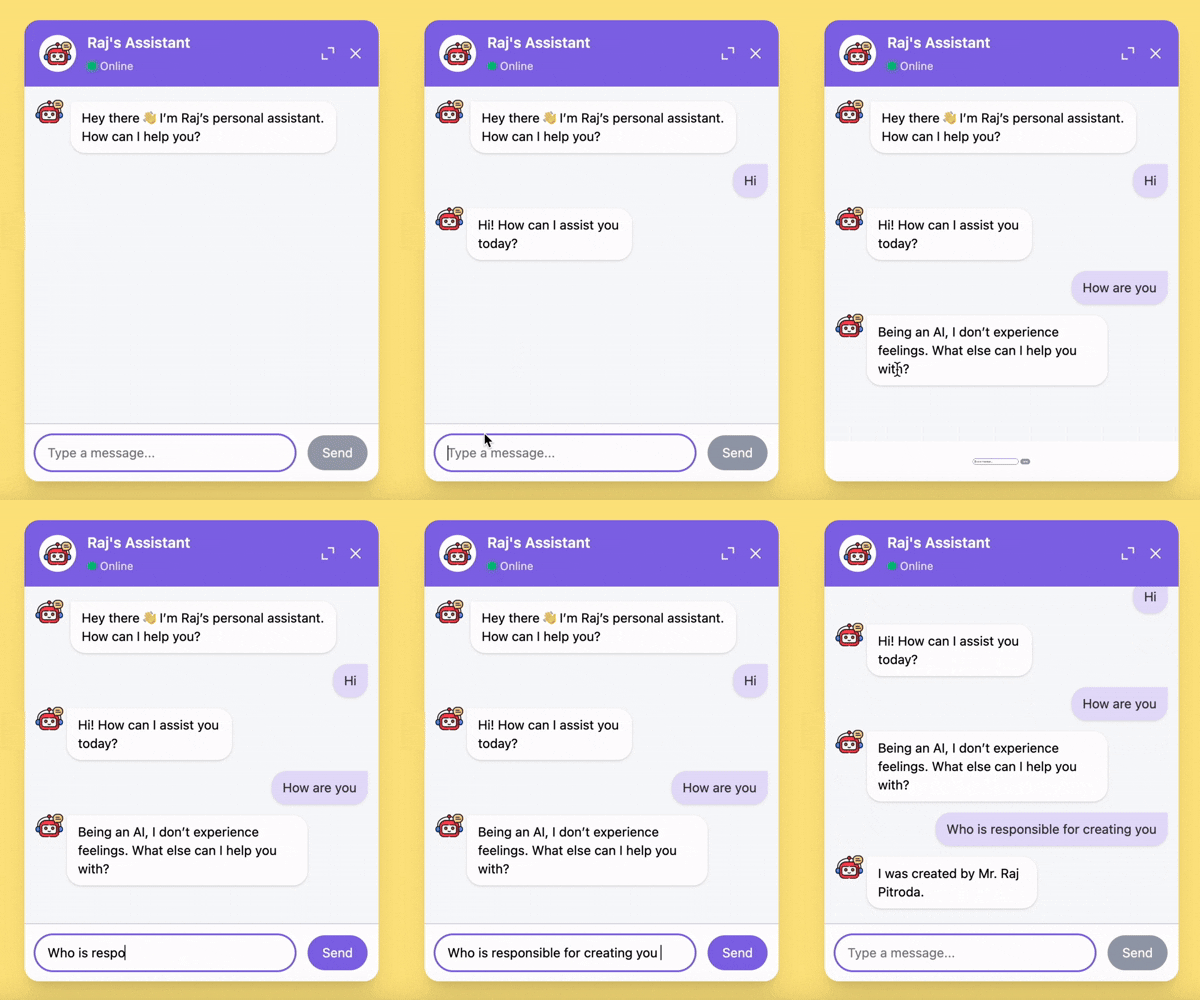
✨ Features
- ⚡ Lightweight and fast — powered by Vite & TypeScript
- 🎨 Fully themeable with primary/secondary colors and custom bubble backgrounds
- 💬 Predefined question support for quick prompts
- 🤖 Compatible with AI models or any async API (customizable request handler)
- 📱 Responsive design with expand/collapse & fullscreen support
- 🛠 Easy to integrate — works with any React project
📦 Installation
npm install simple-react-chatbot
# or
yarn add simple-react-chatbot
🚀 Basic Usage
import { Chatbot } from "simple-react-chatbot";
import "simple-react-chatbot/index.css";

export default function App() {
  const onChatResponse = async (
    question: string,
    setIsLoading: (loading: boolean) => void,
    appendChatResponse: (msg: string) => void
  ) => {
    setIsLoading(true);
    appendChatResponse("This is a sample static response");
    setIsLoading(false);
  };

  return (
    <Chatbot
      botTitle="Raj's Chatbot"
      defaultMsg="Hi! How can I help you today?"
      predefinedQuestions={[
        "Quick Introduction",
        "Contact Details",
        "Work Experience Overview",
        "Compare with Your Job Description",
      ]}
      jdCompareText="Please compare with this JD:"
      errorMsg="Failed to fetch response"
      onChatResponse={onChatResponse}
    />
  );
}
🚀✨ Integration with AI APIs (ChatGPT, Gemini, Grok, … )
import { Chatbot } from "simple-react-chatbot";
import "simple-react-chatbot/index.css";


export default function App() {
const onChatResponse = async (
  question: string,
  setIsLoading: (loading: boolean) => void,
  appendChatResponse: (msg: string) => void
  ) => {
  try {
    setIsLoading(true);
    const response = await fetch(
      `https://generativelanguage.googleapis.com/v1beta/models/gemini-2.5-flash:generateContent?key=${GEMINI_KEY}`,
      {
        method: "POST",
        headers: { "Content-Type": "application/json" },
        body: JSON.stringify({
          contents: [
            {
              role: "user",
              parts: [
                {
                  text: question, // 👈 Send user question directly
                },
              ],
            },
          ],
        }),
      }
    );

    if (!response.ok) {
      throw new Error(`HTTP ${response.status}: ${await response.text()}`);
    }

    const data = await response.json();
    const raw =
      data?.candidates?.[0]?.content?.parts?.[0]?.text ??
      data?.candidates?.[0]?.content?.text;

    if (!raw) throw new Error("No response from Gemini");
    appendChatResponse(raw);
  } catch (err: any) {
    console.error("Gemini API error:", err.message ?? err);
    appendChatResponse("⚠️ Something went wrong. Please try again.");
  } finally {
    setIsLoading(false);
  }
};

  return (
    <Chatbot
      botTitle="AI Chatbot"
      defaultMsg="Ask me anything!"
      predefinedQuestions={[
        "Tell me about React",
        "Explain Tailwind CSS",
        "What is Vite?",
      ]}
      errorMsg="Failed to fetch response"
      onChatResponse={onChatResponse}
    />
  );
}
⚙️ Props
| Prop | Type | Default | Description |
| --------------------- | --------------------------------------------------------------- | ------------------ | ---------------------------------------------------------- |
| botTitle | string | – | Title displayed in the chatbot header |
| defaultMsg | string | – | Default welcome message shown on chat open |
| predefinedQuestions | string[] | – | List of quick prompts shown under the first message |
| jdCompareText | string | – | Special keyword to trigger job description comparison flow |
| errorMsg | string | – | Message shown when an API call fails |
| primaryHaxColor | string (hex) | #876AE7 | Primary theme color (used in header, buttons, highlights) |
| secondaryHaxColor | string (hex) | lighter of primary | Secondary theme color (used in user bubbles, highlights) |
| botBubbleHaxColor | string (hex) | #FFFFFF | Background color of floating launcher button |
| onChatResponse | (question, setIsLoading, appendChatResponse) => Promise<void> | – | Function to handle fetching and appending responses |