
situationship
v0.2.0
Published
Run OpenAI/Codex models alongside Claude models in Claude Code

Maintainers
 rebers
Readme
Situationship
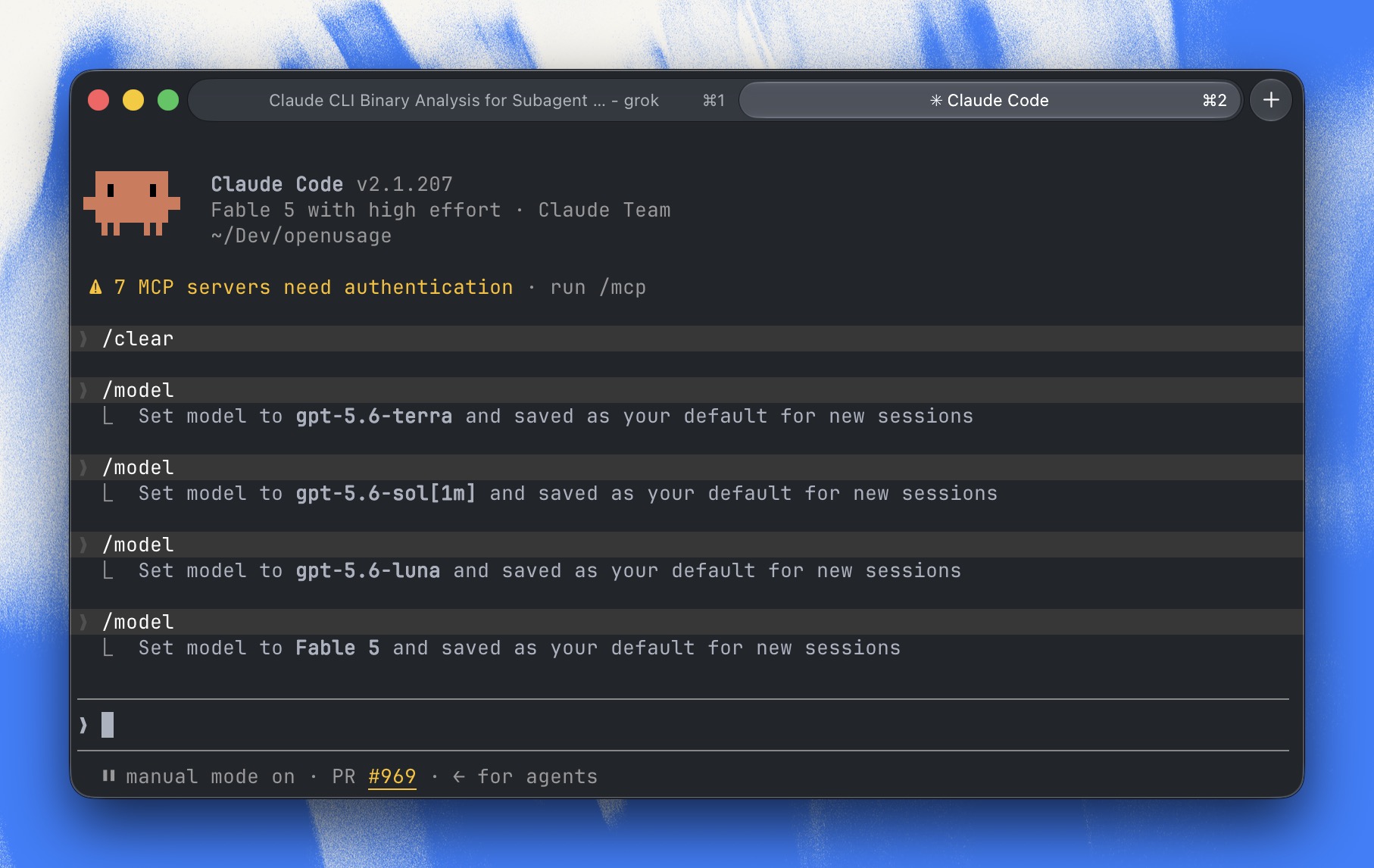
Use your ChatGPT/Codex subscription inside Claude Code, alongside Claude Fable 5.
Situationship lets ChatGPT/Codex (GPT) models run alongside Claude Fable in the Claude Code CLI. It does this by running a tiny translator on your machine that sits between Claude Code and the internet, and converts messages back and forth between Anthropic's format and OpenAI's format on the fly.
For all intents and purposes, it tricks Claude Code into thinking it's talking to Claude models, when some of them are actually OpenAI models, billed to your Codex subscription. Claude Code itself is never modified. You essentially combine your two subscriptions into one.
⚠️ This is very much a proof of concept! It uses a private ChatGPT endpoint and creative model remapping. There are no guarantees you won't get banned by OpenAI or Anthropic. Use at your own risk.
What it actually does
Two things, and only these two things:
- Adds one custom model to Claude Code's model picker (e.g.
gpt-5.6-sol). - Re-assigns the model names Claude Code already knows (Haiku, Sonnet, Opus) to OpenAI models.
| What Claude Code thinks it's using | What actually answers |
| ----------------------------------- | -------------------------------- |
| Opus | GPT 5.6 Sol |
| Sonnet | GPT 5.6 Terra |
| Haiku | GPT 5.6 Luna |
| Fable, Mythos, any claude-* model | Real Anthropic models, untouched |
Claude models still go straight to Anthropic, just like Claude Code natively would. Only requests for the remapped names get translated and sent to ChatGPT.
Why would you want this?
- Use Fable 5 Max as your "Chief-of-Thread", the model you talk to.
- Let Fable delegate work to subagents that actually run on GPT models.
- Save on Fable 5 usage and get work done faster, since the heavy lifting is spread across both subscriptions.
Why is this "safe"?
Claude Code runs completely unmodified: no patches, no plugins, no hacks to the app itself. Situationship only starts a small local server and tells Claude Code to send its traffic through it. Your Claude login and your Codex login are the same official ones you already use with claude login and codex login.
That said: this routes your Codex subscription through a private ChatGPT endpoint that OpenAI doesn't officially support for this purpose. Hence the disclaimer above.
Requirements
- Node.js 18 or newer
- Claude Code, logged in with
claude login - Codex CLI, logged in with
codex login
No exact versions are required or checked. The versions this was built and tested against are Claude Code 2.1.207 and Codex CLI 0.144.1; newer versions will most likely work too.
Run it
npx situationshipThat's it. It finds a free local port, starts the translator, launches Claude Code pointed at it, and cleans everything up when you quit. You can run as many as you'd like.
If you're not logged in to Codex, it exits immediately and tells you to run codex login first.
Defaults (all can be changed):
| Setting | Default | How to change |
| ---------------------------- | ------------- | ------------------------------ |
| Main model | fable (Fable 5, high effort) | --model or SITUATIONSHIP_MODEL |
| Permission mode | auto | --permission-mode |
| Maximum GPT reasoning effort | high | --max-effort (low, medium, high, xhigh, max) |
Why is there a "max effort" limit?
Claude Code doesn't know it's talking to GPT models, so it asks for the same "thinking effort" it would ask from a Claude model. Claude models handle that fine, but GPT models interpret those top effort levels as "think extremely long and hard," which burns through your Codex usage very quickly and makes responses much slower, usually without better results for everyday coding.
So by default, Situationship caps the effort sent to GPT models at high. Claude requests are never touched by this cap. If you want the GPT models to think harder (and spend more of your subscription), raise it:
npx situationship --max-effort xhigh⚠️ Claude Code has no way of setting effort levels per subagent! Whatever you set here is going to be used for every subagent, regardless of the model or how easy or difficult the task is.
Privacy and logs
Each session writes a small log file under ~/.situationship/logs/ for debugging. It contains metadata only: timings, model names, request sizes, and upstream API error messages (for failed requests). Your prompts, responses, code, and credentials are never logged. Old logs are automatically cleaned up (about 15 MB total).
If you run into problems, create an issue and attach some logs so I can make it better.
For the technically curious
- The translator converts Anthropic "Messages" requests into OpenAI "Responses" requests and streams the answers back in Anthropic's format, including tool calls and images.
- Claude Code's internal auto-mode classifier is detected and routed like any other model (GPT slugs to ChatGPT, Claude models to Anthropic). The
[1m]context suffix and long-context betas are stripped from classifier requests, since subscriptions without the 1M-context beta would otherwise get a 400 and auto mode would fail closed. - Token-count requests for Claude models are forwarded to Anthropic for exact numbers; GPT models get a conservative local estimate (the ChatGPT backend has no counting endpoint).
- It talks to the same private
chatgpt.com/backend-api/codexinterface that the Codex CLI (and many community tools) use for subscription access. Since that interface is undocumented, its behavior was reverse-engineered from the real clients; see docs/PROTOCOL.md for the evidence. - Verify the code with
npm run checkandnpm test(the test suite runs entirely against local fake servers).
License
MIT