
slidev-addon-liveshell
v1.0.2
Published
Live terminal sessions in your Slidev presentations, powered by ttyd and xterm.js


Readme
Slidev-addon-liveshell
Live terminal sessions in your Slidev presentations -- powered by ttyd + xterm.js, native WebSocket, no iframes.
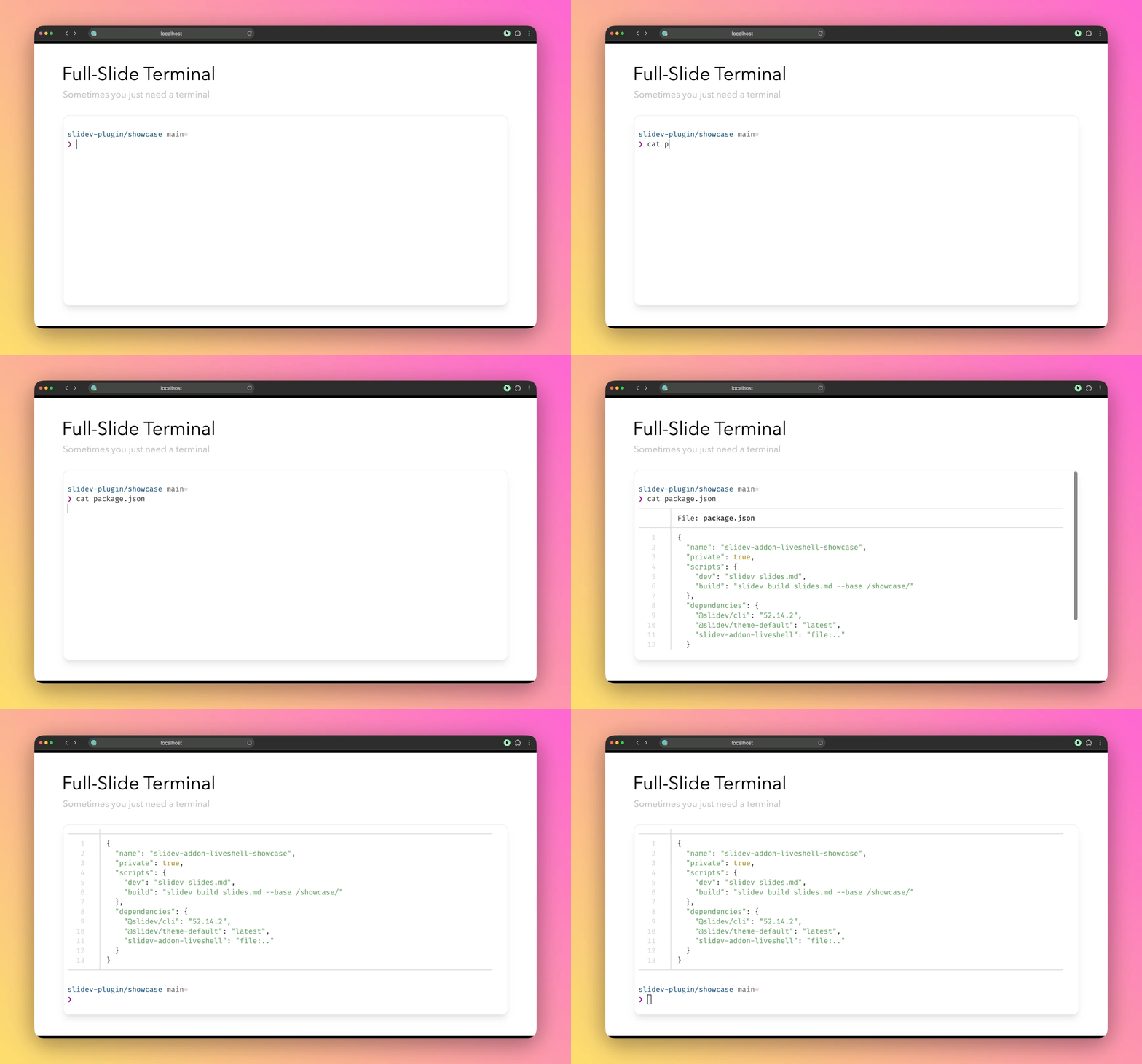
I often do live presentations where I need to run commands or demo software from my terminal, alt-tabbing out of Slidev breaks the flow. This addon embeds a real shell directly in your slides.


Getting started
# 1. Install ttyd (or with apt, pacman or scoop)
brew install ttyd

# 2. Add the addon
npm install slidev-addon-liveshell
---
addons:
- liveshell
class: flex flex-col
---
# Demo
<div class="flex-1 min-h-0">
<Terminal />
</div>The plugin spawns a ttyd process when you navigate to the slide and cleans it up on server shutdown.
Features
Persistent Sessions
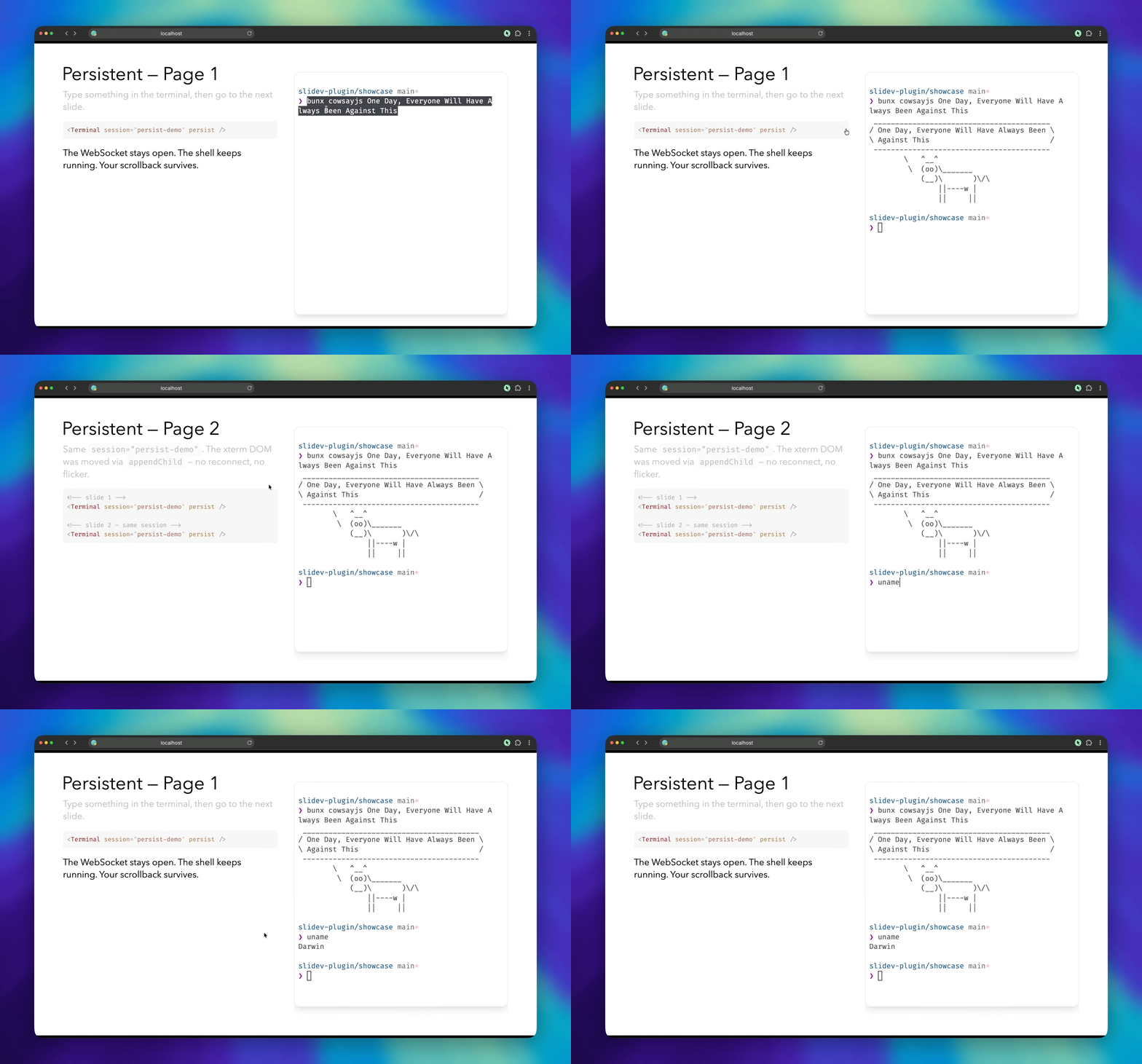
Keep the shell alive across slides. Navigate away and back -- your history survives.
<!-- Slide 3 -->
<Terminal session="api" persist />

<!-- Slide 5 — same session -->
<Terminal session="api" persist />
xterm DOM is moved between slides and the socket connection is kept.
Multiple Terminals
Any CSS layout works. Each terminal auto-fits its container.
<div class="grid grid-cols-2 gap-4 h-80">
  <Terminal session="server" persist />
  <Terminal session="client" persist />
</div>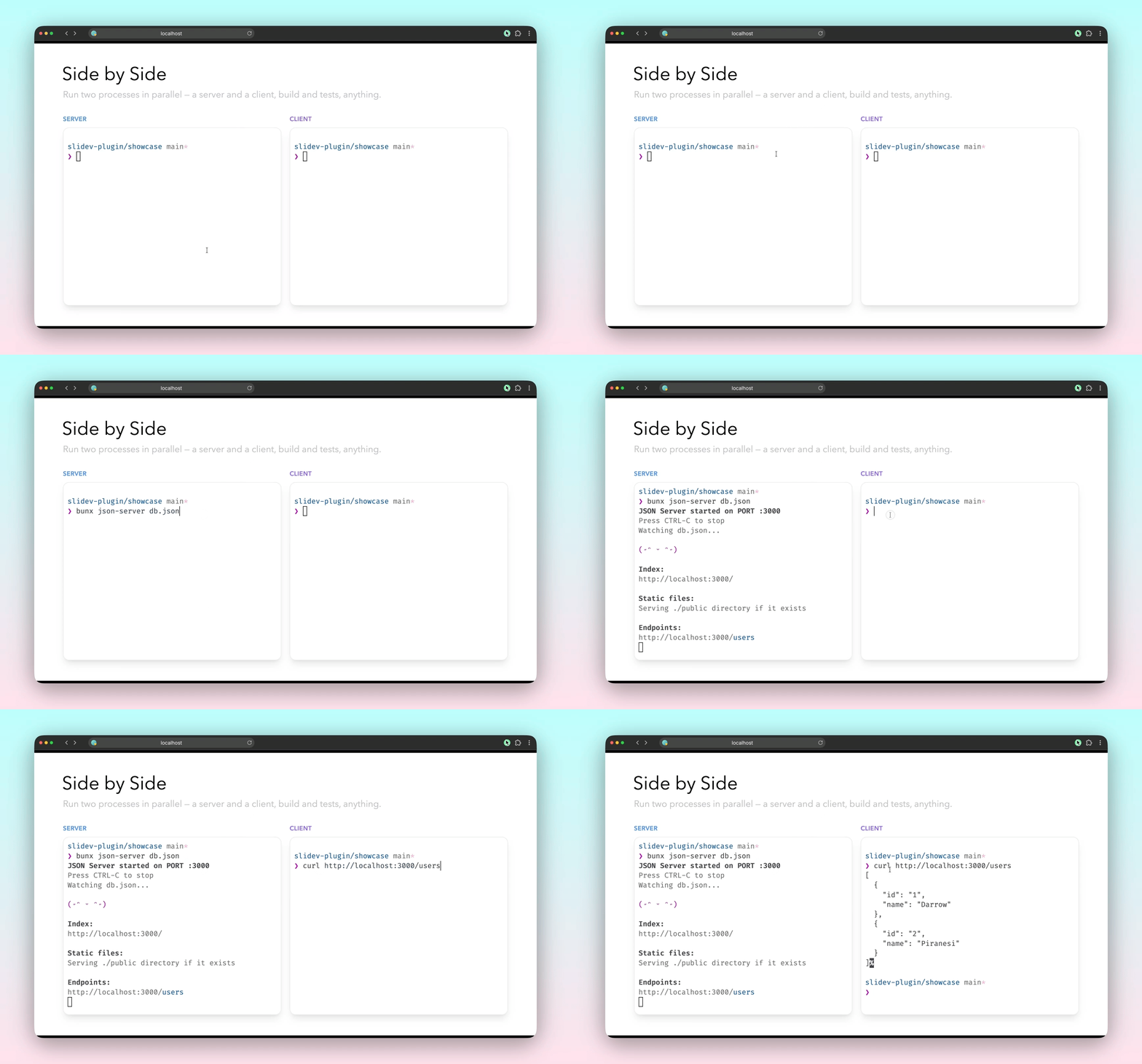
Slidev VDrag + Liveshell
Works with Slidev's draggable feature. Move terminals anywhere on your slide.
<v-drag>
  <Terminal session="demo" persist />
</v-drag>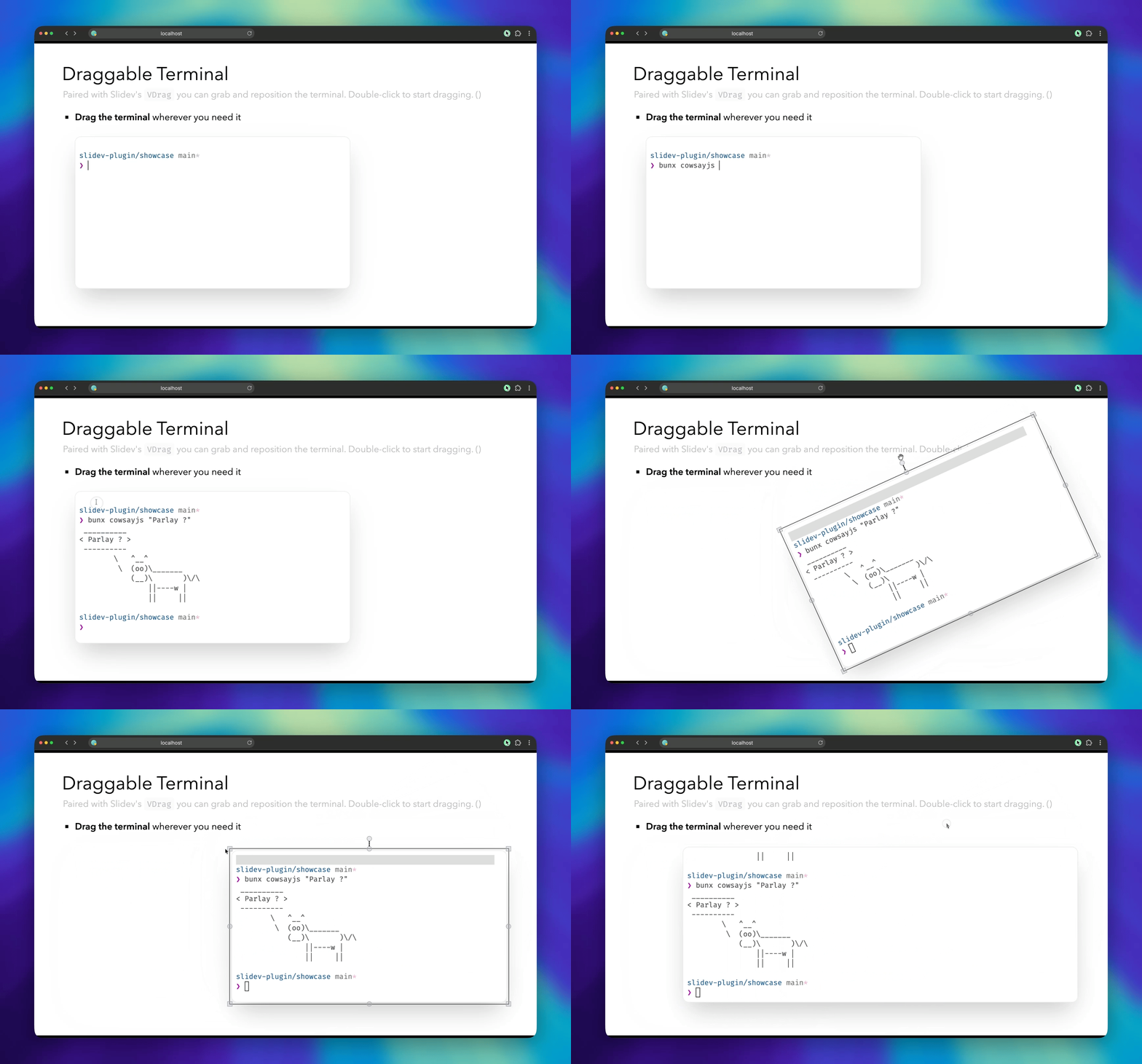
Themes
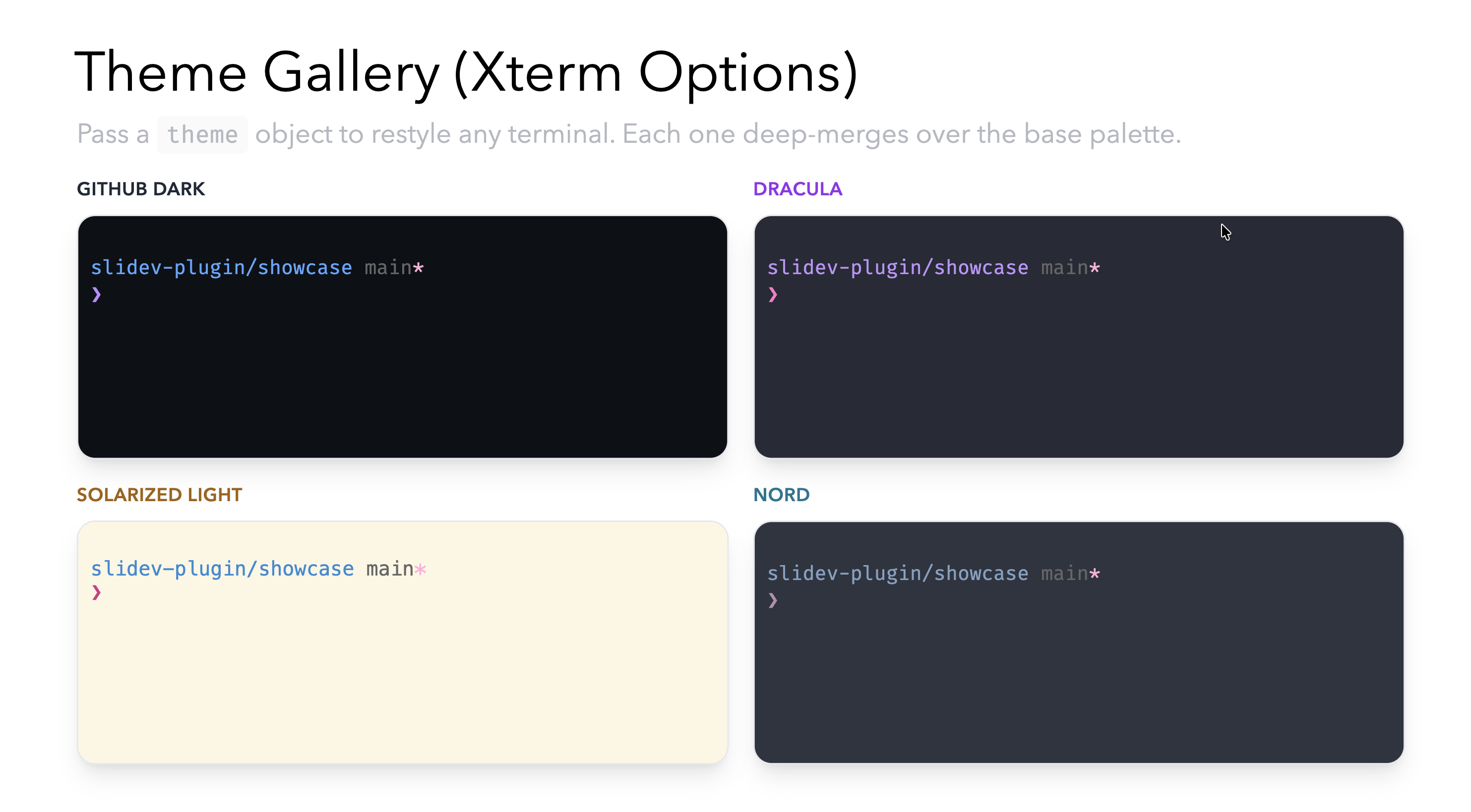
Follows Slidev's dark mode automatically. Override with CSS variables or a partial theme object:
<Terminal :options="{
  theme: {
    background: '#0d1117',
    cursor: '#58a6ff'
  }
}" />
Also
Manual mode -- skip auto-spawn and connect to your own ttyd instance. Useful for custom flags or remote hosts.
ttyd -W -p 9000 bash<Terminal manual host="localhost" :port="9000" />Ephemeral sessions (default) -- the ttyd process is killed when you leave the slide. A fresh shell spawns when you return.
<Terminal />Sizing
The terminal fills its container with height: 100%. When sharing a slide with other content (headings, text), wrap it in a sized container so it doesn't overflow:
# My Slide

<div class="flex-1 min-h-0">
  <Terminal />
</div>
Or add class: flex flex-col to the slide frontmatter:
---
class: flex flex-col
---
API
<Terminal
  session="api"                    <!-- shared session id -->
  persist                          <!-- survive slide navigation -->
  host="localhost"                 <!-- ttyd host -->
  :port="9000"                     <!-- ttyd port -->
  :options="{ fontSize: 16 }"     <!-- xterm.js overrides -->
/>
[!TIP] Merge order (later wins): built-in defaults + dark/light theme → deck
terminal.options→ per-componentoptionsprop. Theme colors are deep-merged separately -- partial overrides won't wipe the base palette.
| Prop | Type | Default | Description |
|:-----|:-----|:--------|:------------|
| session | string | auto | Stable session identifier. Same name = shared connection. |
| persist | boolean | false | Keep WebSocket and shell alive across slide navigation. |
| manual | boolean | false | Skip auto-spawn. Connect to a user-managed ttyd. |
| host | string | 'localhost' | ttyd hostname. |
| port | number | from deck config | ttyd port. Auto-assigned in managed mode. |
| path | string | '/ws' | ttyd WebSocket path. |
| options | ITerminalOptions | {} | xterm.js options. Deep-merged over deck defaults. |
Set defaults for all terminals in your frontmatter:
---
terminal:
  defaultPort: 8085
  defaultShell: zsh
  ttydPath: ttyd
  options:
    fontSize: 16
    cursorBlink: true
    fontFamily: "'JetBrains Mono', monospace"
---
| Key | Type | Default | Description |
|:----|:-----|:--------|:------------|
| defaultPort | number | 8085 | Starting port for auto-assigned sessions. |
| defaultShell | string | process.env.SHELL | Shell passed to ttyd. |
| ttydPath | string | 'ttyd' | Path to ttyd binary. |
| options | ITerminalOptions | {} | Deck-wide xterm.js defaults. |
:root {
  --slidev-terminal-bg: #1e1e1e;
  --slidev-terminal-fg: #d4d4d4;
  --slidev-terminal-cursor: #aeafad;
  --slidev-terminal-selection: rgba(255, 255, 255, 0.3);
  --slidev-terminal-border: none;
  --slidev-terminal-border-radius: 8px;
  --slidev-terminal-font-family: 'Fira Code', 'Cascadia Code', monospace;
  --slidev-terminal-font-size: 14px;
}
For full color control, pass a theme via the options prop:
<Terminal :options="{
  theme: {
    background: '#0d1117',
    foreground: '#e6edf3',
    cursor: '#58a6ff',
    selectionBackground: 'rgba(88,166,255,0.2)',
    black: '#484f58',
    red: '#ff7b72',
    green: '#3fb950',
    yellow: '#d29922',
    blue: '#58a6ff',
    magenta: '#bc8cff',
    cyan: '#39c5cf',
    white: '#b1bac4',
  }
}" />
Showcase
A demo deck lives in showcase/. Run it with:
npm run devKnown Issues & Ideas
- No build/PDF export -- terminals rely on Vite HMR, so they won't work in
slidev buildorslidev export. Looking into fallback options (#fallbackslot? asciicast replay?) - Resize artifacts -- small visual glitches can appear when resizing persisted sessions
- Replace ttyd with node-pty? -- removing the ttyd dependency would simplify install
- Remote sessions -- could this support remote shells or multiple presenters?