
smh-mongo-mcp-server
v1.0.0
Published
A Model Context Protocol server for MongoDB connections

Maintainers
 smuniharish
Readme
SMH MongoDB Server
A Model Context Protocol (MCP) server that enables LLMs to interact with MongoDB databases. This server provides capabilities for inspecting collection schemas and executing MongoDB operations through a standardized interface.
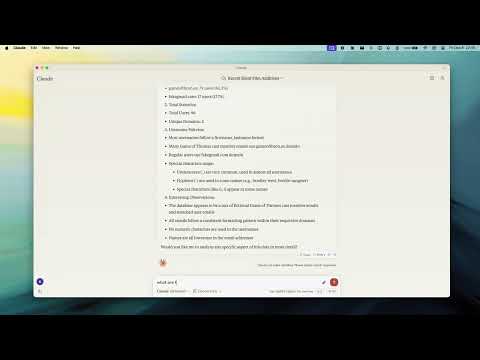
Video Demo
Key Features
Smart ObjectId Handling
Intelligent conversion between string IDs and MongoDB ObjectId
Configurable with
objectIdModeparameter:"auto": Convert based on field names (default)"none": No conversion"force": Force all string ID fields to ObjectId
Flexible Configuration
Environment Variables:
MCP_MONGODB_URI: MongoDB connection URIMCP_MONGODB_READONLY: Enable read-only mode when set to"true"
Command-line Options:
--read-onlyor-r: Connect in read-only mode
Read-Only Mode
- Protection against write operations (update, insert, createIndex)
- Uses MongoDB's secondary read preference for optimal performance
- Ideal for safely connecting to production databases
MongoDB Operations
Read Operations:
- Query documents with optional execution plan analysis
- Execute aggregation pipelines
- Count documents matching criteria
- Get collection schema information
Write Operations (when not in read-only mode):
- Update documents
- Insert new documents
- Create indexes
LLM Integration
- Collection completions for enhanced LLM interaction
- Schema inference for improved context understanding
- Collection analysis for data insights
Installation
Global Installation
npm install -g smh-mongo-mcp-serverFor Development
# Clone repository
git clone https://github.com/smuniharish/smh-mongo-mcp-server.git
cd smh-mongo-mcp-server

# Install dependencies
npm install

# Build
npm run build

# Development with auto-rebuild
npm run watch
Usage
Basic Usage
# Start server with MongoDB URI
npx -y smh-mongo-mcp-server mongodb://username:password@localhost:27017/database

# Connect in read-only mode
npx -y smh-mongo-mcp-server mongodb://username:password@localhost:27017/database --read-only
Environment Variables
# Set MongoDB connection URI
export MCP_MONGODB_URI="mongodb://username:password@localhost:27017/database"

# Enable read-only mode
export MCP_MONGODB_READONLY="true"

# Run server
npx -y smh-mongo-mcp-server
Claude Desktop Config Example
{
  "mcpServers": {
    "mongodb-env": {
      "command": "npx",
      "args": [
        "-y",
        "smh-mongo-mcp-server"
      ],
      "env": {
        "MCP_MONGODB_URI": "mongodb://username:password@localhost:27017/database",
        "MCP_MONGODB_READONLY": "true"
      }
    }
  }
}
Docker
# Build
docker build -t smh-mongo-mcp-server .

# Run
docker run -it -d -e MCP_MONGODB_URI="mongodb://username:password@localhost:27017/database" -e MCP_MONGODB_READONLY="true" smh-mongo-mcp-server
Integration with Claude Desktop
Manual Configuration
MacOS: ~/Library/Application Support/Claude/claude_desktop_config.json
Windows: %APPDATA%/Claude/claude_desktop_config.json
Command-line Arguments
{
  "mcpServers": {
    "mongodb": {
      "command": "npx",
      "args": [
        "-y",
        "smh-mongo-mcp-server",
        "mongodb://username:password@localhost:27017/database"
      ]
    },
    "mongodb-readonly": {
      "command": "npx",
      "args": [
        "-y",
        "smh-mongo-mcp-server",
        "mongodb://username:password@localhost:27017/database",
        "--read-only"
      ]
    }
  }
}
GitHub Package Usage
{
  "mcpServers": {
    "mongodb": {
      "command": "npx",
      "args": [
        "-y",
        "github:smuniharish/smh-mongo-mcp-server",
        "mongodb://username:password@localhost:27017/database"
      ]
    }
  }
}
Integration with Windsurf and Cursor
{
  "mcpServers": {
    "mongodb": {
      "command": "npx",
      "args": [
        "-y",
        "smh-mongo-mcp-server",
        "mongodb://username:password@localhost:27017/database"
      ]
    }
  }
}
Available Tools
Query Operations
- query
- aggregate
- count
Write Operations
- insert
- update
- createIndex
System Operations
- listCollections
- serverInfo
Debugging
Use the MCP Inspector:
npm run inspectorRunning evals
OPENAI_API_KEY=your-key npx mcp-eval src/evals/evals.ts src/schemas/tools.tsLicense
Licensed under the Apache 2.0 License. See the LICENSE file for full details.