
npm package discovery and stats viewer.

Discover Tips

  • General search

    [free text search, go nuts!]

  • Package details

    pkg:[package-name]

  • User packages

    @[username]

Sponsor

Optimize Toolset

I’ve always been into building performant and accessible sites, but lately I’ve been taking it extremely seriously. So much so that I’ve been building a tool to help me optimize and monitor the sites that I build to make sure that I’m making an attempt to offer the best experience to those who visit them. If you’re into performant, accessible and SEO friendly sites, you might like it too! You can check it out at Optimize Toolset.

About

Hi, 👋, I’m Ryan Hefner  and I built this site for me, and you! The goal of this site was to provide an easy way for me to check the stats on my npm packages, both for prioritizing issues and updates, and to give me a little kick in the pants to keep up on stuff.

As I was building it, I realized that I was actually using the tool to build the tool, and figured I might as well put this out there and hopefully others will find it to be a fast and useful way to search and browse npm packages as I have.

If you’re interested in other things I’m working on, follow me on Twitter or check out the open source projects I’ve been publishing on GitHub.

I am also working on a Twitter bot for this site to tweet the most popular, newest, random packages from npm. Please follow that account now and it will start sending out packages soon–ish.

Open Software & Tools

This site wouldn’t be possible without the immense generosity and tireless efforts from the people who make contributions to the world and share their work via open source initiatives. Thank you 🙏

© 2026 – Pkg Stats / Ryan Hefner

snow-tiny

v0.0.9

Published

压缩图片资源工具

Readme

snow-tiny 是一个专为前端同学开发的基于 tiny 的简单、轻量级的图片压缩工具。

只需三步,就可实现图片自动化压缩,极大提高效率和压缩体验!
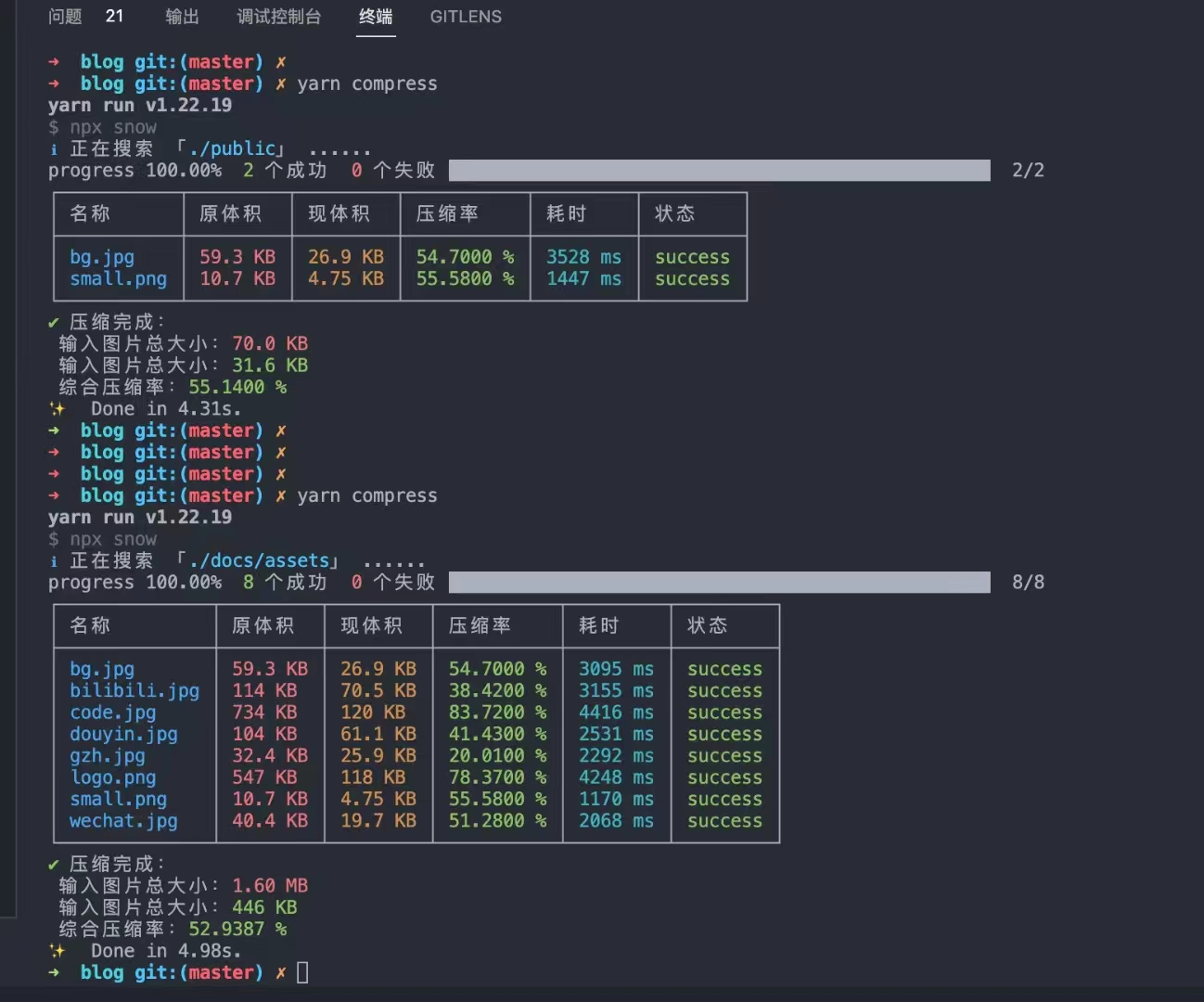
image-20221127111339637

GitHub: 传送门

issues 是第一生产力!😄

知识星球:传送门

大兄弟们聚过来,这件事很重要 🎉🎉🎉

(如果觉得不错 👍,给个 star ⭐ 吧,你的认可是我最大的动力 !)

使用:

  1. 安装
yarn add snow-tiny
  1. 配置

项目根目录下新建 snowtiny.json 并做如下配置:

具体配置信息见:传送门

{
	"entry": "./images",
	"output": "./temp",
	"diffCompress": true,
	"flat": true,
	"saveOther": true,
	"acceptPictureType": ["png", "jpg", "jpeg"]
}

package.json 中增加如下脚本:

"scripts": {
  "compress": "npx snow"
}
  1. 运行
npm run compress

配置信息

entry

压缩的入口,在此案例配置文件中的入口为 snowtiny.json 文件同级目录下的 images/文件夹

output

压缩后文件的输出位置,在此案例配置文件中的入口为 snowtiny.json 文件同级目录下的 output/文件夹。

在执行压缩前需要先确保项目中并无output对应的文件夹,因为在执行时会自动创建新的文件夹

diffCompress

是否开启递归压缩,默认不开启。

开启递归压缩后会将入口文件夹下的所有子文件夹都进行递归压缩,如果不开启只会压缩入口文件夹本层的图片资源文件

flat

是否平铺图片输出

开启平铺输出后所有的图片文件都将在output对应的文件夹下输出,不保留压缩文件夹时的文件结构。(这种配置最好保证压缩的文件没有重名)

saveOther

是否将非图片资源也一起拷贝一份

这个配置主要考虑到前端开发时,压缩结束后只需替换压缩文件夹和输出文件夹的文件名即可完成项目的图片替换。所以如果有需要可以打开。

acceptPictureType

接收进行个图片压缩的文件类型

默认压缩 jpgpngjpeg,这三个文件类型,如需其他文件类型,可自行添加配置,注意需要是图片类型的文件即可。

hostname

图片压缩请求的域名

默认随机请求 tinyjpg.com、tinypng.com 非必要情况不改这个配置,除非官方修改了请求域名这块也对应处理即可。

uploadPath

图片压缩请求的路径

默认请求 /backend/opt/shrink 非必要情况不改这个配置,除非官方修改了请求域名这块也对应处理即可。