
sparkar-transfer
v0.1.2
Published
A Spark AR tool to send any object's transform value to Patch Editor.

Maintainers
 pofulu
Readme
Transfer
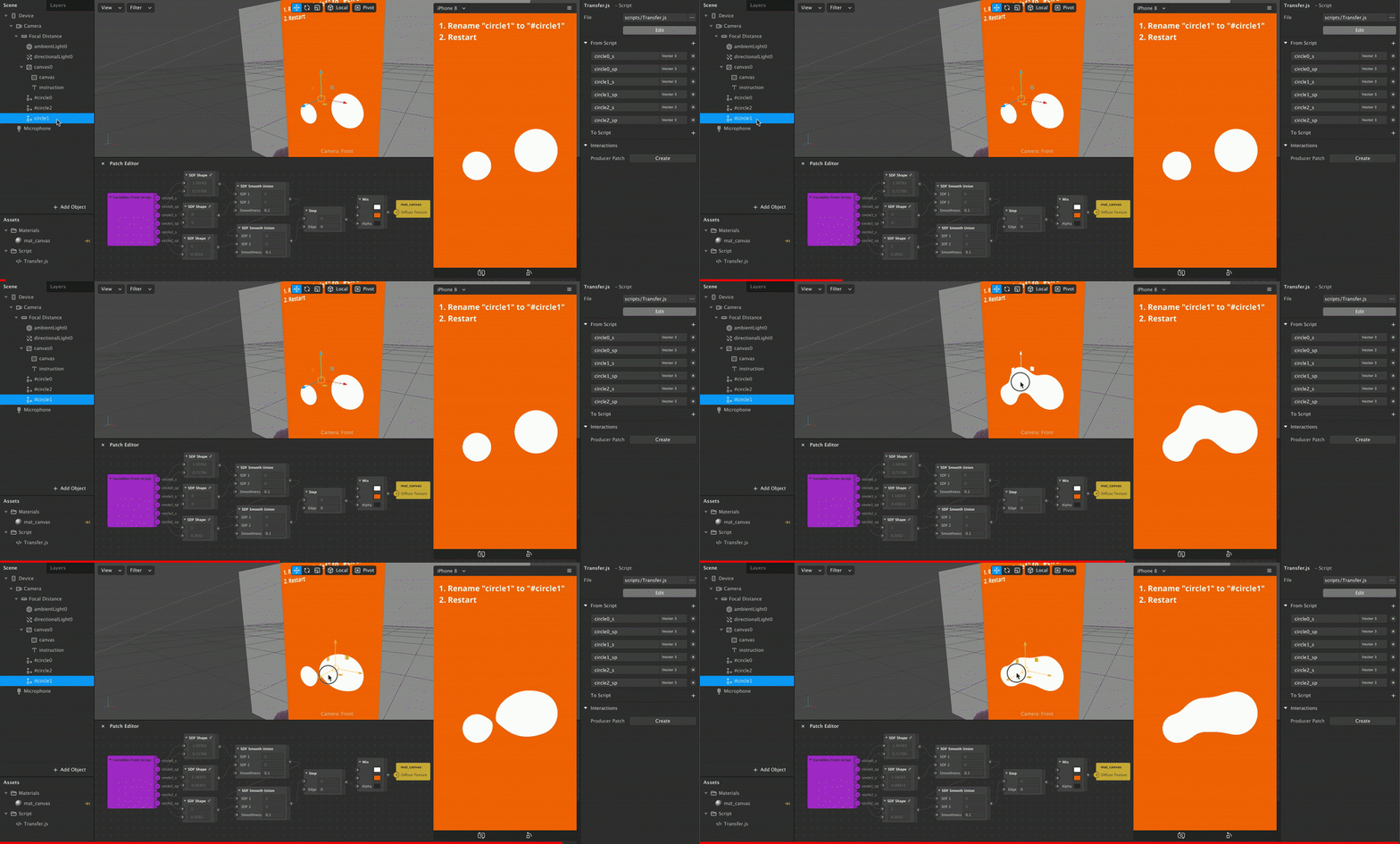
Transfer is a Spark AR tool to send any object's transform value to Patch Editor by naming, without additional script.
Install
Import
Download Transfer.js (Right click and Save as)
Drag/Drop or import it to Spark AR
(Optional) Load in the required modules
const Transfer = require('./Transfer');
// Your script...
You can also Click Here to Download a Sample Project.
npm
Add package with
yarnornpmyarn add sparkar-transferor
npm i sparkar-transferLoad in the required modules. If you use webpack to transpile code, you must import this module.
const Transfer = require('sparkar-transfer');
// Your script...
Usage
This tool make object follow head by naming:
Add the keyword
#to the name of object that you want to tranfer value to Patch Editor.Select any script and add the desired variables to From Script:
| Variable Pattern | Type|Description | | ---------------- | ------------------------------------------------------------ | ------------------------------------------------------------ | |
name_p|Vector3|The position value of thenameobject.| |name_s|Vector3|The scale value of thenameobject.| |name_r|Vector3|The rotation value of thenameobject, in degree.| |name_wp|Vector3|The world position value of thenameobject.| |name_ws|Vector3|The world scale value of thenameobject.| |name_wr|Vector3|The world rotation value of thenameobject.| |name_pp|Vector2|The position value in screen percentage of thenameobject. Please refer Here for more details.|
Please note that you should avoid using the same base name. For example, these object named name #, name #, # name or # name will cause conflict in Patch variables.
Additional
- You can use
Transfer.logTrackedObjectNames()to log all tracked objects.