
specdriven
v2.0.3
Published
Install project specs from specdriven.sh into your tool of choice.

Maintainers
 masteradm
Readme
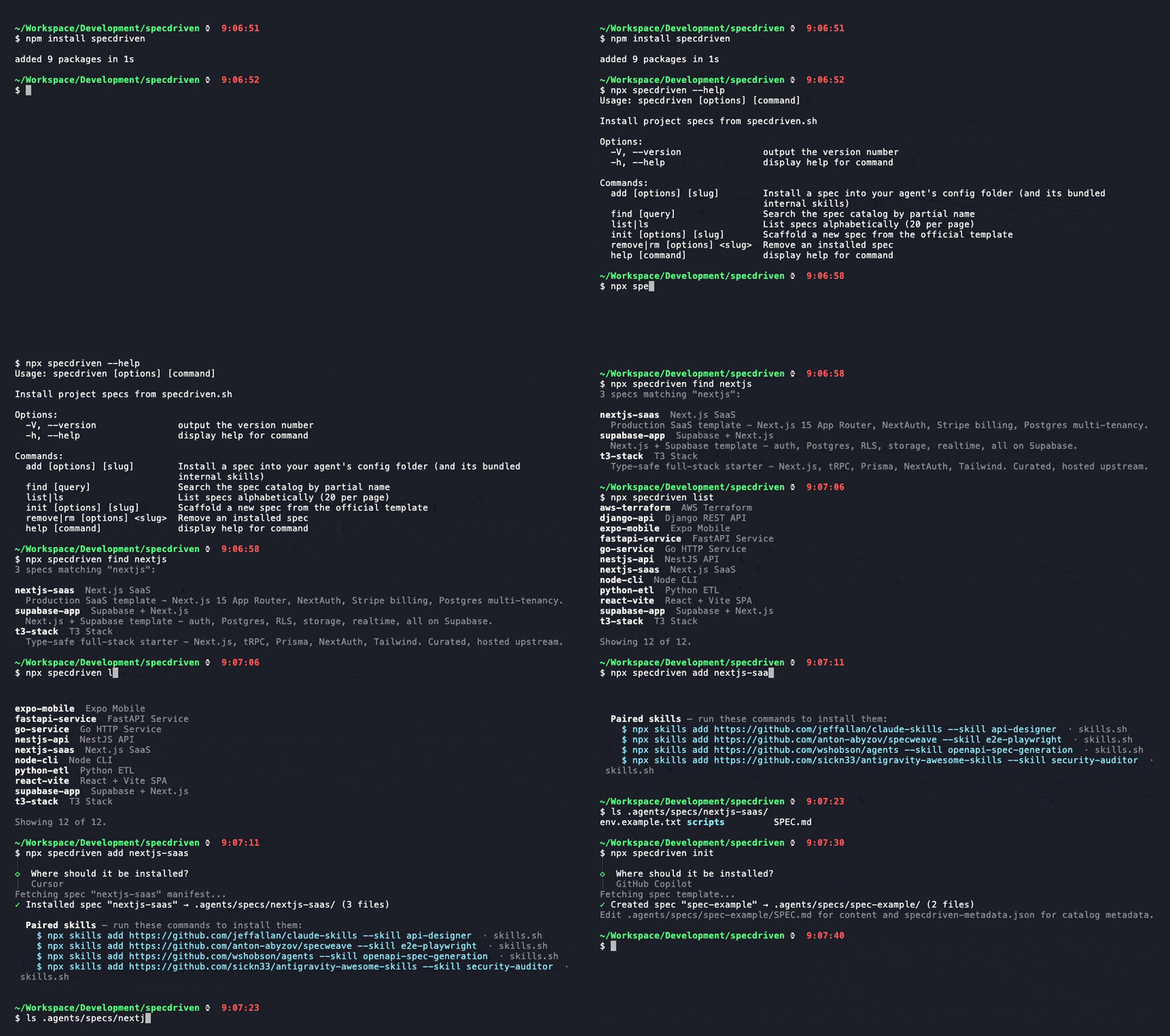
The CLI for specdriven.sh — install project specs from the community catalog into your AI coding agent of choice. Part of the Spec Driven Development (SDD) ecosystem.
Install
npm install -g specdriven
# or run ad-hoc via npx specdriven <command>
Requires Node 20+.
Quick Start
# Install a spec
npx specdriven add nextjs-saas

# Or pick interactively — the CLI prompts for slug and agent
npx specdriven add

# Search & browse
npx specdriven find nextjs
npx specdriven list
Commands
| Command | What it does |
|---------|--------------|
| add [slug] | Install a spec |
| find [query] | Search the catalog by partial name |
| list (alias ls) | Browse all specs alphabetically |
| init [slug] | Scaffold a new spec from the template |
| remove <slug> (alias rm) | Uninstall a spec |
Pass --help to any command for flags. Works with 55 AI coding agents — Claude Code, Cursor, GitHub Copilot, Codex, and more.
Full Documentation
Source for this CLI lives in a private repository. Issues, contributions, the agent registry, and full documentation are at the public hub:
The hub covers: the complete CLI reference (all flags, all 55 supported agents), the spec catalog, contribution workflows, and the methodology behind Spec Driven Development.
License
MIT — Copyright (c) 2026 Tomasz Czechowski.