
spectral-curiosity
v0.1.6
Published
Backup, sync, and manage Antigravity conversations

Maintainers
 kno_raziel
Readme
⚡ Spectral Curiosity


Your AI conversations are your data. Spectral is a zero-dependency tool to backup, explore, search, and manage your Antigravity AI conversation workspace associations — so you can always access your context, no matter which tool you use tomorrow.
Runs as a Bun full-stack app or as a VS Code / Antigravity extension.
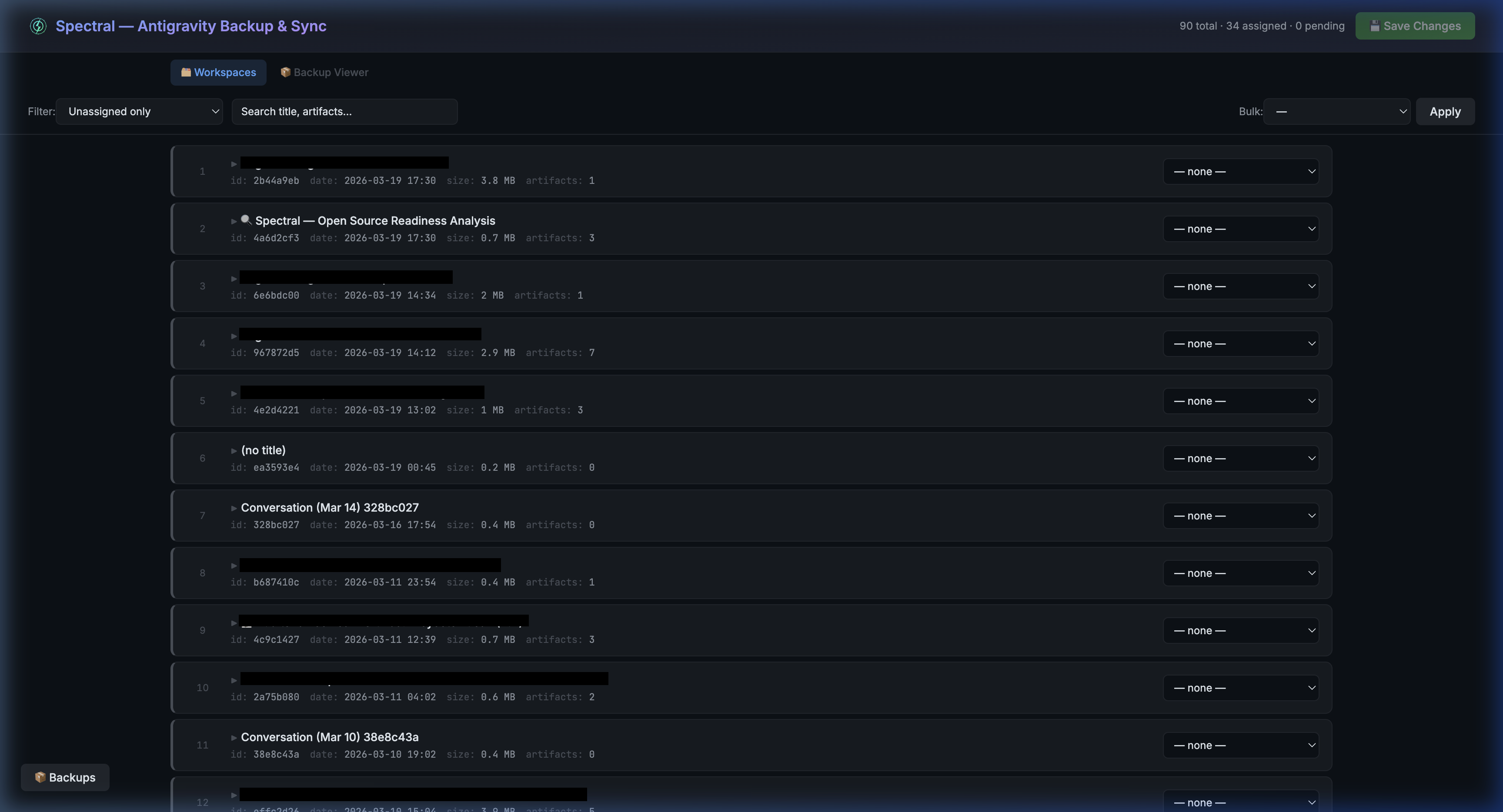
Why Spectral?
If you use AI coding assistants, your conversation history is valuable context — architectural decisions, debugging sessions, domain knowledge. But that context can silently disconnect from your project, or become inaccessible if you switch tools.
Spectral was born to solve two problems:
- Conversations disconnect from projects — Spectral detects orphaned conversations and lets you reassign them.
- Data portability — Spectral backs up your conversations to portable formats you can read without any specific AI tool installed.
Features
- 📂 Auto-detects workspaces from Antigravity's local SQLite database
- 🔍 Universal Search — Filter conversations by title, artifact content, workspace, or status
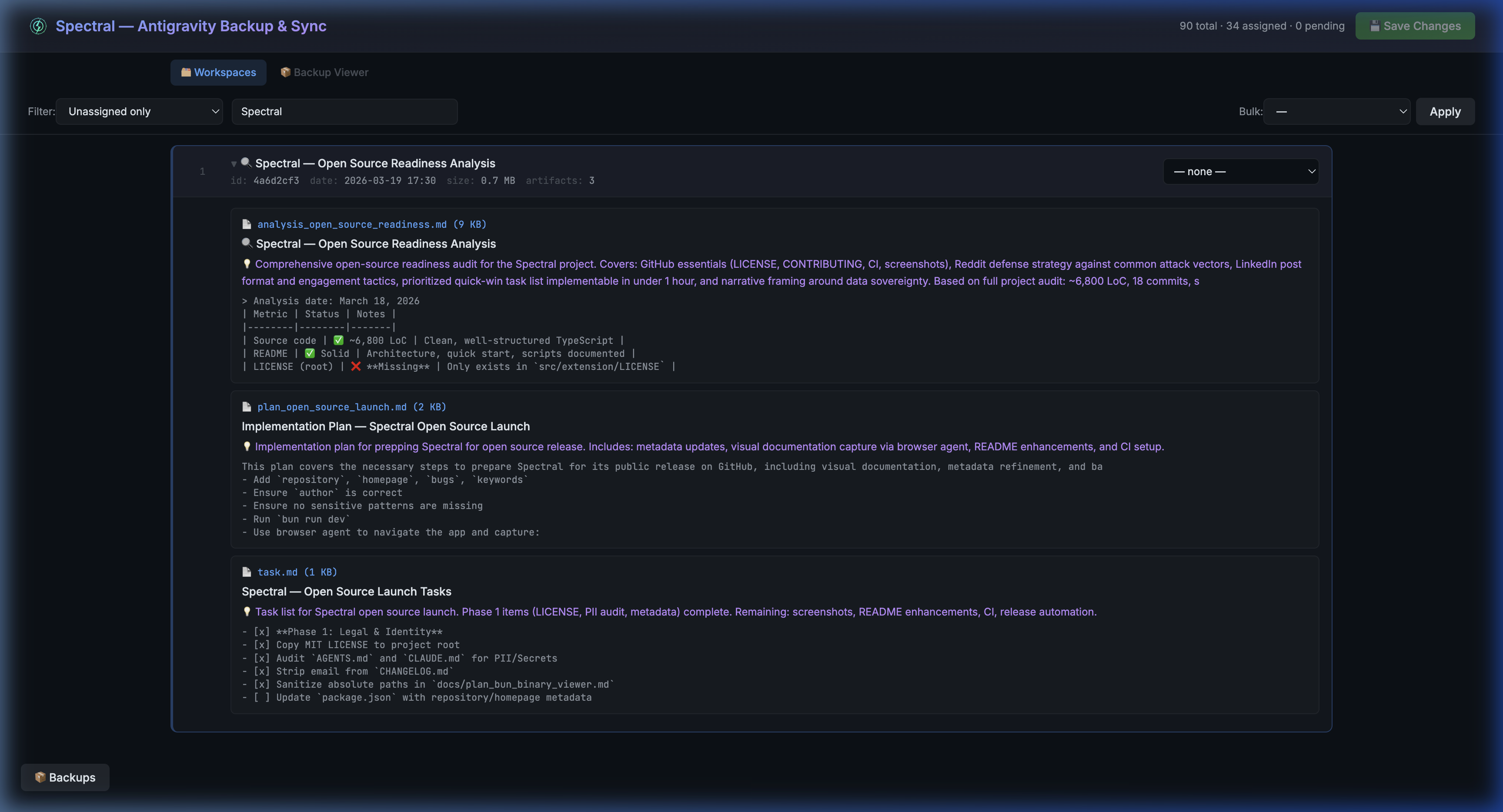
- 🖼️ Interactive Artifact Viewer — View AI-generated images, diffs, and markdown summaries full-screen without leaving Spectral
- 🔄 Reassign & Rescue — Rescue orphaned conversations and safely reassign them to new codebases (with seamless Protobuf encoding)
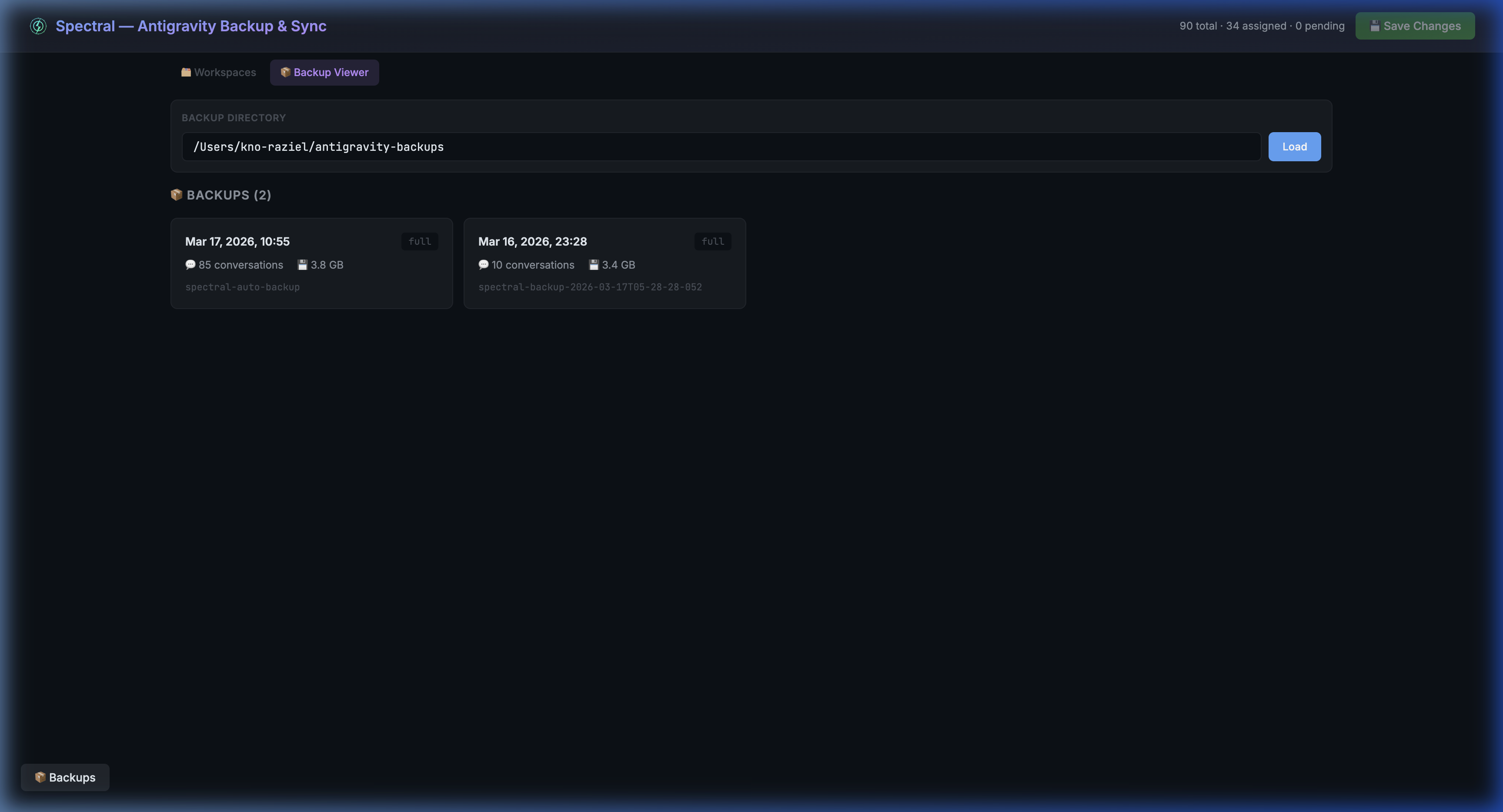
- 💾 Time-Machine Backups — Browse, search, and restore from your Antigravity incremental
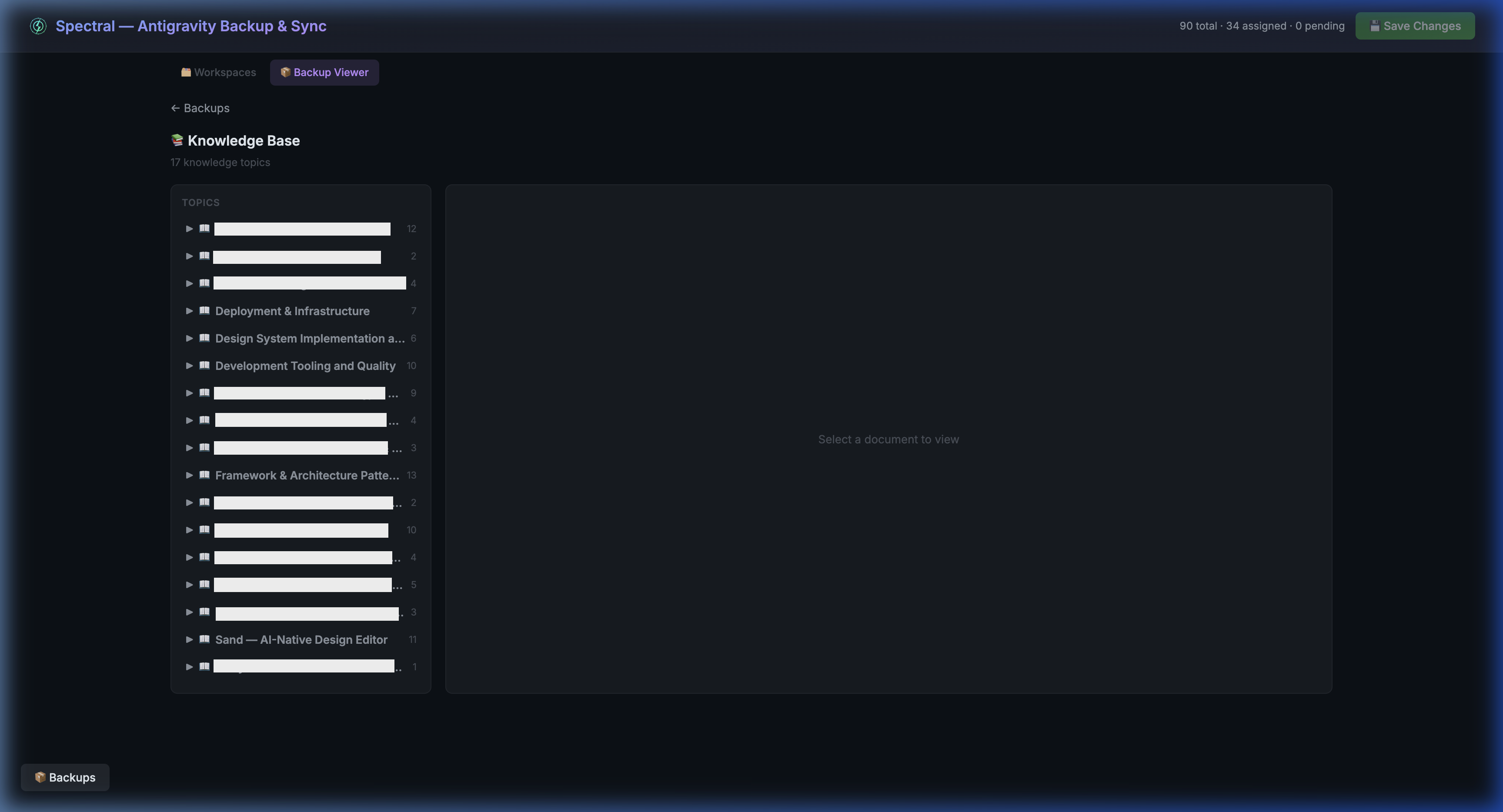
.pbbackups - 🧠 Knowledge Base Explorer — Visualize and filter the synthesized Knowledge Items extracted by your AI workflows
- 🧹 Artifact Organization — Smart grouping (Context Docs → Attachments) with strict chronological timeline sorting
- ⚡ Zero-Dependency Core — Built on Bun and React 19, deployable as a Standalone App or VS Code Extension
Stack
| Layer | Technology |
|----------|------------------------------|
| Runtime | Bun 1.3+ |
| Frontend | React 19 |
| Backend | Bun.serve() (routes API) |
| Database | bun:sqlite / node-sqlite3-wasm |
| Linting | Biome 2 |
| Types | TypeScript 5.9 (strict) |
| HMR | Built-in (Bun) |
Installation Options
Spectral can be used as a standalone web app or directly inside your editor as an extension.
1. Quick Start (npx / bunx) — No Install Needed
Run Spectral instantly without cloning or installing anything:
# With Bun (recommended)
bunx spectral-curiosity

# Or with Node.js
npx spectral-curiosity
Open http://localhost:3000 — that's it.
2. Standalone Web App (Recommended for Management)
If you plan to reassign, rename, or manage your conversations, clone the repo for full control:
[!WARNING] Important: You must close VS Code / Antigravity before modifying workspace assignments. If Antigravity is running, it may hold an active SQLite lock or overwrite your changes upon exit.
git clone https://github.com/kno-raziel/spectral-curiosity.git
cd spectral-curiosity
bun install
bun run dev3. VS Code / Antigravity Extension (Viewer & Backups)
If you strictly want to browse your centralized conversations or inspect backups without leaving your editor, install the .vsix extension:
- Download the latest
.vsixfile from the Releases page. - Install it in VS Code via the Command Palette: Extensions: Install from VSIX...
- Or install via CLI:
antigravity --install-extension spectral-extension-0.1.0.vsix
Local Development
If you're hacking on Spectral, the project provides built-in HMR for the React frontend:
# Start dev server (API + React SPA + CSS Watcher on port 3000)
bun run dev
Building the Extension from Source
You can manually build and package the .vsix extension:
# Install dependencies, build, and package the .vsix in one step
bun run package:ext
The resulting .vsix will be generated in src/extension/.
Testing the NPM Package Locally
To test the exact bunx spectral-curiosity experience without publishing, use npm pack:
# Create a tarball identical to what NPM receives
npm pack

# Install from tarball in a temp directory
mkdir /tmp/test-spectral && cd /tmp/test-spectral
npm init -y
npm install /path/to/spectral-curiosity-X.Y.Z.tgz

# Run it — this simulates `bunx spectral-curiosity`
npx spectral-curiosity
[!NOTE] The server runs in two modes: dev mode (cloned repo, HMR enabled via Bun's HTML import) and bunx mode (installed via npm, serves pre-built
dist/files). The mode is auto-detected by checking if the server runs from insidenode_modules/.
Scripts
bun run dev        # Start full-stack dev server with HMR
bun run build      # Production build → dist/
bun run build:ext  # Install extension deps + build
bun run watch:ext  # Extension watch mode (dev)
bun run check      # Run typecheck + lint
bun run typecheck  # TypeScript strict type checking
bun run lint       # Biome lint
bun run lint:fix   # Biome lint + auto-fix
bun run format     # Biome format
Project Structure
spectral-curiosity/
├── AGENTS.md              # Universal AI agent context
├── CLAUDE.md              # Claude-specific context
├── src/
│   ├── client/            # React UI
│   │   ├── App.tsx        # Main React component
│   │   ├── api.ts         # Environment-aware API (fetch / postMessage)
│   │   ├── main.tsx       # Entry point
│   │   ├── index.css      # Tailwind CSS v4 theme + keyframes
│   │   ├── components/    # React components (co-located folders)
│   │   │   ├── BackupPanel/
│   │   │   ├── BackupViewer/
│   │   │   ├── ConversationCard/
│   │   │   ├── Header/       # Header + FilterBar
│   │   │   └── Toast/
│   │   └── hooks/         # Custom hooks (useConversations, useBackups)
│   ├── shared/            # Shared data layer (platform-agnostic)
│   │   ├── database.ts    # DbAdapter interface
│   │   ├── types.ts       # Shared TypeScript types
│   │   ├── assignments.ts # Workspace assignment logic
│   │   ├── backups.ts     # Backup listing & diffs
│   │   ├── backup-format.ts    # Backup format constants/parsers
│   │   ├── backup-reader.ts    # Full backup reader implementation
│   │   ├── backup-reader-types.ts # Backup reader type definitions
│   │   ├── conversations.ts # Conversation loading
│   │   ├── protobuf.ts    # Protobuf encoding/decoding
│   │   ├── paths.ts       # Cross-platform path constants
│   │   ├── trajectories.ts # Trajectory entry parsing
│   │   ├── trajectory-types.ts # Extended trajectory types
│   │   └── workspaces.ts  # Workspace management
│   ├── server/            # Bun API server
│   │   ├── index.ts       # Bun.serve() — API routes + React SPA
│   │   ├── adapter.ts     # DbAdapter impl (bun:sqlite)
│   │   └── routes/
│   │       └── backup-viewer.ts # Backup viewer route handler
│   └── extension/         # VS Code / Antigravity extension
│       ├── extension.ts   # Extension entry point
│       ├── SpectralPanel.ts # Webview panel
│       ├── messageHandler.ts # Webview ↔ host message router
│       ├── adapter.ts     # DbAdapter impl (node-sqlite3-wasm)
│       ├── esbuild.mjs    # Extension build config
│       ├── package.json   # Extension manifest
│       ├── tsconfig.json  # Extension TypeScript config
│       └── sdk/           # Extension SDK modules
│           ├── sqlite-loader.ts   # Centralized SQLite loader (⚠️)
│           ├── backup-engine.ts   # Full/incremental backup orchestration
│           ├── backup-estimator.ts # Backup size estimation
│           ├── backup-scheduler.ts # Auto-backup intervals
│           ├── connection.ts      # Connection management
│           ├── markdown-export.ts # Markdown export
│           ├── sdk-manager.ts     # Antigravity SDK lifecycle
│           ├── ls-client.ts       # Language Server RPC client
│           └── ls-types.ts        # Language Server types
├── index.html             # HTML entry (Bun HTML import)
├── biome.json             # Biome linter/formatter config
├── tsconfig.json          # Root TypeScript config
└── package.json           # Root dependencies & scripts
Architecture
The src/shared/ module provides a DbAdapter interface that abstracts SQLite access. Both the Bun server (bun:sqlite) and the VS Code extension (node-sqlite3-wasm) inject their own implementation at startup. This eliminates code duplication while supporting both runtimes.
client (React) ─── shared (data layer) ─┬─ server/adapter.ts  (bun:sqlite)
                                         └─ extension/adapter.ts (node-sqlite3-wasm)
How It Works
- Reads Antigravity's
state.vscdbSQLite database to find conversations and workspace associations - Parses protobuf-encoded conversation metadata (titles, workspace URIs)
- Scans the
~/.gemini/antigravity/brain/directory for AI-generated artifacts - Presents everything in a searchable, filterable React UI
- Allows reassigning conversations — writes modified protobuf back to the database
Backup Viewer
Browse, search, and inspect your backed-up conversations — even on a machine without Antigravity installed.
Knowledge Base Explorer
Visualize the knowledge items Antigravity distills from your conversations.
Workspace Details
Expand any conversation to see its artifacts, metadata, and content previews.
Adding Workspaces
Click + Workspace in the filter bar and provide:
- Name — Display name (e.g.,
my-project) - URI — Full path (e.g.,
~/projects/my-project)
Workspaces are saved to ~/.gemini/antigravity/spectral-workspaces.json.
Contributing
Spectral is built using Agentic AI Pairing (Cursor, Antigravity, Claude, etc).
If you'd like to contribute, please read the AGENTS.md file first. This file serves as the universal context for the project's architecture, strict type-safety rules, and component patterns. All PRs are expected to comply with the project standards defined in AGENTS.md.
- Fork the repository
- Create your feature branch (
git checkout -b feature/amazing-feature) - Pass all checks (
bun run check) - Commit your changes
- Open a Pull Request
License
MIT