
spline-route-tool
v1.1.7
Published
A camera path utility for Three.js and React Three Fiber to build spline routes intuitively.

Maintainers
 lightyday
Readme
Spline Route Tool
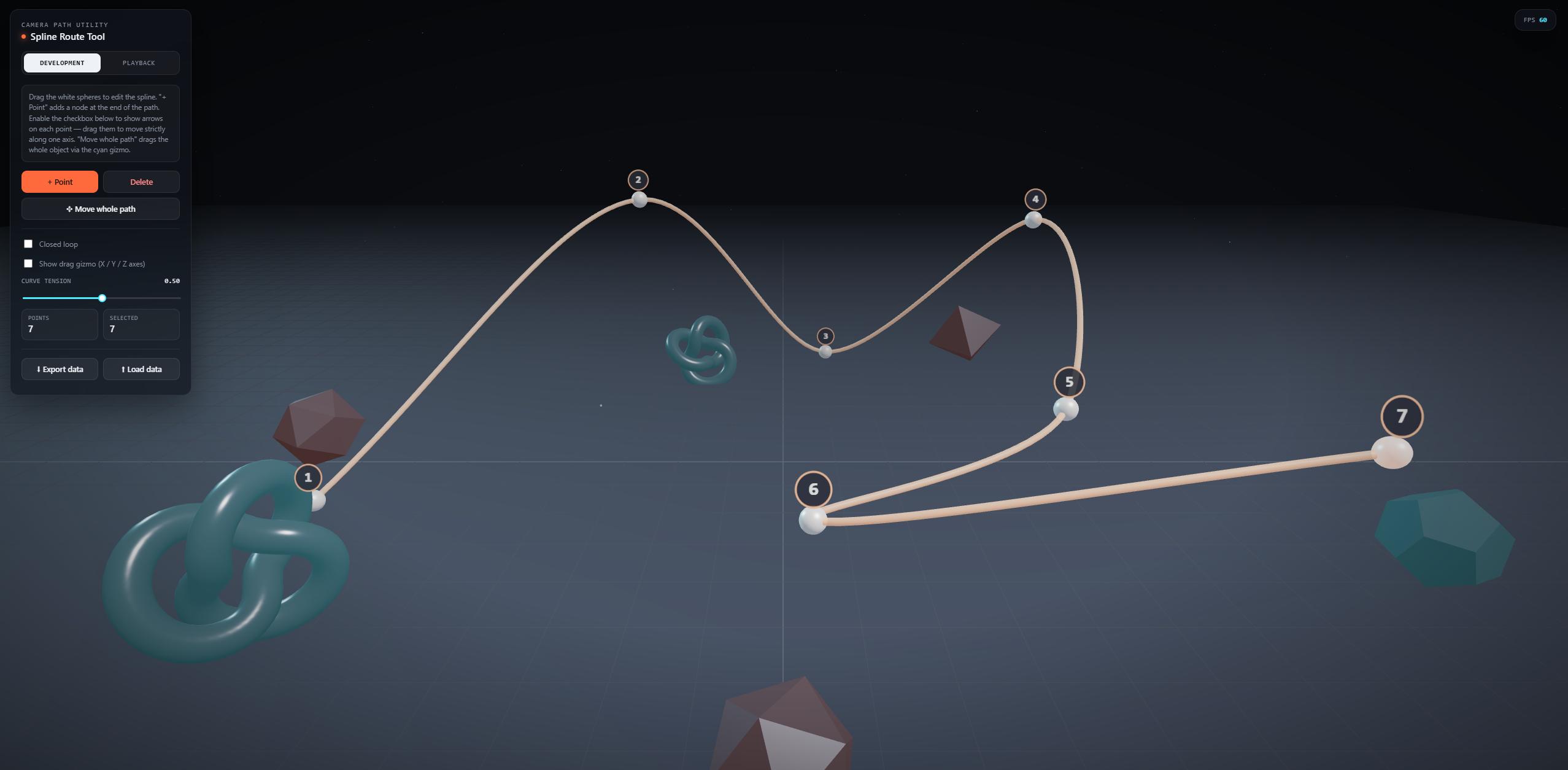
A camera path utility for Three.js and React Three Fiber to build spline routes intuitively, directly in your scene.
Features
- Visual Editor: Drag and drop points right in your 3D scene.
- Flight & Scroll: Smoothly fly the camera along the path on mouse scroll.
- Waypoints: Configure step-by-step stops along the path (e.g.
1 → 2 → 3). - Cinematic Effects: Add camera shake, barrel rolls, and apply custom easing curves.
- One-Click Export: Copy production-ready vanilla JS or R3F React component code directly from the UI.
Installation
npm install spline-route-toolThe package requires three as a peer dependency.
Usage
The tool injects its own UI automatically upon attachment, meaning you only need one single import. The tool handles camera scrolling and flight animations when update(dt) is called.
Vanilla Three.js
import * as THREE from 'three';
import { SplineRouteTool } from 'spline-route-tool';

// 1. Initialize the tool in your scene
// (Pass your orbitControls in the options so the tool can disable them when dragging points)
const splineTool = new SplineRouteTool(scene, camera, renderer, renderer.domElement, {
  orbitControls: controls
});

// 2. Attach the UI and event listeners
splineTool.attach();

// 3. Update in your render loop
const clock = new THREE.Clock();
function animate() {
  requestAnimationFrame(animate);

  splineTool.update(clock.getDelta());
  renderer.render(scene, camera);
}
animate();

// To remove: splineTool.detach();
React Three Fiber (R3F)
В React Three Fiber (R3F) вы получаете доступ к контексту сцены через хук useThree внутри компонента, находящегося внутри <Canvas>. Ниже приведен готовый пример файла App.jsx, который можно просто скопировать:
import React, { useEffect, useMemo } from 'react';
import { Canvas, useThree, useFrame } from '@react-three/fiber';
import { SplineRouteTool } from 'spline-route-tool';

// 1. Создаем компонент-обертку для инструмента
function SplineEditor({ controlsRef }) {
  const { scene, camera, gl } = useThree();

  // Мемоизируем класс, чтобы он не пересоздавался при рендерах
  // Передаем controls, чтобы камера не крутилась при перетаскивании точек
  const splineTool = useMemo(() => {
    return new SplineRouteTool(scene, camera, gl, gl.domElement, {
      orbitControls: controlsRef?.current
    });
  }, [scene, camera, gl, controlsRef]);

  // Привязываем UI инструмента и убираем его при демонтировании
  useEffect(() => {
    splineTool.attach();
    return () => splineTool.detach();
  }, [splineTool]);

  // Обновляем логику скролла и полета камеры каждый кадр
  useFrame((state, delta) => {
    splineTool.update(delta);
  });

  return null; // Сам компонент ничего не рендерит в 3D сцену
}

// 2. Основная сцена приложения
export default function App() {
  const controlsRef = React.useRef();

  return (
    <div style={{ width: '100vw', height: '100vh' }}>
      <Canvas camera={{ position: [0, 5, 15], fov: 55 }}>
        <color attach="background" args={['#0a0c10']} />
        <ambientLight intensity={0.5} />

        {/* Добавляем наш инструмент в Canvas */}
        <SplineEditor controlsRef={controlsRef} />

        {/* Обязательно сохраняем ref контролов */}
        <OrbitControls ref={controlsRef} />

        {/* Здесь может быть остальная часть вашей сцены: модели, окружение и т.д. */}
        <mesh>
          <boxGeometry args={[2, 2, 2]} />
          <meshStandardMaterial color="orange" />
        </mesh>
      </Canvas>
    </div>
  );
}
Exporting Data
Click Export data in the tool's UI to copy ready-to-use code snippets for your project. The exported code includes the generated spline parameters and the scroll-animation logic.