
sptv-cli
v1.0.3
Published
Synchronize the package to verdaccio

Maintainers
 limingcan562
Readme
SPTV-CLI
Sync your npm packages to verdaccio with ease



English | 中文
🎬 Demo Preview
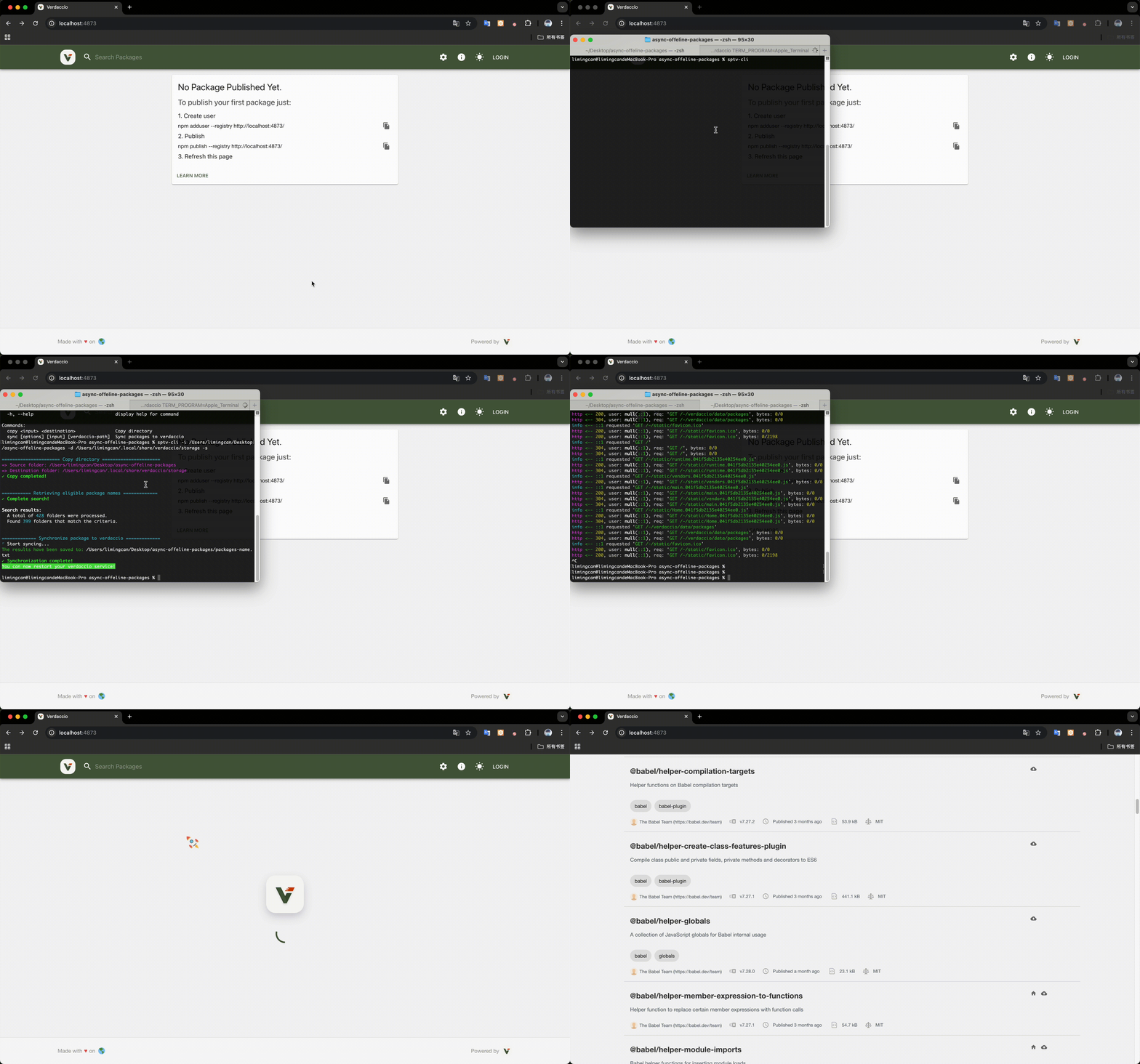
sptv-cli allows you to focus only on maintaining your dependencies for both internal and external networks. 👉🏻 How to get internal network publishable packages
📦 Overview
In daily development, sometimes we work in environments with extremely high security requirements, which leads to the distinction between internal and external networks.
In internal network development, we cannot use npm to install dependencies, which causes great difficulties for our web development. So we need to set up verdaccio in the internal network environment and sync packages used in external network projects to the verdaccio built in the internal network.
🔴 Common Issues with Verdaccio Usage
In completely isolated internal and external network environments, we generally face the following issues when using verdaccio:
- Manual publishing is cumbersome: Each package must be manually published to
verdacciousingnpm publish. When there are many packages, the workload is enormous, and the publication time is unpredictable. verdacciomay not display packages that already exist, resulting in a poor user experience- Complex dependency relationships: Packages may have complex dependency relationships, and manual publishing is prone to omitting dependent packages
- Repetitive work: Every project update requires manually republishing all related packages
- Low efficiency: The entire process is time-consuming and labor-intensive, impacting development efficiency
Translated with DeepL.com (free version)
✅ Problems Solved by sptv-cli
- Automated Synchronization: One-click automatic synchronization of external packages to internal Verdaccio, eliminating manual publishing
- Intelligent Dependency Scanning: Automatically scans and identifies package dependencies, ensuring all dependent packages are synchronized
- Batch Processing: Supports batch processing of multiple packages, greatly improving synchronization efficiency
- Version Consistency: Ensures package versions in internal Verdaccio are completely consistent with external networks
- Progress Visualization: Real-time display of synchronization progress, keeping users informed of operation status
- Flexible Configuration: Supports multiple configuration options to adapt to different usage scenarios
🚀 Installation
# Install globally
npm install -g sptv-cli

# Or use npx
npx sptv-cli --help
📖 Usage
Main Command (Full Workflow)
The main command performs a complete workflow: copy packages → scan for valid packages → sync to Verdaccio.
# Basic usage (uses current directory as source)
sptv-cli -d <verdaccio storage directory>

# Specify source directory
sptv-cli -i <source-directory> -d <verdaccio storage directory>

# Save package list to file
sptv-cli -i <source-directory> -d <verdaccio storage directory> -s
Options:
| Option | Description | Default |
|--------|-------------|---------|
| -i, --input <path> | Source directory containing packages | Current directory |
| -d, --destination-path <path> | Verdaccio storage directory path | - |
| -s, --save | Save package list to file | false |
Copy Directory Command
You can use the copy function to copy a directory to another location.
sptv-cli copy <source-directory> <destination-directory>Sync Command
If you find that there are packages in the verdaccio storage directory but they are not synced on localhost:4873, you can use the sync function in the verdaccio storage directory.
sptv-cli syncOr specify the “source directory” and target directory:
sptv-cli sync <source-directory> <verdaccio storage directory>Options:
| Option | Description | Default |
|--------|-------------|---------|
| -s, --save | Save the package list to file | false |
📦 How to get npm dependency packages
Here's a relatively good way for you to get npm dependency packages.
You need to set up verdaccio in an external network environment. Assuming you have already set up verdaccio and installed the nrm management tool:
Create a new npm source:
nrm add verdaccio http://localhost:4873Set the npm source to
verdaccionrm use verdaccio
At this point, your npm usage will look like this:
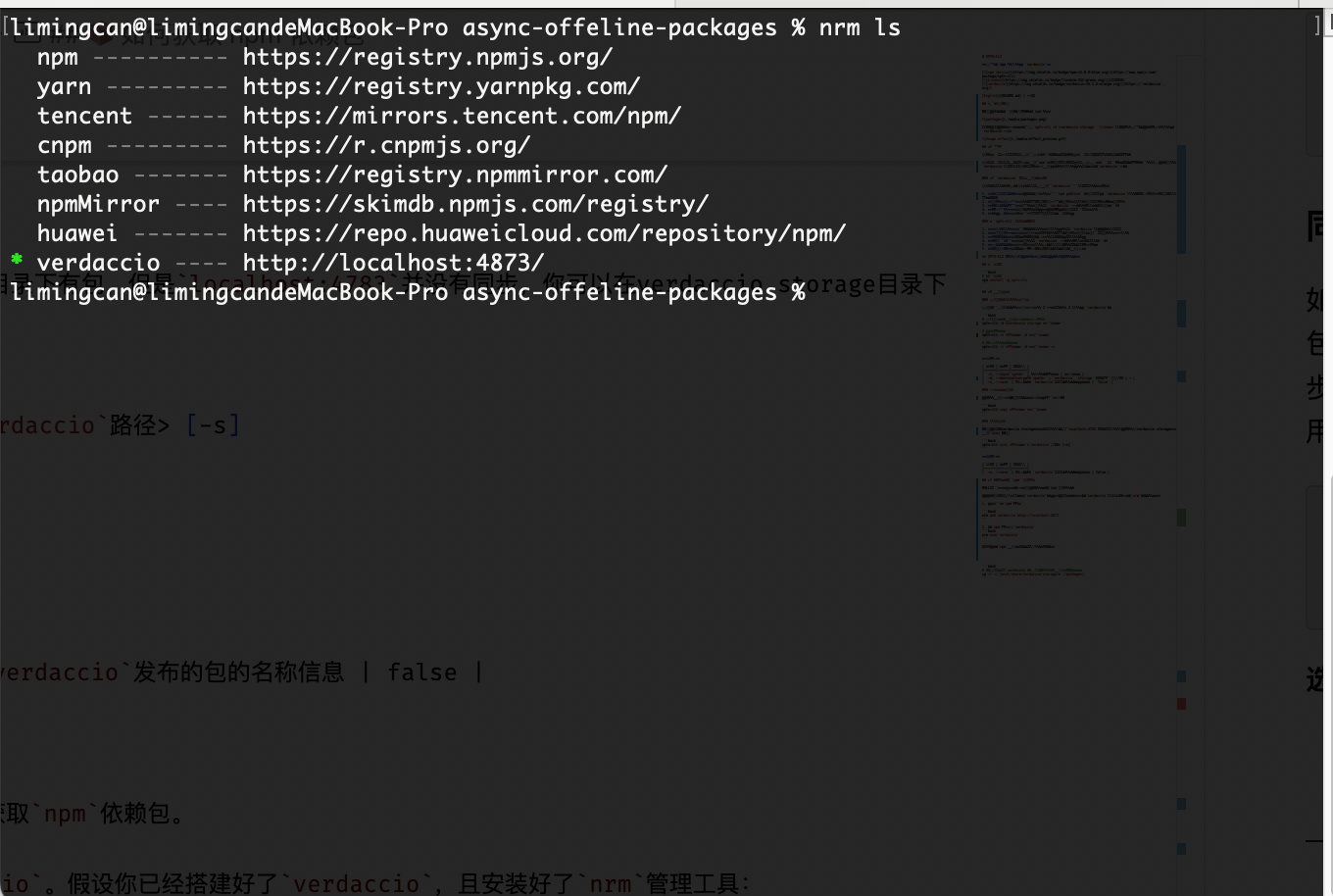
When you use npm or pnpm to download dependencies, the corresponding packages will be cached in the storage directory of verdaccio, and you can get a series of dependency packages that meet the conditions for publishing:
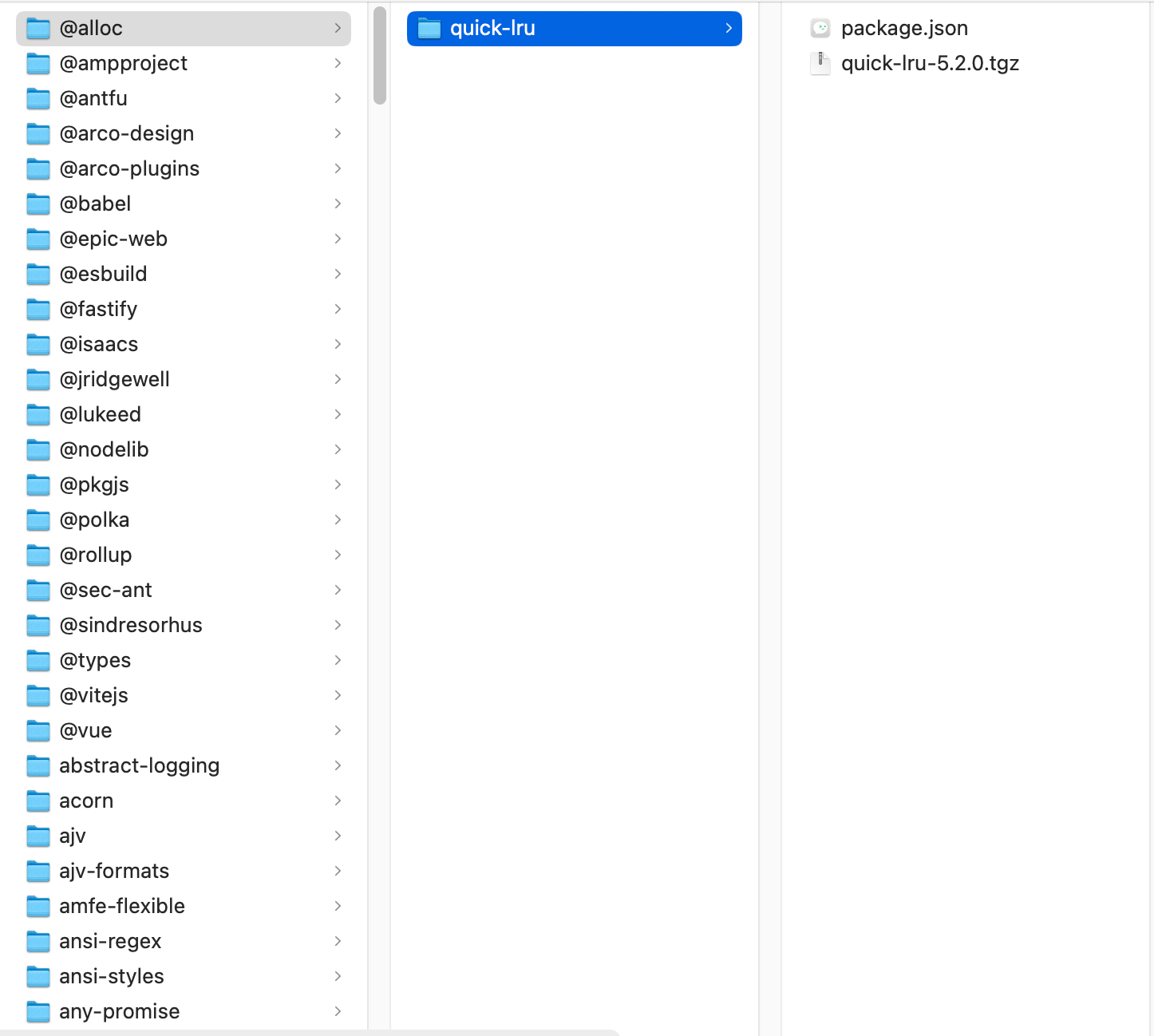
Afterwards, you just need to focus on maintaining these packages and use sptv-cli to sync them to the internal network environment with one click
📢 Note
If you find that packages are not cached in the verdaccio storage directory after using npm or pnpm to install dependencies, you can do the following before reinstalling:
npm cache clean -f- Delete the pnpm cache directory