
spyglass-react
v0.1.4
Published
Instrumentation SDK for React Native and web apps. Streams navigation, state and storage events to the Spyglass desktop inspector.

Maintainers
 iastech
Readme
spyglass-react
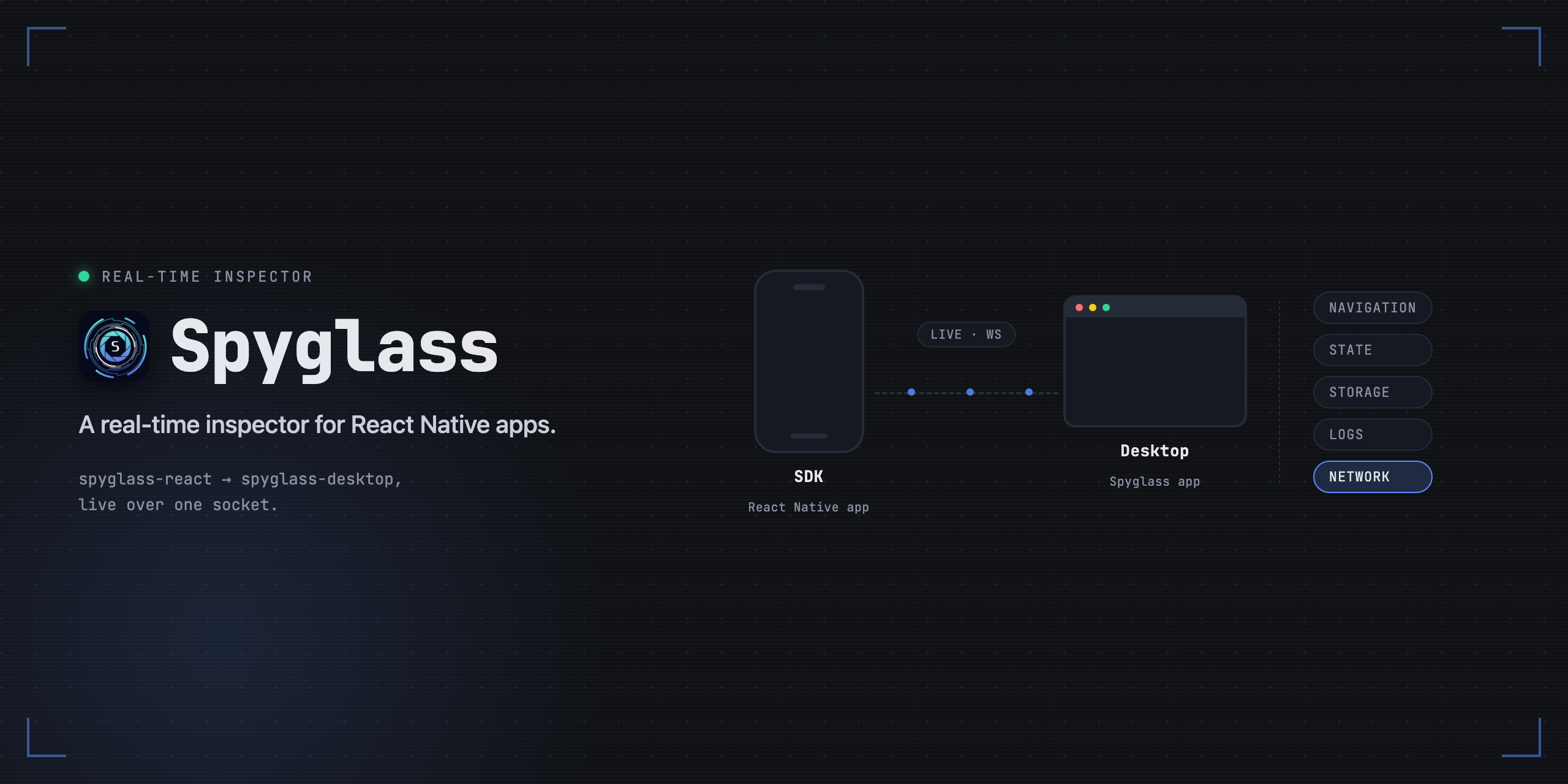
Instrumentation SDK for React Native, Expo and web apps. Streams navigation, state, storage, console and network events to the Spyglass desktop inspector.
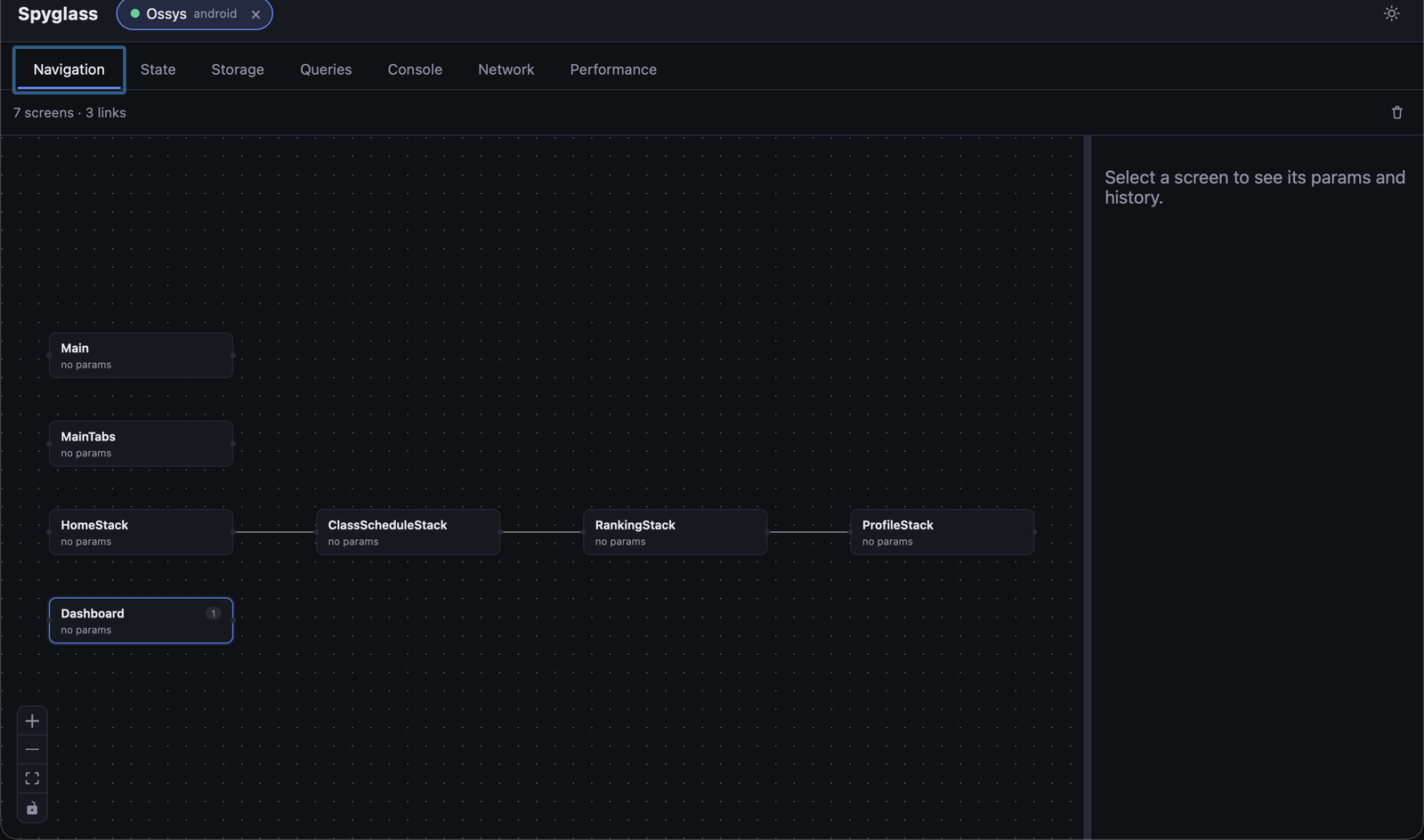
Install
# whichever your app already uses — all three install the same package
npm install --save-dev spyglass-react
yarn add --dev spyglass-react
pnpm add --save-dev spyglass-react
Usage
Call init() once, as early as possible (e.g. the top of App.tsx):
import { init } from "spyglass-react";

init({ appName: "MyApp" });
In dev-style environments this alone already gets you console logs, network
requests and performance stalls — see "Auto-attached by default" below.
Navigation, state and storage adapters need one more line each, since they
depend on a reference (a navigation ref, a store instance, …) only your
app's code has. Every adapter reads the connection init() set up, so
init() has to run first — called before it, an adapter throws
[Spyglass] SDK not initialized.
No-ops safely with no reachable desktop app — the transport just keeps
retrying in the background with backoff, so it's safe to leave init()
in place across environments.
A complete example
A React Native app wiring up React Navigation, Redux Toolkit and
AsyncStorage — shown in the order the bundler evaluates the files, since
that order is what makes createSpyglassReduxMiddleware() see an
initialized SDK when the store is created.
// spyglass.ts — no exports; imported first, purely for its side effects
import AsyncStorage from "@react-native-async-storage/async-storage";
import { init } from "spyglass-react";
import { attachAsyncStorage } from "spyglass-react/storage/async-storage";

init({ appName: "MyApp" });
attachAsyncStorage(AsyncStorage);
// store.ts
import { configureStore } from "@reduxjs/toolkit";
import { createSpyglassReduxMiddleware } from "spyglass-react/state/redux";
import { rootReducer } from "./rootReducer";
export const store = configureStore({
reducer: rootReducer,
// Runs at store-creation time, i.e. while this module is being
// evaluated — so ./spyglass must be imported before this one.
middleware: (getDefault) => getDefault().concat(createSpyglassReduxMiddleware()),
});// App.tsx
import "./spyglass"; // first import: init() runs before anything reaches for it
import { useEffect } from "react";
import { NavigationContainer, useNavigationContainerRef } from "@react-navigation/native";
import { Provider } from "react-redux";
import { attachNavigation } from "spyglass-react/navigation";
import { RootStack } from "./RootStack";
import { store } from "./store";
export default function App() {
const navigationRef = useNavigationContainerRef();
useEffect(() => attachNavigation(navigationRef.current!), []);
return (
<Provider store={store}>
<NavigationContainer ref={navigationRef}>
<RootStack />
</NavigationContainer>
</Provider>
);
}Swap in whichever adapters your app actually uses — the call sites differ,
the ordering rule doesn't. Two adapters are hooks rather than functions, so
they attach from inside a component instead: useSpyglassReactRouter()
under <BrowserRouter>, and useSpyglassRecoil(atoms) under
<RecoilRoot>. See "Adapters" below for the full list.
Auto-attached by default
attachConsole(), attachNetwork() and attachPerformance() need no
app-specific reference — there's nothing only your code could hand over —
so init() attaches all three for you automatically, in dev-style
environments only (__DEV__, or NODE_ENV !== "production"), off in
production. Override with autoAttach:
init({ appName: "MyApp", autoAttach: false });                    // none of the three
init({ appName: "MyApp", autoAttach: true });                     // force all three, even in production
init({ appName: "MyApp", autoAttach: { network: false } });       // keep console + performance, skip network
Calling attachConsole()/attachNetwork()/attachPerformance() yourself
on top of the auto-attach is a safe no-op — it won't double-report. Use
this if you need to pass the adapter its own options (e.g.
attachConsole({ levels: ["warn", "error"] })), which autoAttach itself
doesn't support in v1: turn off auto-attach for that one capability and
call the adapter manually instead.
autoAttach.storage.asyncStorage/.webStorage extend the same mechanism
to two storage engines — the only two with exactly one real instance per
app, so there's nothing to hand over there either:
init({ appName: "MyApp", autoAttach: { storage: { asyncStorage: true } } });asyncStorage dynamically imports @react-native-async-storage/async-storage
itself (silently skipped if it isn't installed — same as any other optional
peer dependency); webStorage attaches window.localStorage and
window.sessionStorage when present. Both follow the same dev-default/
autoAttach: true|false override rules as console/network/performance.
autoAttach.state.zustand goes one step further and is best-effort: it
patches zustand's own create export, so every store the app makes
afterwards is auto-wrapped with withSpyglass(...) — no per-store code
change at all.
init({ appName: "MyApp", autoAttach: { state: { zustand: true } } });Two things worth knowing before you rely on it:
- Not guaranteed everywhere. Reassigning a named ES module export is
only a mutable operation under some bundlers' CJS interop — React
Native's Metro (this SDK's primary target) is one; a web app bundled by
Vite/Rollup in strict ESM is not. When the reassignment isn't possible,
this fails safe: no throw, the capability is just never advertised, and
withSpyglass(...)stays available as the reliable explicit wrap. - Timing: only stores created after the patch takes effect are
instrumented — installing it needs an
await import("zustand")first, so a store created synchronously in the very same tick asinit()(e.g. at module top level, imported before that resolves) can be missed. Wrap that one explicitly if it happens.
Each auto-wrapped store gets its own generated storeId (zustand#1,
zustand#2, ...) since create() carries no name to reuse — pass
storeId/label to withSpyglass(...) yourself if you want a
recognizable name in the desktop instead.
Why not every adapter?
Only console/network/performance/storage.asyncStorage/
storage.webStorage/state.zustand can be zero-config. Everything else in
the table below still needs one attachX(...) call, for a real reason in
each case, not because auto-detecting it was skipped:
- Navigation always needs the
<NavigationContainer>ref — there's no registry to discover it from. - Redux/Jotai/Recoil/MobX — each app constructs its store/atoms its own
way (
configureStore, a custom enhancer chain, ad-hoc atoms); there's no single factory to hook into like there is for zustand'screate(). - MMKV/SQLite/Realm/WatermelonDB each have app-specific construction (an encryption key, a db path, possibly multiple instances) — the SDK auto-creating its own instance to "guess" wouldn't show your app's real data, and could actively mislead you into thinking it does.
Adapters
Each subpath wraps one library's own API — attach only the ones you use.
| Import | Exports | Wraps |
|---|---|---|
| spyglass-react/navigation | attachNavigation | React Navigation |
| spyglass-react/navigation/react-router | useSpyglassReactRouter | React Router (web) |
| spyglass-react/state/redux | createSpyglassReduxMiddleware | Redux |
| spyglass-react/state/zustand | withSpyglass | Zustand (also available via autoAttach.state.zustand — best-effort, no manual call needed) |
| spyglass-react/state/jotai | attachJotai | Jotai |
| spyglass-react/state/recoil | useSpyglassRecoil | Recoil |
| spyglass-react/state/mobx | attachMobx | MobX |
| spyglass-react/storage/async-storage | attachAsyncStorage | @react-native-async-storage/async-storage (also available via autoAttach.storage.asyncStorage — no manual call needed) |
| spyglass-react/storage/mmkv | attachMmkv | react-native-mmkv |
| spyglass-react/storage/sqlite | attachSqlite | SQLite (expo-sqlite or another driver — pass a runner) |
| spyglass-react/storage/realm | attachRealm | Realm |
| spyglass-react/storage/watermelondb | attachWatermelonDB | WatermelonDB |
| spyglass-react/storage/web-storage | attachWebStorage | localStorage/sessionStorage (also available via autoAttach.storage.webStorage — no manual call needed) |
| spyglass-react/query/react-query | attachReactQuery | TanStack Query |
| spyglass-react/console | attachConsole | console.log/info/warn/error/debug |
| spyglass-react/network | attachNetwork | fetch/XMLHttpRequest |
| spyglass-react/performance | attachPerformance | Render/frame stalls |
Every library above is an optional peer dependency — the SDK reaches them via
dynamic import() or a value you pass in, never a static import, so you
never need to install adapters you don't use.
Reporting the backing file's path
Useful on mobile, where "where is the actual database file" is otherwise a
manual adb/Simulator-container hunt. Two storage adapters can read it
straight from the engine, no configuration needed:
attachSqlite— reads it viaPRAGMA database_liston theSqliteQueryRunneryou already pass in, once at attach time.attachRealm— reads it viarealm.path.
The desktop shows these with a "set by the app, not read from the
engine" distinction it can't make on its own — a wrong path would be worse
than none, so it's only ever shown once an adapter actually vouches for it.
The other engines have no way to discover their own file path from their own
API, so instead take an explicit path option:
attachAsyncStorage(AsyncStorage, { path: "/data/data/com.myapp/..." });
attachMmkv(storage, { path: "/data/user/0/com.myapp/files/mmkv/default" });
attachWatermelonDB(database, { path: "/data/data/com.myapp/databases/app.db" });
Omit path and the desktop simply doesn't show a path for that engine —
never a guess.
Live editing from the desktop
Things the desktop app can do to your running app, not just read from it
— every one gated behind allowRemoteWrites (on by default in dev-style
environments, never forced on in production, see
InitOptions below):
| What | Where in the desktop | Requires | Capability advertised |
|---|---|---|---|
| Edit a Storage KV value | Storage tab, click a field | attachAsyncStorage/attachMmkv/attachWebStorage (or the storage autoAttach) | storage:write |
| Clear a storage engine (or one table/collection) | Storage tab's "Clear" action | Any storage adapter — SQLite/WatermelonDB need exec/write support, see below | storage:clear |
| Edit a Zustand store's state | Stores tab, click a field | withSpyglass(...) or autoAttach.state.zustand | state:write |
| "Clear app caches" | Performance tab's Memory panel | nothing — always available once the gate is on | memory:clear-cache |
| Edit a React Query's cached data | Queries tab, click the Data field | attachReactQuery(queryClient) | query:write |
| Refetch / Invalidate / Reset / Remove a query | Queries tab's action toolbar | attachReactQuery(queryClient) | query:write |
None of this needs new code beyond attaching the adapter you'd already want for the read side — editing reuses the exact same connection.
Clearing works out of the box for the key/value engines (AsyncStorage/MMKV/localStorage/sessionStorage) — no extra setup. The two relational engines need one more thing, since neither has a built-in "delete everything" your adapter can call on its own:
// SQLite — the runner needs a write path, not just query()
const runner: SqliteQueryRunner = {
  query: (sql, params) => db.getAllAsync(sql, params),
  exec: (sql, params) => db.runAsync(sql, params).then(() => undefined),
};
attachSqlite(runner);

// WatermelonDB — clearing needs the real Database object's write()/unsafeResetDatabase()
attachWatermelonDB(database); // already has both; only a structural test double would lack them
Without exec/write, the desktop's "Clear" button still shows up (the
capability is engine-wide, not per-instance) but replies with a clear "not
supported" instead of failing silently — see errorCode: "unsupported-op"
in StorageClearResultPayload.
Storage/Zustand edits never apply optimistically. The desktop sends the edit, shows "pending", and only flips to "applied" once the app itself confirms it (an ack, or — for storage — the app's own change event reporting the same value). A disconnect or a 3s timeout with no response shows "failed" instead of silently doing nothing.
Zustand edits are a shallow merge, not a replace. The desktop only ever
sees your store's serialized data, never its action functions — a full
replace would wipe increment/reset/etc. off the store. Editing a nested
field reconstructs the whole state around that one field and merges it in
via the store's own set(), the same path an organic set() call takes —
so the edit shows up as a normal state update, not a special case.
"Clear app caches" is exactly what it says, not "free memory". No
third-party app — on iOS or Android — can ask the OS to release memory back
to it; that's a one-way street (onTrimMemory/didReceiveMemoryWarning
are the OS telling you, not something you can invoke). The button:
- Calls
global.gc()if the JS engine exposes it (Hermes does, in production builds too — this frees the JS heap only, typically a small fraction of the app's total memory). - Clears
expo-image's memory + disk cache, if the package is installed (optional peer dependency, reached the same dynamic-import()way as every other adapter — nothing to configure if you don't use it, nothing happens if you don't have it installed).
The Memory panel's actual readings (device total memory, the app's
memory/swap) are a desktop-only feature — the numbers come from adb/
footprint run by the desktop app itself, not from anything this SDK
reports over the wire. There's nothing to attach or configure in your app
for that half of the panel.
Query edits and commands route through your QueryClient's own methods,
not a bespoke code path. Editing the Data field calls setQueryData;
Refetch/Invalidate/Reset/Remove call refetchQueries/invalidateQueries/
resetQueries/removeQueries — all addressed by the query's queryHash,
resolved to its real (never-serialized) queryKey from your own cache, so
this can't be tricked into hashing to the wrong query even if the value
shown on the wire got truncated for display. Because every one of those
calls is a normal React Query cache mutation, the result flows back out
through the same subscription attachReactQuery already uses to stream
query state — there's no separate confirmation path to keep in sync.
"Remove" can look like a no-op if the query still has an active
useQuery observer: React Query's own subscribed components immediately
refetch it, and it reappears in the cache almost instantly. That's expected
React Query behavior, not a bug in this channel.
Connecting from a device
init() connects automatically in the common cases:
- iOS Simulator and ReactJS/web — shares this machine's network, uses
localhost. - Physical device on the same Wi-Fi — the SDK parses the Metro/Expo
dev-server URL (
NativeModules.SourceCode.scriptURLand a few fallbacks) to find this machine's LAN IP. - Android Emulator — connects via
localhostonceadb reverse tcp:8098 tcp:8098is in place; the Spyglass desktop app applies this automatically while it's open. Without adb available, the SDK falls back to the emulator's10.0.2.2alias.
If auto-detection guesses wrong for your setup (uncommon — e.g. an Expo
--tunnel session), pass host explicitly:
init({ appName: "MyApp", host: "192.168.1.5" });The desktop app's empty screen lists this machine's reachable LAN addresses and a ready-to-copy snippet per scenario, so you don't have to go find your own IP.
Not connecting?
In dev-style environments the SDK logs to the console (never through
whatever attachConsole() patches, so this never loops back into the
desktop's own Console tab) once immediately, then at most once every 30s
while it keeps failing:
[Spyglass] can't reach the desktop app at ws://localhost:8098 (attempt 7, still retrying).
  · Is the desktop app running?
  · Physical device: init({ appName, host: "<your Mac's LAN IP>" }) — the desktop's empty screen lists them
  · Android emulator: adb reverse tcp:8098 tcp:8098 (the desktop app applies this automatically)
Set diagnostics: false in init() to silence this, or true to force it
on outside of dev.
InitOptions
| Option | Type | Default | Notes |
|---|---|---|---|
| appName | string | — required | Shown in the desktop app's connected-apps list. |
| host | string \| (() => string) | auto-detected | Skips auto-detection when set. A function is re-invoked on every connection attempt. |
| port | number | 8098 | |
| platform | "ios" \| "android" \| "web" | auto-detected | |
| framework | "expo" \| "bare-rn" \| "web" \| "unknown" | auto-detected | |
| rnVersion | string | — | Not auto-detected; pass it if you want it shown. |
| initialConnectDelayMs | number | — | Workaround for a physical-iOS-device boot quirk — see the source comment on TransportOptions.initialConnectDelayMs. Not needed on Android or the Simulator. |
| diagnostics | boolean | on in dev, off in production-style environments | See "Not connecting?" above. |
| autoAttach | boolean \| { console?, network?, performance?, storage?: { asyncStorage?, webStorage? }, state?: { zustand? } } | on in dev, off in production-style environments | See "Auto-attached by default" above. state.zustand is best-effort — see the caveats there. |
| allowRemoteWrites | boolean | on in dev, never forced on in production | Lets the desktop write into this app live: the Storage editor (spec 0007), the Stores editor for Zustand (spec 0007-state), and the Memory panel's "Clear caches" button (spec 0008 — runs a Hermes GC + clears expo-image's cache if installed; can't free memory system-wide, no third-party app can ask the OS for that). false disables even in dev; true does not force it on in production — see the source comment on InitOptions.allowRemoteWrites. |
License
MIT