
sqlmath
v2026.9.29
Published
sqlite for data-science

Maintainers
 kaizhu
Readme
sqlmath
SQLite with data-science superpowers. Run statistics, machine learning, and analytics directly in SQL queries — from Python, JavaScript, or the browser.




Status
| Branch | master(v2026.9.29) | beta(Web Demo) | alpha(Development) |
|--:|:--:|:--:|:--:|
| CI |  |
|  |
|  |
| Coverage |
|
| Coverage |  |
|  |
|  |
| Demo | | | |
| Artifacts | | | |
|
| Demo | | | |
| Artifacts | | | |
Table of Contents
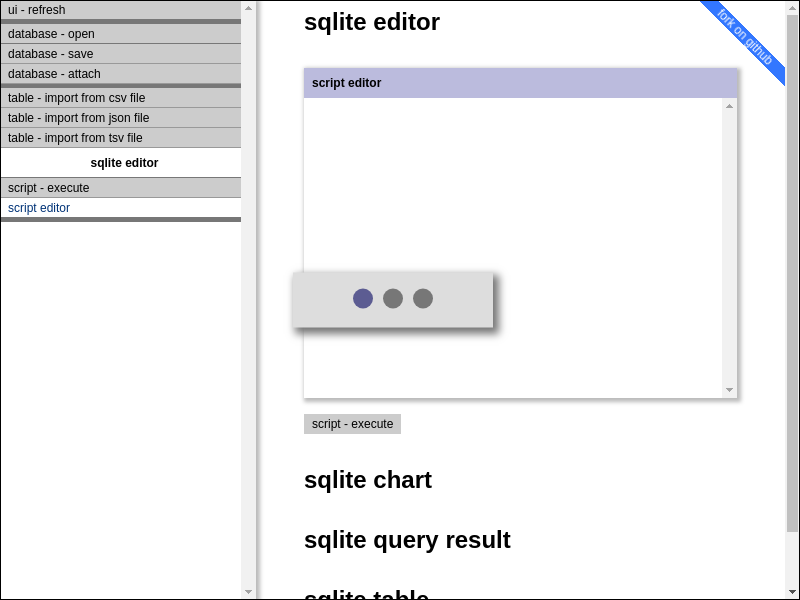
Web Demo
- https://sqlmath.github.io/sqlmath/index.html
Why sqlmath?
SQLite is everywhere — it's the most deployed database in the world. But it lacks the statistical and ML functions needed for data-science. sqlmath fixes that.
What you get:
- 20+ built-in functions for math, statistics, arrays, dates, and compression
- LightGBM integration — train and predict ML models directly in SQL
- Zero dependencies — single binary, no external libraries needed
- Multi-platform — Python, Node.js, browser (WebAssembly)
Quickstart
Python
pip install sqlmathfrom sqlmath import db_open, db_exec, db_close
# Open an in-memory database
db = db_open(":memory:")
# Create sample data
db_exec(db=db, sql="""
CREATE TABLE prices (symbol TEXT, price REAL);
INSERT INTO prices VALUES ('AAPL', 150.0), ('GOOGL', 140.0), ('MSFT', 380.0);
""")
# Use built-in statistical functions
result = db_exec(db=db, sql="""
SELECT
AVG(price) AS mean_price,
MEDIAN2(price) AS median_price,
STDEV(price) AS stdev_price
FROM prices
""")
print(result)
# [[{'mean_price': 223.33, 'median_price': 150.0, 'stdev_price': 135.77}]]
db_close(db)JavaScript (Node.js)
npm install sqlmathimport { dbOpenAsync, dbExecAsync, dbCloseAsync } from "sqlmath";
const db = await dbOpenAsync({ filename: ":memory:" });
await dbExecAsync({
db,
sql: `
CREATE TABLE prices (symbol TEXT, price REAL);
INSERT INTO prices VALUES ('AAPL', 150.0), ('GOOGL', 140.0), ('MSFT', 380.0);
`
});
const result = await dbExecAsync({
db,
sql: "SELECT AVG(price) AS mean_price FROM prices"
});
console.log(result);
await dbCloseAsync(db);Browser (WebAssembly)
Try it live: sqlmath.github.io/sqlmath
Built-in SQL Functions
Math
| Function | Description |
|----------|-------------|
| cot(x) | Cotangent |
| coth(x) | Hyperbolic cotangent |
| fmod(x, y) | Floating-point modulo |
| squared(x) | Square of x |
| squaredwithsign(x) | Square preserving sign (negative input → negative output) |
| sqrtwithsign(x) | Square root preserving sign |
| normalizewithsqrt(x) | Normalize using square root |
| normalizewithsquared(x) | Normalize using square |
Statistics (Aggregate)
| Function | Description |
|----------|-------------|
| MEDIAN2(x) | Median value (aggregate) |
| PERCENTILE(x, p) | Percentile at p (aggregate) |
| QUANTILE(x, q) | Quantile at q (aggregate) |
| STDEV(x) | Standard deviation (sample, window-capable) |
Statistics (Scalar)
| Function | Description |
|----------|-------------|
| marginoferror95(p, n) | 95% margin of error: sqrt(p*(1-p)/n) |
| random1() | Random float in [0, 1) |
Arrays
| Function | Description |
|----------|-------------|
| doublearray_array(...) | Create double array from values |
| doublearray_extract(arr, i) | Extract element at index |
| doublearray_jsonfrom(json) | Create array from JSON |
| doublearray_jsonto(arr) | Convert array to JSON |
Date/Time
sqlmath extends SQLite's date functions with integer-format conversions (YYYYMMDDHHMMSS).
Time Series / Signal Processing
| Function | Description |
|----------|-------------|
| WIN_SINEFIT2(...) | Fit sine wave to data (aggregate window function) |
| SINEFIT_REFITLAST(...) | Refit sine wave with new data point |
Compression
| Function | Description |
|----------|-------------|
| GZIP_COMPRESS(blob) | Compress BLOB with gzip |
| GZIP_UNCOMPRESS(blob) | Decompress gzip BLOB |
Note: Input must be BLOB. Use
CAST(text AS BLOB)for text data.
Type Casting
| Function | Description |
|----------|-------------|
| castrealornull(x) | Cast to REAL or NULL |
| castrealorzero(x) | Cast to REAL or 0.0 |
| casttextorempty(x) | Cast to TEXT or '' |
| roundorzero(x, n) | Round or return 0 |
Cryptography
| Function | Description |
|----------|-------------|
| sha256(data) | SHA-256 hash (returns BLOB) |
SELECT HEX(sha256('hello')) AS hash;
-- 2CF24DBA5FB0A30E26E83B2AC5B9E29E1B161E5C1FA7425E73043362938B9824
Machine Learning with LightGBM
sqlmath embeds LightGBM for gradient boosting directly in SQL queries. Train models on your data without leaving SQL — no data shuffle to Python needed.
Python users: You must call
lgbm_dlopen()before using anylgbm_*functions. See Platform Notes for details.
Training from a Table
LGBM_TRAINFROMTABLE is an aggregate function — it consumes rows like SUM() or AVG(), but outputs a trained model BLOB.
-- Create a table to store the model
CREATE TABLE model_store (model BLOB);

-- Train directly from your data table
INSERT INTO model_store(model)
SELECT
    LGBM_TRAINFROMTABLE(
        -- Training parameters
        (
            'objective=binary'
            || ' learning_rate=0.1'
            || ' metric=auc'
            || ' num_leaves=31'
            || ' verbosity=0'
        ),
        50,            -- num_iterations
        10,            -- eval_step (early stopping check interval)
        'max_bin=15',  -- data parameters
        NULL,          -- reference dataset (NULL for training set)
        -- Columns: first column MUST be the label
        label, feature1, feature2, feature3, feature4
    )
FROM training_data;
Prediction
-- Predict on new data using the stored model
SELECT
    id,
    LGBM_PREDICTFORTABLE(
        (SELECT model FROM model_store),
        0,     -- predict_type (0 = normal probability)
        0,     -- start_iteration
        50,    -- num_iterations
        '',    -- prediction parameters
        feature1, feature2, feature3, feature4
    ) AS prediction
FROM test_data;
Real-World Example: Credit Card Fraud Detection
From the Kaggle notebook — training on 284,807 transactions with 0.17% fraud rate:
from sqlmath import db_open, db_exec, db_table_import

db = db_open("fraud.sqlite")

# Import Kaggle credit card dataset
db_table_import(db=db, filename="creditcard.csv", table_name="transactions", mode="csv")

# Split 80/20 train/test
db_exec(db=db, sql="""
    CREATE TABLE train AS SELECT * FROM transactions WHERE RANDOM() % 5 != 0;
    CREATE TABLE test AS SELECT * FROM transactions WHERE RANDOM() % 5 = 0;
""")

# Train with automatic class imbalance handling
db_exec(db=db, sql="""
    CREATE TABLE model_store (model BLOB);

    INSERT INTO model_store(model)
    SELECT
        LGBM_TRAINFROMTABLE(
            (
                'objective=binary'
                || ' learning_rate=0.05'
                || ' metric=auc'
                || ' is_unbalance=true'  -- Auto-weight minority class
                || ' num_leaves=31'
                || ' verbosity=0'
            ),
            100,           -- num_iterations
            10,            -- eval_step
            'max_bin=255', -- data_params
            NULL,          -- reference
            -- First column = label, rest = features (V1-V28 + Amount)
            Class, V1, V2, V3, V4, V5, V6, V7, V8, V9, V10,
            V11, V12, V13, V14, V15, V16, V17, V18, V19, V20,
            V21, V22, V23, V24, V25, V26, V27, V28, Amount
        )
    FROM train;
""")
LightGBM Functions
| Function | Type | Description |
|----------|------|-------------|
| lgbm_dlopen(path) | scalar | Load LightGBM library (required in Python) |
| LGBM_TRAINFROMTABLE(params, n_iter, eval, data_params, ref, label, ...) | aggregate | Train model from table columns |
| LGBM_TRAINFROMFILE(params, n_iter, eval, train_file, data_params, test_file) | scalar | Train from LibSVM file |
| LGBM_PREDICTFORTABLE(model, type, start, n, params, ...) | window | Predict per row |
| LGBM_PREDICTFORFILE(model, type, start, n, params, file, header, out) | scalar | Predict and save to file |
| lgbm_extract(result, key) | scalar | Extract value from result |
Complete Example:

Full notebook with fraud detection, intraday trading signals, and model persistence.
Kaggle Environment:
- Linux x64, Python 3.12, Node.js 24
- Datasets: Credit Card Fraud (284K transactions), SPY intraday OHLCV
- sqlmath installs via
pip install sqlmath==2026.9.29
Use Cases
Financial Data Analysis
from sqlmath import db_open, db_exec, db_close, db_table_import

db = db_open(":memory:")

# Import OHLCV data
db_table_import(db=db, table_name="prices", filename="prices.csv", mode="csv")

# Calculate rolling statistics in SQL
result = db_exec(db=db, sql="""
    SELECT
        date,
        close,
        AVG(close) OVER (ORDER BY date ROWS 20 PRECEDING) AS sma_20,
        STDEV(close) OVER (ORDER BY date ROWS 20 PRECEDING) AS volatility,
        PERCENTILE(volume, 50) OVER (ORDER BY date ROWS 5 PRECEDING) AS median_volume
    FROM prices
    ORDER BY date DESC
    LIMIT 10
""")

db_close(db)
Embedded ML Pipelines
Train and deploy models without data movement:
# 1. Load data into SQLite
db_table_import(db=db, table_name="features", filename="training_data.csv", mode="csv")

# 2. Train model in-database
db_exec(db=db, sql="""
    CREATE TABLE models AS
    SELECT LGBM_TRAINFROMTABLE(...) AS model FROM features
""")

# 3. Score new data in-database
db_exec(db=db, sql="""
    SELECT id, LGBM_PREDICTFORTABLE(model, ...) AS score
    FROM new_data, models
""")

# 4. Export results
db_file_save(db=db, filename="scored_data.sqlite")
Data Compression & Hashing
-- Compress large text fields
UPDATE documents SET
    content_compressed = GZIP_COMPRESS(CAST(content AS BLOB));

-- Generate content hashes for deduplication
SELECT HEX(sha256(content)) AS content_hash, COUNT(*)
FROM documents
GROUP BY content_hash
HAVING COUNT(*) > 1;
Why sqlmath vs Alternatives?
| Feature | sqlmath | pandas | DuckDB | sqlite3 | |---------|---------|--------|--------|---------| | In-database ML | ✅ LightGBM | ❌ | ❌ | ❌ | | Zero data shuffle | ✅ | ❌ | ✅ | ✅ | | Statistical functions | ✅ 20+ | ✅ | ✅ | ❌ | | Browser support | ✅ WASM + LightGBM | ❌ | ✅ DuckDB-Wasm | ✅ official WASM | | Single file deployment | ✅ | ❌ | ✅ | ✅ | | Memory efficiency | ✅ Streaming | ❌ In-memory | ✅ | ✅ |
Choose sqlmath when:
- You need ML training/inference inside the database
- Your data is already in SQLite
- You want ML training/inference in the browser (WebAssembly)
- You need statistical functions beyond basic SQL
Choose pandas when:
- You need complex data transformations
- Interactive exploration with rich visualization
- Your workflow is Python-centric
Choose DuckDB when:
- You need fast analytical queries on large datasets
- You want pandas DataFrame interop
- OLAP workloads are primary
Python API Reference
from sqlmath import (
    db_open,           # Open database
    db_close,          # Close database
    db_exec,           # Execute SQL, return results
    db_exec_and_return_lastblob,  # Execute SQL, return last blob
    db_file_load,      # Load database from file
    db_file_save,      # Save database to file
    db_table_import,   # Import data into table
    db_noop,           # No-op for testing
)
db_exec()
result = db_exec(
    db=db,                    # Database connection
    sql="SELECT ...",         # SQL statement(s)
    bind_list=[...],          # Bind parameters (list or dict)
    response_type=None,       # None (default) returns list-of-dicts
                              # "list" | "lastblob" | "arraybuffer"
)
# Default: [[{'col1': val1, 'col2': val2}, ...]]
Node.js API Reference
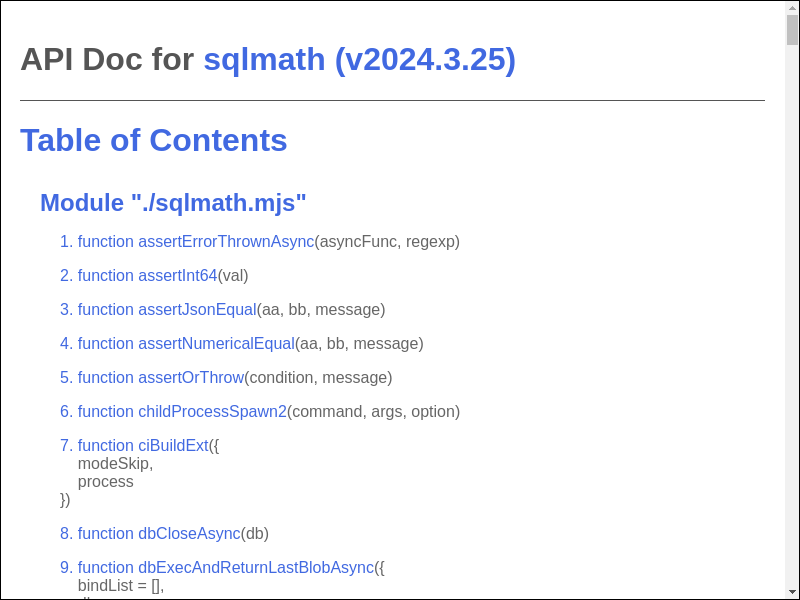
- https://sqlmath.github.io/sqlmath/apidoc.html
Platform Notes
The JavaScript (Node.js) binding is more mature than Python. Key differences:
| Feature | Node.js | Python |
|---------|---------|--------|
| Async vs sync api | async only: result = await dbExecAsync({...}) | sync only: result = db_exec(...) |
| Connection pooling | ✅ db = await dbOpenAsync({threadCount: 4, ...}) | ❌ db = db_open(...) |
| Type hints | N/A | ❌ Not yet |
| Context manager | N/A | ❌ with db_open() not supported |
Note: The Python wrapper is a work in progress. Contributions welcome!
Building from Source
Prerequisites
- Node.js 24+
- Python 3.12+
- C compiler (gcc, clang, or MSVC)
Build
#!/bin/sh

# git clone sqlmath repo
git clone https://github.com/sqlmath/sqlmath --branch=beta --single-branch
cd sqlmath

# Build native binary
npm run test2

# Build WebAssembly (optional)
sh jslint_ci.sh shCiBuildWasm
Run Tests
# Full test suite (includes full clean-build)
npm run test2

# Full test suite (includes partial re-build of modified files)
npm run test

# Quick test (skip build)
npm run test --fast
Serve Demo Locally
PORT=8080 sh jslint_ci.sh shHttpFileServer
# Open http://localhost:8080/index.html
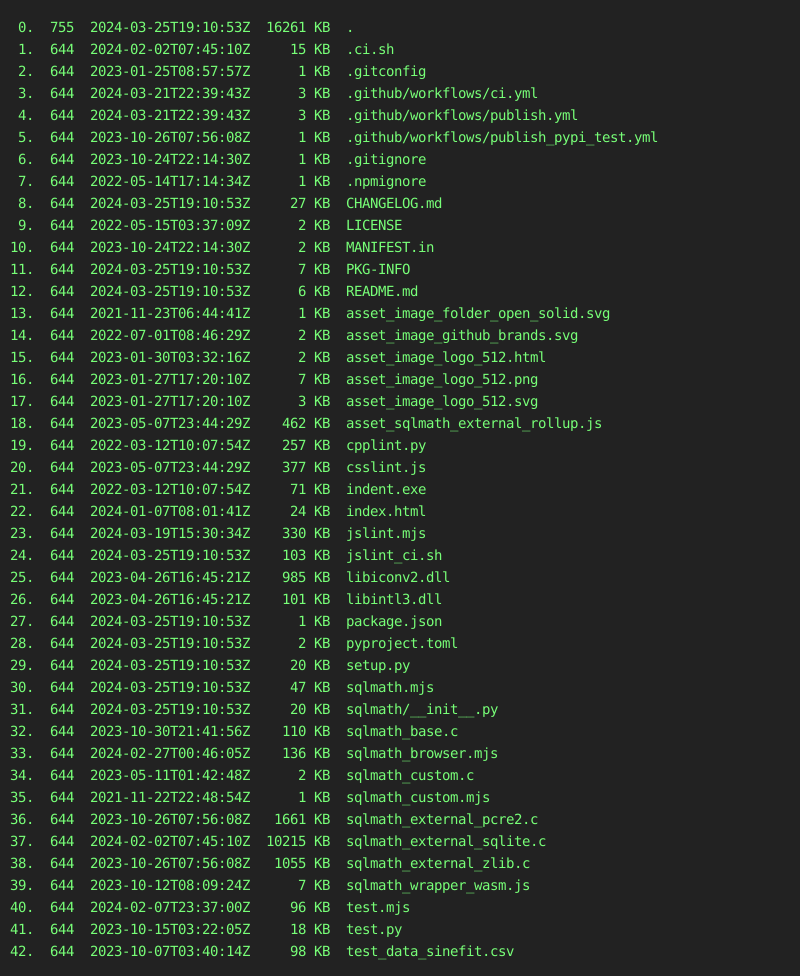
Package Listing
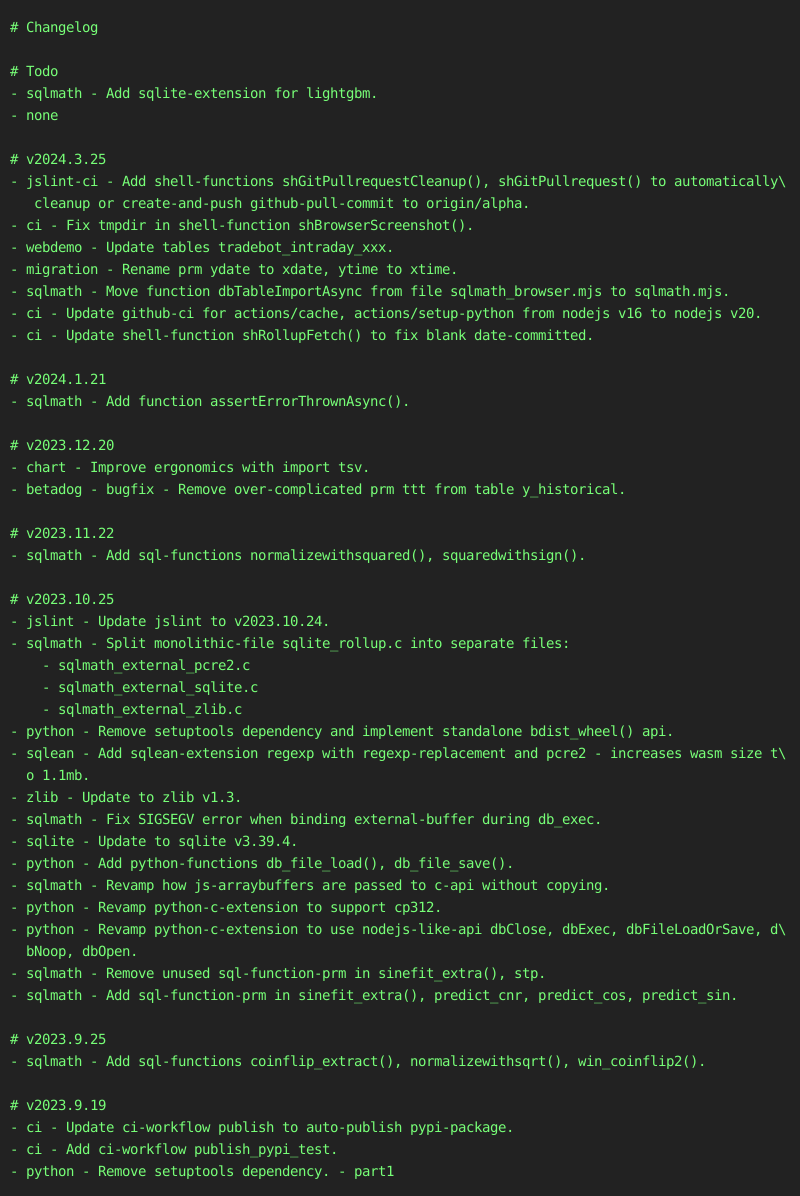
Changelog
License
- sqlite is under public domain.
- jslint is under Unlicense License.
- zlib is under zlib License.
- cpplint.py is under 3-Clause BSD License.
- indent.exe is under GPLv3 License.
- Everything else is under MIT License.
Devops Instruction
python pypi publish
python -m build
#
twine upload --repository testpypi dist/sqlmath-2026.9.29*
py -m pip install --index-url https://test.pypi.org/simple/ sqlmath==2026.9.29
#
twine upload dist/sqlmath-2026.9.29*
pip install sqlmath==2026.9.29
sqlite upgrade
- goto https://www.sqlite.org/changes.html
    (set -e
    #
    # lgbm
    sh jslint_ci.sh shRollupUpgrade "v4.6.0" "v4.7.0" ".ci.sh sqlmath_base.h"
    #
    # sqlite
    sh jslint_ci.sh shRollupUpgrade "3.50.4" "3.51.3" ".ci.sh sqlmath_external_sqlite.c"
    sh jslint_ci.sh shRollupUpgrade "3500400" "3510300" ".ci.sh sqlmath_external_sqlite.c"
    #
    # shSqlmathUpdate
    read -p "Press Enter to shSqlmathUpdate:"
    sh jslint_ci.sh shSqlmathUpdate
    )