
ssg-js
v0.1.5
Published
Secure Shell GUI


Readme
SSG - Secure Shell GUI
Background
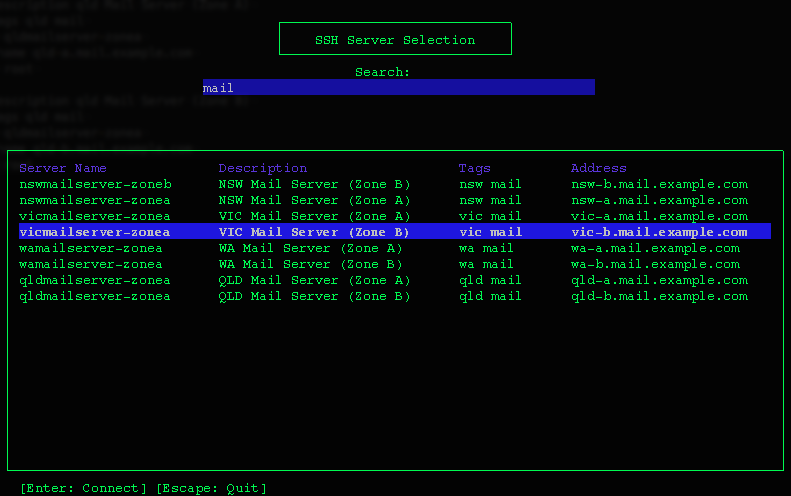
This program shows a pretty GUI for all the SSH server connections found in your SSH config file. It also allows you to connect to them. Simply type to filter and use the arrow keys to select. Press enter to open the SSH connection.
You must have an existing SSH Configuration file for this application to be useful. See examples here
By default, this application will look for your config file in ~/.ssh/config
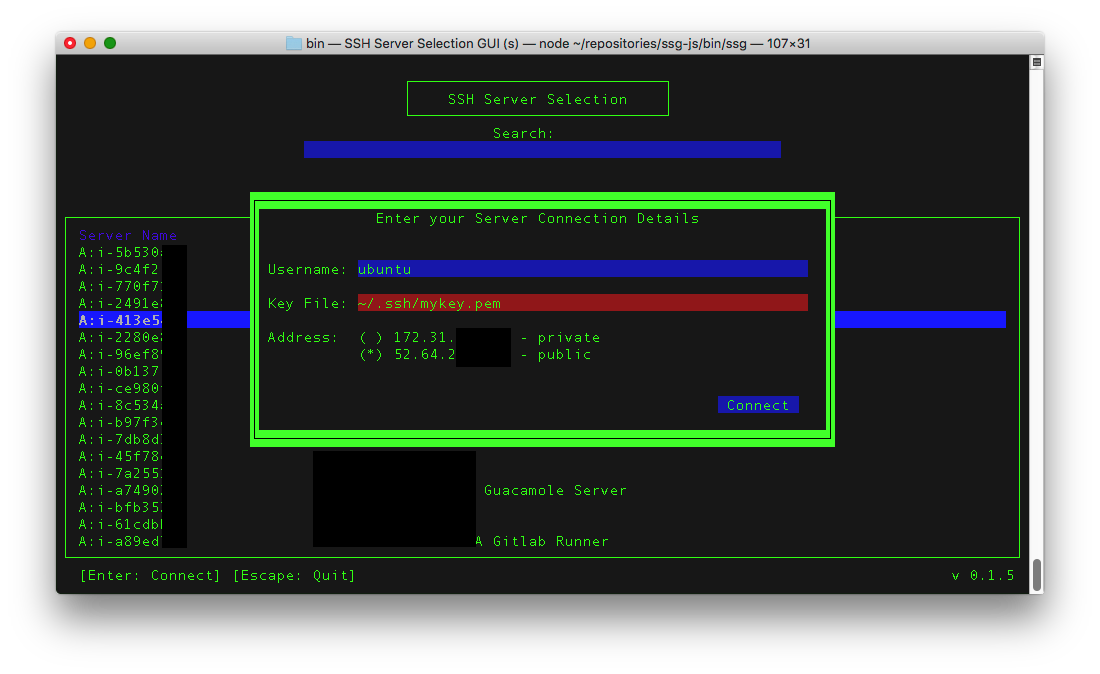
As of Version 0.1.5, ssg will also try to invoke the aws command on your local machine. If you happen to have configured your aws cli to output json (default)
then you will also get a list of all your AWS servers currently running. SSG will then give you the opportunity to fill in a username and appropriate PEM.
In upcoming versions, there may be an option to save this to your SSH config file.
Installation
- Install using
npm install -g ssg-js - Run
ssgor alternativelyssg /path/to/ssh/config/file - Enjoy all your visualised server connections.
How to use
Run ssg from the command line. All server connections in your config file will appear. You can filter them by typing. Filtering works on Description, Tags and server names.
Select the desired server you want to connect to by using the arrow keys. When selected, press the ENTER key. Alternatively, press ESC if you wish to exit.
Javascript Usage
	var ssg = require('ssg-js');

	// Use the default ~/.ssh/config file
	ssg.run();

	// Or specify a custom config file path
	ssg.run('/path/to/my/ssh/config');
Adding Descriptions and Tags
As SSH config doesn't come with an ability to add a description or tags, you must put in lines similar to the following in order to get the description and tag fields populated.
	# @description My awesome description
	# @tags tags separated by some spaces
	Host uniquehostname
		Hostname awesomehost.local
		User ubuntu
All @description and @tags must be declared before your host definition.
Generating Docs
npm run docsChangelog
Version 0.1.5 (2016-07-17)
- ssg will now show AWS servers if you happen to have the
awsCLI configured - Minor bugfixes
Version 0.1.4 (2016-01-21)
- NodeJS Minimum engine version added (Issue #4)
- Now hosts separated by spaces will be displayed on dedicated lines (Issue #3)
Version 0.1.3 (2016-01-06)
- Updated documentation. Screenshots etc.
Version 0.1.2 (2016-01-04)
- JS Docs
- Updated Readme (ssg-js rather than ssg)
- Colours
- Ability to specify custom config file
Version 0.1.1
- Minor Bugfixes
Version 0.1.0 (2015-15-21)
- Initial release