
stacker-plugin-cli
v2.0.0
Published
A zero configuration dev-toolkit for WordPress Plugin Developers. Features: Gutenberg Blocks, PHPUnit, WPCS, LocalWP, Docker Compose and Built-in React Settings Page, and more.

Maintainers
 provineet
Readme
STACKER-plugin-CLI : WordPress Plugin Developer Toolkit

A zero-configuration CLI that scaffolds a modern WordPress plugin in seconds. Answer a few questions and Stacker generates a fully wired-up plugin built on PHP 8.1+, WordPress 7.0, @wordpress/scripts, and a complete development, testing, and packaging workflow.




✨ What the generated plugin gives you
Stacker scaffolds a plugin from the Stacker WordPress Plugin Boilerplate, which ships with:
- 🧩 Namespaced, autoloaded PHP. A small custom autoloader maps your
PREFIX\…classes to files — no manualrequirelist. A singletonLoaderbootstraps everything and keeps admin-only code behindis_admin(). - 🧱 Four example blocks under
src/blocks/: two static blocks, a dynamic block rendered byrender.phpon each request, and an interactive block built on the WordPress Interactivity API. - ⚛️ React settings page. A data-driven settings screen that reads and writes a single option through core's
/wp/v2/settingsREST endpoint, with a reusable field library (text,select,toggle,media, and more). No custom REST routes to maintain. - 🔌 Service layer. A
DBwrapper that centralises$wpdbaccess and prepared statements, plus anAPIscaffold for registering your ownstacker/v1REST routes. - 🛠️ Asset & block tooling via
@wordpress/scripts: separate build/watch for blocks and assets, live reload through Browser-Sync, and ESLint, Stylelint, and Prettier already configured. - ✅ Pre-commit checks. Husky and lint-staged run the linters on staged files before each commit.
- 🧹 PHP quality tooling. WordPress Coding Standards via PHPCS/PHPCBF, PHP compatibility checks, and generated WordPress stubs for editor autocomplete.
- 🧪 PHPUnit tests against a real database using the official WordPress test framework (
wp-phpunit+ Yoast polyfills). - 🐳 Dockerised dev stack. A throwaway WordPress environment with your plugin mounted, Xdebug wired up, a mail catcher, and a VS Code Dev Container.
- 📦 Packaging scripts.
npm run distbuilds a production zip with dev dependencies stripped;uninstall.phphandles cleanup on removal.
The CLI lets you opt in or out of Gutenberg blocks, PHPUnit, and your development environment (Docker Desktop or LocalWP) — files you don't need are stripped from the generated plugin automatically.
🚀 How the CLI works
Stacker asks a set of questions, then downloads the boilerplate, fills in your details, and writes a ready-to-develop plugin into a new folder named after your plugin.
➡️ Quick start
In your terminal, cd to your plugin development folder (usually wp-content/plugins) and run:
npx stacker-plugin-cliAnswer the prompts (see below) and a fresh plugin boilerplate is generated inside a new subfolder of your current directory.
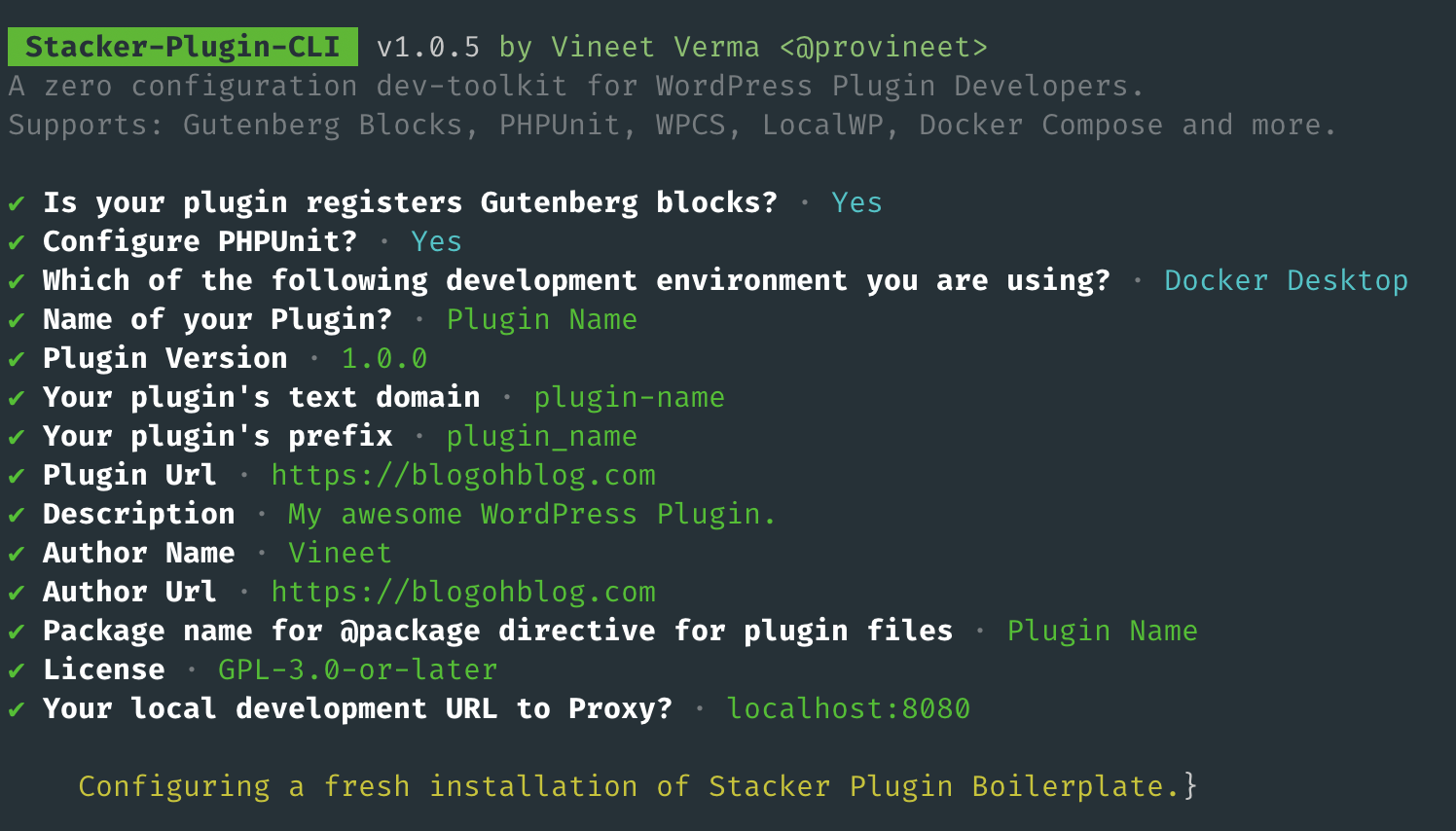
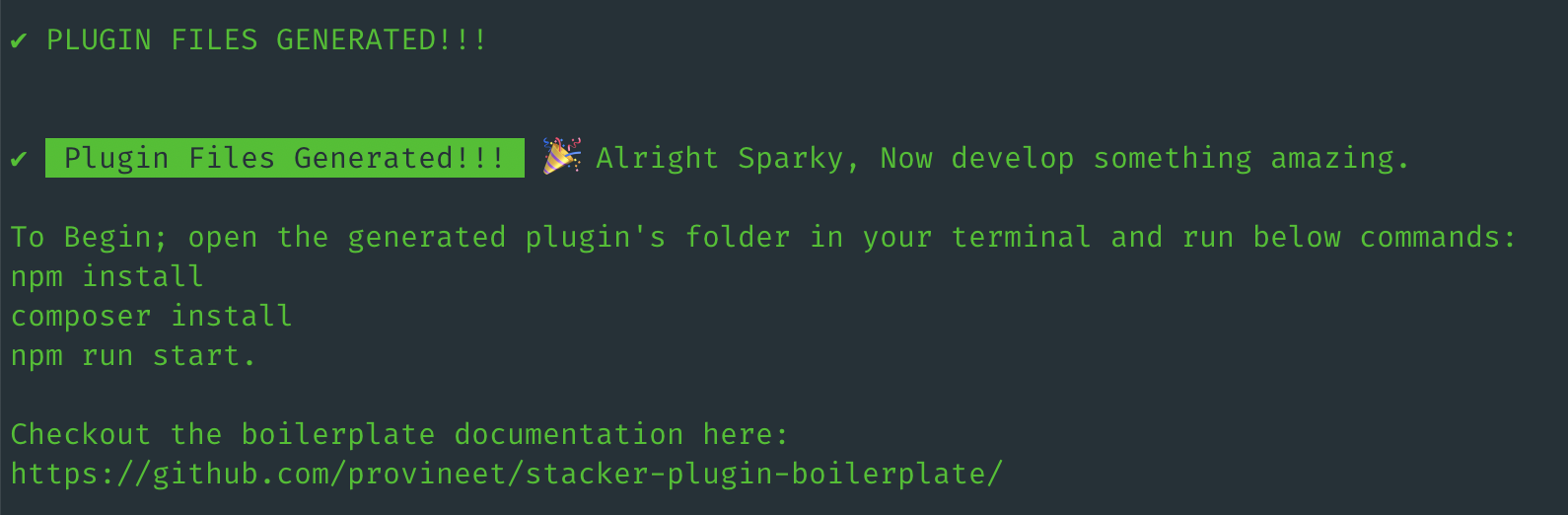
Once generation finishes, cd into your new plugin folder and install dependencies:
cd your-plugin-folder
npm install
composer install
Then start the development build to watch your JS, image, and SCSS changes (with hot-reloading):
npm run start❓ Questions you'll be asked
| Prompt | What it sets |
| --- | --- |
| Plugin name | Plugin display name; also derives the folder name, namespace, and main file name |
| Plugin version | Initial version of your plugin |
| Text domain | i18n text domain (also used to derive the block namespace and category) |
| Prefix | Prefix for your plugin's global functions and constants |
| Development environment | Docker Desktop or LocalWP — keeps only the relevant config files |
| Gutenberg blocks? | Yes keeps src/blocks and the block build scripts; No strips them |
| Configure PHPUnit? | Yes keeps the test suite and phpunit.xml.dist; No removes them |
| Plugin URL | The plugin's homepage URL |
| Description | Plugin description |
| Author name / URL / email | Author metadata (also derives the Composer vendor) |
| @package name | The @package directive used in plugin file headers |
| License | Plugin license (default GPL-2.0-or-later) |
| Local development URL to proxy | Your local WordPress URL, used to set up Browser-Sync hot-reloading |
🚩 CLI flags
| Flag | Alias | Description |
| --- | --- | --- |
| --output | -o | Output path for your generated plugin files (defaults to the current directory) |
| --repo | | Template source repo as a degit spec — overrides the configured source |
| --ref | | Branch or tag of the template repo to use |
| --refresh | | Force a re-download of the template, ignoring the local cache |
| --clear | -c | Clear the console (on by default) |
| --no-clear | | Don't clear the console |
| --debug | -d | Print debug info |
| --version | -v | Print the CLI version |
| help | | Print help info |
The boilerplate template is pulled from a public git repo with
degit, templatized on the fly, and cached locally for offline reuse. Use--repo/--refto point at your own fork, and--refreshto bypass the cache.
📂 Generated plugin structure
A plugin generated with Docker, blocks, and PHPUnit enabled looks roughly like this:
./your-plugin
├── Dockerfile                  '(builds the WordPress dev image)'
├── docker-compose.yaml         '(throwaway WordPress dev stack + mail catcher)'
├── docker-configs/             '(php.ini & xdebug.ini for the dev stack)'
├── composer.json               '(PHP dependencies, PHPCS/PHPCBF, PHPUnit scripts)'
├── package.json                '(npm scripts: build/watch, lint, dist)'
├── phpunit.xml.dist            '(PHPUnit configuration)'
├── uninstall.php               '(cleanup on plugin removal)'
├── your-plugin.php             '(main plugin file & bootstrap)'
├── inc/                        '(namespaced, autoloaded PHP)'
│   ├── class-autoloader.php
│   ├── class-loader.php        '(singleton bootstrap)'
│   ├── admin/                  '(admin-only classes & hooks)'
│   ├── public/                 '(frontend functionality)'
│   ├── services/               '(DB wrapper & REST API scaffold)'
│   └── helpers/                '(autoloaded *-functions.php helpers)'
├── src/                        '(source assets)'
│   ├── assets/                 '(shared JS/SCSS + React settings page)'
│   └── blocks/                 '(Gutenberg blocks: static, dynamic, interactive)'
└── tests/                      '(PHPUnit tests against a real WP test DB)'
⚡️ NPM commands in the generated plugin
npm run start— Watch JS, image, and SCSS changes insrc/and trigger hot-reloading.npm run build— Build your blocks and other assets.npm run dist— Create a production-ready distributable zip with dev dependencies stripped.npm run format— Format the plugin's SCSS and JS files.
⚡️ Composer commands in the generated plugin
composer phpcs— Run PHP Code Sniffer with WordPress Coding Standards on your plugin files.composer phpcbf— Auto-fix coding standard errors with PHP Code Beautifier.composer test— Run the PHPUnit tests in thetests/directory (when PHPUnit is enabled).
See the boilerplate documentation for the full development guide, testing setup, settings page, and field library.