
stacklane
v0.2.0
Published
Browser-based OS-like UI for managing remote servers via SSH

Maintainers
 satyam2001
Readme
StackLane
A modern, all-in-one web platform for comprehensive server management
StackLane transforms how you interact with your remote servers by providing a powerful browser-based interface that combines terminal access, file management, performance monitoring, cloud storage integration, and remote desktop capabilities—all in one seamless application. No more juggling multiple tools and terminal windows.


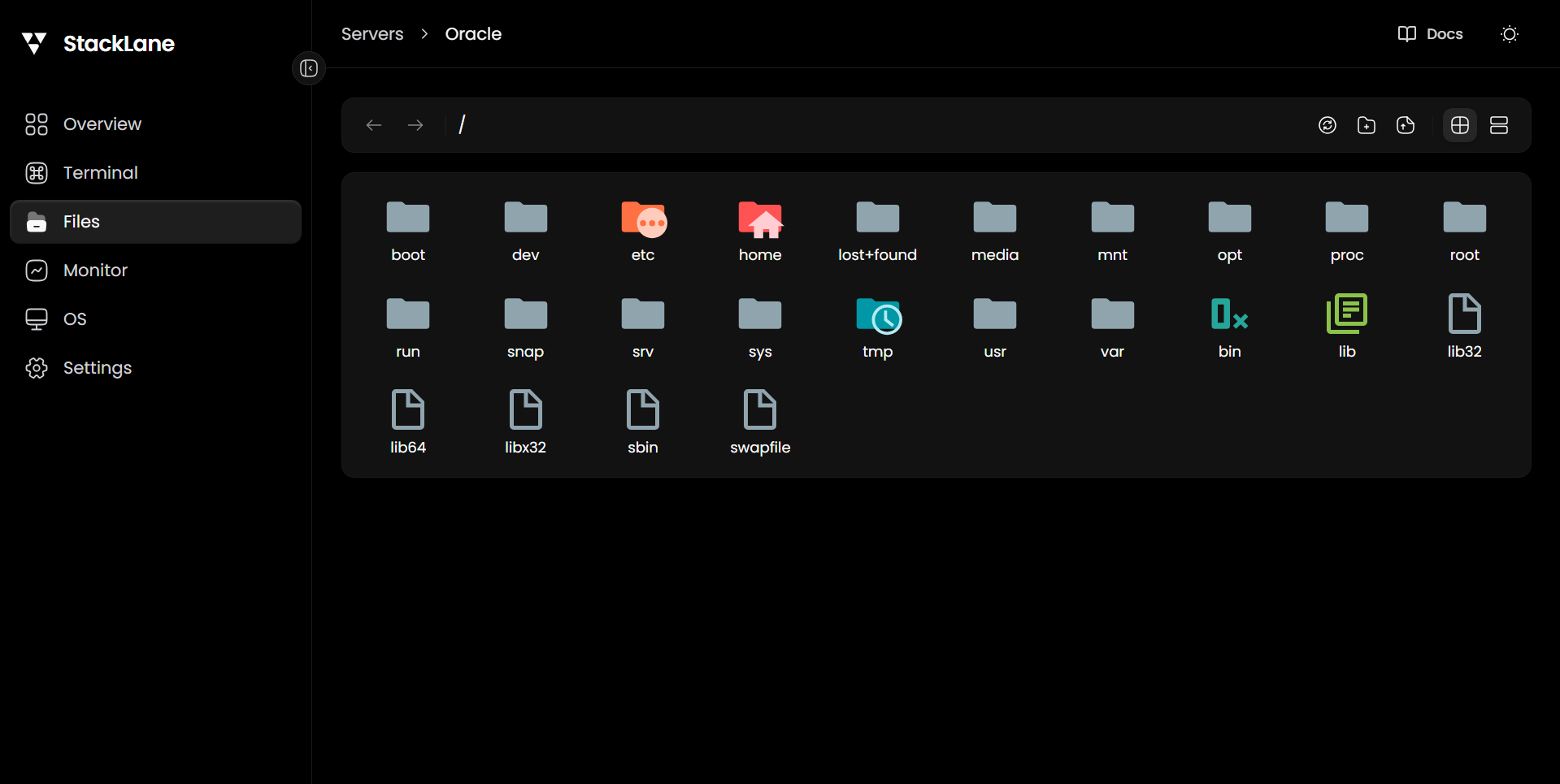
Why StackLane?
- 🚀 Quick Start: Launch with a single
npxcommand—no complex setup required - 🌐 Browser-Based: Access your servers from anywhere without installing SSH clients
- 🎨 Modern UI: Intuitive, OS-like interface that feels familiar and powerful
- 🔐 Secure: Built on industry-standard SSH and SFTP protocols
- 📦 All-in-One: Terminal, files, monitoring, storage, and desktop in one place
- 🔧 Developer-Friendly: Built with modern web technologies (React, NestJS, TypeScript)
Quick Start
npx stacklaneOr install globally:
npm i -g stacklane
stacklane
Opens a browser UI at http://localhost:3721 where you can manage SSH connections, browse files via SFTP, open terminals, and monitor server stats.
CLI Options
stacklane [options]

Options:
  -p, --port <number>  Port to run on (default: 3721)
  --no-open            Don't open browser automatically
  -V, --version        Output version number
  -h, --help           Display help
Features
🖥️ Interactive Terminal
A fully-featured SSH terminal powered by xterm.js that brings the power of your remote servers directly to your browser. No need for separate terminal applications—everything runs seamlessly in your web browser with full support for colors, cursor movements, and special characters.
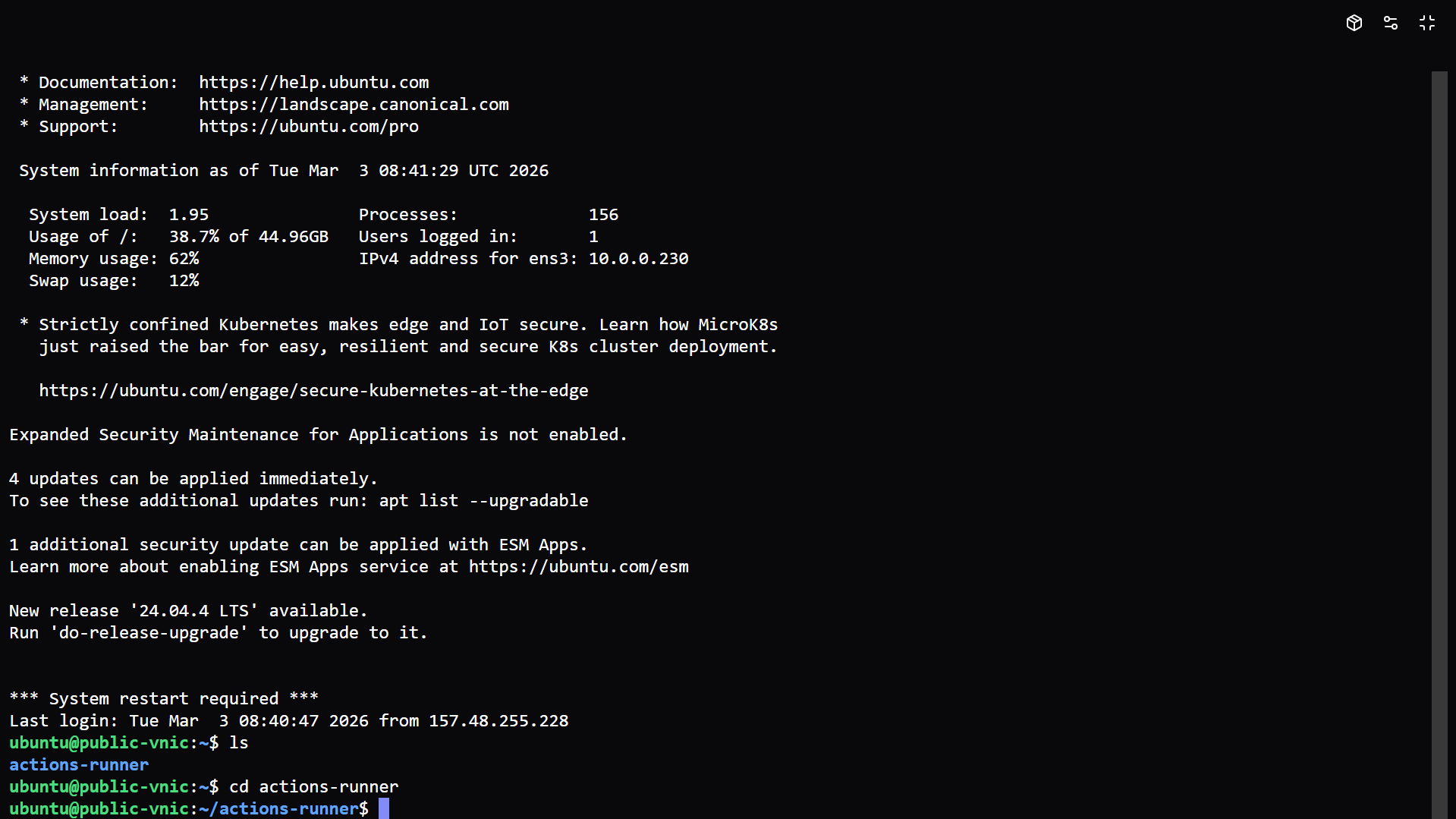
Key Features:
- ✨ True SSH terminal experience with xterm.js
- 🎨 Multiple pre-configured color themes (Dracula, Monokai, Nord, Tokyo Night, and more)
- 🔤 Customizable fonts and text sizes for optimal readability
- ⌨️ Full keyboard support including special keys and shortcuts
- 📱 Responsive design that works on any screen size
- 🔄 Real-time bidirectional communication via WebSockets
App Catalog - Deploy popular self-hosted applications with a single click:
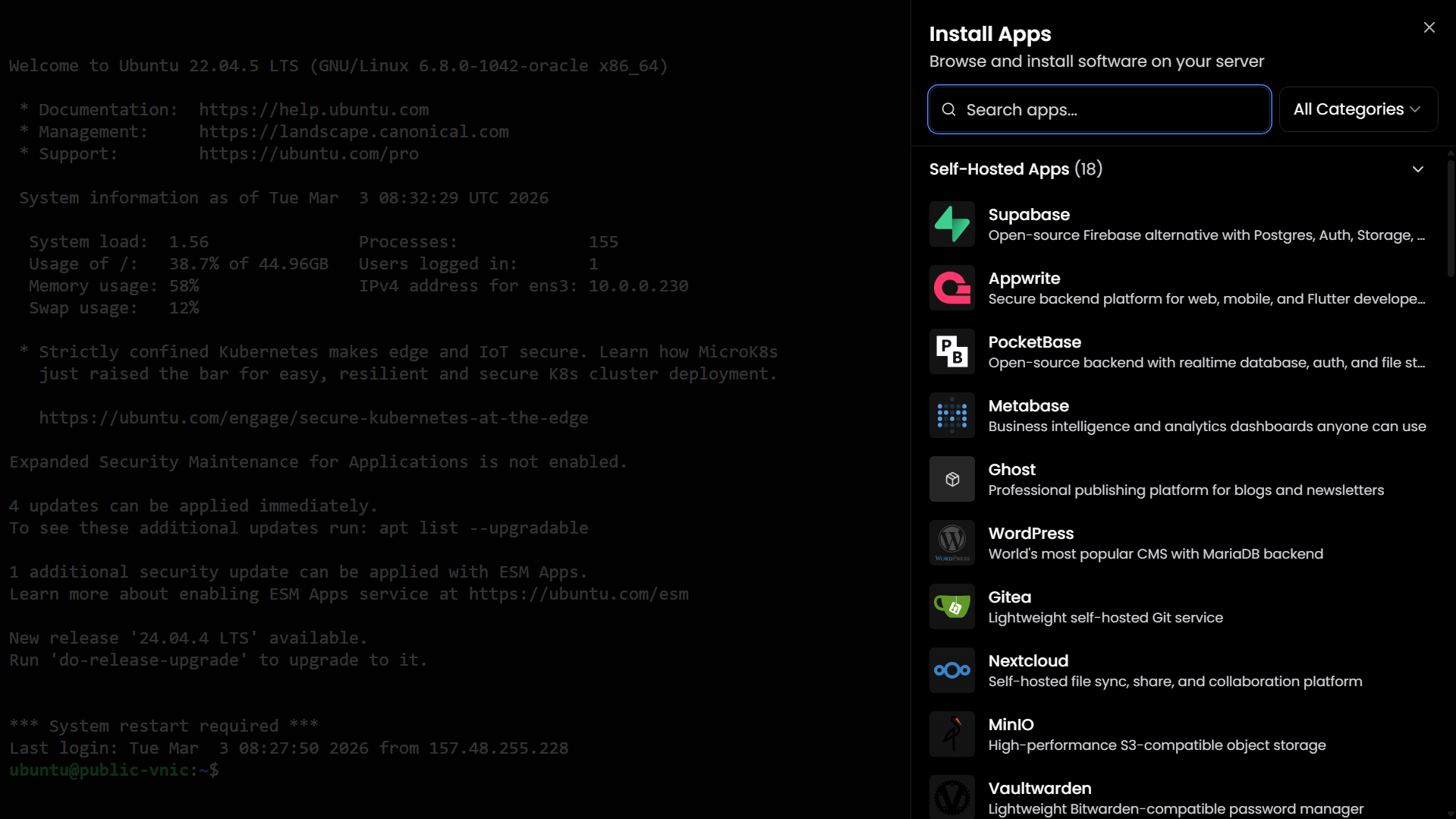
Browse and install from a curated collection of self-hosted apps including:
- 🗄️ Databases: Supabase, PocketBase, Metabase
- 📝 CMS: WordPress, Ghost, Directus
- ☁️ Cloud Storage: Nextcloud, MinIO
- 🔐 Security: Vaultwarden (Bitwarden), Authentik
- 🛠️ DevOps: Gitea, Portainer, n8n
- And many more...
Each app comes with pre-configured installation scripts that handle all dependencies and setup automatically.
Terminal Customization - Personalize your terminal experience:
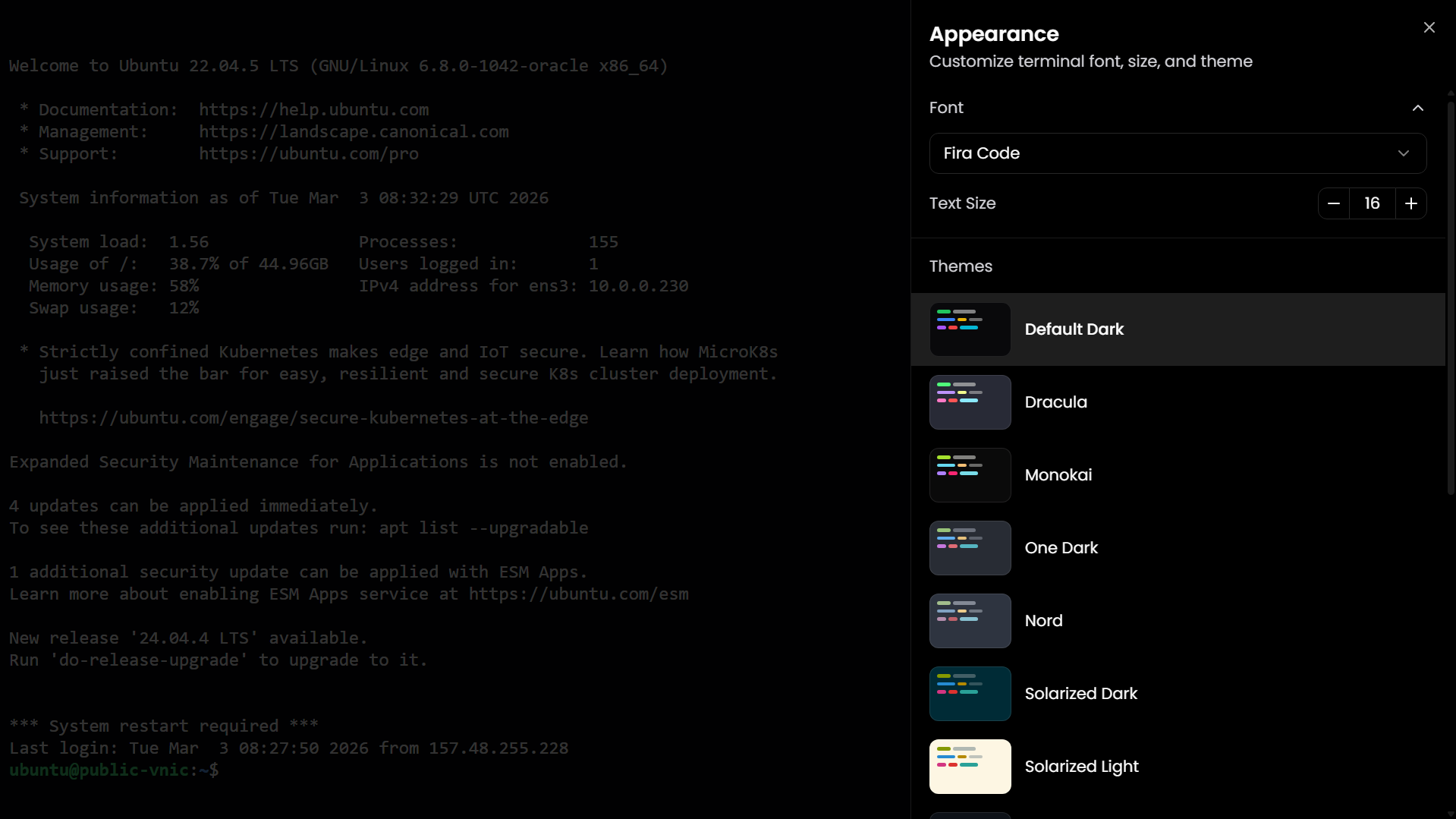
- 🎨 14+ Color Themes: From classic dark themes to modern palettes
- 🔤 Font Selection: Choose from popular monospace fonts (JetBrains Mono, Fira Code, Cascadia Code, etc.)
- 📏 Adjustable Text Size: From 12px to 20px for perfect readability
- 💾 Persistent Settings: Your preferences are saved and applied automatically
📁 Advanced File Manager
A powerful SFTP-based file manager that lets you browse, upload, download, edit, and manage files on your remote servers with an intuitive drag-and-drop interface. Think of it as a modern file explorer for your servers.
Capabilities:
- 📂 Browse Directories: Navigate your server's file system with a familiar folder tree
- ⬆️ Upload Files: Drag and drop files directly from your computer
- ⬇️ Download Files: Download individual files or entire folders
- ✏️ Edit Files: Built-in text editor for quick file modifications
- 🗑️ File Operations: Create, rename, delete, move, and copy files
- 🔍 Search: Quickly find files and folders
- 👁️ Preview: View file contents without downloading
- 📊 File Details: See permissions, size, modification dates, and ownership
- 🔒 Permissions Management: Change file and folder permissions
- 🚀 Fast Performance: Optimized for handling large directories
📊 Real-Time Server Monitor
Get instant visibility into your server's health and performance with comprehensive monitoring dashboards. Track CPU usage, memory consumption, disk space, and network activity—all updating in real-time.
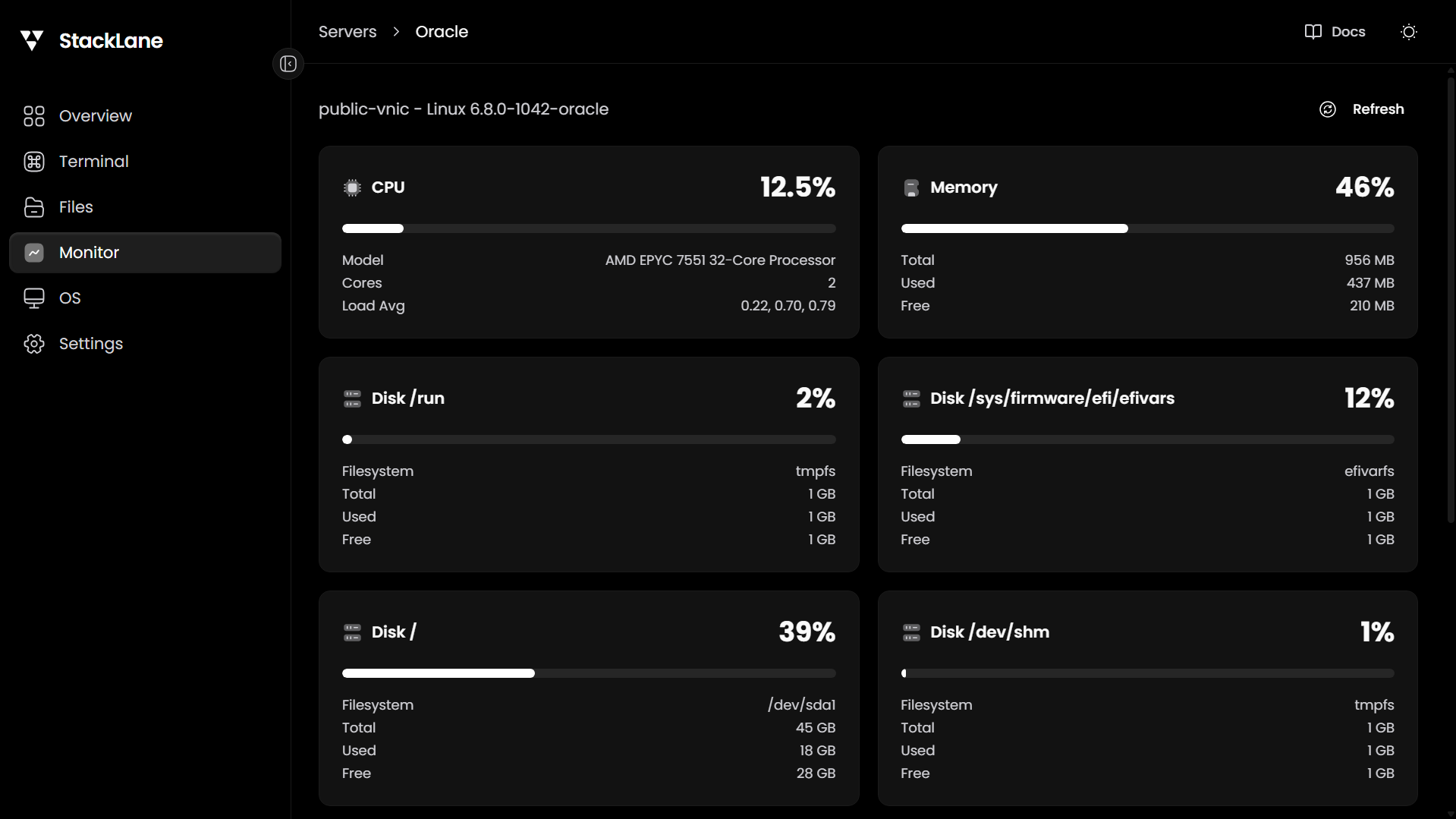
Monitoring Metrics:
- 🔥 CPU Usage: Real-time processor utilization with load averages
- Current usage percentage
- CPU model and core count
- Load averages (1m, 5m, 15m)
- 💾 Memory Stats: RAM and swap usage monitoring
- Total, used, and free memory
- Memory usage percentage
- Swap utilization
- 💿 Disk Information: Storage capacity and usage for all mounted filesystems
- Total, used, and free space
- Filesystem types and mount points
- Usage percentages for each partition
- 🌐 Network Activity: Track data transfer and bandwidth
- Real-time network traffic
- Upload and download speeds
- Network interface statistics
Perfect for identifying performance bottlenecks, planning upgrades, and ensuring your servers run smoothly.
🗄️ Cloud Storage Management
Seamlessly integrate and manage S3-compatible storage buckets from multiple providers. Upload, download, and organize your cloud files without leaving StackLane.
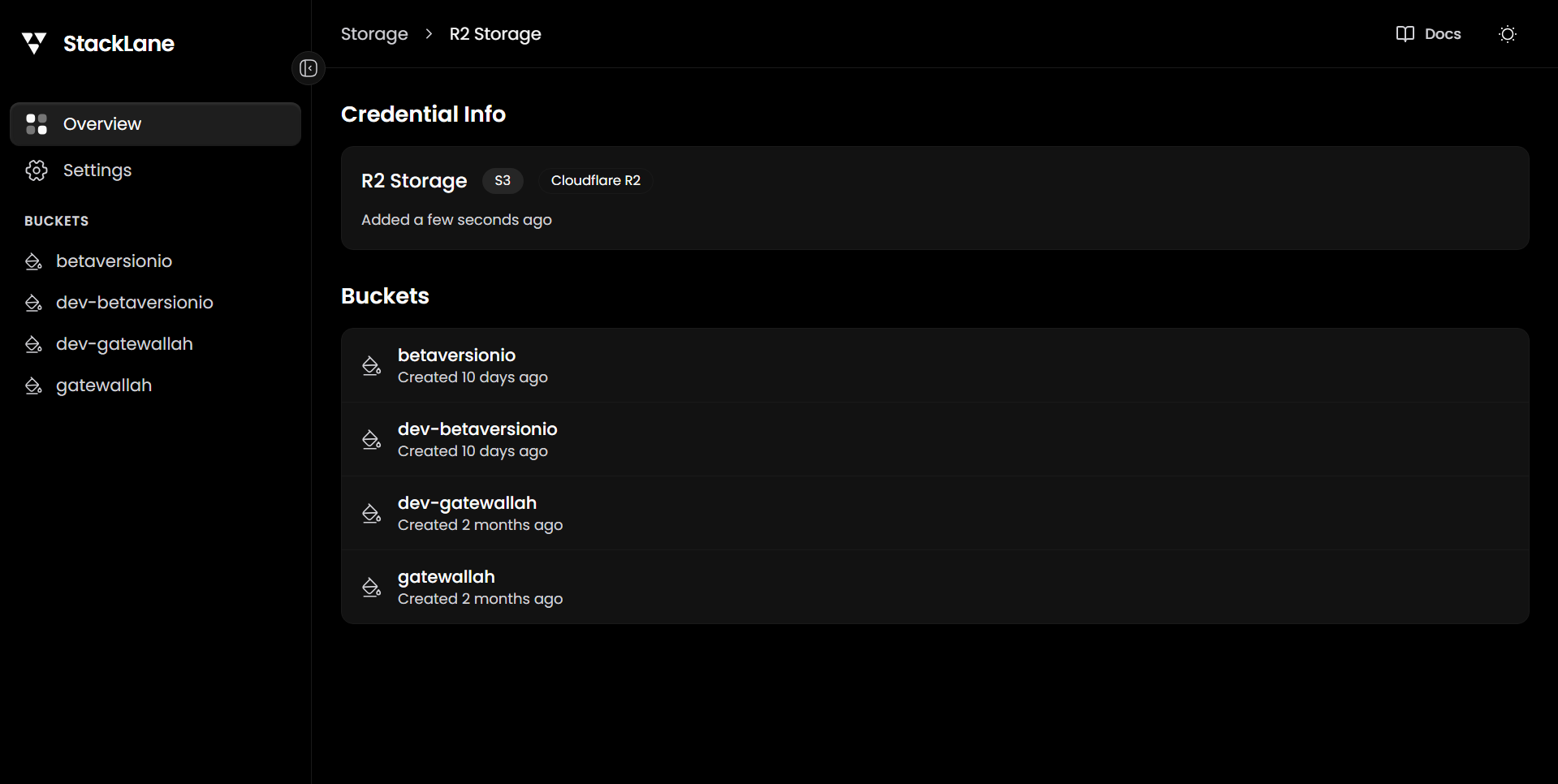
Supported Providers:
- 🟠 AWS S3: Amazon's industry-standard object storage
- ☁️ Cloudflare R2: Zero egress fees, S3-compatible storage
- 🔷 DigitalOcean Spaces: Simple, scalable object storage
- 🌊 Backblaze B2: Affordable cloud storage
- And any S3-compatible storage service
Features:
- 📦 Multiple Credentials: Manage connections to multiple storage providers
- 🗂️ Bucket Management: Create, list, and manage buckets across all providers
- 📤 File Operations: Upload, download, and delete objects
- 🏷️ Metadata Support: View and manage object metadata
- 🔗 Pre-signed URLs: Generate temporary shareable links
- 📊 Usage Stats: Monitor storage consumption
- 🔒 Secure Connections: All operations use encrypted HTTPS
- 🎯 Default Buckets: Set default buckets for quick access
🔐 Secure Keychain
Centralized SSH key management that eliminates the need to enter passwords repeatedly. Store your SSH private keys securely and use them across all your server connections with one-click authentication.
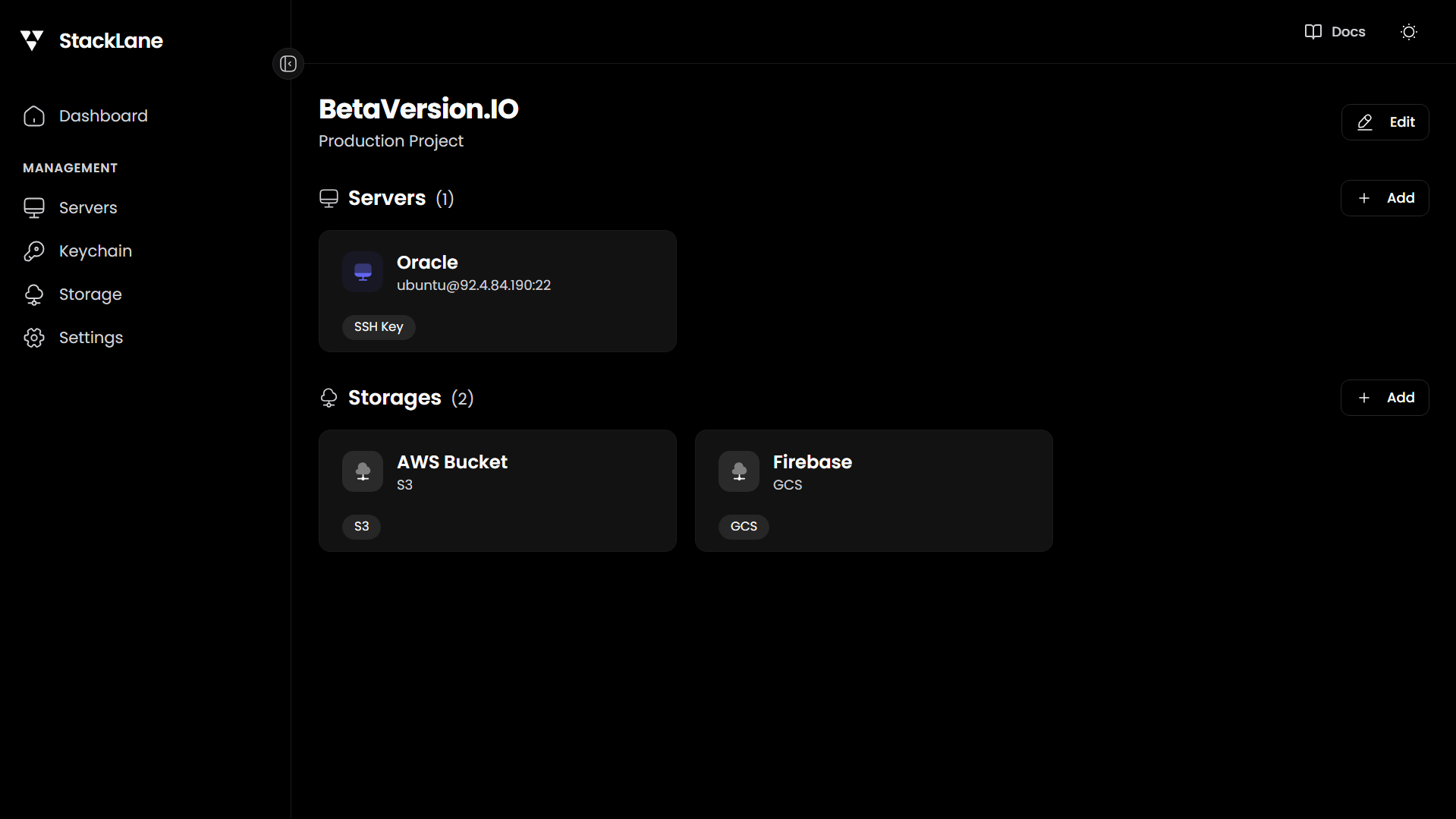
Key Management:
- 🔑 Store Multiple Keys: Add and manage all your SSH keys in one place
- 📝 Key Descriptions: Label your keys for easy identification
- 🔒 Secure Storage: Keys are encrypted and stored locally
- ⚡ Quick Selection: Choose keys when adding new server connections
- 🔄 Reusable Keys: Use the same key across multiple servers
- ✅ Key Validation: Automatic format checking for RSA, ED25519, ECDSA keys
- 📋 Easy Import: Paste your existing private keys
- 🎯 Passphrase Support: Works with both encrypted and unencrypted keys
Benefits:
- ✨ Passwordless Authentication: No more typing passwords for every connection
- 🛡️ Enhanced Security: More secure than password-based authentication
- ⏱️ Time Saving: Connect to servers instantly
- 🔐 Best Practices: Encourages SSH key usage over passwords
🖼️ Remote Desktop Access
Access your server's graphical desktop environment directly from your browser using noVNC. Run GUI applications, configure desktop settings, and interact with your server visually—no separate VNC client needed.

Desktop Features:
- 🖥️ Full Desktop Access: Complete graphical interface in your browser
- 🎮 Mouse & Keyboard: Full input support for seamless interaction
- 📱 Responsive: Works on desktop, tablet, and mobile devices
- 🔧 Multi-Window Support: Open and manage multiple applications
- 🌐 Web Browser Integration: Built-in browser for server administration
- 🎨 Theme Support: Respects your server's desktop theme and settings
- 📊 System Monitoring: Desktop environment with system monitors
- 🔌 Application Launching: Run any installed GUI application
Use Cases:
- Configure server software with GUI installers
- Access web-based admin panels running on localhost
- Run desktop applications that require graphical interface
- Visual file management with desktop file managers
- Database administration with GUI tools
- Development with IDEs and visual editors
Perfect for when you need more than just a terminal and want the full desktop experience of your remote server.
Development
Prerequisites
- Node.js 18+
- pnpm 9+
Setup
git clone https://github.com/betaversionio/stacklane.git
cd StackLane
pnpm install
Dev Mode
Run the server and web frontend with hot reload:
pnpm devOr run them separately:
pnpm dev:server   # NestJS server on :3721
pnpm dev:web      # Vite dev server on :5173 (proxies API to :3721)
Project Structure
packages/
  shared/    - Shared TypeScript types (API, connection, stats, etc.)
  server/    - NestJS backend (SSH, SFTP, WebSocket terminal, stats)
  web/       - React frontend (Vite + Tailwind CSS v4 + Radix UI)
  cli/       - CLI entry point + npm package bundling
Build
pnpm build          # Build all packages
pnpm build:pkg      # Build + bundle into publishable CLI package
Test Locally
pnpm build:pkg      # Full build
pnpm link:cli       # Link globally
stacklane           # Run it
pnpm unlink:cli     # Unlink when done
Publish
pnpm publish:dry    # Dry run
pnpm publish:npm    # Publish to npm
Tech Stack
| Layer | Technology | | -------- | ----------------------------------------------- | | Frontend | React 19, TypeScript, Tailwind CSS v4, Radix UI | | Terminal | xterm.js | | Backend | NestJS, Express, ssh2, WebSocket (ws) | | Database | SQLite (sql.js) + Drizzle ORM | | Build | Turborepo, pnpm workspaces, Vite | | CLI | Commander.js |
License
MIT