
starlight-theme-large-print
v0.6.3
Published
Elder-friendly reading theme for Astro Starlight: larger serif body text, reader font-size control, warm dark mode, optional self-hosted CJK serif fonts.

Maintainers
 clong365
Readme
starlight-theme-large-print
An elder-friendly reading theme for Astro Starlight: larger serif body text, a reader font-size control, warm dark mode, and optional self-hosted CJK serif webfonts — built for long-form reading sites with older audiences.
Live demo · Born from 显密文库 xianmi.co, a 120k-page Buddhist digital library serving mainly elderly readers of classical Chinese texts.
Features
- Large serif body text — 17px / 2.0 line height by default (Starlight ships 16px / 1.75), with slightly looser paragraph rhythm. All values are plain CSS variables, no
!important. - Reader font-size control — an
A− A A+component with five steps (14–22px), persisted tolocalStorageand re-applied before first paint (no flash). Line height scales with the chosen step — smaller sizes get looser leading (14px→2.10, 15.5px→2.05, 17px→lineHeight(2.0 by default), 19px→1.95, 22px→1.90). - Warm dark mode — shifts the dark background from blue-black to a paper-like warm brown.
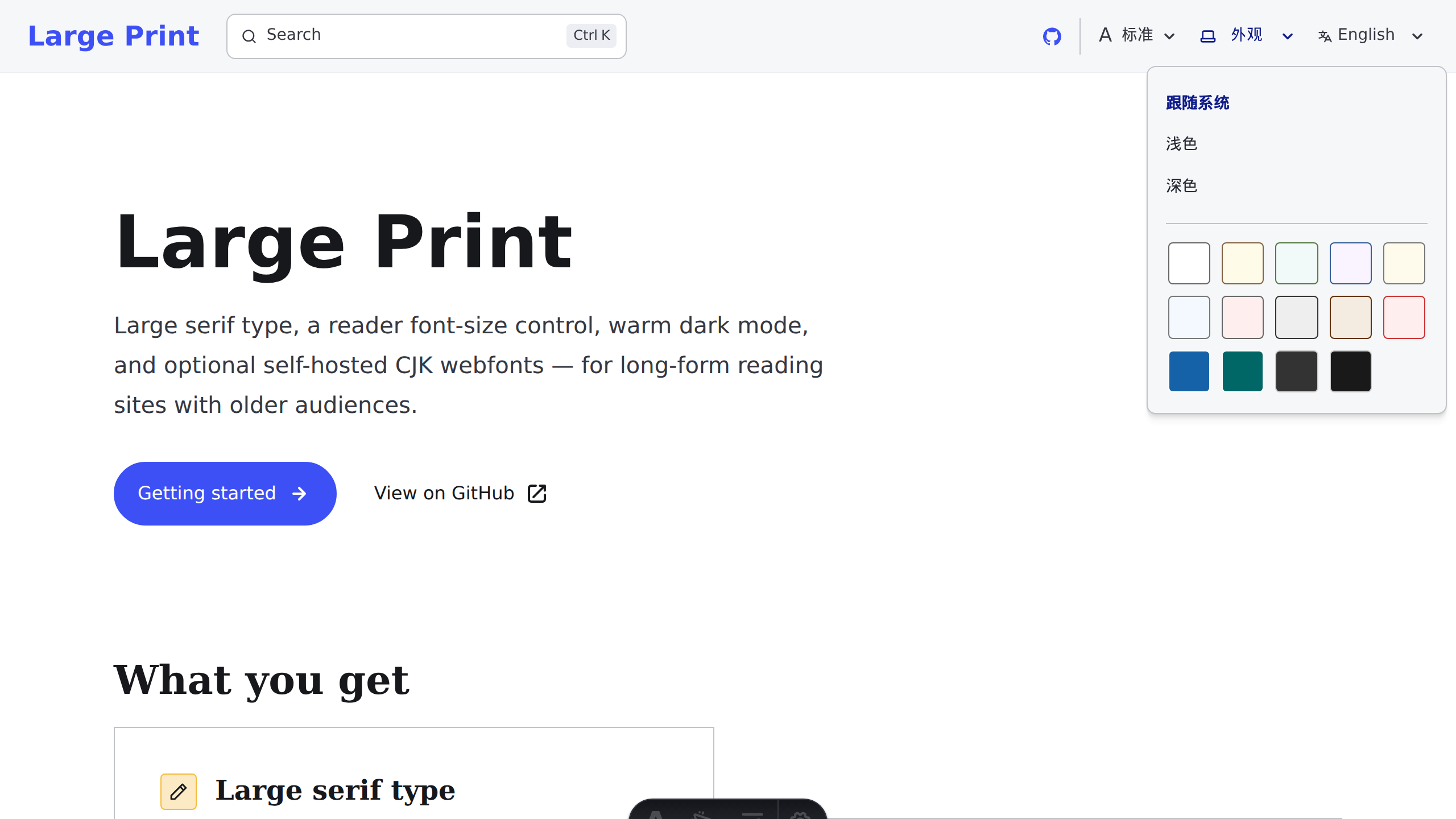
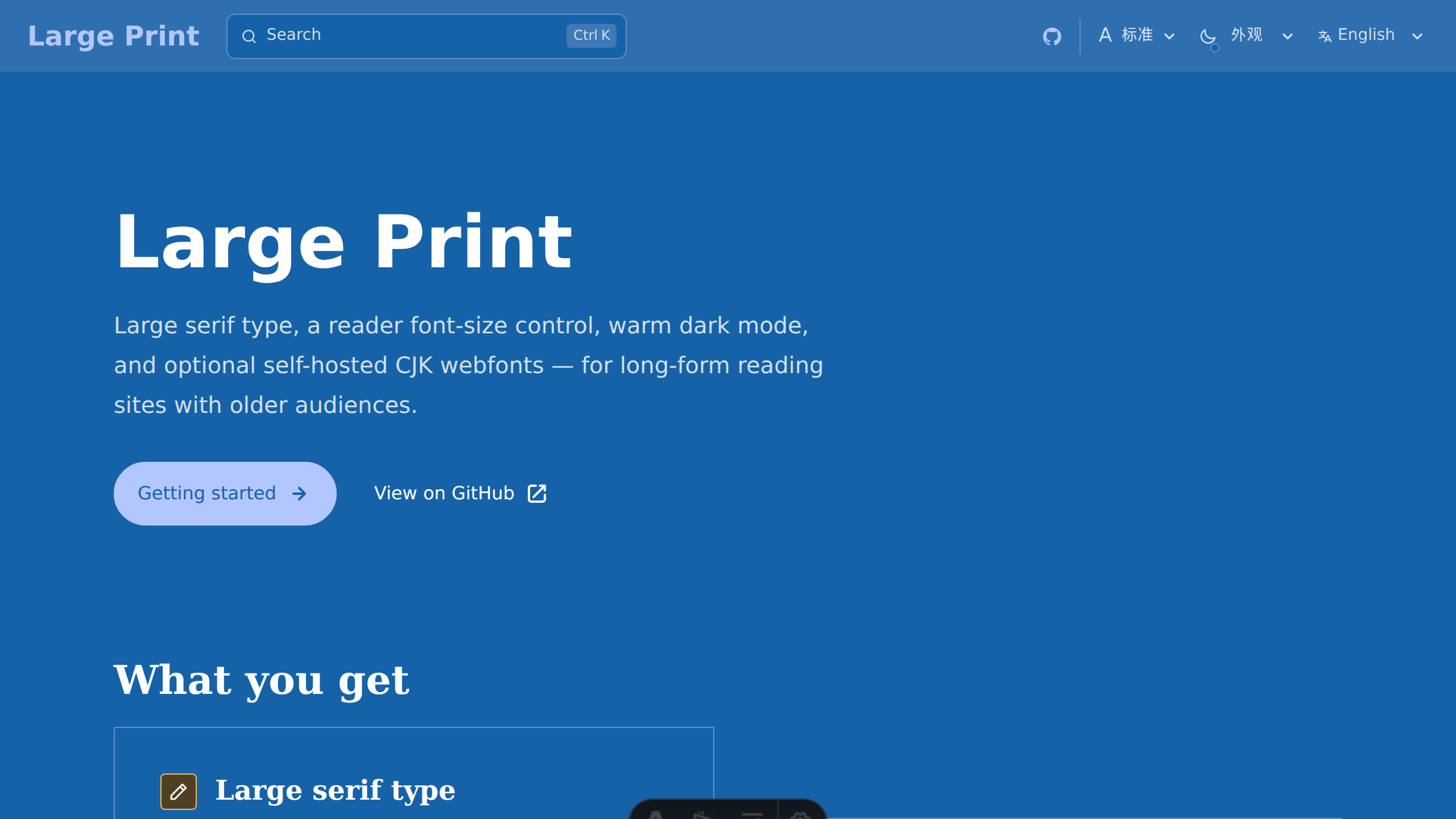
- Appearance & paper-color control — an "Appearance" dropdown that replaces Starlight's theme picker: follow system / light / dark, plus three curated paper-color presets (warm reading backgrounds, body text at WCAG AAA contrast). Persisted to
localStorageand re-applied before first paint (no flash). - Optional self-hosted CJK webfonts — Noto Serif SC / TC packs built from Google Fonts'
unicode-rangewoff2 subsets, served from your own site. Visitors only download the handful of subsets their page actually uses (typically < 200 KB). Works where Google Fonts is blocked. - Plays well with other themes — typography-only by design; tested alongside
starlight-theme-rapide.
Installation
npm install starlight-theme-large-print
# optional: a CJK font pack (pick one, or none for the system serif stack)
npm install starlight-theme-large-print-font-noto-serif-sc   # Simplified Chinese
npm install starlight-theme-large-print-font-noto-serif-tc   # Traditional Chinese
Usage
Add the plugin to your Starlight plugins array in astro.config.mjs:
import starlight from '@astrojs/starlight';
import starlightThemeLargePrint from 'starlight-theme-large-print';

export default defineConfig({
  integrations: [
    starlight({
      title: 'My Docs',
      plugins: [
        starlightThemeLargePrint({
          font: 'noto-serif-sc', // 'noto-serif-sc' | 'noto-serif-tc' | false
        }),
      ],
    }),
  ],
});
Font-size control
The theme exports a FontSizeControl component but does not auto-inject it (auto-overriding a Starlight component would collide with other themes). Render it inside your own component override, e.g. in a custom Header.astro next to <ThemeSelect /> (or next to AppearanceSelect below):
---
import FontSizeControl from 'starlight-theme-large-print/components/FontSizeControl.astro';
---

<FontSizeControl />
A dropdown variant, FontSizeSelect, is also available (0.3.0+). Same five steps and the same persistence mechanism, so reader preferences carry over between the two; step labels are props for localization:
---
import FontSizeSelect from 'starlight-theme-large-print/components/FontSizeSelect.astro';
---

<FontSizeSelect labels={['小', '稍小', '标准', '大', '特大']} ariaLabel="字号" />
Appearance & paper-color control
AppearanceSelect (0.5.0+) is a dropdown that replaces Starlight's <ThemeSelect /> — do not render both (it mirrors its state to Starlight's starlight-theme key, so the two never fight over the theme). It offers follow system / light / dark (the warm dark theme), plus three curated paper-color presets (each bound to a light mode, body text at WCAG AAA contrast) — persisted to localStorage and re-applied before first paint. Like the font-size control, it is exported but not auto-injected; render it in your Header override:
---
import AppearanceSelect from 'starlight-theme-large-print/components/AppearanceSelect.astro';
---

<AppearanceSelect />
All UI strings are labels props for localization — trigger, followSystem, light, dark (the dark-mode row), paperGroup, and paperNames (color names in preset order). Defaults are Simplified Chinese:
<AppearanceSelect labels={{ trigger: '外觀', followSystem: '跟隨系統', light: '淺色', dark: '深色', paperGroup: '紙張色' }} />The Appearance dropdown: follow system / light / dark, plus paper-color presets.
A paper color in use — one of the curated light-bound presets.
Options
| Option | Type | Default | Description |
| --- | --- | --- | --- |
| font | 'noto-serif-sc' \| 'noto-serif-tc' \| false | false | CJK webfont pack to enable. The matching starlight-theme-large-print-font-* package must be installed; otherwise the theme warns and falls back to the system serif stack. |
| baseFontSize | string | '17px' | Base body font size. Readers can override it with the font-size control. |
| lineHeight | number | 2 | Body line height at the default font-size step (17px). With FontSizeControl in use, other steps scale automatically (14px→2.10 … 22px→1.90). |
| warmDark | boolean | true | Warm paper-tone dark mode background. |
How it works
- Everything is driven by CSS custom properties (
--lp-base-size,--lp-line-height,--lp-user-size,--lp-serif-stack) injected via Starlight'sheadandcustomCss— no JavaScript on the render path, no!important, no component restyling that could break on Starlight upgrades. - The font-size control sets
--lp-user-sizeanddata-lp-step(0–4) on<html>; typography rules map each step to its line height via--lp-line-height. A tiny inline script re-applies both before first paint. AppearanceSelectkeeps its single source of truth inlocalStorage(lp-appearance) and reflects it to<html>asdata-theme+data-paper, mirrored to Starlight'sstarlight-themekey. The same pre-paint inline script restores it; paper colors override Starlight's--sl-color-*palette variables (derived greys viacolor-mix, with a graceful fallback).- Font packs register
Noto Serif SC/TCvia@font-facewithunicode-range; the plugin prepends the enabled family to the serif stack so a locally installed same-named font of the other script can never shadow the webfont.
Packages
| Package | Description |
| --- | --- |
| starlight-theme-large-print | Theme core: typography, warm dark mode, font-size and appearance components |
| starlight-theme-large-print-font-noto-serif-sc | Noto Serif SC webfont pack (Simplified Chinese, ~11.5 MB, 202 subsets) |
| starlight-theme-large-print-font-noto-serif-tc | Noto Serif TC webfont pack (Traditional Chinese, ~10.9 MB, 216 subsets) |
Compatibility
@astrojs/starlight>= 0.42- Node >= 22.12
License
MIT for the theme code. The Noto Serif font files in the font packs are licensed under the SIL Open Font License 1.1 (© Google / Adobe).