
stateofpixel
v1.13.0
Published
Catch UI regressions before they merge. Visual regression testing for GitHub pull requests.

Maintainers
 vaibhavacharya_
Readme
stateofpixel




Catch UI regressions before they merge. Upload a folder of screenshots, review the changes on stateofpixel.com, and a GitHub check waits until every change is approved. Require the check to block the merge until then.
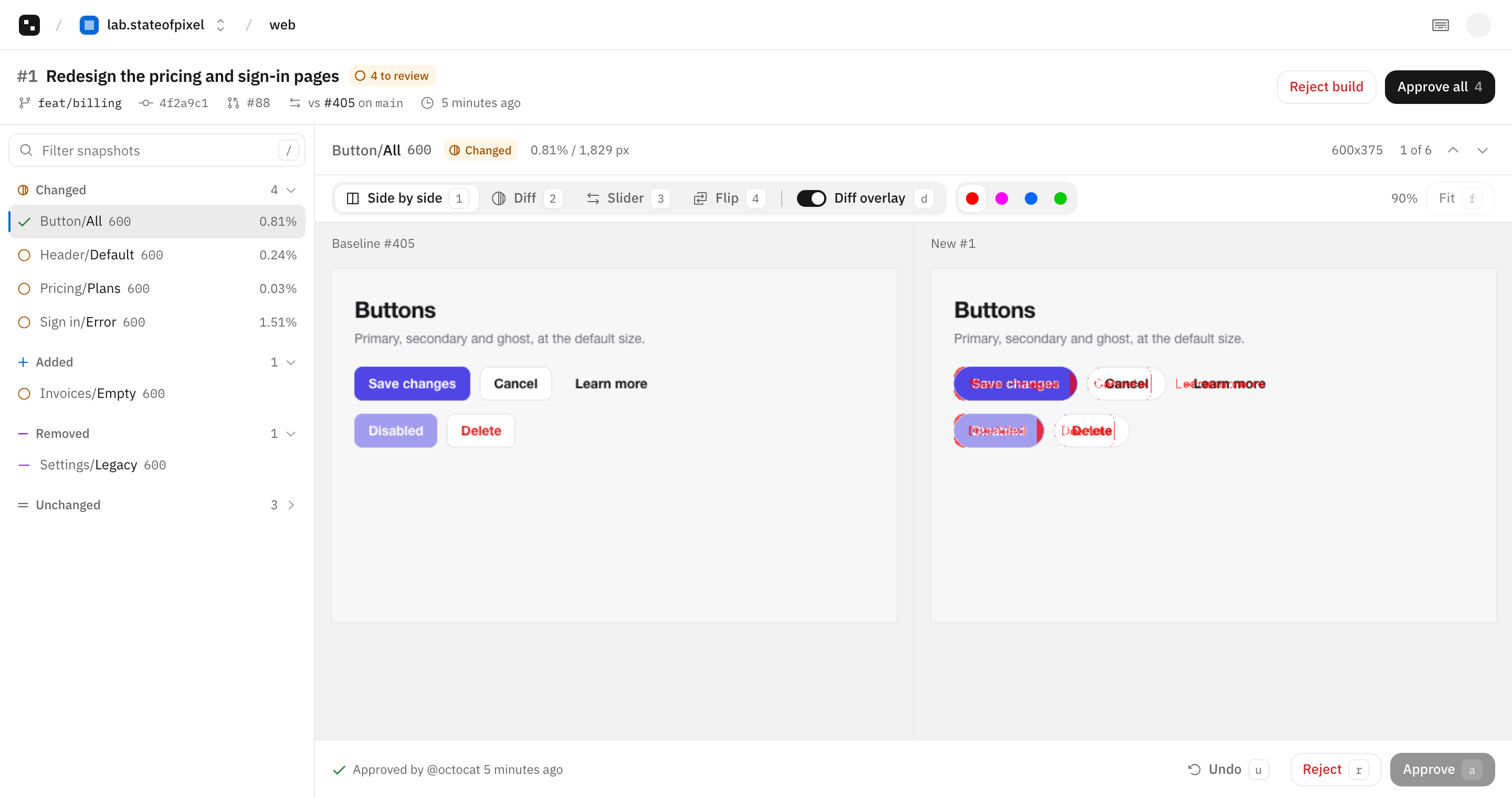
The docs are at stateofpixel.com/docs.
The Free plan needs no card. Paid plans are priced by storage only. See pricing.
GitHub Actions
Sign in on stateofpixel.com, connect GitHub and install the GitHub App, then add a step after the one that writes your screenshots:
on:
  push:
    branches: [main]
  pull_request:

permissions:
  contents: read
  id-token: write

jobs:
  visual:
    runs-on: ubuntu-latest
    steps:
      - uses: actions/checkout@v7
        with:
          fetch-depth: 0
      - run: npx playwright test
      - run: npx stateofpixel upload screenshots
On other CI, set STATEOFPIXEL_TOKEN to a project token from the project settings on stateofpixel.com.
Playwright
Add the reporter and call snapshot() in your tests. The reporter uploads the screenshots when the run ends on CI, so the workflow needs no upload step.
// playwright.config.ts
import { defineConfig } from "@playwright/test";

export default defineConfig({
  reporter: [["list"], ["stateofpixel/playwright", { buildName: "e2e" }]],
});
// tests/pricing.spec.ts
import { test } from "@playwright/test";
import { snapshot } from "stateofpixel/playwright";
test("pricing", async ({ page }) => {
await page.goto("/pricing");
await snapshot(page, "Marketing/Pricing");
});See Playwright. For Storybook, stateofpixel storybook captures every story of a built Storybook, see Storybook. Any other tool works too: folder paths become snapshot names, so screenshots/Marketing/Pricing.png is Marketing/Pricing.
Commands
upload <dir>: upload a folder of screenshots and compare it with the baselinestorybook <static-dir>: capture every story of a built Storybook, then uploadfinalize: finish a build whose shards ran with--shard autocompare <dir> <baseline-dir>: compare two folders locally and write an HTML report
Requires Node 20 or newer.
Source
The source is in packages/cli of VaibhavAcharya/stateofpixel, under the MIT license. Open an issue for bugs and feature requests, and see CONTRIBUTING.md to send a change.