
storybook-addon-accessibility-checker
v9.2.0-rc.4
Published
Storybook Addon A11y: Test UI component compliance with WCAG web accessibility standards

Maintainers
 eatools
Readme
storybook-addon-a11y
This Storybook addon can be helpful to make your UI components more accessible.
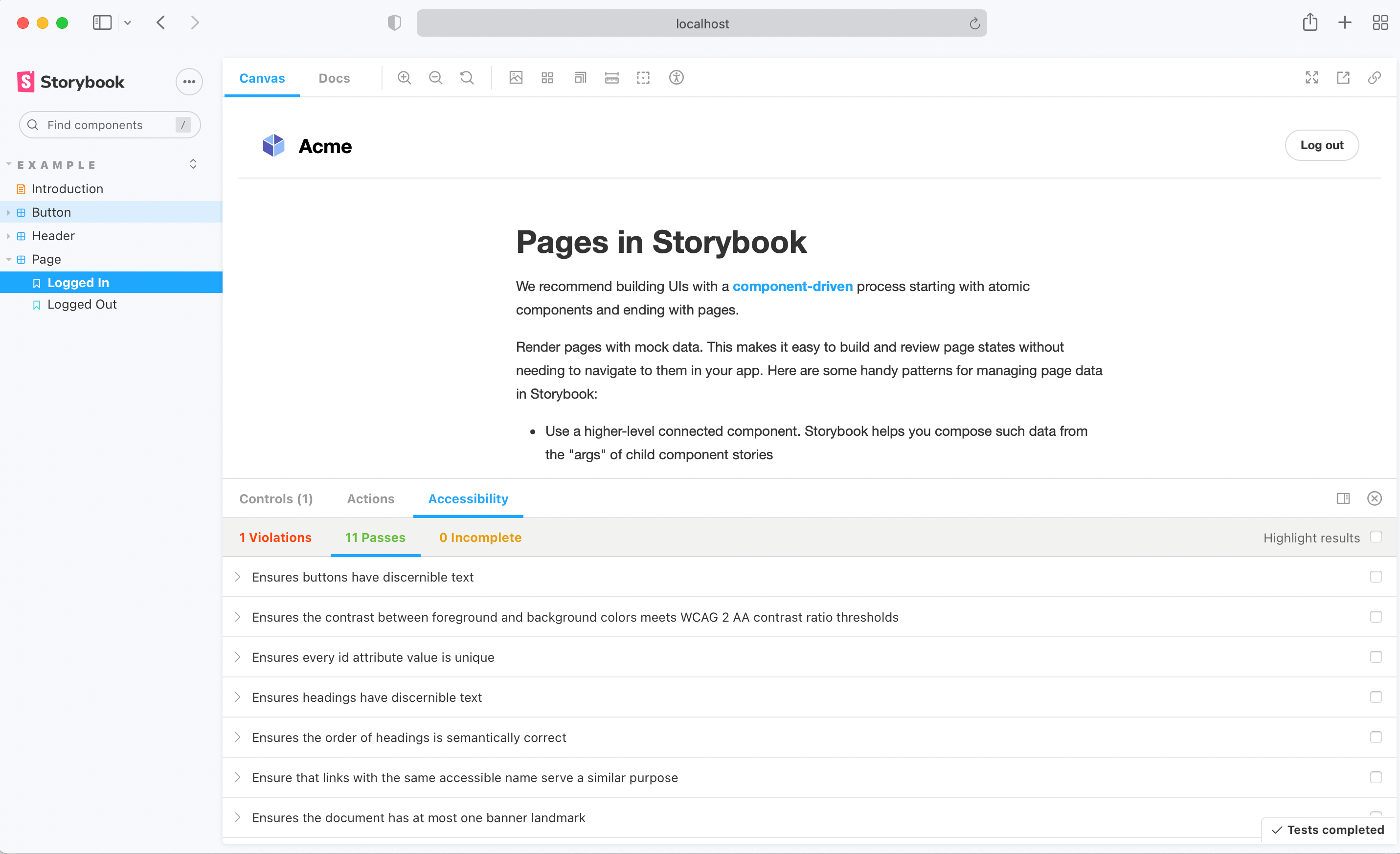
Getting started
First, install the addon.
$ yarn add @storybook/addon-a11y --devAdd this line to your main.js file (create this file inside your Storybook config directory if needed).
export default {
  addons: ['@storybook/addon-a11y'],
};
And here's a sample story file to test the addon:
import React from 'react';

export default {
  title: 'button',
};

export const Accessible = () => <button>Accessible button</button>;

export const Inaccessible = () => (
  <button style={{ backgroundColor: 'red', color: 'darkRed' }}>Inaccessible button</button>
);
Handling failing rules
When Axe reports accessibility violations in stories, there are multiple ways to handle these failures depending on your needs.
Story-level overrides
At the Story level, override rules using parameters.a11y.config.rules.
export const InputWithoutAutofill = () => <input type="text" autocomplete="nope" />;

InputWithoutAutofill.parameters = {
  a11y: {
    // Avoid doing this, as it will fully disable all accessibility checks for this story.
    disable: true,

    // Can specify engine as "axe" or "accessibility-checker" (axe default)
    engine: "accessibility-checker"

    // Instead, override rules 👇
    // axe-core configurationOptions (https://github.com/dequelabs/axe-core/blob/develop/doc/API.md#parameters-1)
    config: {
      rules: [
        {
          // You can exclude some elements from failing a specific rule:
          id: 'autocomplete-valid',
          selector: '*:not([autocomplete="nope"])',
        },
        {
          // You can also signify that a violation will need to be fixed in the future
          // by overriding the result of a rule to return "Needs Review"
          // rather than "Violation" if the rule fails:
          id: 'landmark-complementary-is-top-level',
          reviewOnFail: true,
        },
      ],
    },
  },
};
Alternatively, you can disable specific rules in a Story:
export const Inaccessible = () => (
  <button style={{ backgroundColor: 'red', color: 'darkRed' }}>Inaccessible button</button>
);
Inaccessible.parameters = {
  a11y: {
    config: {
      rules: [{ id: 'color-contrast', enabled: false }],
    },
  },
};
Tip: clearly explain in a comment why a rule was overridden, it’ll help you and your team trace back why certain violations aren’t being reported or need to be addressed. For example:
MyStory.parameters = {
  a11y: {
    config: {
      rules: [
        {
          // Allow `autocomplete="nope"` on form elements,
          // a workaround to disable autofill in Chrome.
          // @link https://bugs.chromium.org/p/chromium/issues/detail?id=468153
          id: 'autocomplete-valid',
          selector: '*:not([autocomplete="nope"])',
        },
        {
          // @fixme Color contrast of subdued text fails, as raised in issue #123.
          id: 'color-contrast',
          reviewOnFail: true,
        },
      ],
    },
  },
};
Global overrides
When you want to ignore an accessibility rule or change its settings across all stories, set parameters.a11y.config.rules in your Storybook’s preview.ts file. This can be particularly useful for ignoring false positives commonly reported by Axe.
// .storybook/preview.ts

export const parameters = {
  a11y: {
    config: {
      rules: [
        {
          // This tells Axe to run the 'autocomplete-valid' rule on selectors
          // that match '*:not([autocomplete="nope"])' (all elements except [autocomplete="nope"]).
          // This is the safest way of ignoring a violation across all stories,
          // as Axe will only ignore very specific elements and keep reporting
          // violations on other elements of this rule.
          id: 'autocomplete-valid',
          selector: '*:not([autocomplete="nope"])',
        },
        {
          // To disable a rule across all stories, set `enabled` to `false`.
          // Use with caution: all violations of this rule will be ignored!
          id: 'autocomplete-valid',
          enabled: false,
        },
      ],
    },
  },
};
Disabling checks
If you wish to entirely disable a11y checks for a subset of stories, you can control this with story parameters:
export const MyNonCheckedStory = () => <SomeComponent />;
MyNonCheckedStory.parameters = {
  // Avoid doing this, as it fully disables all accessibility checks for this story,
  // and consider the techniques described above.
  a11y: { disable: true },
};
Parameters
For more customizability use parameters to configure aXe options. You can override these options at story level too.
import React from 'react';
import { storiesOf, addDecorator, addParameters } from '@storybook/react';

export default {
  title: 'button',
  parameters: {
    a11y: {
      // optional selector which element to inspect
      element: '#storybook-root',
      // axe-core configurationOptions (https://github.com/dequelabs/axe-core/blob/develop/doc/API.md#parameters-1)
      config: {},
      // axe-core optionsParameter (https://github.com/dequelabs/axe-core/blob/develop/doc/API.md#options-parameter)
      options: {},
      // optional flag to prevent the automatic check
      manual: true,
    },
  },
};

export const accessible = () => <button>Accessible button</button>;

export const inaccessible = () => (
  <button style={{ backgroundColor: 'red', color: 'darkRed' }}>Inaccessible button</button>
);
Roadmap
- Make UI accessible
- Show in story where violations are.
- Add more example tests
- Add tests
- Make CI integration possible