
storybook-icon-gallery
v1.2.1
Published
An icon gallery for Storybook docs that support multiple icon variants.
Downloads
618


Readme
Storybook Icon Gallery
An icon gallery for Storybook docs that support multiple icon variants.
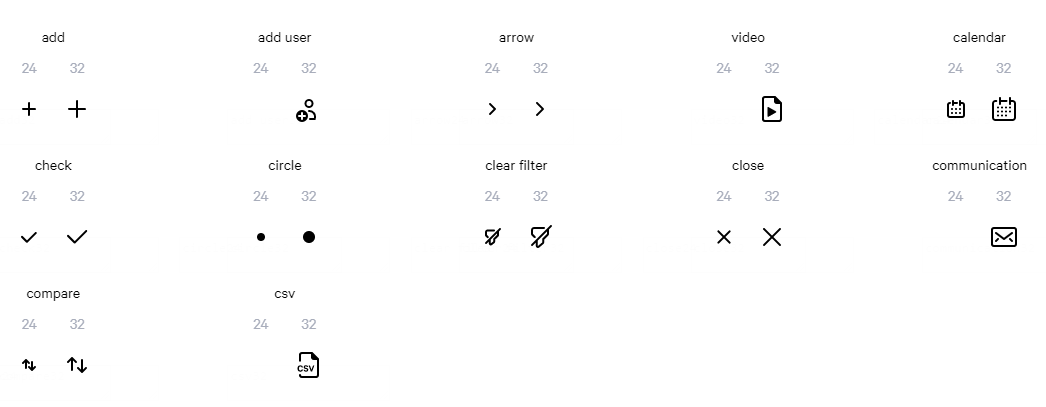
Installation
Install the NPM package:
npm i -D storybook-icon-galleryThen import the icon gallery components:
import { IconGallery } from "storybook-icon-gallery";And configure your icons:
<IconGallery>
    <IconGallery.Variants name="add">
        <IconGallery.Variant size={24}>
            <AddIcon24 />
        </IconGallery.Variant>
    </IconGallery.Variants>
</IconGallery>
Full usage documentation available at: https://storybook-icon-gallery.netlify.com/
Maintainers
The following documentation is only for the maintainers of this repository.
Installation
Clone the repository:
git clone https://github.com/gsoft-inc/storybook-icon-gallery.gitThen, install the dependencies for all the packages with Yarn (or NPM):
yarn installDevelopment process
Once the project is installed you can start developping with Storybook by executing the following script:
yarn start-sbIf you want to start Storybook in --docs mode, use the following script:
yarn start-docsAt some point you might need to build a version of Storybook for production:
yarn build:sb
yarn serve-sb

yarn build:docs
yarn serve-docs
Or test the actual icon gallery component for production:
yarn build:pkgIf something is messed up and you need a clean project, use the reset script:
yarn resetRelease
Process
To ensure that the consumers understand the impact of updating this package, every release should follow semantic versioning.
Do the actual release
Before you release, make sure you have write access to the NPM package and that you are logged in to NPM.
To release, open a terminal at the root of the project and execute the following commands:
yarn releaseThe release flow will automatically create a new Github release for the current release.
Make sure to document all the changes contained in the current release and dont forget to publish the release.
If you updated the documentation, make sure it's deployed.
To do so:
- Go to Netlify web app
- Select the latest build on master
- Click on "Publish deploy"
License
Copyright © 2019, GSoft inc. This code is licensed under the Apache License, Version 2.0. You may obtain a copy of this license at https://github.com/gsoft-inc/gsoft-license/blob/master/LICENSE.