
strapi-comments-client
v2.0.8
Published
React components for Strapi Comment Manager plugin

Maintainers
 luisguve
Readme
Strapi Comments Client
Display comments from the Strapi Comment Manager plugin easily, using components styled with Bootstrap.
This component library fully supports Typescript.
Installation
This library requires react ^17.0.2, react-dom ^17.0.2, bootstrap ^5.1.3 and @popperjs/core^2.11.2.
npm install strapi-comments-client --saveUsage
This library exports three main components: CommentsProvider, Comments and CommentForm
The CommentsProvider component must wrap all the other components.
For example, this could be your index.js or main.js file:
import React from 'react'
import ReactDOM from 'react-dom'

import {
  CommentsProvider,
  Comments,
  CommentForm
} from "strapi-comments-client"

const STRAPI = "http://localhost:1337" // The address of your strapi backend

ReactDOM.render(
  <React.StrictMode>
    <CommentsProvider apiURL={STRAPI}>
      <App />
    </CommentsProvider>
  </React.StrictMode>,
  document.getElementById('root')
)
apiURL is the URL of your running Strapi application and this property is required.
Then you can place the Comments component anywhere in your app to load and render the comments and CommentForm to render a input for posting comments.
Here's how the interface looks like:
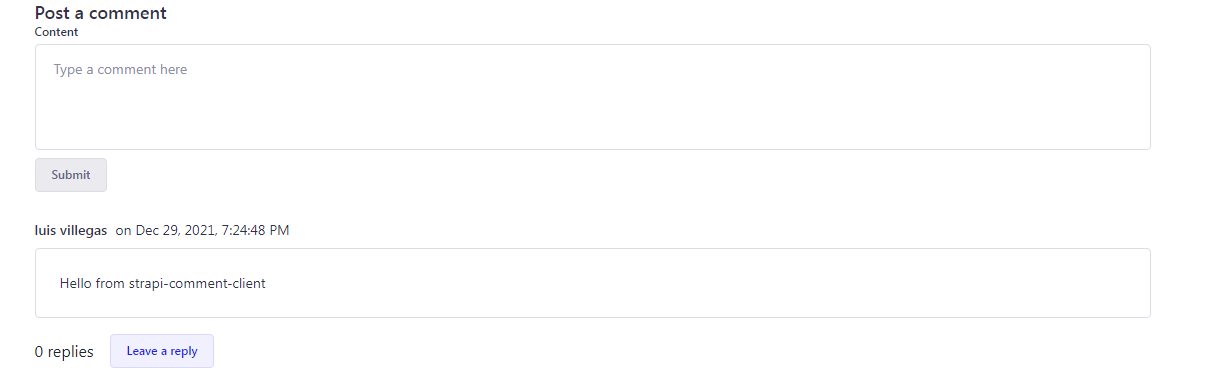
Updating the parameters for fetching and posting comments is done through a React.Context:
import { CommentsConfigContext } from "strapi-comments-client"CommentsConfigContext returns two functions: setUser and setContentID
setContentID loads the comments for a given content. It receives a single parameter of type string and must be something that can be URLized i.e. no spaces.
setUser sets the user credentials for posting comments. It receives a single parameter of type IUser, which is a Typescript interface:
interface IUser {
  username: string,
  email: string,
  id: string,
  token: string
}
There's one more component that this library exports: ErrorBox
import { ErrorBox } from "strapi-comments-client"All it does is display error messages when fetching or posting comments fail.
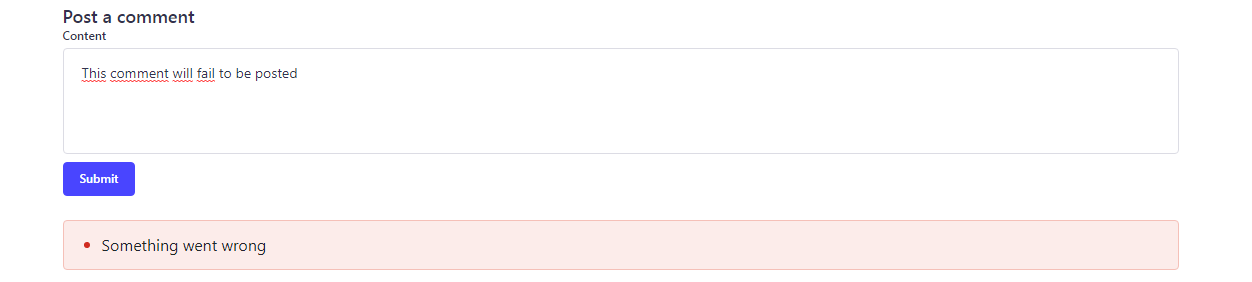
Full example
For a full implementation of this library in a React project, check out this repo