
strapi-migrate-to-cloudflare-r2
v1.0.10
Published
Strapi plugin to migrate media to Cloudflare R2


Readme
Strapi Migrate to Cloudflare R2
Strapi plugin for migrating and managing media files in Cloudflare R2 storage. This plugin provides tools to migrate images from local storage to Cloudflare R2, change CDN domains, and reupload images to apply new resize settings.
Features
- Media Migration: Automatically migrate all media files from local storage to Cloudflare R2
- Domain Changer: Update CDN domain URLs for all files stored in R2
- Image Reupload: Reupload all images to apply new resize settings (useful when you change responsive image plugin configurations)
Installation
# using yarn
yarn add strapi-migrate-to-cloudflare-r2

# using npm
npm install strapi-migrate-to-cloudflare-r2 --save

# using pnpm
pnpm add strapi-migrate-to-cloudflare-r2
Prerequisites
This plugin requires strapi-provider-cloudflare-r2 to be installed and configured.
Make sure you have the following environment variables set in your .env file:
CF_ACCESS_KEY_ID=your_access_key_id
CF_ACCESS_SECRET=your_secret_access_key
CF_ENDPOINT=https://<ACCOUNT_ID>.r2.cloudflarestorage.com
CF_BUCKET=your_bucket_name
CF_PUBLIC_ACCESS_URL=https://pub-<YOUR_PUBLIC_BUCKET_ID>.r2.dev
Usage
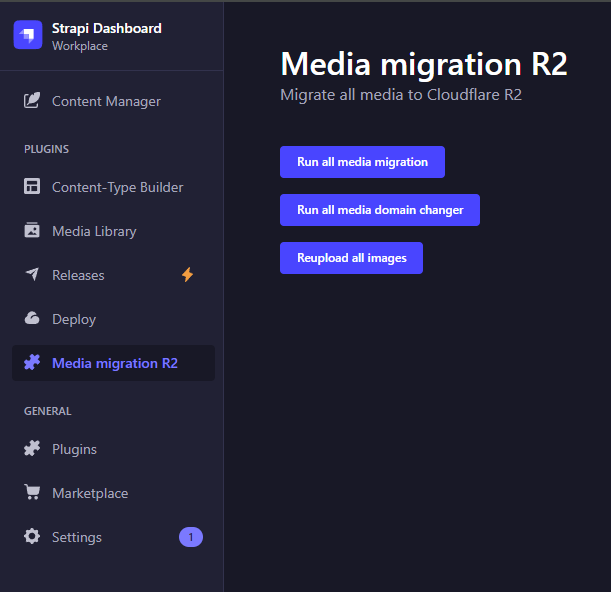
After installation, navigate to the plugin page in Strapi admin panel. You'll find three main actions:
1. Run All Media Migration
Migrates all media files from local storage to Cloudflare R2. Files that are already on R2 will be skipped.
When to use:
- Initial migration of all media to R2
- Moving from local storage to cloud storage
2. Run All Media Domain Changer
Updates the CDN domain URL for all files stored in R2. Useful when you change your Cloudflare R2 public access URL.
When to use:
- After changing
CF_PUBLIC_ACCESS_URLin your configuration - When switching between different CDN endpoints
3. Reupload All Images
Reuploads all images to R2, applying current resize settings. This is particularly useful when you've changed the configuration of responsive image plugins (like strapi-plugin-responsive-image).
Features:
- Downloads images from R2 (or uses local files)
- Reuploads them through Strapi upload service
- Applies new resize formats (large, medium, small, thumbnail, etc.)
- Automatically deletes old files from R2 to prevent duplicates
- Works with both R2-stored and locally-stored images
When to use:
- After changing responsive image plugin settings
- When you need to regenerate image formats with new dimensions
- To apply new image processing configurations to existing files
How It Works
Migration Process
- Scans all files in Strapi media library
- Identifies files not yet migrated to R2
- Uploads files to R2 via Strapi upload service
- Updates file records with new R2 URLs and formats
- Removes temporary database entries
Reupload Process
- Finds all image files (both on R2 and local)
- Downloads files from R2 or copies from local storage
- Reuploads through Strapi upload service (applies current resize settings)
- Updates file records with new formats
- Deletes old files from R2 to prevent storage bloat
- Cleans up temporary files
Screenshot
Requirements
- Strapi 4.x
- Node.js >= 18.0.0 <= 20.x.x
- strapi-provider-cloudflare-r2 configured
License
MIT
Author
Anrail