
strapi-plugin-ckstudio
v1.0.6
Published
CKStudio - CKEditor 5 for Strapi with runtime-configurable presets, colors, fonts and AI. No code required.

Maintainers
 davlatbekaliev
Readme
CKStudio — CKEditor 5 for Strapi
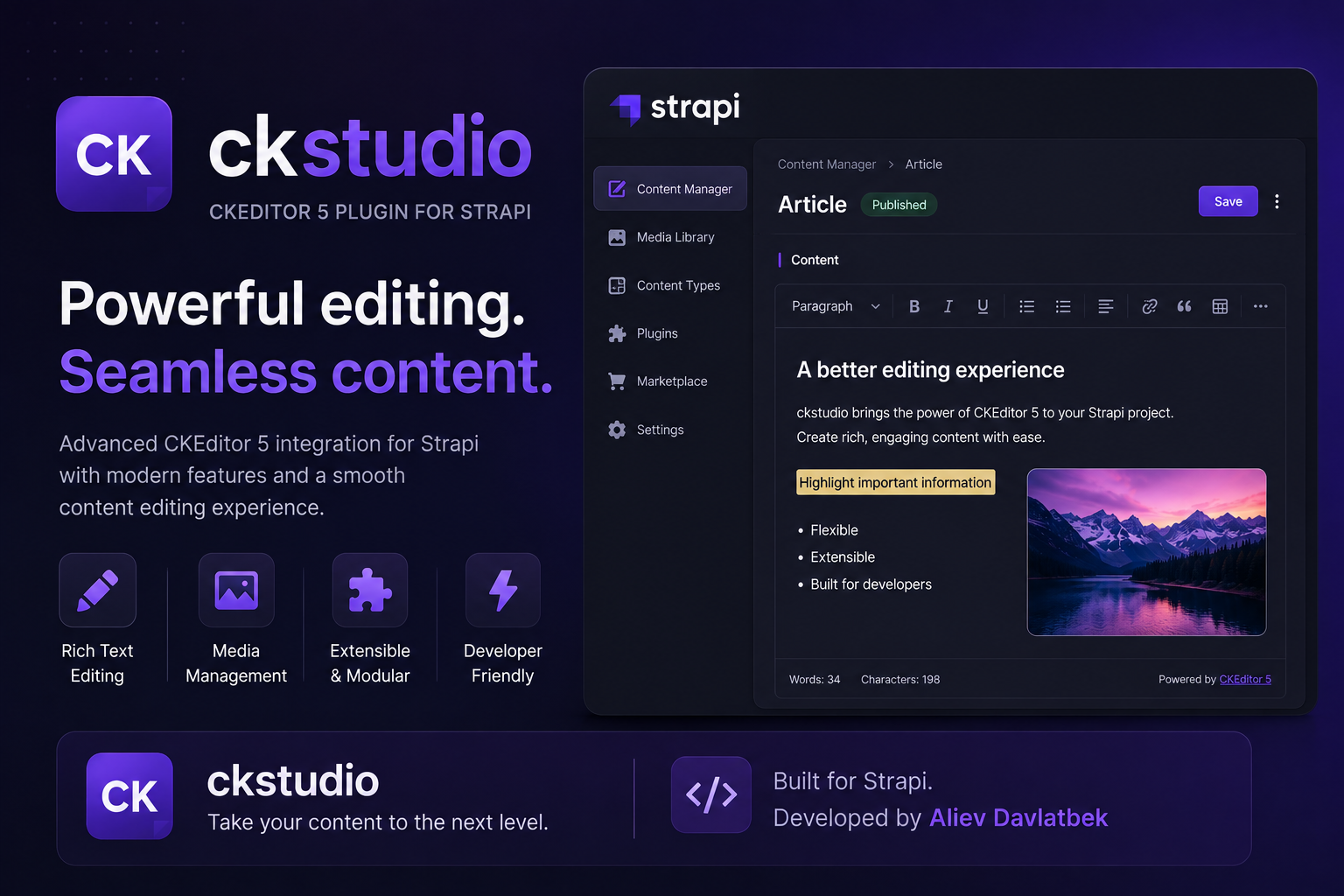
CKStudio replaces the default Strapi rich text field with a fully configurable CKEditor 5 — and lets you manage everything from the admin panel. Build toolbars, pick brand colors, load custom fonts and chat with an AI assistant. No code required.
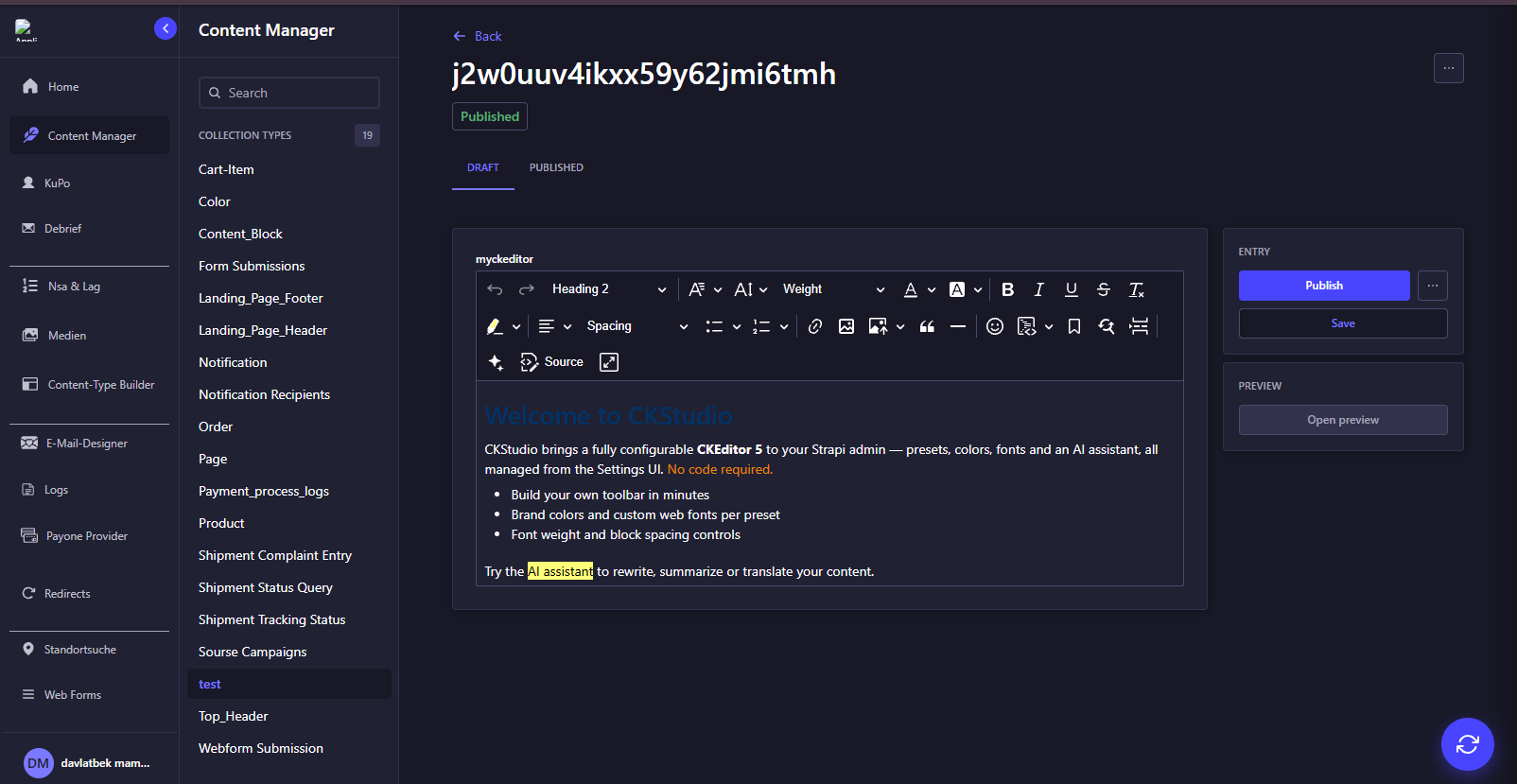
Features
- 🧩 Custom field — add a
CKEditorfield to any content type and pick a preset per field - 🎛 Preset studio — create and edit editor presets visually in Settings → CKStudio
- 🛠 Toolbar builder — add, remove and reorder buttons with a live preview
- 🎨 Brand colors — build a color palette by hand, or import it from a collection type or a JSON URL; show it as a compact grid or a named list
- 🔤 Fonts & typography — font families, sizes, font weight (300–800) and per-block padding (top / sides / bottom)
- 🌐 Custom web fonts — attach a CSS URL (e.g. Google Fonts) and the font appears in the editor
- ✨ AI assistant — chat drawer inside the editor: rewrite, summarize, translate, fix grammar. Works with Claude, GPT and Gemini
- 🔐 Encrypted API keys — AI keys are stored AES-256-GCM encrypted in the database, managed from the settings UI
- 🖼 Strapi media library — insert images from the media library, upload from the computer, paste screenshots
- 📄 8 built-in presets —
default,ai-editor,feature-rich,email,notion-like,classic,balloon,starter,html - 🌗 Theme aware — follows the Strapi admin light / dark theme
Requirements
- Strapi v5
- Node.js 18+
Installation
npm install strapi-plugin-ckstudio
# or
yarn add strapi-plugin-ckstudio
Quick start
- Open Content-Type Builder, add a Custom field → CKEditor (CKStudio) to your content type.
- In the field options choose a preset (start with
defaultor any built-in). - Save — the editor is ready in the Content Manager.
Presets
A preset describes everything about one editor setup: enabled features, toolbar order, colors, fonts and advanced CKEditor config. Manage them in Settings → CKStudio.
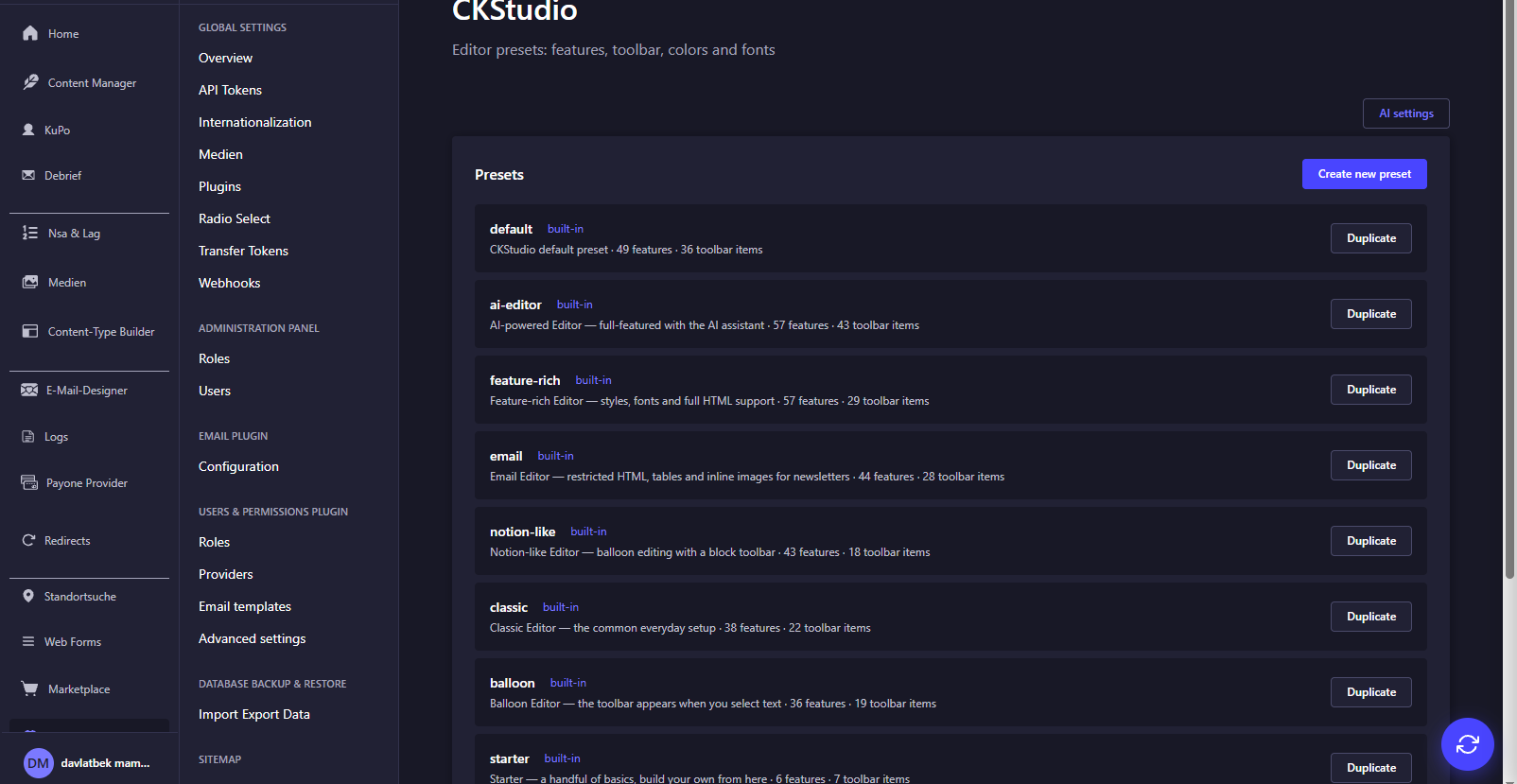
Built-in presets can be duplicated as a starting point. Your own presets are stored in the database — no deploys needed to change them.
Features
Turn editor capabilities on and off with one click. Every feature has an icon and a hover tooltip that explains what it does.
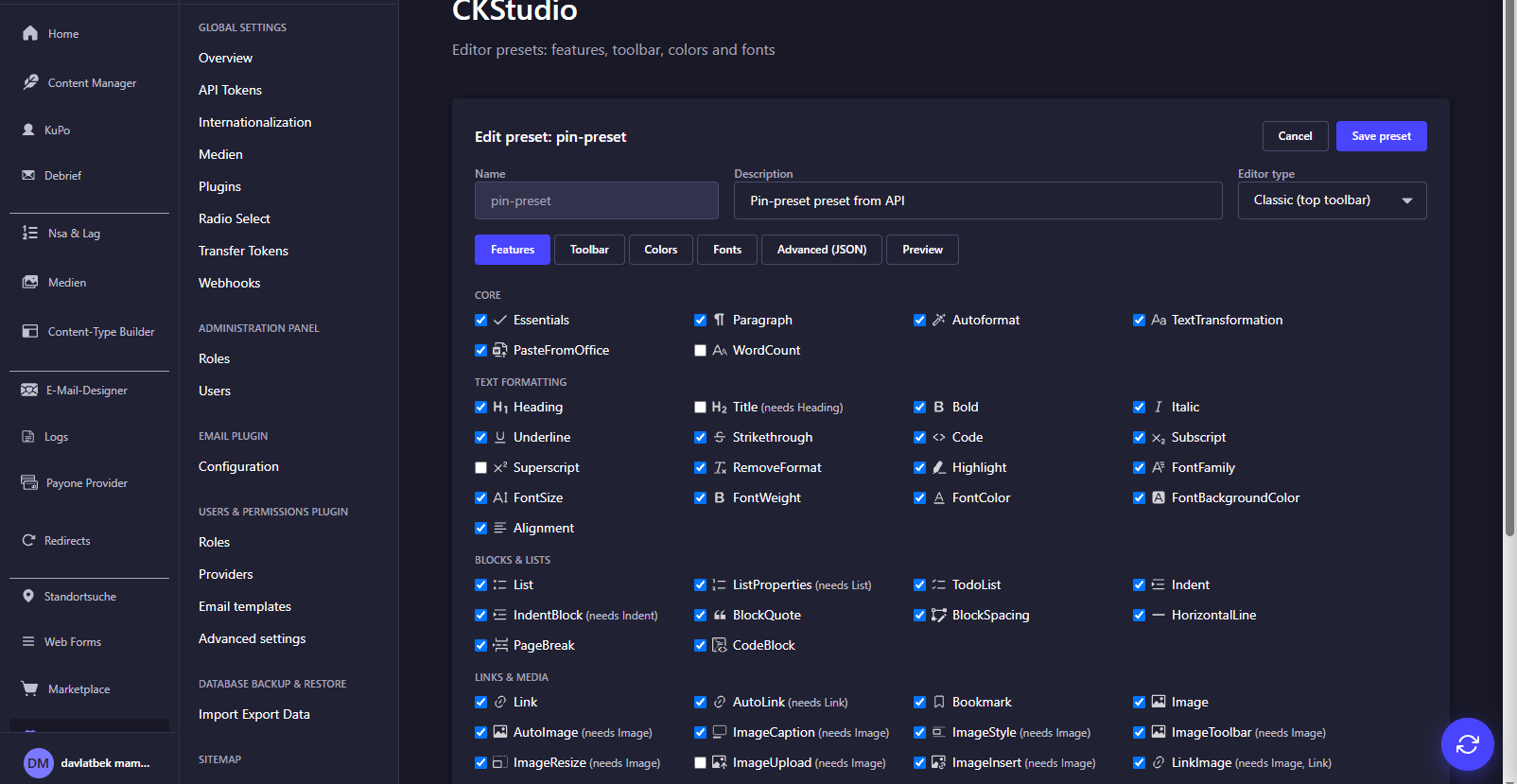
Enabling a feature automatically adds its button to the toolbar; disabling removes it.
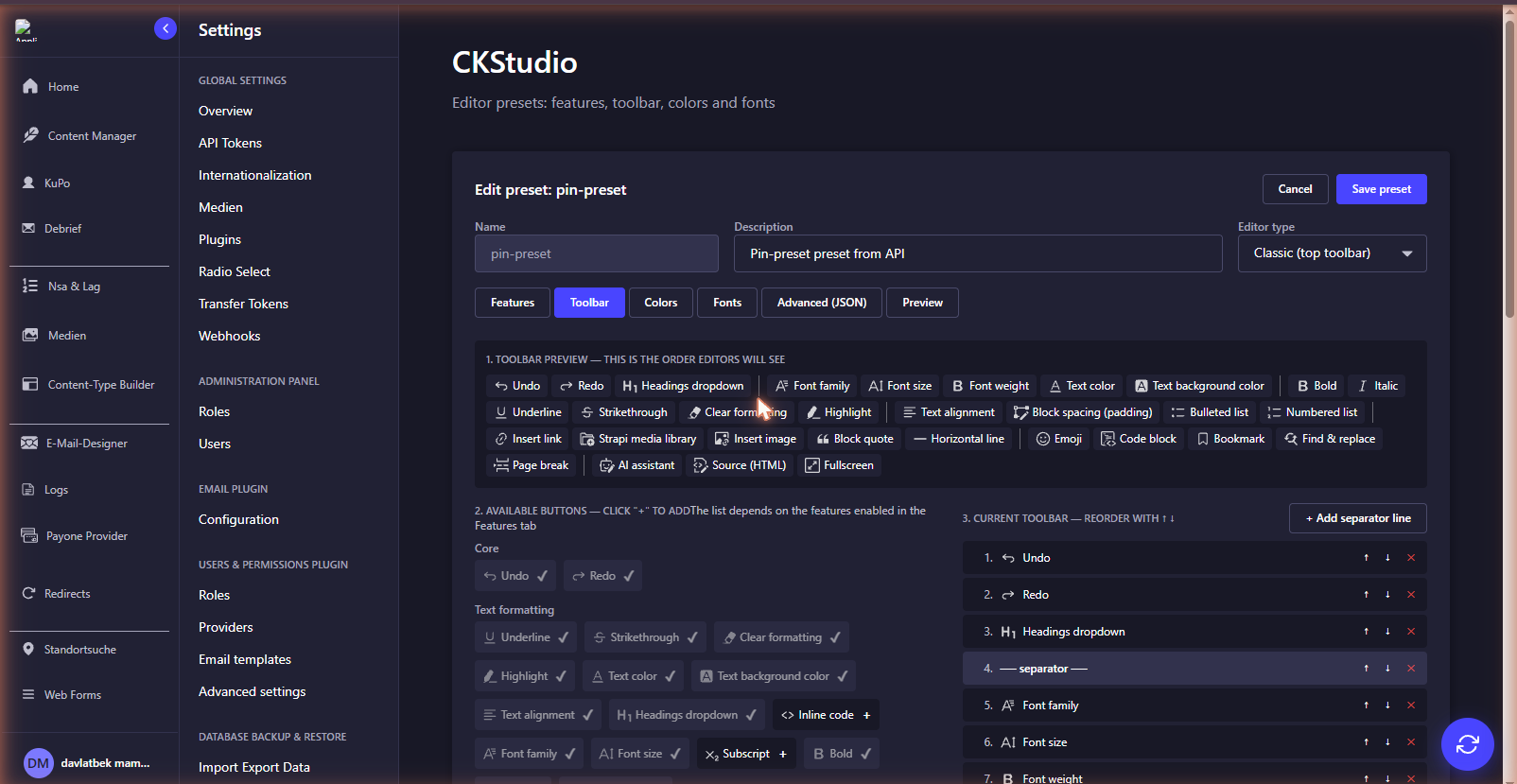
Toolbar builder
See a live preview of the toolbar, add buttons from the list of enabled features and reorder them with arrows.
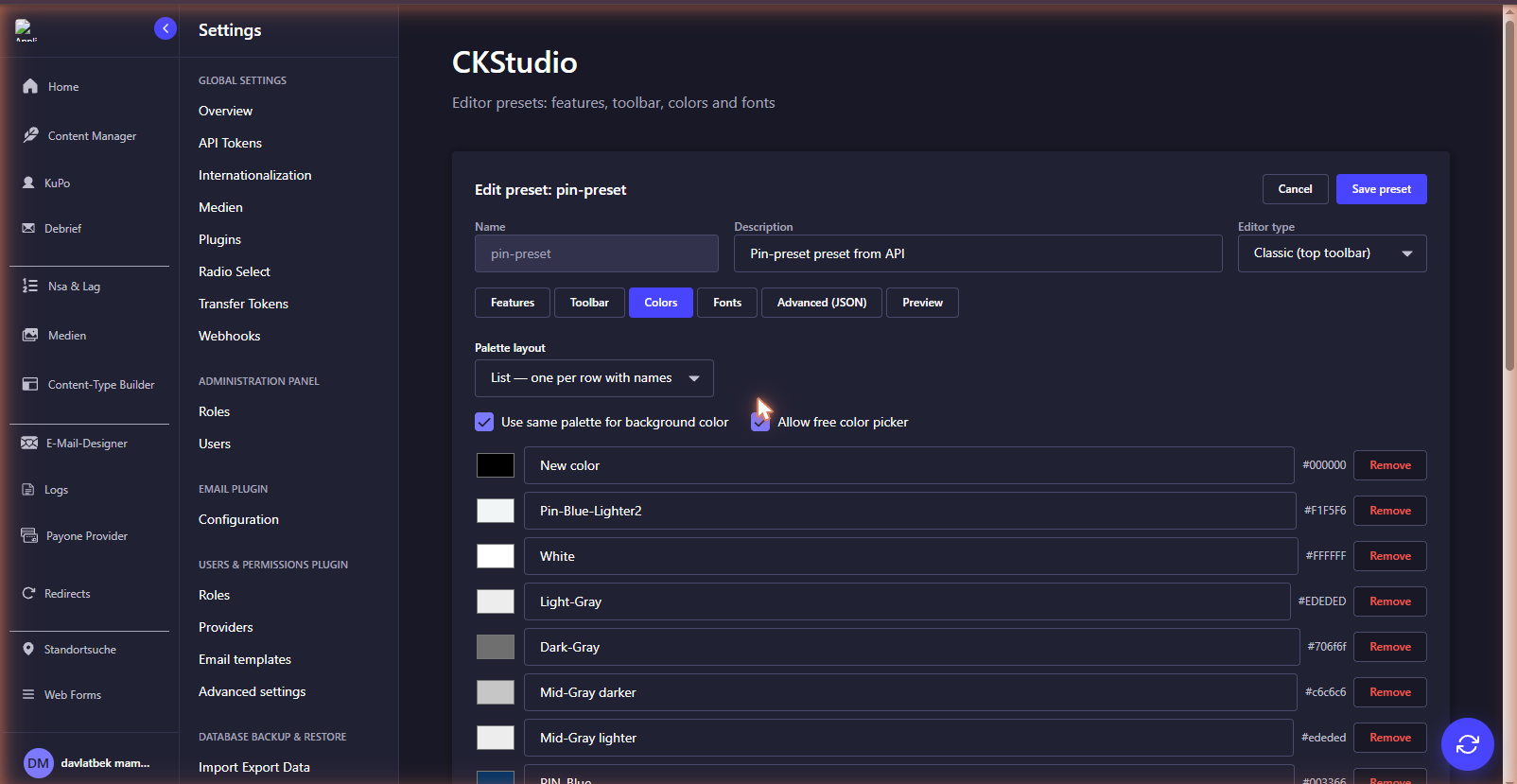
Colors
Build your palette manually, or import colors from an existing collection type / JSON endpoint. Choose the palette layout: a compact grid or a list with color names.
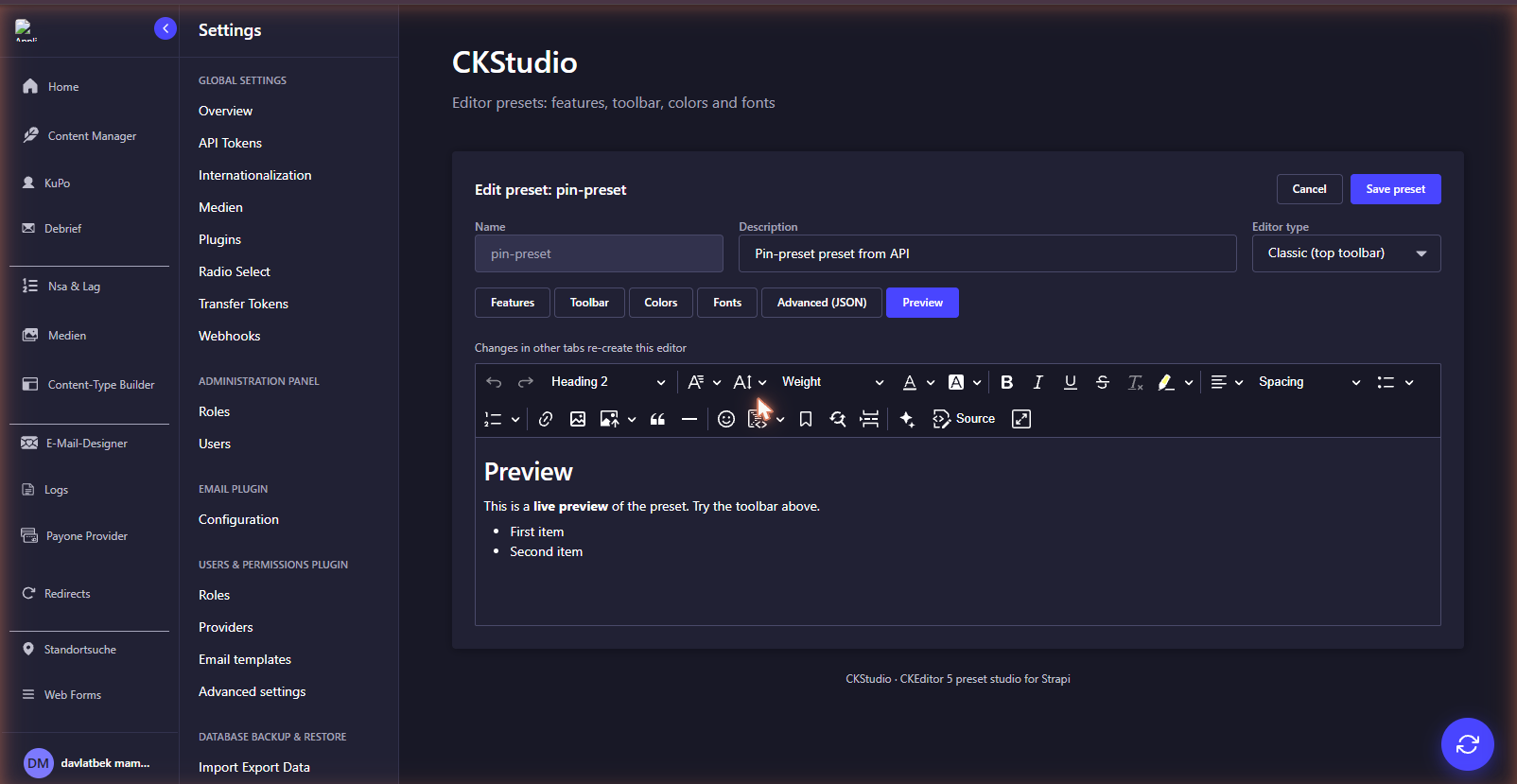
Live preview
Every change is instantly testable in the Preview tab — a real editor built from your draft preset.
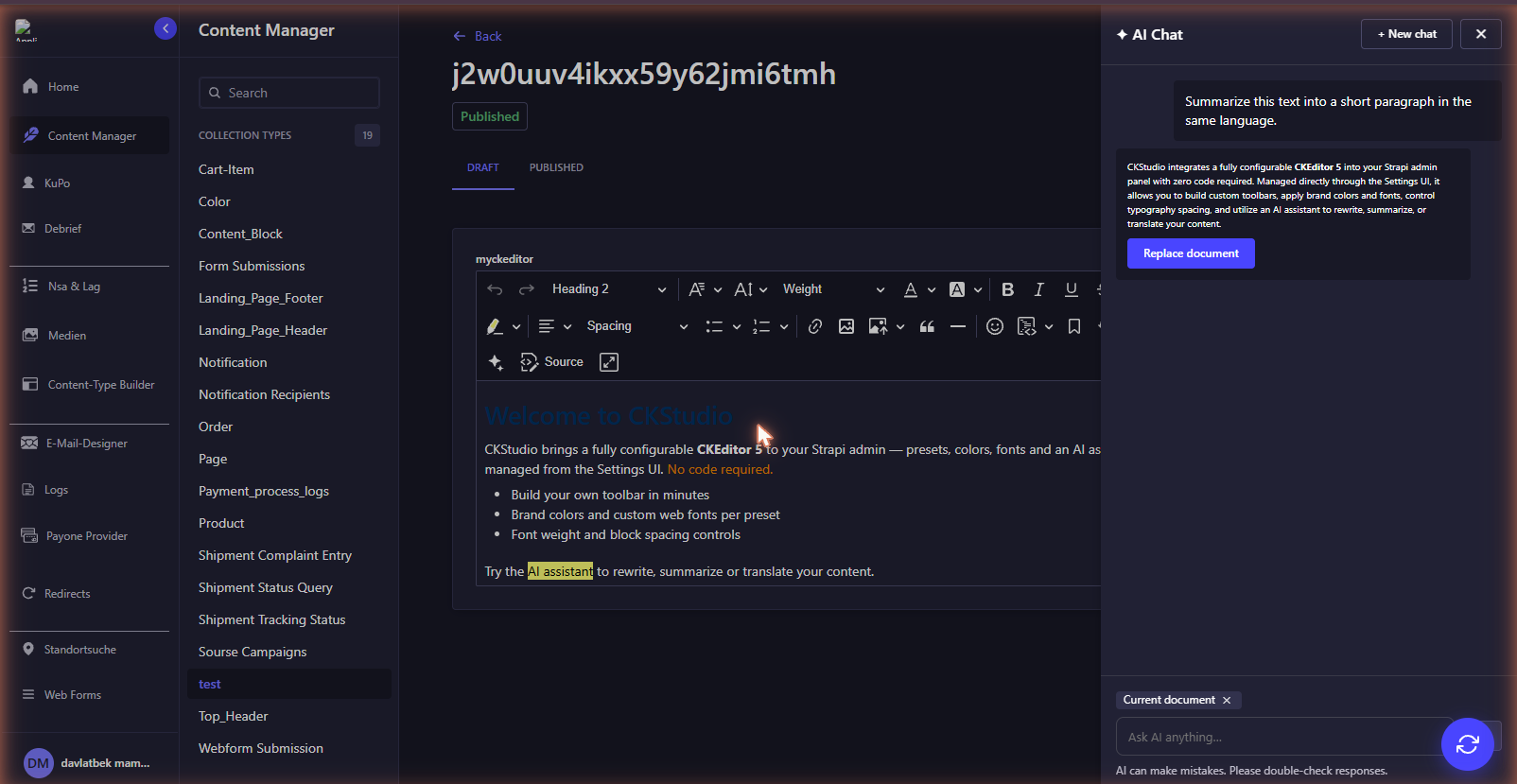
AI assistant
Click the ✦ button in the toolbar to open the AI chat. It sees your current document or selection and can rewrite, summarize, translate, fix grammar — or answer any custom prompt. Replies can be applied to the document with one click.
Configure providers in Settings → CKStudio → AI settings. Keys are encrypted before they are stored, and every provider has a Test button so you can verify the key immediately.
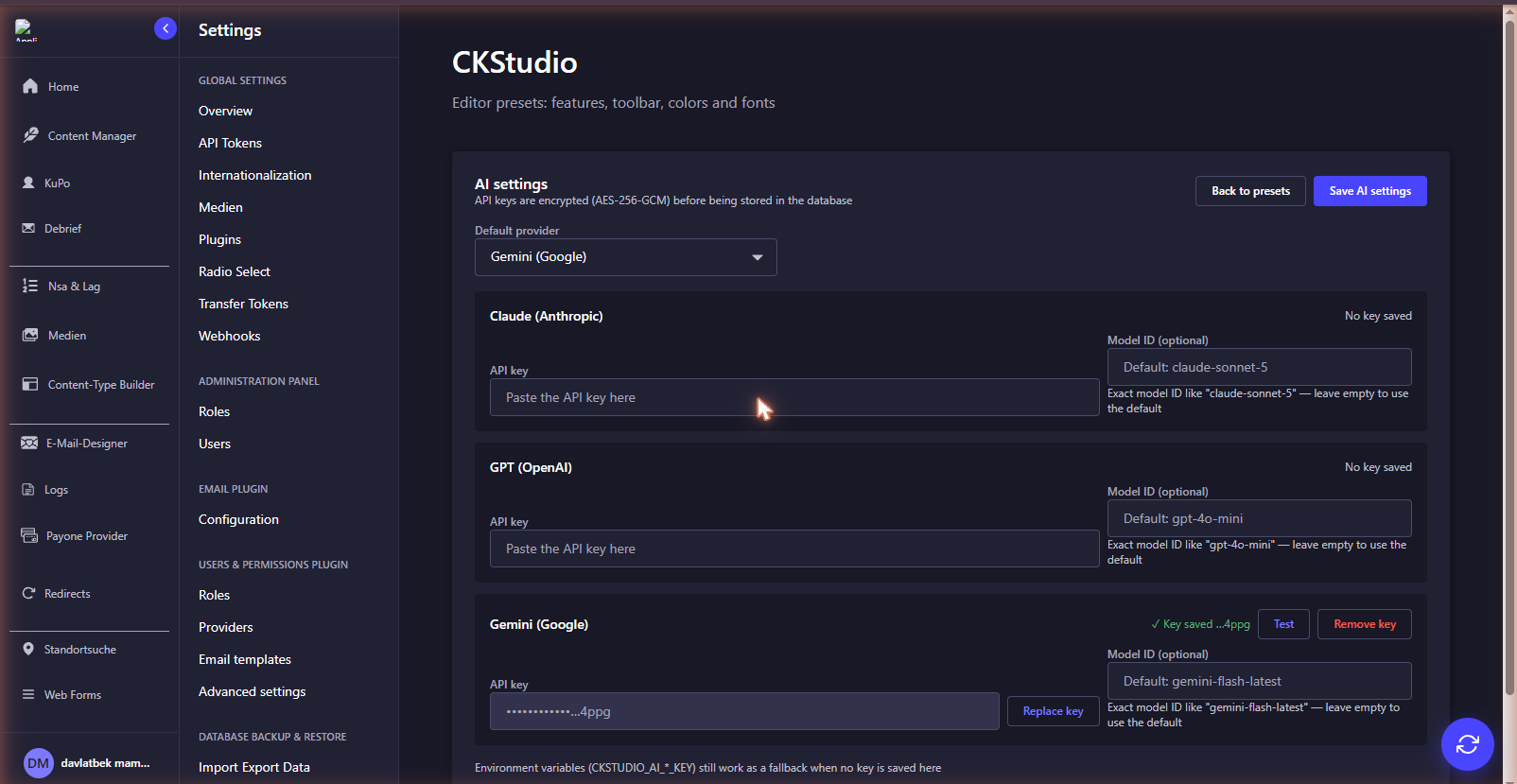
Supported providers:
| Provider | Default model |
| --- | --- |
| Claude (Anthropic) | claude-sonnet-5 |
| GPT (OpenAI) | gpt-4o-mini |
| Gemini (Google) | gemini-flash-latest |
Environment variables (optional) you can provide ai keys using settings or using env variables:
CKSTUDIO_AI_ANTHROPIC_KEY=...
CKSTUDIO_AI_OPENAI_KEY=...
CKSTUDIO_AI_GEMINI_KEY=...
Field options
| Option | Description |
| --- | --- |
| preset | Which preset this field uses |
| maxLengthWords | Soft word limit — the counter turns red when exceeded |
| maxLengthCharacters | Soft character limit |
License
MIT © Davlatbek Aliev
CKEditor 5 is licensed under GPL-2.0-or-later by CKSource. CKStudio uses it under the GPL license key; provide your own commercial license key if you need one.