
strapi-plugin-component-docs
v1.0.3
Published
Add documentation link to your component


Readme
Strapi Plugin - Component Documentation Link
This Strapi plugin adds an input component to the Strapi admin panel that allows users to view documentation related to a component via a modal or external link. It is particularly useful for displaying component-specific documentation directly in the Strapi admin interface.
Preview
Features
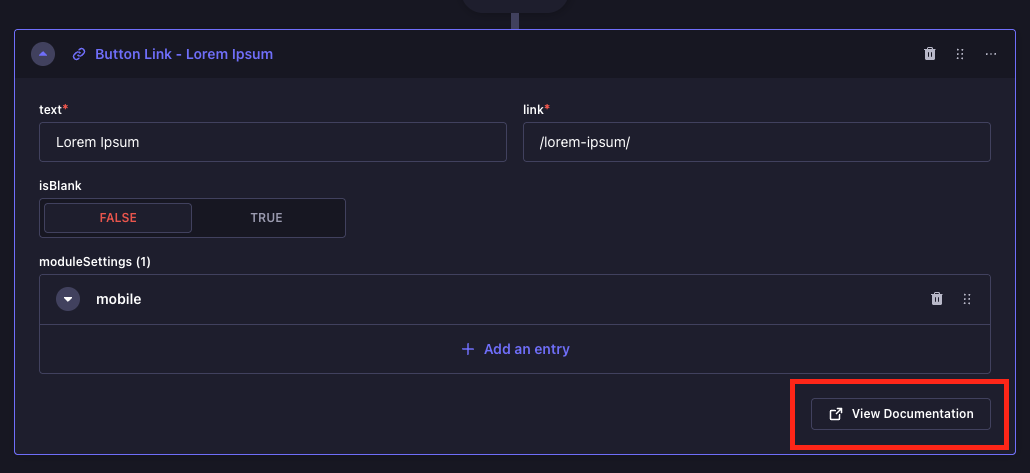
- Displays a "View Documentation" button in the Strapi admin panel.
- If an iframe is allowed (
disableIframeisfalse), it shows the documentation inside a modal as an embedded iframe. - If iframes are disabled (
disableIframeistrue), it opens the documentation link in a new browser tab.
Installation
To install the plugin, you can use npm or yarn:
npm install strapi-plugin-component-docsor
yarn add strapi-plugin-component-docsUsage
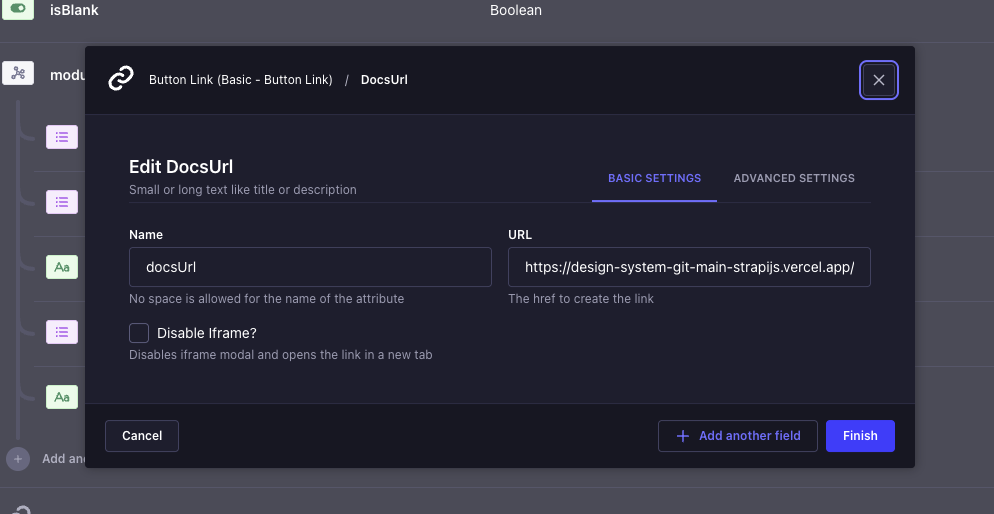
After installing the plugin, it will add a new input field in the component settings within the Strapi admin panel. The field will have the option to either:
- Open the documentation in a modal with an embedded iframe (if
disableIframeisfalse). - Open the documentation in a new tab (if
disableIframeistrue).
Configuration
You can configure the input field using the following options:
- url: The URL of the documentation.
- disableIframe: If
true, the documentation will open in a new browser tab rather than inside an iframe.
Example
{
  "type": "text",
  "customField": "documentationLink",
  "options": {
    "url": "https://example.com/docs",
    "disableIframe": false
  }
}
How it works:
- The component renders a button labeled "View Documentation".
- When clicked, if
disableIframeis set tofalse, it opens a modal with an iframe displaying the documentation. - If
disableIframeistrue, the plugin opens the documentation in a new browser tab.
Hiding the Field from API Responses
If you do not want the docsUrl field to appear in your API responses (which is likely, as it is a UI-related field), you can modify your Strapi project's api.ts file to exclude this field.
Add custom field name array to prevent it from being included in the API response:
Example api.ts configuration:
export default ({ env }) => ({
  responses: {
    privateAttributes: [
      // Custom field name
      'docsUrl',
      // ...
    ],
  },
  // ...
});
This ensures that the field will not be included in the API responses.
License
MIT License.