
strapi-plugin-field-presentation
v1.0.3
Published
Customize Strapi Content Manager field labels, hints, descriptions, ordering, and grid layouts.

Maintainers
 meeyzt
Readme
Strapi Field Presentation
Design clearer, better organized Strapi Content Manager forms without changing your content schemas.




What it does
Field Presentation adds a visual presentation layer to Strapi's Content Manager. Configure labels, contextual hints, descriptions, field order, and responsive 12-column layouts for every collection type and single type from one settings screen.
Your content type schemas and stored entry data stay untouched. Presentation settings are stored separately by the plugin.
| Feature | What editors get |
| --- | --- |
| Custom labels | Human-friendly field names without renaming schema attributes |
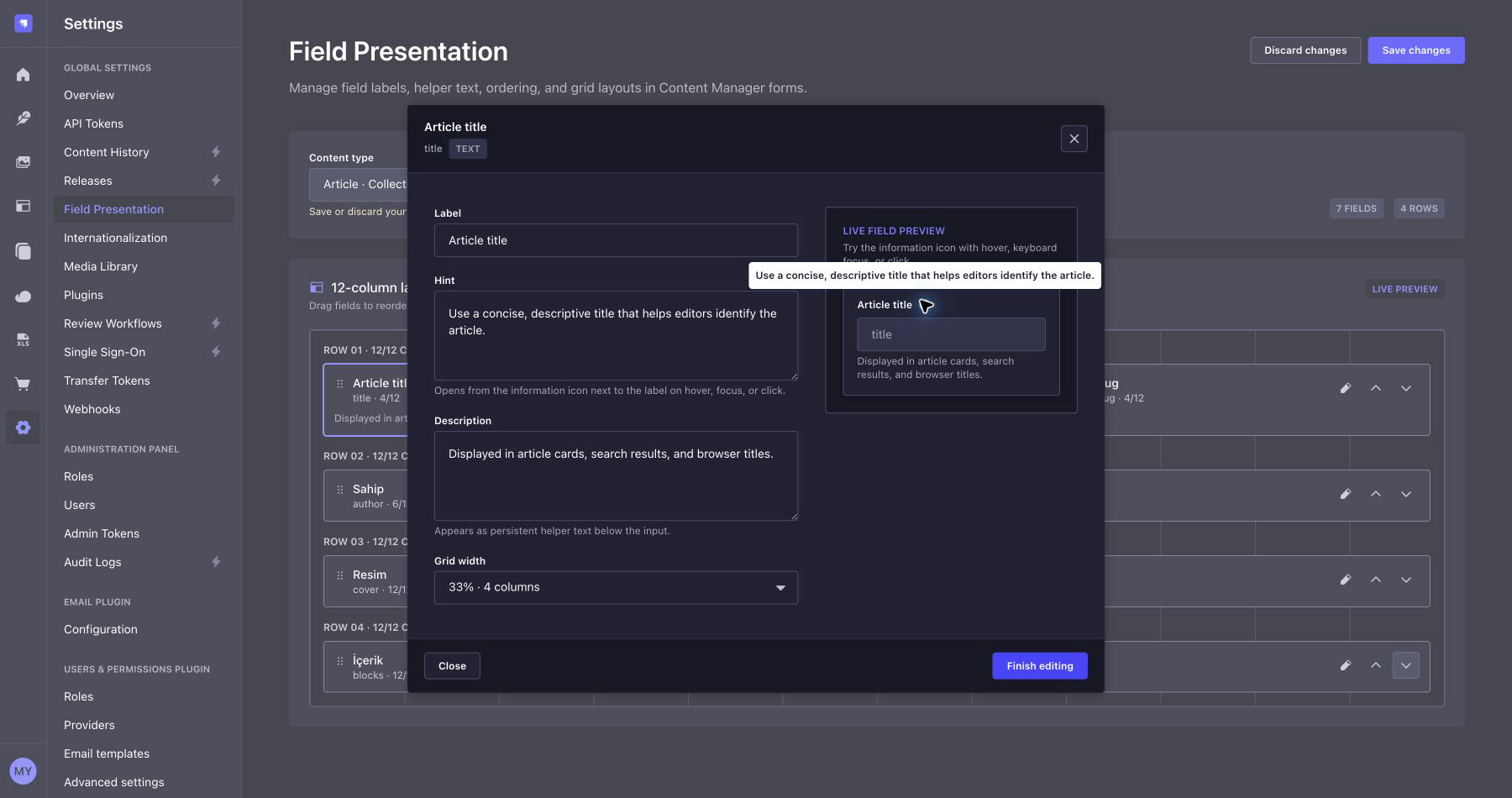
| Clickable hints | Accessible information icons with hover, focus, and click tooltips |
| Descriptions | Persistent helper text displayed below the input |
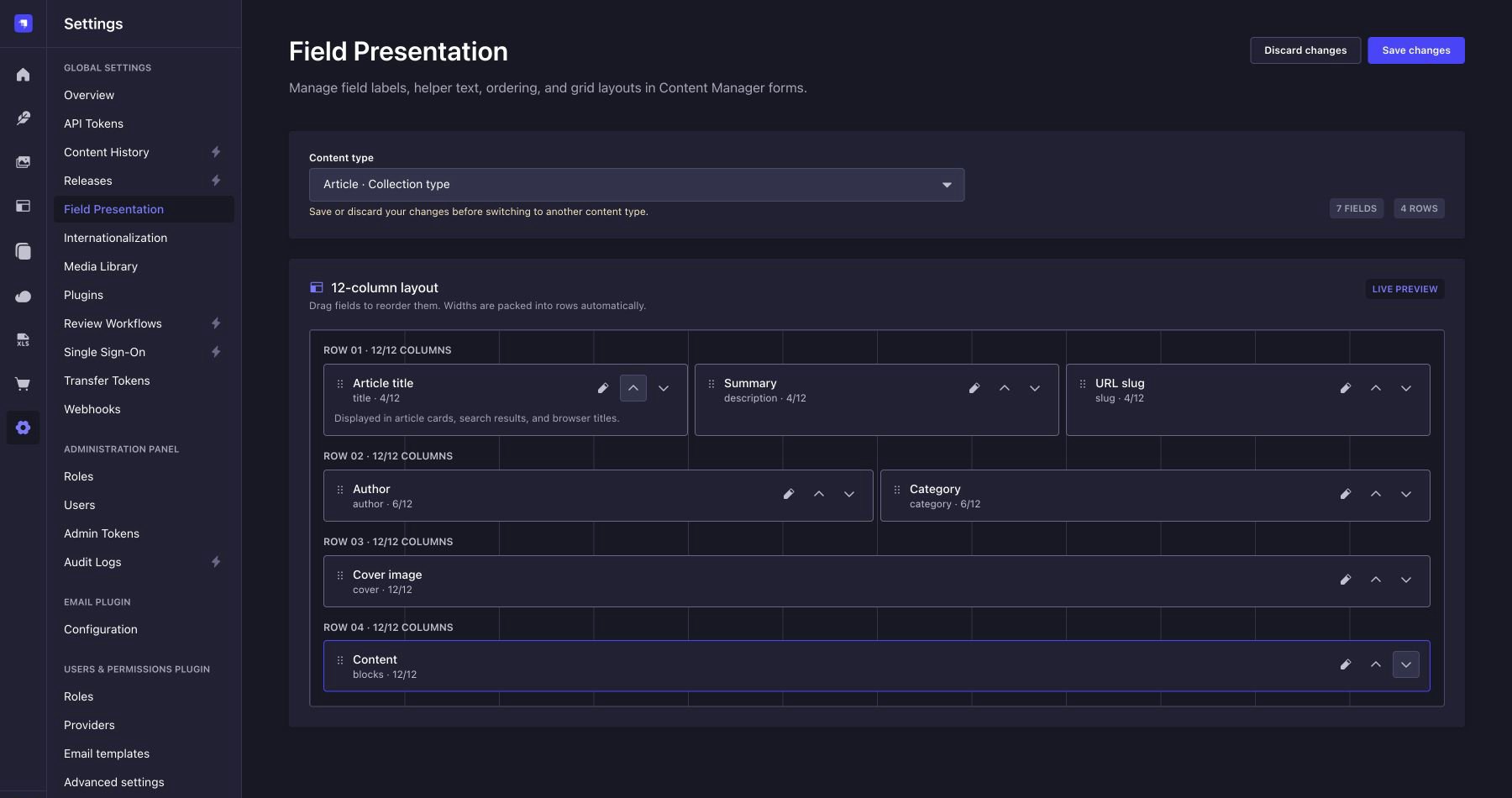
| Field ordering | Drag-and-drop sorting with keyboard-friendly move controls |
| 12-column grid | 3, 4, 6, 8, or 12 column widths with automatic row packing |
| Broad coverage | The same workflow for collection types and single types |
| Localization | English defaults with bundled English and Turkish translations |
Screenshots
Arrange fields on a 12-column canvas
Set related fields side by side, reorder them, and preview the final row structure before saving.
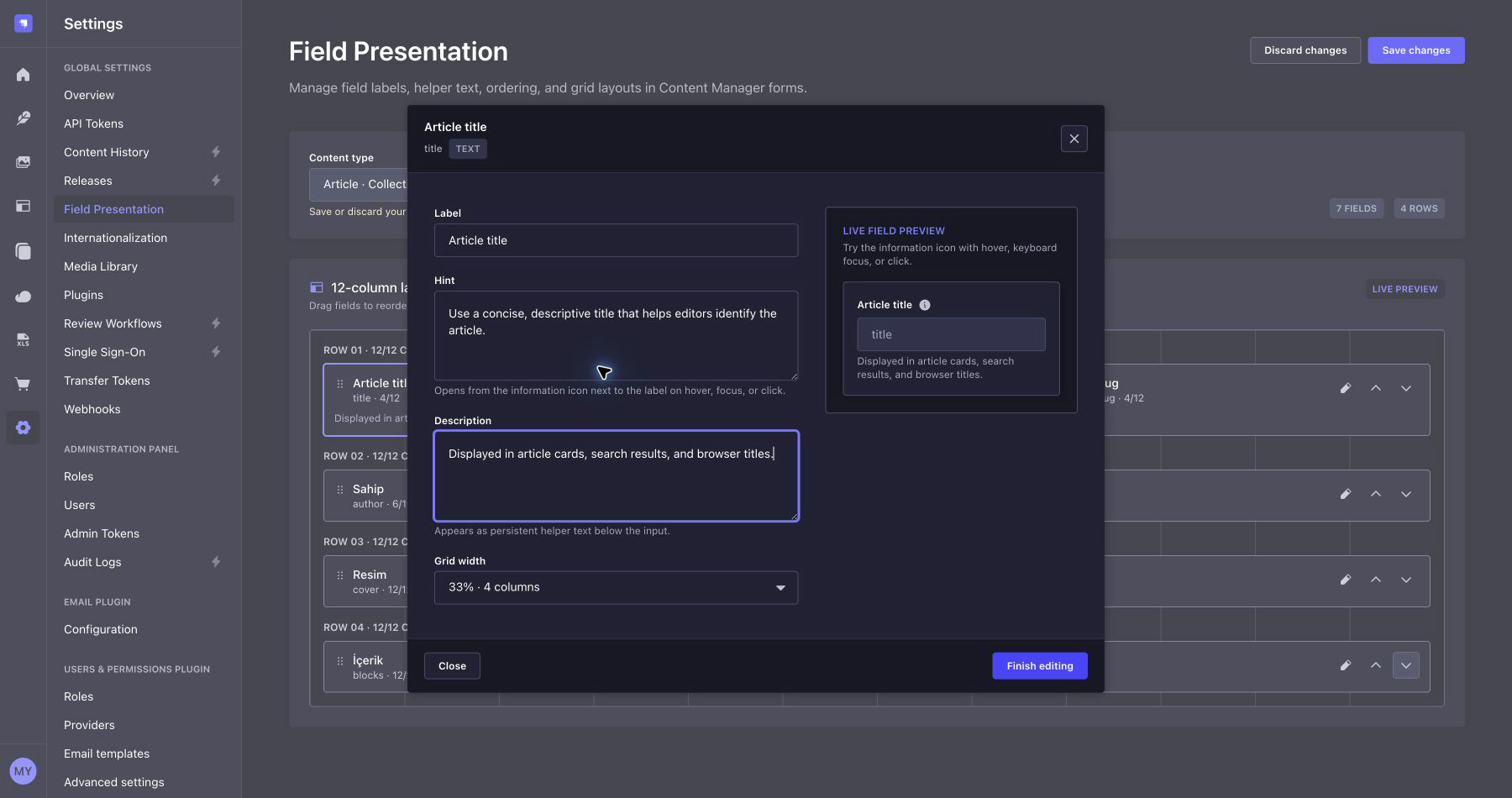
Edit presentation settings in a modal
Field editing stays in context. Labels, hints, descriptions, and width controls open in a focused modal with a live preview.
Give editors contextual help
Hints use the native Strapi tooltip pattern and can be opened by hover, keyboard focus, or click.
Compatibility
| Requirement | Supported version |
| --- | --- |
| Strapi | >=5.52.0 <6.0.0 |
| Node.js | 20 through 26 |
The plugin is built and tested against the latest Strapi release, currently 5.52.0.
Installation
Install the package in your Strapi application:
npm install strapi-plugin-field-presentationEnable it in config/plugins.ts:
export default () => ({
  'field-presentation': {
    enabled: true,
  },
});
Rebuild the admin panel and start Strapi:
npm run build
npm run develop
Usage
- Open Settings → Global Settings → Field Presentation.
- Select a collection type or single type.
- Drag fields into the desired order.
- Open a field to set its label, hint, description, and grid width.
- Save the configuration and open the content type in Content Manager.
For example, set two fields to 6 columns to place them side by side, or three fields to 4 columns to create a three-column row. Fields that Strapi marks as fixed-width retain their required width.
Localization
The plugin follows the active Strapi Admin locale. English is the fallback language, and English (en) and Turkish (tr) catalogs are bundled.
Host applications can provide additional translations by overriding the plugin's namespaced message keys. Every key starts with field-presentation..
Permissions
The settings screen is protected by the plugin::field-presentation.settings.manage admin permission. Hints remain visible to authenticated admin users who can open the relevant Content Manager form.
Local development
When developing the plugin inside a Strapi application, resolve its source directory explicitly:
export default () => ({
  'field-presentation': {
    enabled: true,
    resolve: './src/plugins/field-presentation',
  },
});
Then run the plugin checks from its directory:
npm install
npm run build
npm run verify