
strapi-plugin-filerobot
v1.0.8
Published
Strapi v3 plugin for Filerobot by Scaleflex


Readme
Strapi v3 plugin for Filerobot by Scaleflex
Intro
Strapi v3.x.x
To know which versions of Node goes with which versions of Strapi, refer to here: https://github.com/strapi/strapi/releases
If you are not familiar with using the Strapi CMS, here are some quick tutorials:
Strapi v3: https://www.youtube.com/watch?v=6FnwAbd2SDY
Install the plugin
At this point, assuming that you already have an Strapi CMS installed and setup, and that you already have an super-admin user configured. It's time to install the Scaleflex Filerobot plugin for Strapi v3:
npm install strapi-plugin-filerobot
or
yarn add strapi-plugin-filerobot
Run
yarn build
yarn start
Configure
Click "Filerobot from Scaleflex" on the left vertical menu (under the plugins section)
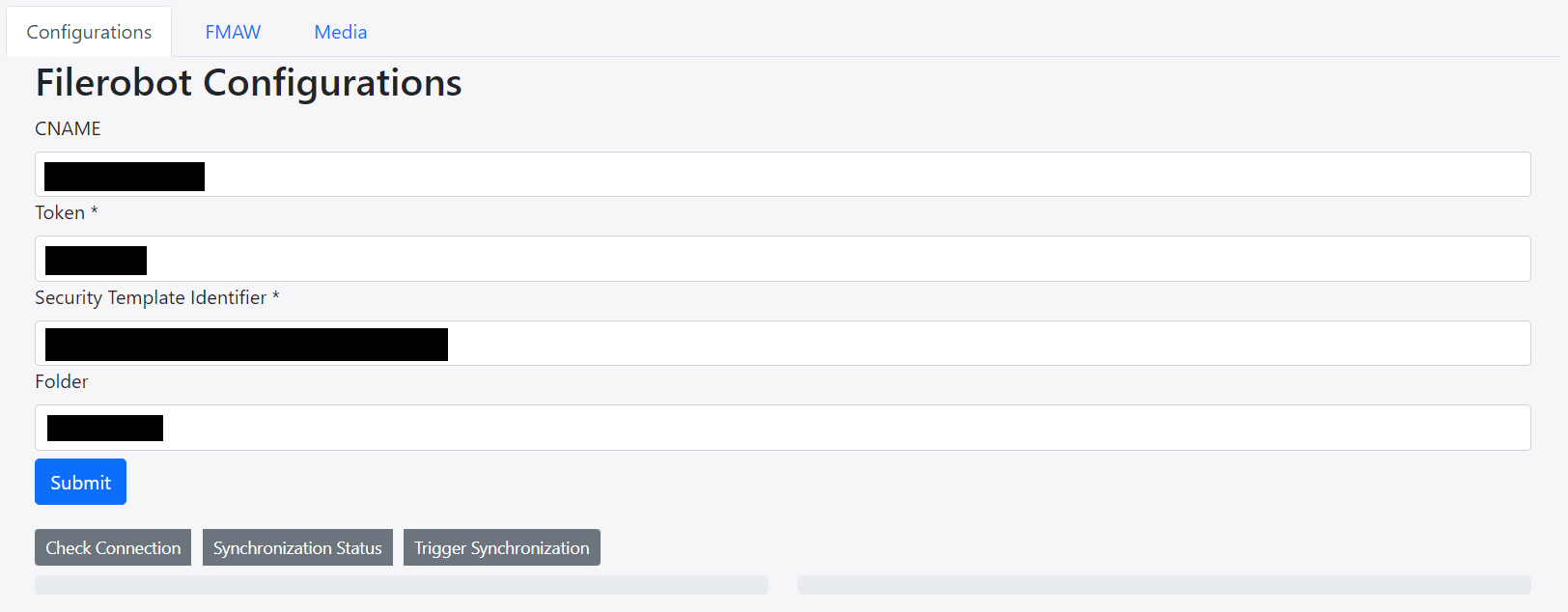
- CNAME should be without
https:// - Folder can have a preceding
/, but it's not necessary. So both/folder_nameandfolder_nameare ok
Usage
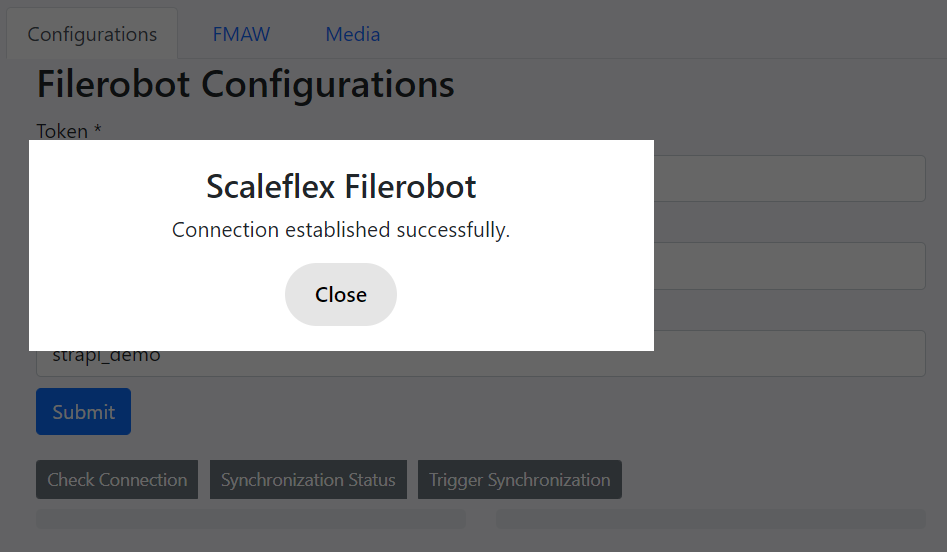
Now you can make use of the "Check Connection", "Synchronization Status" and "Trigger Synchronization" buttons.
Check Connection
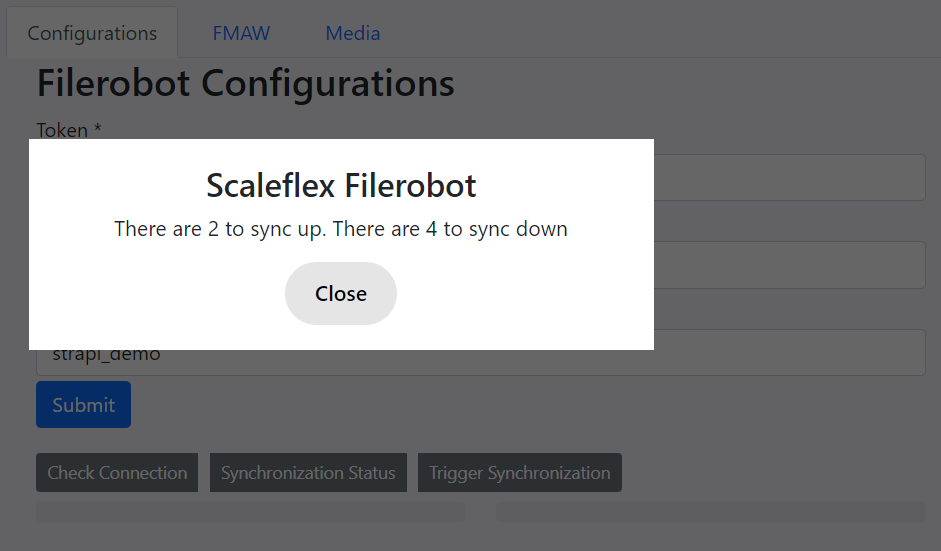
Synchronization Status
Media Tab
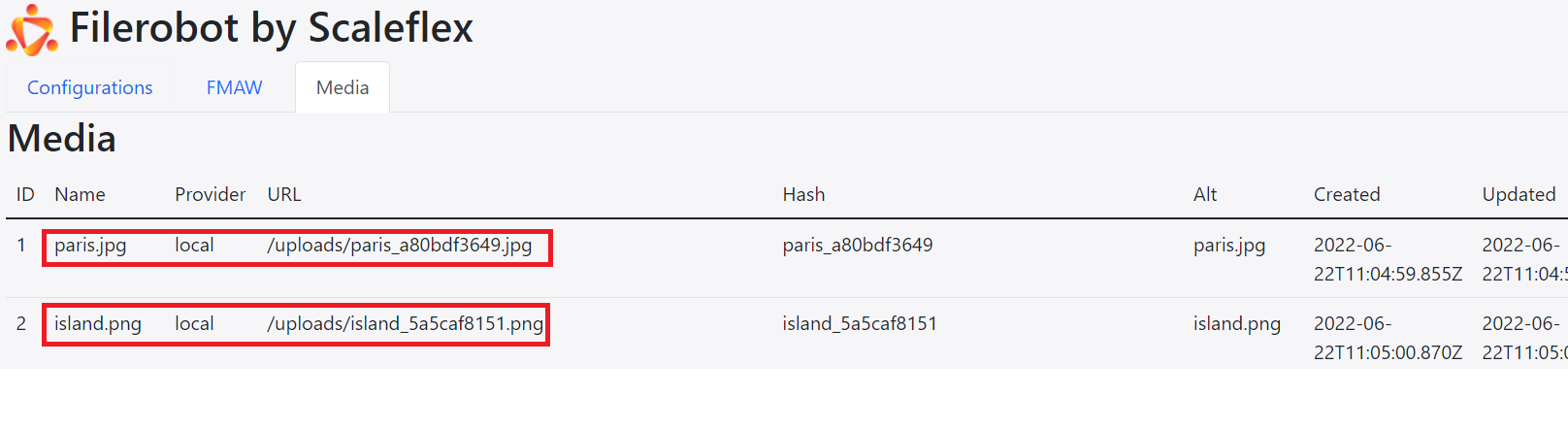
The Media Tab keeps a "log" of all your media assets.
Note: when provider is local, the Hash is like a "unique name" generated by Strapi, and the Alt is like an "alternative name" generated by Strapi.
Indeed, there are 2 local images that are yet to be synchronized to the Filerobot platform.
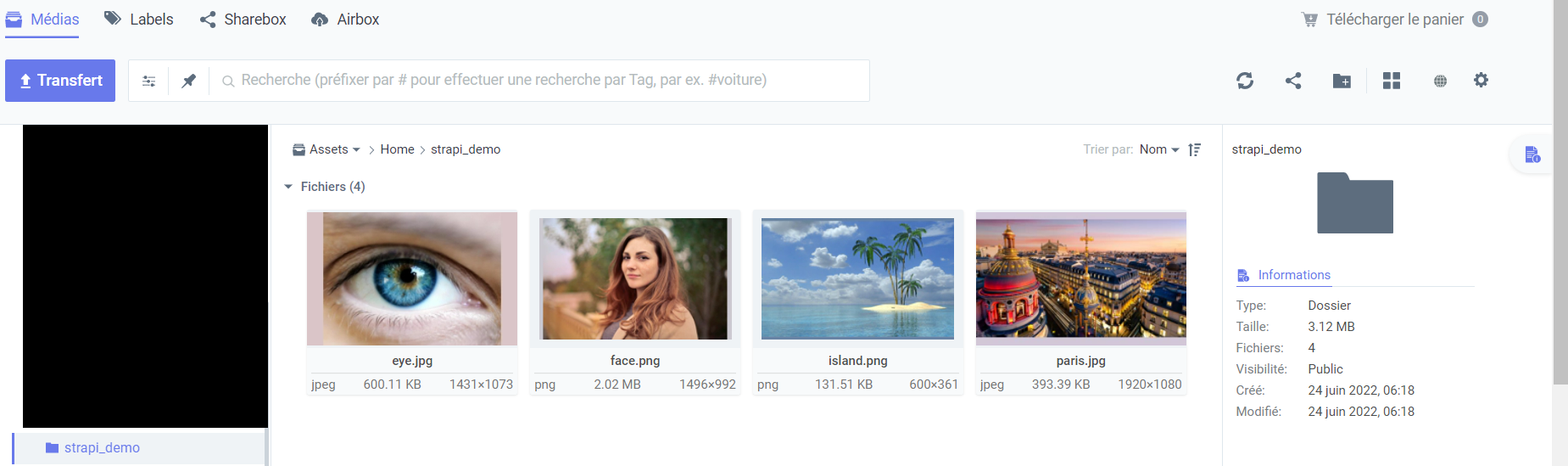
And there are indeed 4 remote images on the Filerobot platform that are yet to be synchronized down to the Strapi CMS.
Trigger Synchronization
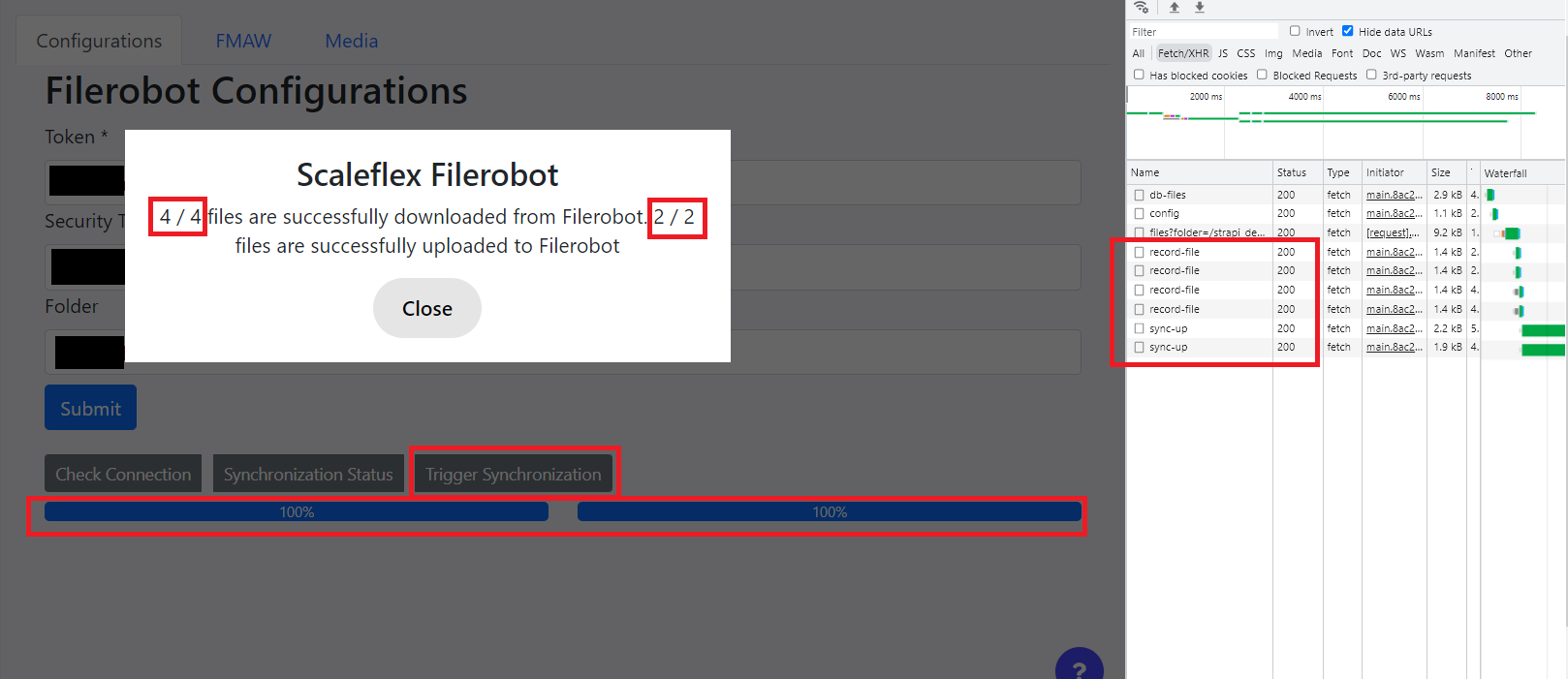
Afterwards, the logs will be updated:
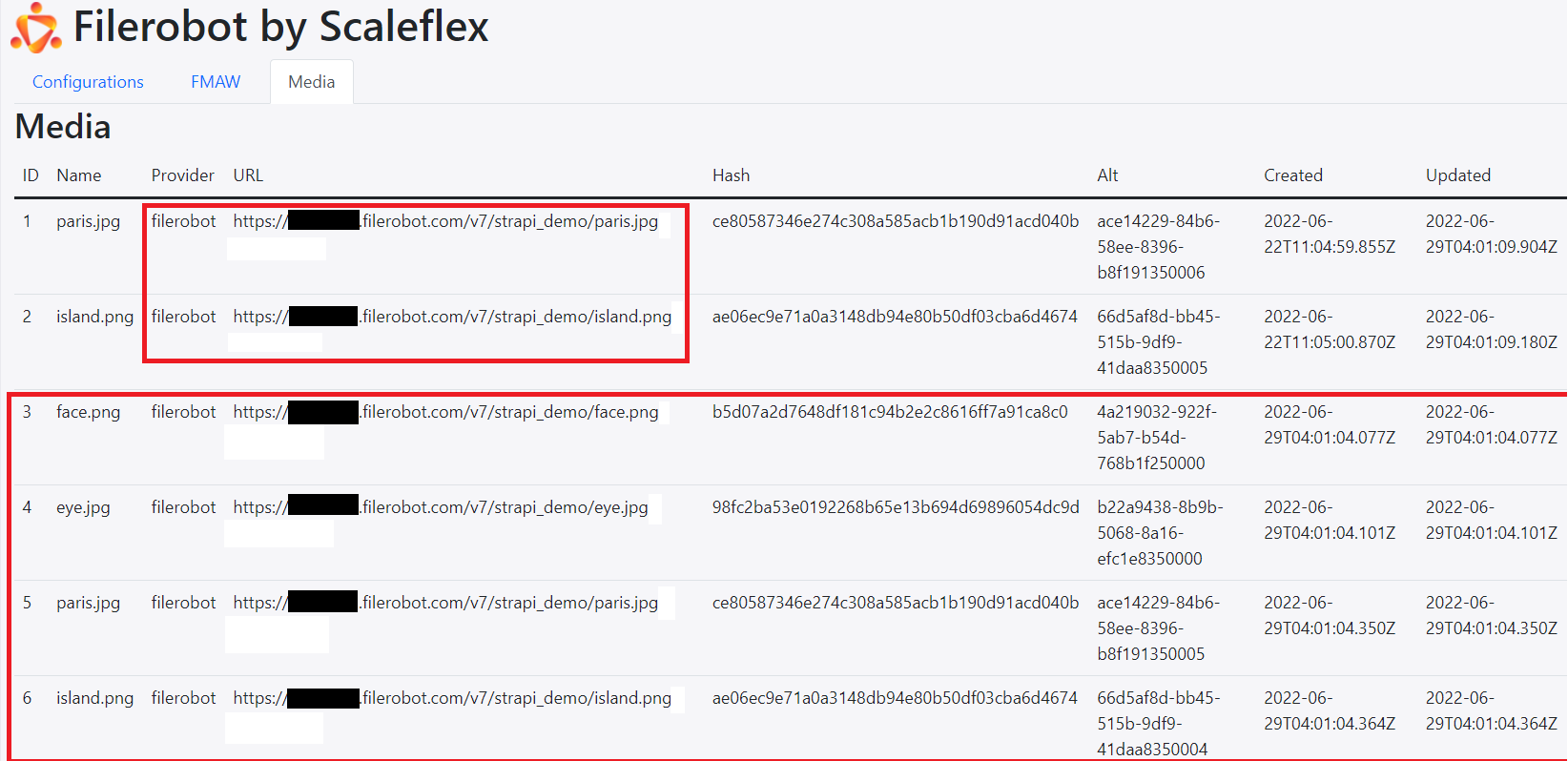
Note: when provider is filerobot, the Hash is Filerobot's file -> hash -> sha1, and the Alt is Filerobot's file -> uuid.
FMAW Tab
When you Upload, the image will be uploaded to the Filerobot platform. Also, the same image (with Filerobot's URL) will go into the Strapi CMS:
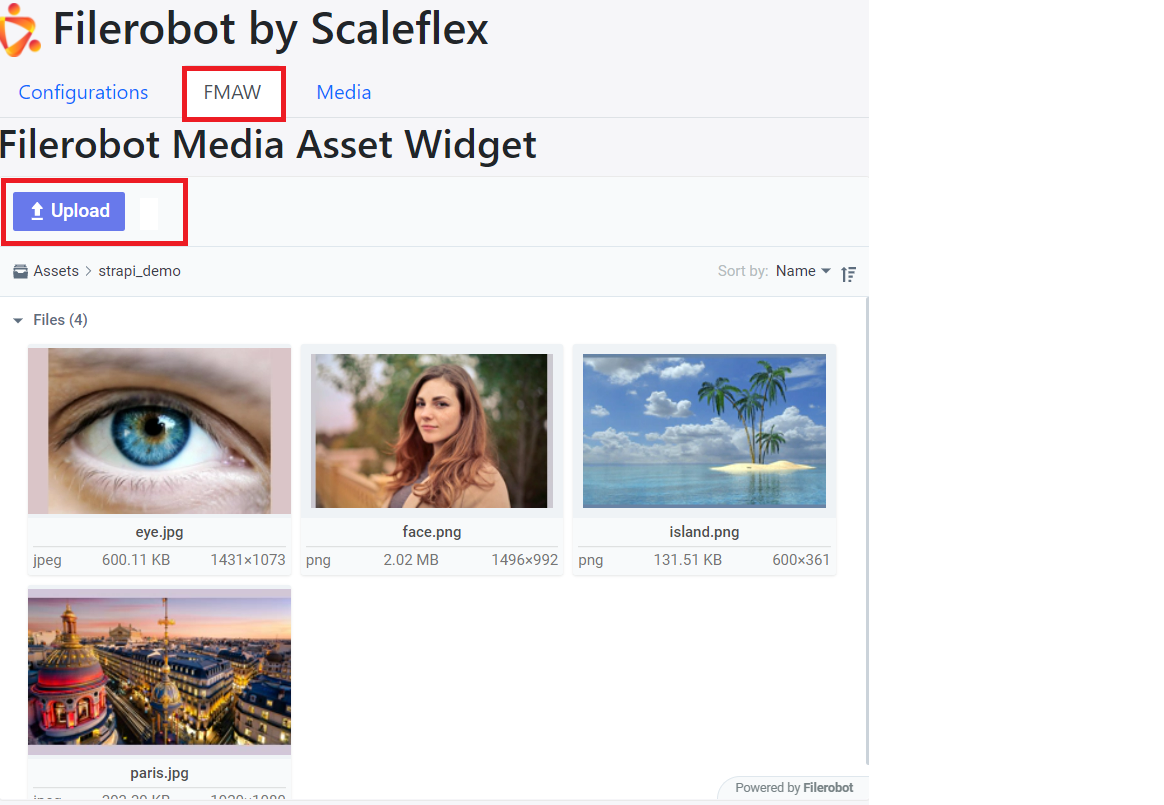
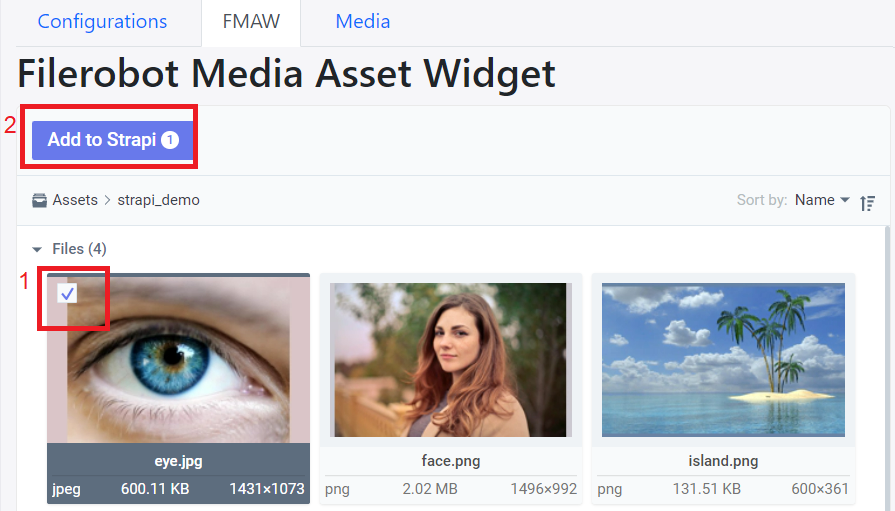
If you know that eye.jpg only exists on the Filerobot platform (ie: haven't yet been synchronized down to the Strapi CMS), then you can check it and press "Add to Strapi":
REST API
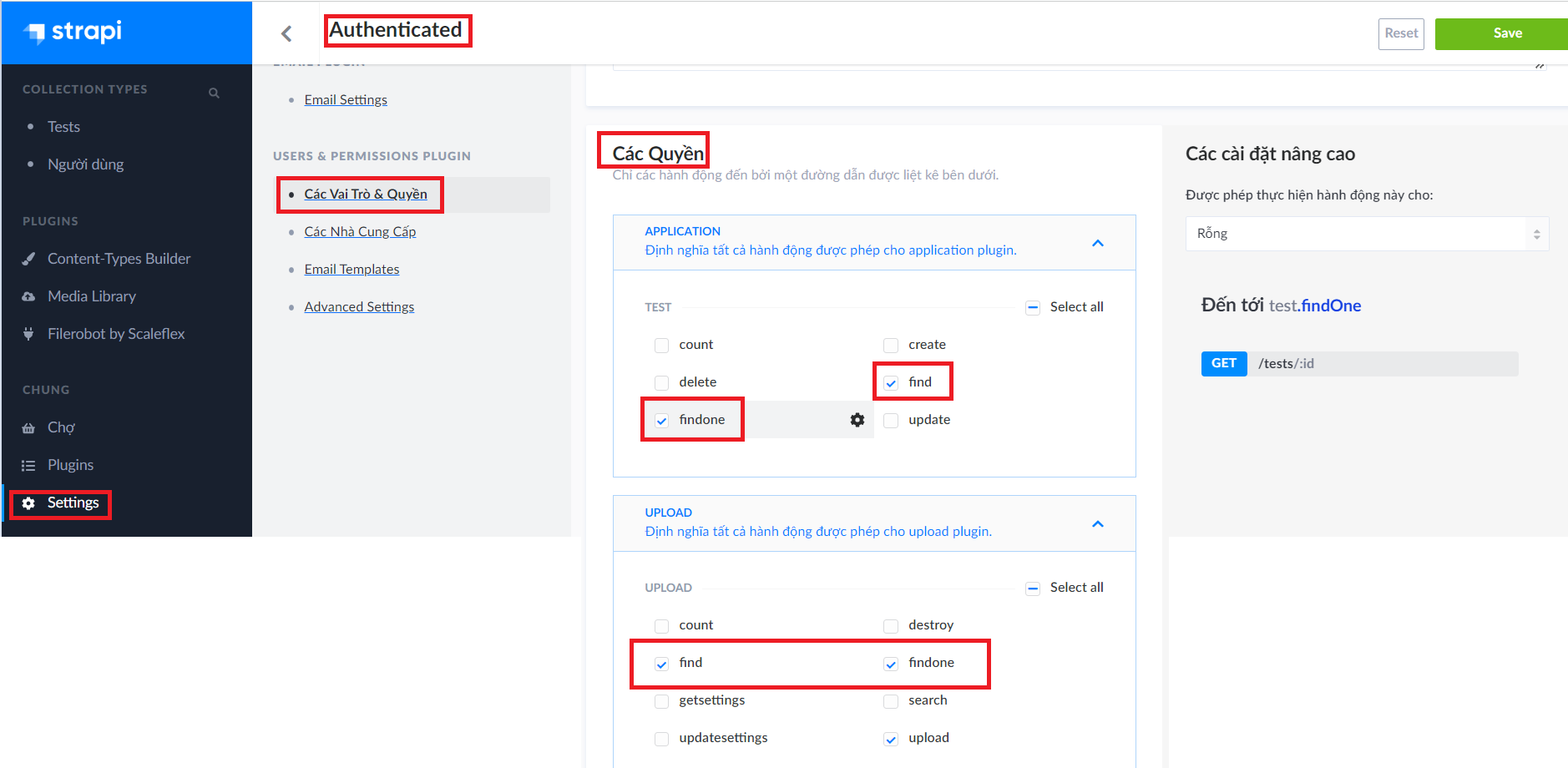
Give the appropriate permissions to the authenticated user
Get the auth token
https://www.youtube.com/watch?v=TIK9CYDgs5k&list=PL2dKqfImstaROBMu304aaEfIVTGodkdHh&index=3
curl --location --request POST '{domain}/auth/local' \
--form 'identifier="{an authenticated user's email}"' \
--form 'password="{an authenticated user's password'}"'
Potential Problem: If you get
error /var/www/v3/node_modules/redis/dist/index.js:42
            ...options?.modules
                       ^
SyntaxError: Unexpected token '.'
you need to install a lower version of Redis, eg npm i [email protected]
Retrieve Media
GET all media
curl --location --request GET '{domain}/upload/files' \
--header 'Authorization: Bearer {token}'
GET one media
curl --location --request GET '{domain}/upload/files/3' \
--header 'Authorization: Bearer {token}'
Retrieve custom content-types
GET collection-type contents
curl --location --request GET '{domain}/tests' \
--header 'Authorization: Bearer {token}'
GET one collection-type content
curl --location --request GET '{domain}/test/1' \
--header 'Authorization: Bearer {token}'