
strapi-plugin-media-usage
v1.0.7
Published
Track where media files are used across content types in Strapi

Maintainers
 dans007
Readme
strapi-plugin-media-usage
A Strapi v5 plugin that shows where each media file is used across your content types, directly inside the Media Library asset details modal.
Features
- Adds a "Used in" section to the Media Library asset details dialog
- Lazy-loads on demand — no unnecessary requests when you just want to check metadata
- Traces images through nested Strapi components (BFS) up to their parent content-type entry
- Shows which component contains the image (e.g. "in Interactive Carousel")
- Links directly to the Content Manager entry with an Open → button
- Zero configuration — works out of the box after enabling
Installation
npm install strapi-plugin-media-usageThen enable it in config/plugins.ts:
export default {
  'media-usage': { enabled: true },
};
Rebuild and restart your Strapi server.
Usage
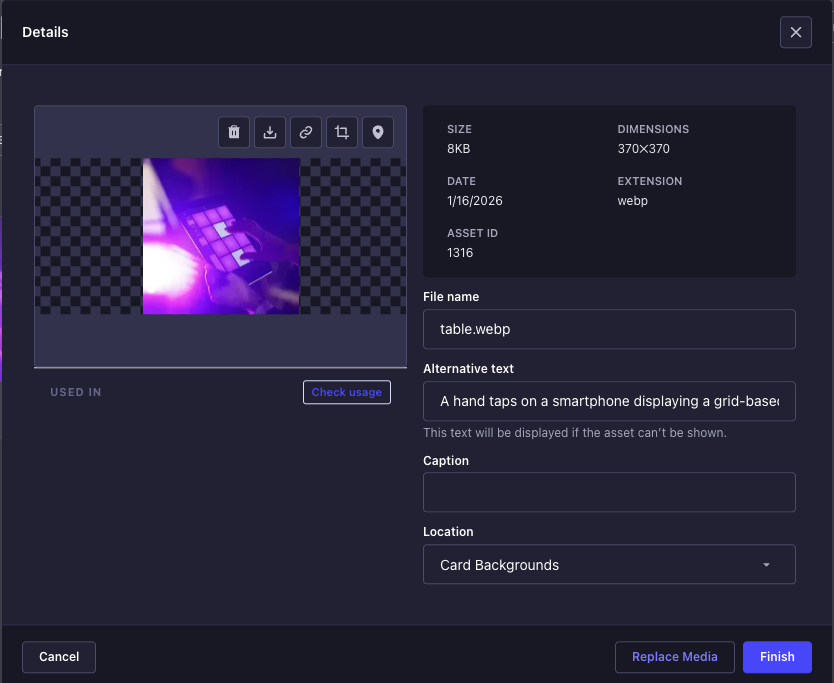
Open any asset in the Media Library by clicking it. At the bottom-left of the preview column you will see a "Used in" section.
1. Check where a file is used
Click Check usage to load the list of content entries that reference this file.
2. View results and navigate
Each entry shows the content type, the entry title, and which component holds the image. Click Open → to jump directly to that entry in the Content Manager.
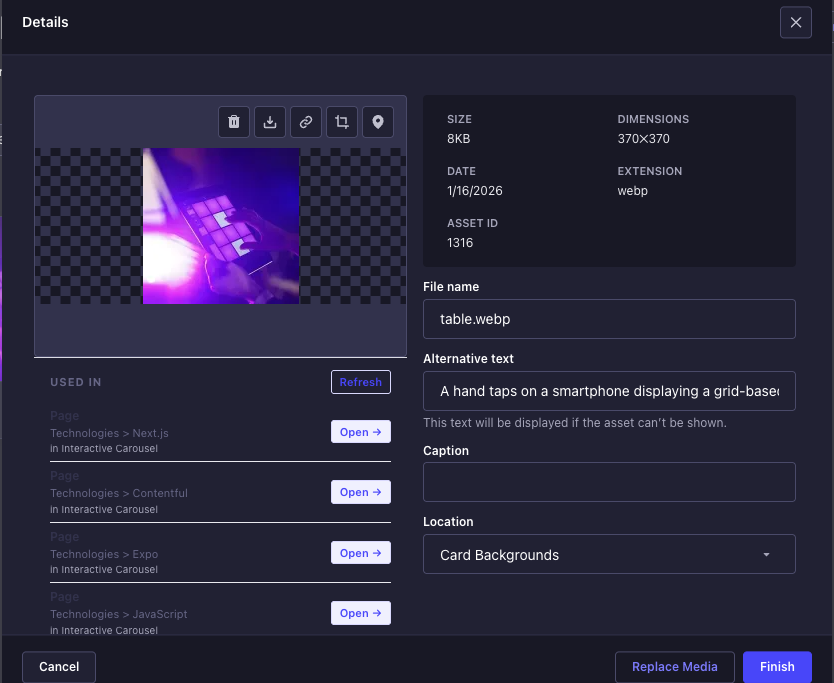
Click Refresh at any time to re-fetch the list (useful after editing content).
What the results show
| Field | Description |
|---|---|
| Content type name | e.g. "Page" |
| Entry title | e.g. "Technologies > Next.js" |
| in [Component] | The component that holds the image, e.g. "in Interactive Carousel" |
| Open → | Link to that entry in the Content Manager |
| component badge | Shown instead of Open → when the file is inside an embedded component with no direct URL |
How it works
- The admin panel injects a React component into the Media Library details dialog via
MutationObserver. The dialog and the file id are located by DOM structure and by field names Strapi does not translate, so injection works in every admin interface language. - When the user clicks Check usage, it calls
GET /media-usage/files/:id/usages(admin-only route, requires a valid JWT). - The server queries the
files_related_mphmorph table to find all direct references to the file. - For component references, a BFS walks
*_cmpsjoin tables to resolve the parent content-type entry. - Results include
viaComponent— the display name of the component that contains the image. - Duplicate references (same content type + entry + field) are deduplicated on the client.
Requirements
- Strapi v5
- Node.js 18+
Development
npm install
npm run build   # compile with strapi-plugin build
npm test        # run unit tests