
strapi5-plugin-csv-export
v5.0.1
Published
A powerful Strapi plugin that enables easy export of content types to CSV format, with support for field selection, filtering, and batch operations.

Maintainers
 shubkumar
Readme
🚀 Strapi CSV Export Plugin
A powerful Strapi v5 plugin that enables easy export of content types to CSV format. This plugin provides a user-friendly interface to export your Strapi content with customizable field selection, filtering options, and batch operations.
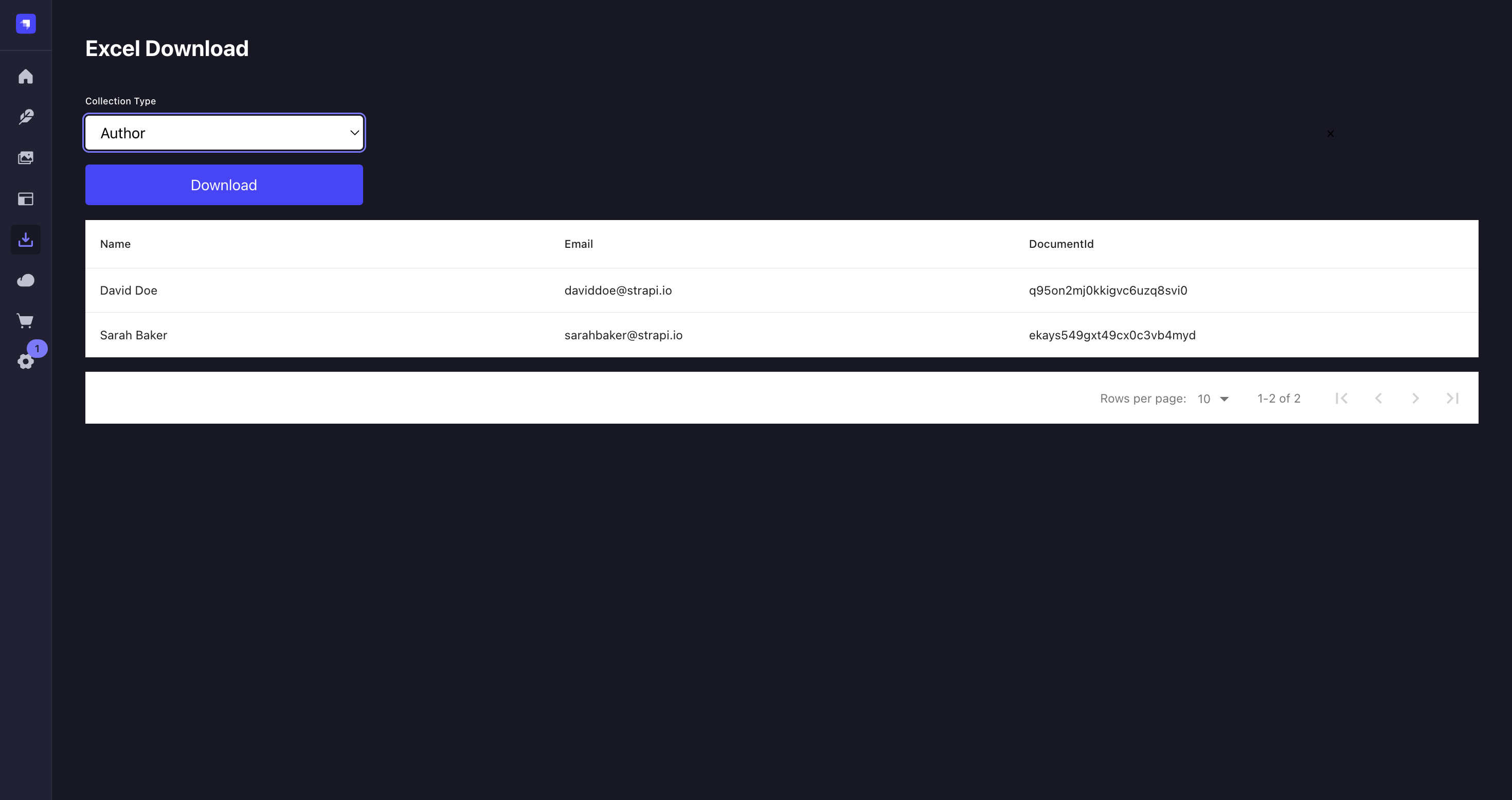



✨ Features
- Export any content type to CSV format
- Select specific fields to export
- Filter data before export
- Support for all field types including relations and media
- Batch export capabilities
- Clean and intuitive user interface
- Respects Strapi's permissions system
- Internationalization support
🔧 Requirements
- Strapi v5.x.x
- Node.js >=14.19.1 <=22.x.x
- NPM >= 6.0.0
📦 Installation
# Using npm
npm install strapi-plugin-csv-export

# Using yarn
yarn add strapi-plugin-csv-export

# Using pnpm
pnpm add strapi-plugin-csv-export
⚙️ Configuration
- Create or edit the plugin configuration file in your Strapi project:
// config/plugins.js
module.exports = {
  'csv-export': {
    enabled: true,
    config: {
      // Optional configuration
      maxExportCount: 1000, // Maximum number of entries to export (default: 1000)
      defaultFields: ['id', 'createdAt', 'updatedAt'], // Default fields to include
      delimiter: ',', // CSV delimiter (default: ',')
      encoding: 'utf8', // File encoding (default: 'utf8')
      exportPath: './exports', // Path for temporary export files (default: './exports')
      dateFormat: 'YYYY-MM-DD HH:mm:ss', // Date format in exports (default: 'YYYY-MM-DD HH:mm:ss')
    },
  },
};- Add the plugin to your dependencies and rebuild your Strapi admin panel:
# Using npm
npm run build
npm run develop

# Using yarn
yarn build
yarn develop

# Using pnpm
pnpm run build
pnpm run develop- The plugin should now be available in your Strapi admin panel under the Plugins section.
📖 Usage
Quick Start
- Navigate to any content type in your Strapi admin panel
- Look for the "CSV Export" button in the top toolbar
- Click it to open the export interface

Export Options
1. Field Selection
- Choose which fields to include in your export
- Support for all field types:
- Basic fields (text, number, date, etc.)
- Relation fields (one-to-one, one-to-many, many-to-many)
- Media fields (with configurable URL or file path export)
- Component fields (nested data)
- Dynamic zones
- Custom fields

2. Filtering Options
Filter your data before export:
- Date range filters
- Status filters (published/draft)
- Custom field filters
- Relation filters
- Search functionality
3. Batch Operations
Export specific entries:
- Select entries using checkboxes
- Click "Export Selected" to export only chosen entries
- Use "Select All" for bulk operations
Export Format
The exported CSV file includes:
- UTF-8 encoding with BOM for Excel compatibility
- Configurable delimiter (default: comma)
- Proper escaping of special characters
- Nested data handling
- Relation data resolution
Example output:
id,title,author,publishedAt,categories
1,"My First Post","John Doe","2024-03-30","Tech,News"
2,"Getting Started","Jane Smith","2024-03-29","Tutorial"
🤝 Contributing
We love your input! We want to make contributing to Strapi CSV Export as easy and transparent as possible. Please check our Contributing Guide for detailed instructions on:
- Reporting bugs
- Discussing the current state of the code
- Submitting fixes
- Proposing new features
- Becoming a maintainer
Development Workflow
- Fork the repo and create your branch from
main - Install dependencies:
npm install - Make your changes
- Add tests if applicable
- Run tests:
npm test - Update documentation
- Create a Pull Request
🐛 Troubleshooting
Common Issues
Export button not visible
- Ensure the plugin is properly installed and enabled
- Check user permissions in Strapi admin
Export fails with large datasets
- Adjust
maxExportCountin configuration - Use filters to reduce dataset size
- Adjust
Relation fields not exporting
- Verify relation field configuration
- Check permissions for related content types
Debug Mode
Enable debug mode in your Strapi configuration:
// config/plugins.js
module.exports = {
  'csv-export': {
    enabled: true,
    config: {
      debug: true, // Enable detailed logging
    },
  },
};
📝 License
📚 Documentation
💬 Support
- Create an issue
- Join our Discord community
- Email: [email protected]
⭐ Show your support
If this plugin helps you, please consider:
- Giving it a star on GitHub
- Sharing it with your team and friends
- Contributing to make it better
📣 Acknowledgements
- Thanks to all our contributors
- Inspired by the Strapi community's needs for better data export solutions