string-builder
v1.0.0
Published
A fast, zero-dependency string builder for Node.js with ESM, CommonJS, and TypeScript support.

Maintainers
 hibrahimsafak
Readme
StringBuilder



A fast, zero-dependency string builder for Node.js with ESM, CommonJS, and TypeScript support. Collects string parts in an array and joins them on toString() — avoiding the cost of repeated string concatenation.
Installation
npm install string-builderImport
CommonJS
const StringBuilder = require("string-builder");ESM
import StringBuilder from "string-builder";TypeScript
import StringBuilder from "string-builder";Examples
Building a plain text report
const users = [
  { name: "Alice", role: "admin" },
  { name: "Bob",   role: "editor" },
  { name: "Carol", role: "viewer" },
];

const sb = new StringBuilder("User Report")
  .appendLine()
  .appendLine("============");

for (const user of users) {
  sb.appendFormat("- {name:U} ({role})", user).appendLine();
}

sb.appendLine("============")
  .appendFormat("Total: {0} users", users.length);

console.log(sb.toString());
// User Report
// ============
// - ALICE (admin)
// - BOB (editor)
// - CAROL (viewer)
// ============
// Total: 3 users
Building an HTML string
const items = ["Home", "About", "Contact"];

const sb = new StringBuilder("<ul>").appendLine();

for (const item of items) {
  sb.appendFormat("  <li>{0}</li>", item).appendLine();
}

sb.append("</ul>");

console.log(sb.toString());
// <ul>
//   <li>Home</li>
//   <li>About</li>
//   <li>Contact</li>
// </ul>
Building a CSV
const headers = ["id", "name", "score"];
const rows = [
  { id: 1, name: "Alice", score: 95.5 },
  { id: 2, name: "Bob",   score: 87.0 },
  { id: 3, name: "Carol", score: 91.3 },
];

const sb = new StringBuilder()
  .appendJoin(headers, ",")
  .appendLine();

for (const row of rows) {
  sb.appendFormat("{id},{name},{score}", row).appendLine();
}

console.log(sb.toString());
// id,name,score
// 1,Alice,95.5
// 2,Bob,87
// 3,Carol,91.3
Building a SQL query dynamically
function buildQuery({ table, fields, limit }) {
  return new StringBuilder("SELECT ")
    .appendJoin(fields, ", ")
    .appendFormat(" FROM {0}", table)
    .appendFormat(" LIMIT {0}", limit)
    .toString();
}

console.log(buildQuery({ table: "users", fields: ["id", "name", "email"], limit: 10 }));
// SELECT id, name, email FROM users LIMIT 10
Format specifiers
const sb = new StringBuilder();

// :U — uppercase
sb.appendFormat("Hello, {0:U}!", "world").appendLine();
// → Hello, WORLD!

// :L — lowercase
sb.appendFormat("Status: {0:L}", "ACTIVE").appendLine();
// → Status: active

// :n — thousand separator
sb.appendFormat("Revenue: {0:n}", 1234567.89).appendLine();
// → Revenue: 1,234,567.89

// combined with named placeholders
sb.appendFormat("{name:U} earned {amount:n}", { name: "alice", amount: 95000 });
// → ALICE earned 95,000
Prepend and replace
const sb = new StringBuilder("world");

sb.prepend("hello ");
console.log(sb.toString()); // hello world

sb.replace("world", "there");
console.log(sb.toString()); // hello there

sb.append(" and back again").replaceAll("a", "@");
console.log(sb.toString()); // hello there @nd b@ck @g@in
Checking length and emptiness
const sb = new StringBuilder();

console.log(sb.isEmpty); // true
console.log(sb.length);  // 0

sb.append("hello world");

console.log(sb.isEmpty); // false
console.log(sb.length);  // 11
Reusing the buffer with .clear()
const sb = new StringBuilder();

for (const id of [1, 2, 3]) {
  sb.appendFormat("Processing item {0}...", id);
  console.log(sb.toString());
  sb.clear();
}
// Processing item 1...
// Processing item 2...
// Processing item 3...
Appending mixed types
const buf = Buffer.from([0x41, 0x42, 0x43]); // "ABC"

const result = new StringBuilder()
  .append("string: ").append("hello").appendLine()
  .append("number: ").append(42).appendLine()
  .append("float:  ").append(3.14).appendLine()
  .append("bool:   ").append(false).appendLine()
  .append("buffer: ").append(buf).appendLine()
  .append("zero:   ").append(0)
  .toString();

console.log(result);
// string: hello
// number: 42
// float:  3.14
// bool:   false
// buffer: ABC
// zero:   0
API
new StringBuilder(value?)
Creates a new instance. Optionally accepts an initial value.
const sb = new StringBuilder("initial");.prepend(value) → this
Adds a value to the beginning of the buffer. null and undefined are ignored.
new StringBuilder("world").prepend("hello ").toString(); // "hello world".append(value) → this
Appends any value. null and undefined are silently ignored. Falsy values like 0, false, and "" are accepted.
sb.append("text").append(42).append(false).append(Buffer.from([0x30]));.appendLine(value?) → this
Appends a newline (\n on Unix, \r\n on Windows), then the optional value.
sb.appendLine();          // just a newline
sb.appendLine("hello");   // newline + "hello"
.appendFormat(template, ...args) → this
Positional {0}, {1} or named {key} placeholder interpolation. Supports format specifiers after a colon. Use {{...}} to escape braces.
| Specifier | Effect | Example |
|---|---|---|
| :U | uppercase | {0:U} → "HELLO" |
| :L | lowercase | {0:L} → "hello" |
| :n | thousand separator | {0:n} → "1,234,567" |
sb.appendFormat("{0} + {1} = {2}", 1, 2, 3);              // positional
sb.appendFormat("Hello, {name}!", { name: "world" });      // named
sb.appendFormat("{0:U} earned {1:n}", "alice", 95000);     // with specifiers
sb.appendFormat("{{0}} is literal");                       // escaped → {0}
.appendJoin(arr, sep?) → this
Appends array elements joined by a separator. Default separator is "".
sb.appendJoin(["a", "b", "c"], ", "); // "a, b, c"
sb.appendJoin([1, 2, 3], " + ");      // "1 + 2 + 3"
.replace(search, replacement) → this
Replaces the first occurrence of search (string or RegExp) in the buffer.
sb.replace("foo", "bar");
sb.replace(/\d+/, "0");
.replaceAll(search, replacement) → this
Replaces all occurrences of search in the buffer. Automatically adds the g flag to RegExp if missing.
sb.replaceAll("foo", "bar");
sb.replaceAll(/\s+/, "-");
.clear() → void
Clears the internal buffer.
sb.clear();
sb.toString(); // ""
.toString() → string
Returns the accumulated string by joining all collected parts.
sb.append("a").append("b").append("c").toString(); // "abc".length → number
Returns the total character count of the current buffer without calling toString().
new StringBuilder("hello").length; // 5.isEmpty → boolean
Returns true if nothing has been appended yet or after clear().
new StringBuilder().isEmpty;                      // true
new StringBuilder("x").isEmpty;                   // false
new StringBuilder("x").clear().isEmpty;           // true (after clear)
Chaining
All methods except clear() return this:
const result = new StringBuilder()
  .prepend("START: ")
  .append("hello world")
  .replace("world", "there")
  .appendLine()
  .appendJoin(["a", "b", "c"], ", ")
  .toString();
License
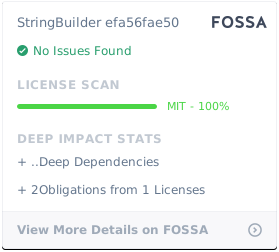
MIT © 2014 Halil İbrahim ŞAFAK