
svelte-inspect-value
v0.11.3
Published
Svelte value inspector component
Downloads
6,716


Readme
Svelte Inspect Value


Description
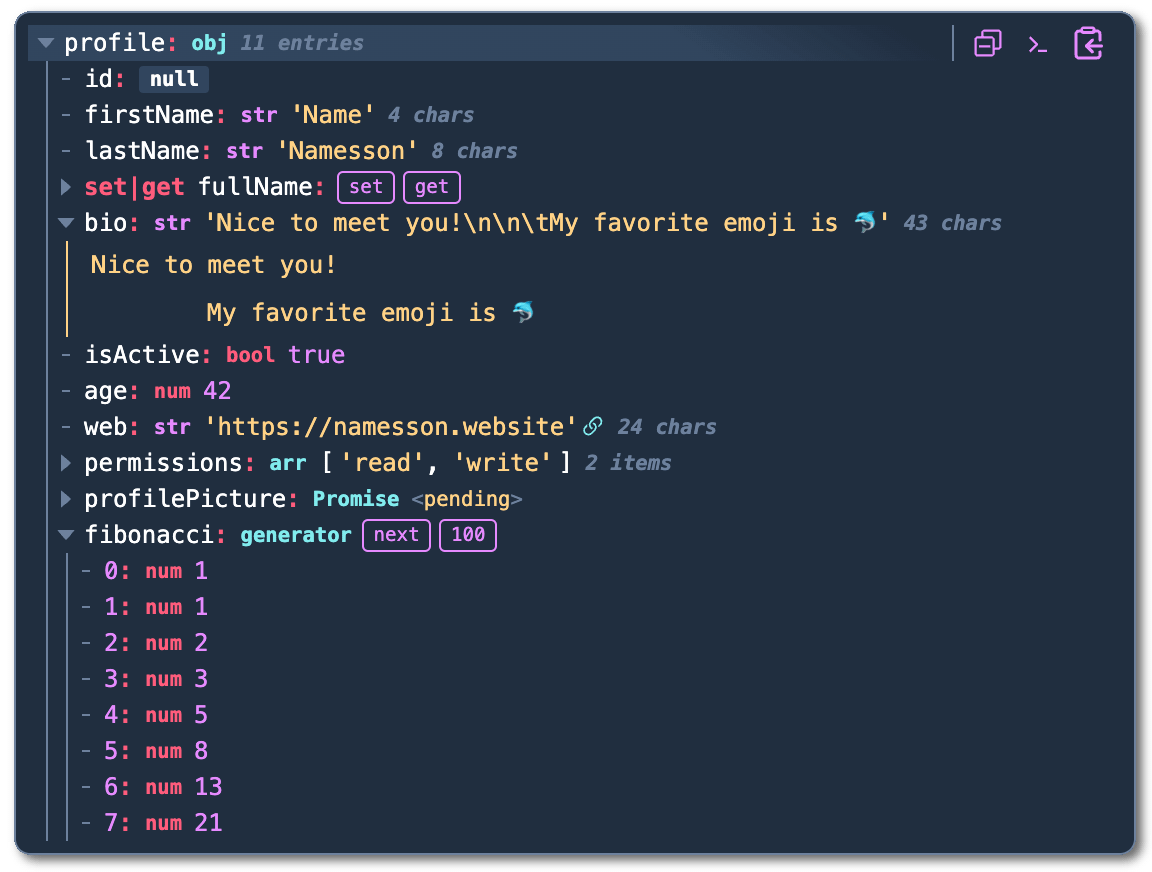
A collection of value inspector components.
It aims to be a valuable devtool for monitoring state and debugging, but should be usable for presenting data in any situation that calls for it.
Features
- Very configurable
- Simple configuration using provider function or component
- Fixed position drawer / panel component
- Deep nested search / filter with text highlighting
- Keyboard controls and shortcuts to easily navigate between values
- Built-in light and dark themes
- Customizable theming using base16 color schemes or 50+ css variabes
- Syntax highlighting for functions and HTML elements using highlight.js
- Embedding images and audio if a string value is a link / path with the proper file extension
- Parsing stringified JSON arrays and objects
- Full TypeScript support
- Custom Components (beta)
- Support for most JavaScript built-ins with specialized views displaying information relevant to to developers, including:
- Objects, arrays, maps and sets
- Iterators*
- Getters and setters*
- Dates
- URLs and URL Search Params
- Typed Arrays
- HTML elements
- Functions
- Class constructors and instances
- Promises
- Svelte stores and Observables
* iterators and getters need to be manually iterated or activated to not trigger side effects
Installation and use
Install svelte-inspect-value with your favourite package manager.
<script>
  import Inspect, {InspectOptionsProvider, setGlobalInspectOptions} from 'svelte-inspect-value'

  let name = $state('')
  let age = $state(42)

  // options provider function
  setGlobalInspectOptions({ ... })
</script>

<!-- options provider component (alternative to function) -->
<InspectOptionsProvider options={{ theme: 'stereo', search: true, showTypes: false }}>
  <!-- base component -->
  <Inspect value={{ name, age }} />
  <!-- base component variant that inspects any prop as individual values -->
  <Inspect.Values {name} {age} />
  <!-- fixed position panel -->
  <Inspect.Panel values={{ name, age }}>
</InspectOptionsProvider>
Basic props
These props are used for Inspect and Inspect.Panel
values- an object or array / iterable of values to be inspectedvalue- a single value to be inspectedname- a display name for value passed withvalue-prop
The props value and name will not be used if the values-prop is set.
See the following pages in the documentation for a full overview of props:
Configuring
Inspect and Inspect.Panel can be configured using any property of InspectOptions by setting them as props directly on the component, but the simplest method is using the provider method shown in the example above, leaving you able to overwrite any global options using props if needed.
Inspect.Values does not take any configuration props as any prop will simply be inspected, so the provider method is recommended. See the documentation on how to configure Inspect.Values without using providers.
Acknowledgements
- Focus management implementation is heavily based on code from
svelte-inspect - The "drak"-theme is based on the dracula color scheme
- The "stereo"-theme is based on the monokai color scheme
- Persistence-logic is borrowed from runed with some modifications