
svelte-tabcontent
v1.0.2
Published
A fully-customizable tab UI component to go with your beautiful designs


Readme
svelte-tabcontent
A fully-customizable tab UI component to go with your beautiful designs
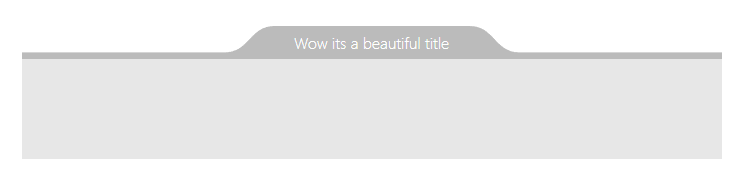
Demo
Installation
npm install svelte-tabcontent --saveBasic usage
<script>
  import TabContent from 'svelte-tabcontent'
</script>

<TabContent
  backgroundColor="orange"
  borderColor="brown"
  borderWidth={2}
  >
    <h1>What an awesone component !</h1>
</TabContent>
Props
| Prop | Type | Default | Description |
| :----------------- | :---------------------------------- | :------: | :---------------------------------------------------------------------------------------------------------------------------------------------------------------------------------------------------------------------------------------------------------------------------------------------------------- |
| backgroundColor | CSS color | #BBB | The background color. |
| borderColor | CSS color | #BBB | The border color. |
| borderWidth | number | 0 | Border width in pixel. |
| roundTop | number | 50 | Roundness aspect of the top curve (in %). |
| roundBottom | number | 50 | Roundness aspect of the bottom curve (in %). |
| curveWidth | number | 50 | Total width of the roundness part (in px). |
| depth | number | 80 | Depth of the tab (in %). |
| padding | number | 0 | x padding arround the content. |
| inversed | boolean | false | Set to true to make it hand from above. |
| align | string | 'center' | Align on the x axis ('left','center','right') |
| shiftX | number | 0 | Shift on the x axis in px). |
| pattern | string | null | SVG pattern element
| patternId | string | 'pattern' | Name of the pattern element |
| shapeVisible | boolean | true | Set to false for hidding the shape |