
svg-country-flags-2x1
v1.0.1
Published
Collection of detailed SVG country flags in 2:1 ratio

Maintainers
 yadnyeshkolte
Readme
svg-country-flags-2x1
A lightweight, flexible package for working with detailed country flags in JavaScript applications. Get access to flag SVGs, emoji, and country data. All flags maintain a 2:1 aspect ratio.
Installation
npm install svg-country-flags-2x1
# or
yarn add svg-country-flags-2x1
# or
pnpm add svg-country-flags-2x1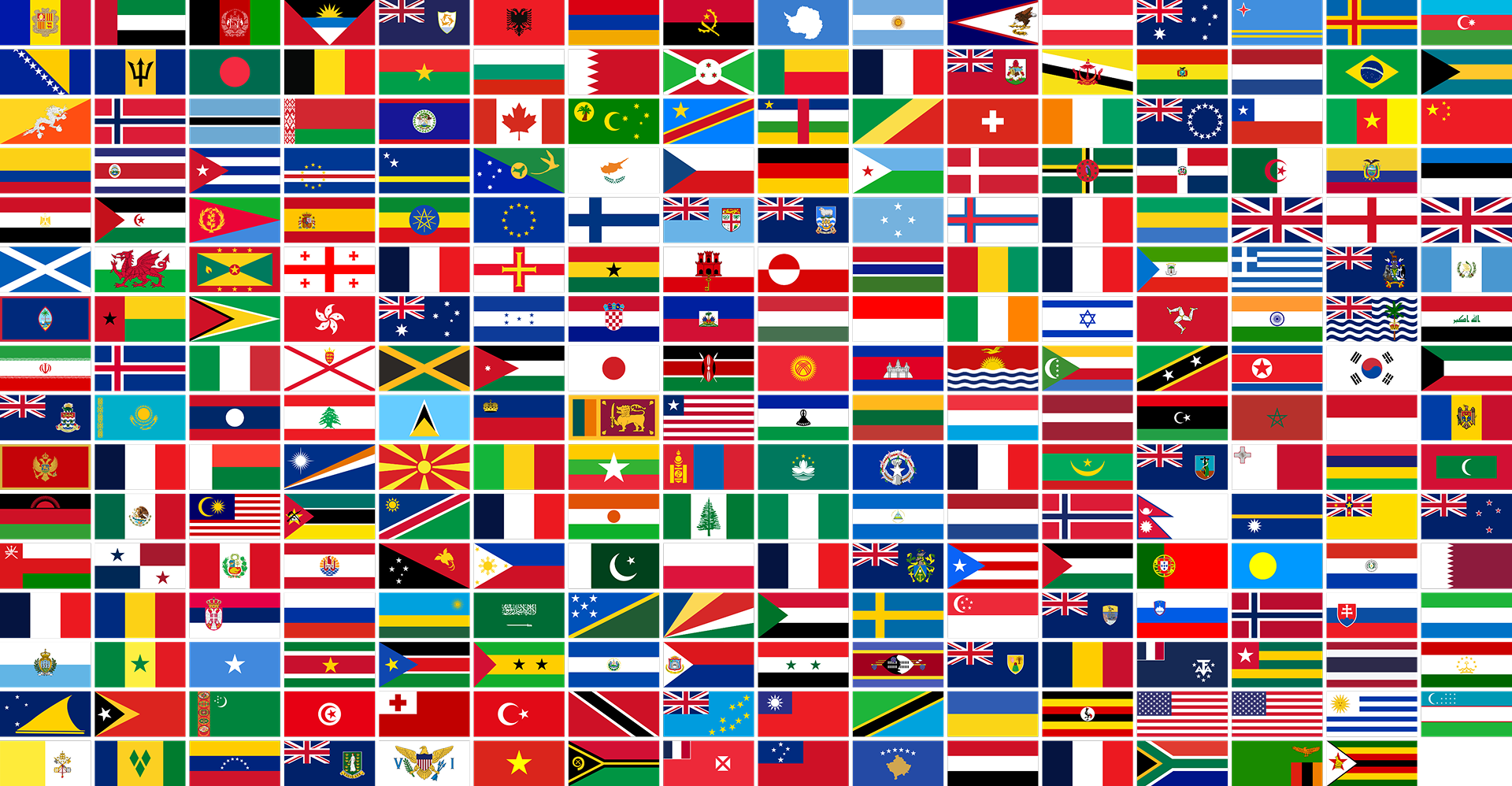
Basic Usage
Importing the Package
// ES Modules
import { CountryFlags } from 'svg-country-flags-2x1';

// CommonJS
const { CountryFlags } = require('svg-country-flags-2x1');
Creating an Instance
const flags = new CountryFlags();Basic Examples
// Get a flag URL
const flagUrl = flags.getFlagUrl('us'); // Returns URL for USA flag

// Get flag with details - only width needed, height will be automatic 2:1 ratio
const flagDetails = await flags.getFlag('fr', { width: 200 });
console.log(flagDetails);
// Output:
// {
//   code: 'fr',
//   name: 'France',
//   svg: '<svg width="200" height="100">...</svg>'
// }

// Alternatively, specify height and width will be automatic 2:1 ratio
const flagDetails2 = await flags.getFlag('fr', { height: 100 });

// Get flag emoji
const emoji = CountryFlags.getFlagEmoji('jp'); // Returns 🇯🇵
Reference
Class: CountryFlags
Instance Methods
getFlagUrl(countryCode: string): string | null
Returns the URL for a country's flag SVG.
countryCode: Two-letter country code (ISO 3166-1 alpha-2)- Returns: URL string or null if not found
const url = flags.getFlagUrl('gb');async getFlag(countryCode: string, options?: Object): Promise<Object | null>
Get detailed flag information with optional sizing.
countryCode: Two-letter country codeoptions: Optional configuration objectwidth: Desired width in pixels (height will be automatically set to maintain 2:1 ratio)height: Desired height in pixels (width will be automatically set to maintain 2:1 ratio)
- Returns: Object containing flag details or null if not found
// Width specified - height will be half of width
const flag = await flags.getFlag('de', { width: 300 });

// Height specified - width will be double the height
const flag2 = await flags.getFlag('de', { height: 150 });
async getFlagElement(countryCode: string): Promise<SVGElement | null>
Get the SVG DOM element for a country flag.
countryCode: Two-letter country code- Returns: SVG element or null if not found
const svgElement = await flags.getFlagElement('it');getAllCountryCodes(): string[]
Get an array of all available country codes.
const codes = flags.getAllCountryCodes();async getAllFlags(): Promise<Array>
Get all available flags with their details.
const allFlags = await flags.getAllFlags();async searchFlags(query: string): Promise<Array>
Search for flags by country code or name.
query: Search string- Returns: Array of matching flag objects
const results = await flags.searchFlags('united');Static Methods
static getFlagEmoji(countryCode: string): string | null
Get the flag emoji for a country code.
countryCode: Two-letter country code- Returns: Flag emoji or null if not found
const emoji = CountryFlags.getFlagEmoji('au');static validateCountryCode(code: string): boolean
Validate a country code.
code: Two-letter country code to validate- Returns: Boolean indicating validity
const isValid = CountryFlags.validateCountryCode('us');Framework Integration
React Integration
Basic Component Example
import { useState, useEffect } from 'react';
import { CountryFlags } from 'svg-country-flags-2x1';

const CountryFlag = ({ countryCode, width }) => {
  const [flagSvg, setFlagSvg] = useState('');
  const flags = new CountryFlags();

  useEffect(() => {
    async function loadFlag() {
      const flag = await flags.getFlag(countryCode, { width });
      if (flag) {
        setFlagSvg(flag.svg);
      }
    }
    loadFlag();
  }, [countryCode, width]);

  return (
    <div dangerouslySetInnerHTML={{ __html: flagSvg }} />
  );
};

// Usage
function App() {
  return (
    <div>
      <CountryFlag countryCode="us" width={200} />
    </div>
  );
}
Flag Search Component
import { useState } from 'react';
import { CountryFlags } from 'svg-country-flags-2x1';

const FlagSearch = () => {
  const [query, setQuery] = useState('');
  const [results, setResults] = useState([]);
  const flags = new CountryFlags();

  const handleSearch = async (e) => {
    const searchQuery = e.target.value;
    setQuery(searchQuery);

    if (searchQuery.length > 1) {
      const searchResults = await flags.searchFlags(searchQuery);
      setResults(searchResults);
    } else {
      setResults([]);
    }
  };

  return (
    <div>
      <input
        type="text"
        value={query}
        onChange={handleSearch}
        placeholder="Search for a country..."
      />
      <div className="results">
        {results.map(flag => (
          <div key={flag.code}>
            <div dangerouslySetInnerHTML={{ __html: flag.svg }} />
            <p>{flag.name}</p>
          </div>
        ))}
      </div>
    </div>
  );
};
Vue Integration
Basic Component Example
<template>
  <div v-html="flagSvg"></div>
</template>

<script>
import { CountryFlags } from 'svg-country-flags-2x1';

export default {
  name: 'CountryFlag',
  props: {
    countryCode: {
      type: String,
      required: true
    },
    width: {
      type: Number,
      default: 100
    }
  },
  data() {
    return {
      flagSvg: ''
    }
  },
  async created() {
    const flags = new CountryFlags();
    const flag = await flags.getFlag(this.countryCode, {
      width: this.width
    });
    if (flag) {
      this.flagSvg = flag.svg;
    }
  }
}
</script>
Flag Gallery Component
<template>
  <div class="flag-gallery">
    <div v-for="flag in flags" :key="flag.code" class="flag-item">
      <div v-html="flag.svg"></div>
      <p>{{ flag.name }}</p>
    </div>
  </div>
</template>

<script>
import { CountryFlags } from 'svg-country-flags-2x1';

export default {
  name: 'FlagGallery',
  data() {
    return {
      flags: []
    }
  },
  async created() {
    const flagsInstance = new CountryFlags();
    const flags = await flagsInstance.getAllFlags();
    // Set width for all flags
    this.flags = flags.map(flag => ({
      ...flag,
      svg: flag.svg.replace('<svg', '<svg width="200"')
    }));
  }
}
</script>

<style scoped>
.flag-gallery {
  display: grid;
  grid-template-columns: repeat(auto-fill, minmax(200px, 1fr));
  gap: 20px;
}

.flag-item {
  text-align: center;
}
</style>
Browser Support
The package works in all modern browsers that support SVG and the Fetch API. For older browsers, you may need to include polyfills for:
- Fetch API
- Promise
- SVG support
TypeScript Support
The package includes TypeScript type definitions. You can import types as follows:
import { CountryFlags, FlagOptions, FlagDetails } from 'svg-country-flags-2x1';Troubleshooting
Common Issues
Flag Not Loading
- Ensure the country code is valid (use
validateCountryCode) - Check network connectivity
- Verify SVG support in your environment
- Ensure the country code is valid (use
Invalid Country Code
// Good
flags.getFlagUrl('us');

// Bad
flags.getFlagUrl('USA');  // Wrong format
flags.getFlagUrl('');     // Empty string
SVG Rendering Issues
- Ensure proper sanitization when using
dangerouslySetInnerHTMLin React - Check if your bundler is properly handling SVG files
- Ensure proper sanitization when using
Best Practices
- Always validate country codes before use
- Handle null returns from API methods
- Implement error boundaries in React
- Use appropriate width for flags (height will be automatic)
- Cache results when making multiple calls
License
MIT License