
svgmap-jharkhand
v0.0.2
Published
Interactive map of Jharkhand for React

Maintainers
 arav-ind
Readme
Interactive Map of Jharkhand
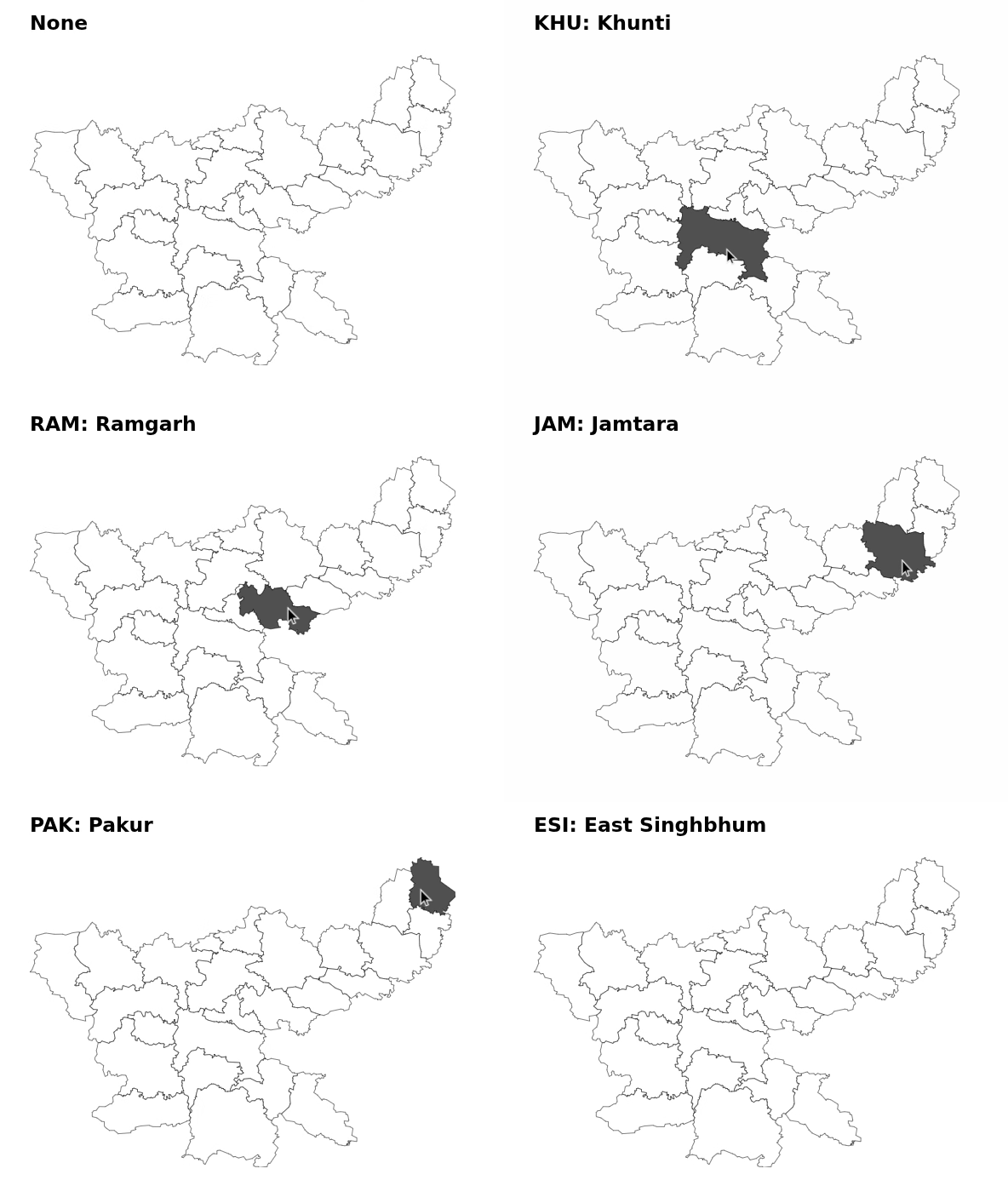
This package generates an interactive SVG map of Jharkhand. It allows users to highlight districts on hover and retrieve the value of the selected district.
Installation
Install the package via npm:
pnpm install svgmap-jharkhandDistrict List
The following are the districts mapped with its ID.
export const districtNames = {
    SAH: 'Sahibganj',
    GOD: 'Godda',
    PAK: 'Pakur',
    GIR: 'Giridih',
    DUM: 'Dumka',
    DEO: 'Deoghar',
    PAL: 'Palamu',
    CHA: 'Chatra',
    GAR: 'Garhwa',
    JAM: 'Jamtara',
    DHA: 'Dhanbad',
    LAT: 'Latehar',
    BOK: 'Bokaro',
    RAM: 'Ramgarh',
    RAN: 'Ranchi',
    LOH: 'Lohardaga',
    GUM: 'Gumla',
    KHU: 'Khunti',
    SKH: 'Saraikela-Kharsawan',
    ESI: 'East Singhbhum',
    WSI: 'West Singhbhum',
    SIM: 'Simdega',
    KOD: 'Koderma',
    HAZ: 'Hazaribagh',
}
Usage
'use client'

import React, { useState } from 'react'
import JharkhandMap, { districtNames } from 'svgmap-jharkhand'

const App = () => {
    const [selectedValue, setSelectedValue] = useState<string | null>(null)

    return (
        <div>
            <h3>{selectedValue ? `${selectedValue}: ${districtNames[selectedValue]}` : 'None'}</h3>
            <JharkhandMap
                onClick={(value: string) => setSelectedValue(value)}
                size="400px"
                mapColor="white"
                strokeColor="black"
                strokeWidth="1"
                hoverColor="rgb(80 80 80)"
            />
        </div>
    )
}

export default App
Props Available
| Props | Description | Requirement | Default Value | | ----------- | -------------------------------------------------- | ----------- | ------------- | | onClick | Callback function to get the selected state value. | Required | NA | | className | Custom classname for the map component. | Optional | "svgmap" | | size | Width of the map. | Optional | "inherit" | | mapColor | Color of the map. | Optional | "#ffffff" | | strokeColor | Border color of each state. | Optional | "#000000" | | strokeWidth | Border width of each state. | Optional | "0.5" | | hoverColor | Color of the state while hovering on it. | Optional | "#303030" |
Contributing
Pull requests are welcome.