swagger-ui-express-subtags
v1.0.5
Published
Swagger UI Express

Maintainers
 prabhacoder
Readme
Swagger UI Express Subtags
This package produces a Swagger UI layout with endpoints grouped into a hierarhical list based on tags with
(optional) special delimiter characters to denote hierarchy. Delimiter characters are | and :. FYI - It's modified version of swagger-ui-express. Please refer the documentation for module implementation with express.
Usage
Install using npm:
$ npm install swagger-ui-express-subtagsExpress setup app.js
const express = require('express');
const app = express();
const swaggerUi = require('swagger-ui-express-subtags');
const swaggerDocument = require('./swagger.json');

app.use('/api-docs', swaggerUi.serve, swaggerUi.setup(swaggerDocument));
or if you are using Express router
const router = require('express').Router();
const swaggerUi = require('swagger-ui-express-subtags');
const swaggerDocument = require('./swagger.json');

router.use('/api-docs', swaggerUi.serve);
router.get('/api-docs', swaggerUi.setup(swaggerDocument));
Open http://<app_host>:<app_port>/api-docs in your browser to view the documentation.
Sample swagger.yaml for subtags implementation -> Download
Sample swagger.json for subtags implementation -> Download
Subtags output for above configuration files
Swagger Configuration - 1
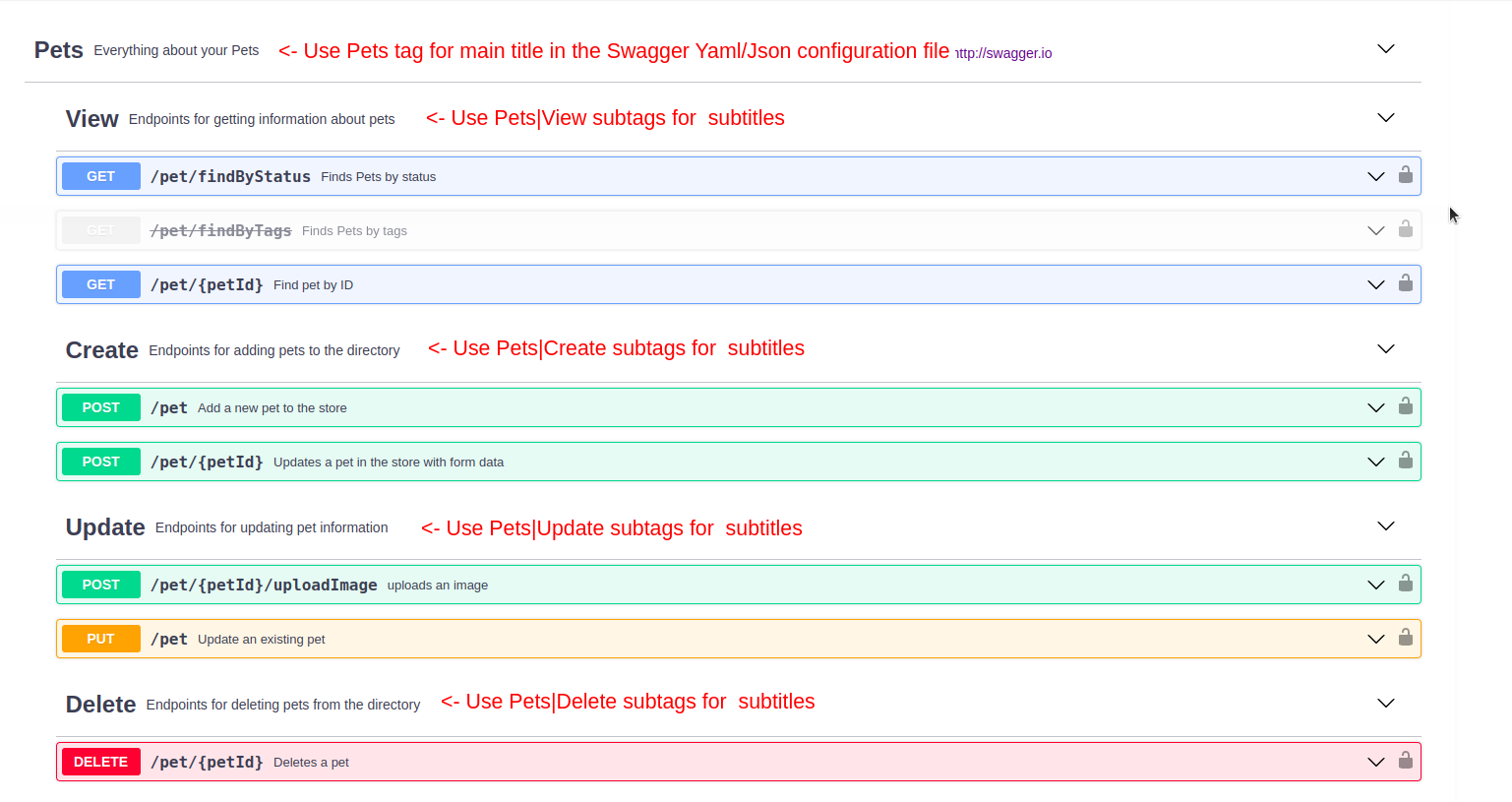
tags:
- name: Pets
  description: Everything about your Pets
  externalDocs:
    description: Find out more
    url: http://swagger.io
- name: Pets|View
  description: Endpoints for getting information about pets
- name: Pets|Create
  description: Endpoints for adding pets to the directory
- name: Pets|Update
  description: Endpoints for updating pet information
- name: Pets|Delete
Swagger UI Output - 1
Swagger Configuration - 2
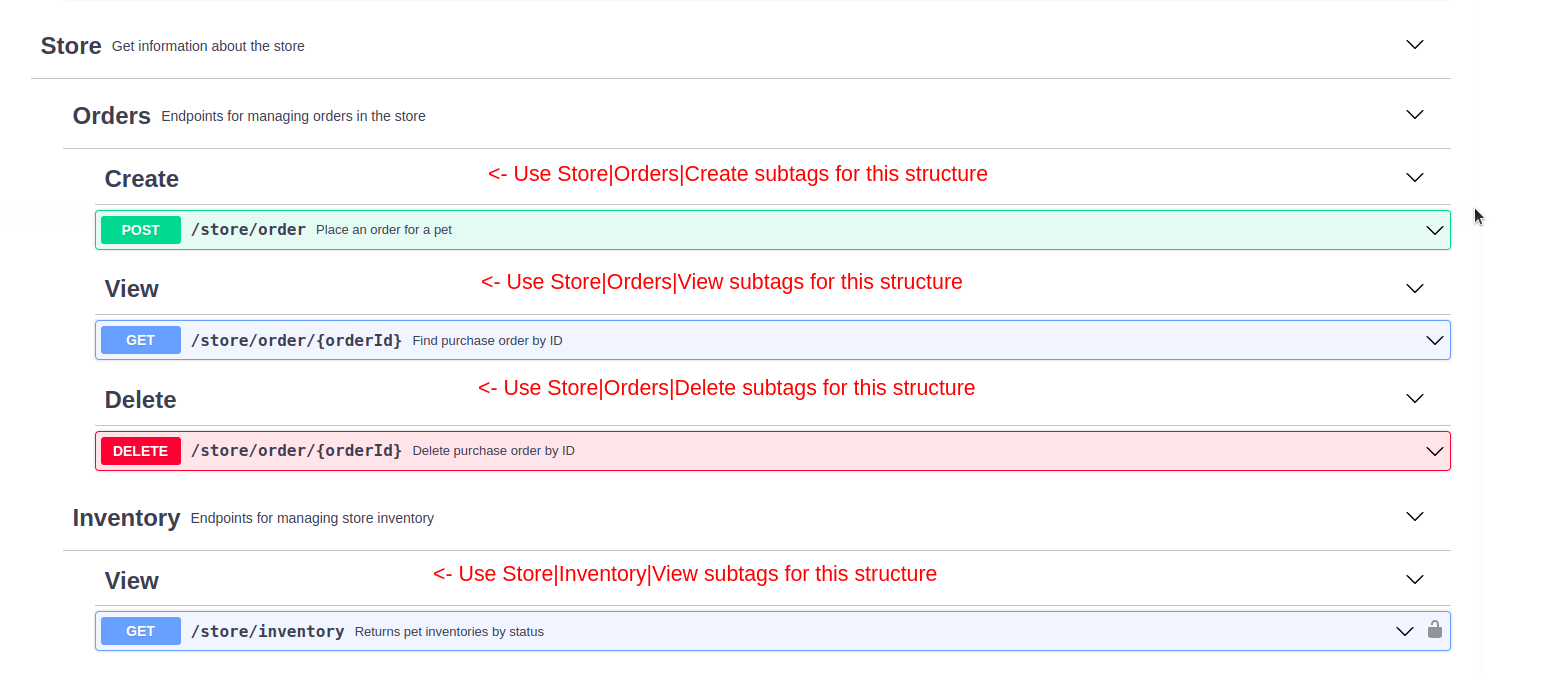
tags:
- name: Store
  description: Get information about the store
- name: Store|Orders
  description: Endpoints for managing orders in the store
- name: Store|Orders|Create
- name: Store|Orders|View
- name: Store|Orders|Delete
- name: Store|Inventory
  description: Endpoints for managing store inventory
- name: Store|Inventory|View
Swagger UI Output - 2