
swing-ui
v1.1.1
Published
Cross-platform Graphic User Interface for Node.js, Bun and Deno 2+

Maintainers
 vitaminxp
Readme
swing-ui GUI Module
Build real cross-platform desktop apps in JavaScript — no Electron, no Chromium, no browser, no HTML/CSS, no React/Angular/Svelte/Vue. No back-end / front-end mess.
Build once, run it on Windows, Linux and macOS in your favorite JavaScript runtime: Node.js, Bun, or Deno 2+.




swing-ui brings a new experience to Java Swing with enhanced components and a simple JavaScript API, allowing you to build native-looking, cross-platform desktop applications entirely in JavaScript using the JS runtime you already know: Node.js, Bun, or Deno 2+.
You only write JavaScript and the GUI gets built, or better yet, use our Visual GUI Designer to skip coding at all.
Try it in your project: npm install swing-ui.
For quick onboarding check out swing-ui.com Getting Started guide and API reference.
Finally, JavaScript is no longer for web browser and server back end. Now its for desktop apps too.
Problems with building JavaScript desktop apps without swing-ui
If you've shipped a desktop app in JS before, you've probably lived one of these:
- Electron works, but it's heavy, require HTML, CSS, .... Every app ships its own copy of Chromium and Node, so installers balloon past 100–150 MB and even simple apps chew through RAM before you've drawn a single window.
- The "lightweight" alternatives mean leaving JavaScript. Native performance and a small footprint usually mean learning Qt, WinForms, or raw Swing/AWT in a completely different language and ecosystem.
- HTML/CSS UIs never quite feel native. Buttons, menus, and dialogs built in a webview look and behave like a webpage wearing a desktop costume, not a real OS application.
- Back-end/front-end confusion and management makes coding horrible. Now it's just one JavaScript code like it should be.
- Asynchronous request calls to UI components from main application logic are messy.
swing-uiprovides a synchronous deterministic code execution, so that when you request a text from a component in your main application logic code, you can use the returned text in your next line of code without usingawait, Promise and a callback function.
swing-ui removes those issues. You get a real native OS windows and UI components from enhanced Java Swing library and you don't have to write a single line of Java code, HTML or CSS. Write your UI in plain JavaScript, or simply design the UI in our free swing-ui Visual GUI Designer.
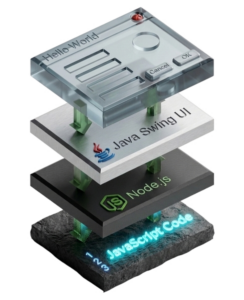
Why developers love swing-ui GUI module
No browser engine, no markup. No Chromium bundled into your build, no HTML, no CSS — just JavaScript, or the visual GUI Designer if you'd rather not hand-position pixels.
It's just JavaScript, with a chainable API. Every component returns itself, so building UI reads like jQuery, not like fighting a framework:
const saveButton = new Button("Save").position(15, 50).size(100, 30)
  .addTo(window)
  .onAction(e => save());
JavaScript API is super easy, intuitive, and well documented. Quick onboarding docs and API reference is at swing-ui.com.
Simple synchronous code execution. No need to use
awaitor callback function to get Ui component property or value.For your convenience complex low level stuff is highly simplified without much compromise. For example features like drag-and-drop, undo/redo, clipboard management, table manipulation, images support and much more.
Looks native, not just close. swing-ui can opt into your OS's system look-and-feel, so windows and controls take on native Windows, macOS, or Linux styling instead of a generic default theme.
The full Java Swing component library, from JS. Tables with sorting, filtering, column reordering and hiding; trees, tabs, and split views; rich clipboard and drag-and-drop support — including MIME types, both within your app and to/from other applications; full icon and image support across JPG, PNG, GIF, BMP, ICO, TIFF, HEIC, WEBP, AVIF; and deep event handling for actions, mouse, scrolling, resizing, and more.
Runs on the runtime you already picked. First-class support for Node.js, Bun, and Deno 2+ — same API, same imports.
Synchronous where it should be. GUI calls, file reads/writes, clipboard access — no unnecessary
awaitand callbacks for things that don't need it.One honest dependency. swing-ui needs a Java 11+ JDK on the system PATH to power the native rendering — the whole trade-off for skipping Chromium. It's light enough to run on a $5 Raspberry Pi Zero, just slower than on a desktop.
Multiple UI themes available. In addition to few themes build into Java, like
metalor system look-and-feel,swing-uiincludes beautifulFlatLafthemes (light and dark) from https://www.formdev.com/flatlaf/.AI already writes apps with
swing-uiGUI using our pre-made skill and GUI definition file schema.
Quick look
npm install swing-uiInstall it locally in each project — not with
-goption.
import "swing-ui";

class HelloApp extends Window {
  constructor() {
    super("swing-ui Demo");
    this.innerSize(360, 160).position(200, 200).closeOperation(Window.CloseOperation.Exit);

    new Label("What's your name?").position(20, 20).size(300, 25).addTo(this);
    const name = new TextField("type name here").size(300, 28).position(20, 45).addTo(this);

    new Button("Greet me").position(20, 85).addTo(this)
      .onAction(e => alert(`Hello, ${name.text()}!`));

    this.show();
  }
}

globalThis.HelloApp = new HelloApp();
Run it with node index.js (or bun index.js / deno run index.js) and you get a real, resizable, native OS window — not a browser tab.
That's just a taste. Tables, trees, tabs, menus, system tray icons, custom drawing, and the full component API are all covered in the docs.
See it in action
- A notes app built entirely with swing-ui — a real simple example of what you can ship
- Our Visual GUI Designer was build entirely in JavaScript with
swing-uiGUI module.
What people build with it
- Internal tools
- Admin dashboards
- Data-entry apps
- File and asset managers
- Monitoring utilities
- Small line-of-business apps
- Simple graphical games using shapes API
- Vector drawing apps
- Industrial control software
- CNC software
- Financial software with graphical graphs and charts
- and much more...
Anywhere you want a real desktop app without the weight of a browser runtime, and without leaving JavaScript to get it. With thousands of JavaScript modules now almost anything is possible in JavaScript.
Requirements
- Windows, Linux, or macOS
- Node.js 18+, Bun 1.1+, or Deno 2+
- Java 11+ JDK, with
javaavailable on the systemPATH - 1 GHz processor and 500 MB RAM or more - light enough to even run on a $5 Raspberry Pi Zero
- ECMAScript Module (ESM) mode only (
"type": "module"inpackage.json)
Docs
This README is just the pitch. Everything else lives at swing-ui.com:
- Quick onboarding guide — go from
npm installtoswing-uiexpert in no time - Full JavaScript API reference, class by class
- Coding style and patterns explained, theming, Visual GUI Designer, and UI-definition-file guides
- More examples
Found a bug? Report it here — every report gets reviewed and helps to make swing-ui even better.