
sync-opfs
v4.3.1
Published
Node's fs in the browser, including a real synchronous readFileSync/writeFileSync, stored in OPFS. Alias for @componentor/fs.
Maintainers
Readme
@componentor/fs — a real synchronous Node.js filesystem in the browser

sync-opfsand@componentor/fsare the same package under two names — same code, same version, published together. Install whichever name you prefer; you never need both. The canonical package is@componentor/fs, and the source, issues and full docs live at github.com/componentor/fs.
Node's fs API in the browser, with a readFileSync that actually blocks and returns a
value. Not an in-memory mock, and not async calls in a sync costume: the *Sync methods really
block, using SharedArrayBuffer and Atomics.wait to bridge the browser's async OPFS. Files live
in OPFS, so they survive a reload.
import { VFSFileSystem } from 'sync-opfs';
const fs = new VFSFileSystem({ root: '/my-app' });
await fs.init(); // mount before the first blocking call
fs.writeFileSync('/hello.txt', 'Hello from the browser');
fs.readFileSync('/hello.txt', 'utf8'); // → 'Hello from the browser'That makes it possible to run Node code in the browser that was never written for an async
filesystem: TypeScript compiler hosts reading through ts.sys, CommonJS require() resolution,
Emscripten/WASI syscall shims, and the pile of CLI tools written in *Sync throughout — without
rewriting any of it.
Every method of node:fs and node:fs/promises is here, across the sync, promises, callback,
stream and file-descriptor APIs. If your code is already async, that half works everywhere with
none of the setup the sync API needs — isomorphic-git runs on it,
and is part of the benchmark suite.
Install as @componentor/fs or
sync-opfs — same package, two names.
Try it in your browser → · no install, real OPFS.
Our flagship: Tab Desktop
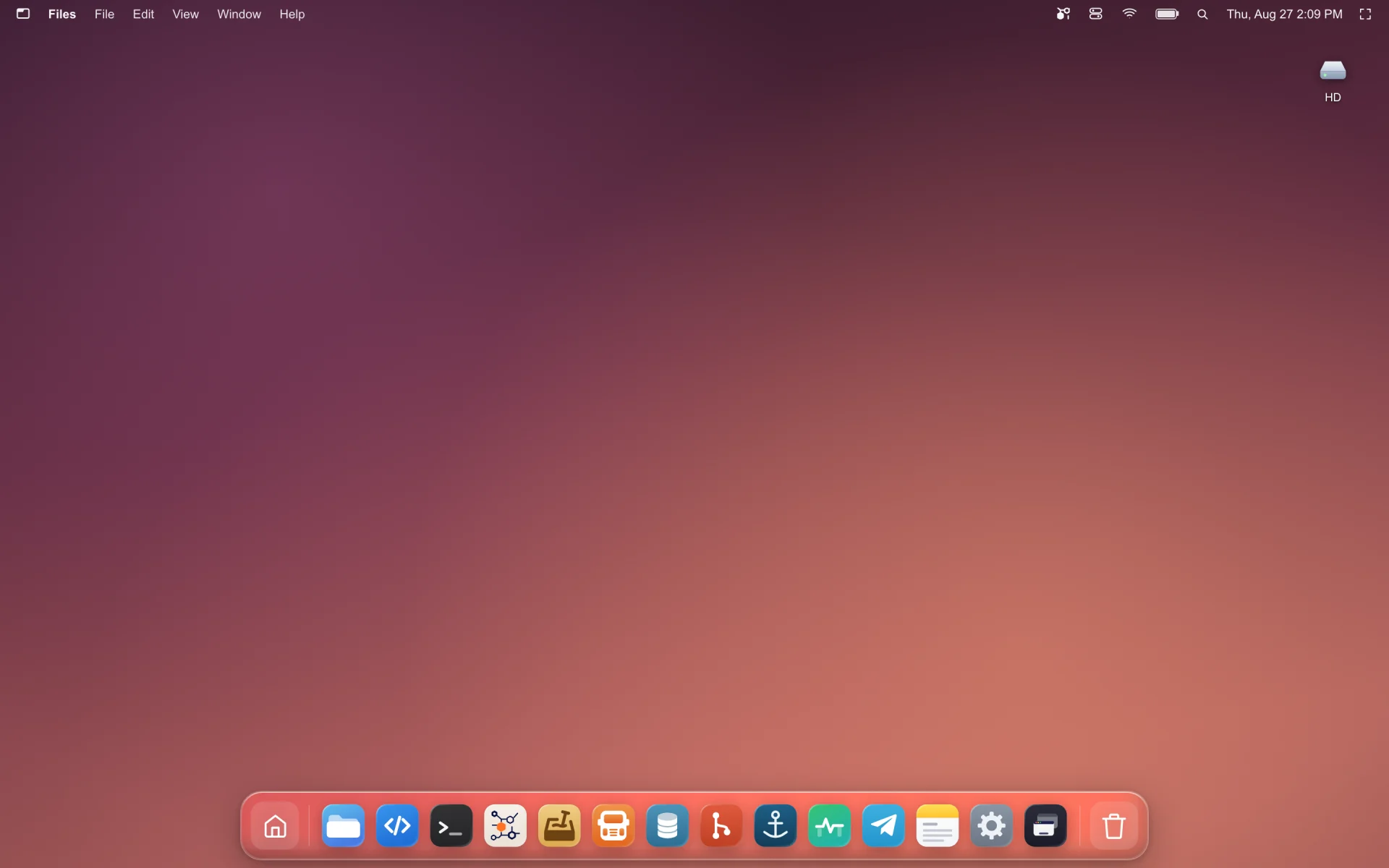
Tab Desktop is a complete desktop OS that runs in a browser tab —
file manager, terminal, code editor, git, databases — and this library is the filesystem
underneath it. Every readFileSync those apps make is a real blocking read against OPFS.
It is the hardest test this library has, and the reason to trust the rest of this page:
- A WebContainer-class runtime, at speed. A whole OS's worth of processes hammering one filesystem — package installs, git checkouts, compilers, a live file manager — with the sync calls that shape of software is written in, not an async rewrite of it.
- Across tabs. Open it in several tabs and they share one filesystem, with one tab elected leader and the rest routed to it. Not a copy per tab, and not last-write-wins.
- On Chrome, Safari and Firefox. The one people expect to be a Chrome-only trick. Cross-tab synchronous I/O on WebKit and Gecko is where in-browser filesystems usually stop — see Browser Support for what each engine needs and the single case (a Safari follower tab calling from the main thread rather than a worker) that stays impossible.
Jump to: Install · Quick start · Examples · Why sync needs two headers · How it compares · FAQ · API reference · Benchmarks
One thing to know first
The async half works everywhere. The sync half needs your page to be cross-origin isolated — one server setting, and the only part of this library that can't be fixed from inside the package:
Cross-Origin-Opener-Policy: same-origin
Cross-Origin-Embedder-Policy: require-corpCan't set headers (GitHub Pages, some CDNs, an embedded iframe)? The async API is fully supported
and you lose nothing but the blocking calls — COOP/COEP Headers has per-host
config and a service-worker workaround for static hosts. Check crossOriginIsolated in the
console if you're unsure which tier you're on.
Features
- True sync API — blocking
readFileSync/writeFileSync/… via SharedArrayBuffer + Atomics, not callbacks pretending to be sync. - Async API too —
fs.promises.*works everywhere, even without COOP/COEP headers. - 100% of the
node:fssurface — all 134 functions acrossnode:fsandnode:fs/promiseson Node 24, with nothing excluded, along withFileHandle,Dir,Stats/BigIntStats/Direntas real classes, andfs.constants. Streams, file descriptors,watch,glob,cp,mkdtemp,realpath,statfs, bigint stats — all of it. The handful of behavioural divergences is listed under Node compatibility; two tests keep the claim honest: one enumerates Node's exports at runtime and fails if any are missing, the other asserts every one of them is actually compared against a livenode:fs— so a method cannot be implemented, typed, documented and never tested. - Real persistence — a compact binary VFS (
.vfs.bin) in OPFS, plus an optional bidirectional mirror to real OPFS files DevTools and other tools can see. - Multi-tab safe — leader/follower architecture with automatic failover via
navigator.locks; works on Safari (incl. worker-hosted followers). - External-change aware — a
FileSystemObserversyncs edits made outside the library back into the VFS (Chrome 129+), on by default inhybridmode. Available to instances running on a page; a worker-hosted instance does not watch, because a worker cannot detach an observer before the page kills it and Chromium aborts on one that outlives its scope — see Known divergences. Mirroring outward is unaffected either way. - isomorphic-git ready — battle-tested against real git operations.
- Multi-drive (experimental) — a uniform async
Driveabstraction +DriveManagerfor cross-drive copy/move with progress. See Multi-Drive API. - No worker files, no bundler config — the worker bundles are embedded in the entry as source text and started as same-origin blobs, so there is no URL for a bundler to rewrite and nothing to host. Works from a
<script type="module">, from a CDN, and under Vite dev and build with an empty config. - TypeScript-first — complete type definitions included.
How it compares
The browser has several filesystem libraries and they solve different problems. The axis that usually decides it is whether you need synchronous calls and whether data must survive a reload.
| | Storage | Survives reload | Sync API | node:fs coverage vs Node 24.18 |
|---|---|---|---|---|
| sync-opfs / @componentor/fs (this) | OPFS + binary VFS | Yes | Yes, on the main thread — SharedArrayBuffer + Atomics.wait | 100% — 134/134 |
| @zenfs/core 2.6 | Pluggable backends | Depends on backend | Yes, where the backend allows it | 97.0% — 130/134 |
| memfs 4.68 | Memory | No | Yes | 95.5% — 128/134 |
| @isomorphic-git/lightning-fs | IndexedDB | Yes | No | Partial by design — the subset isomorphic-git needs |
| opfs-worker | OPFS | Yes | No — async only | n/a — its own async API, not fs-shaped |
| Raw OPFS (navigator.storage) | OPFS | Yes | Only inside a Worker, via createSyncAccessHandle | n/a — not an fs API |
Measured against Node 24.18.0 on 2026-08-10. The denominator is whatever that Node
exports — 100 functions on node:fs plus 32 on node:fs/promises = 132 — enumerated at runtime
rather than read off a list, so it moves when Node moves: a release that adds an fs function
lowers every figure here until the libraries catch up. Utf8Stream (a Node 24 internal logging
stream, implemented by none of them) and the private _toUnixTimestamp are excluded. Reproduce
against your own Node with api-surface.test.ts.
Installation
Two ways in. Both give you the identical library — the difference is only whether you have a build step.
With npm
For any bundler or framework — Vite, webpack, Next.js, Rollup, esbuild:
npm install sync-opfsimport { VFSFileSystem } from 'sync-opfs';No bundler configuration is needed. The worker bundles are embedded in the package, so there
is nothing to resolve, copy or host — verified against vite dev and vite build with a config
containing nothing but the isolation headers. TypeScript types are included.
The same package is also published as
@componentor/fs, which is the canonical name:
npm install @componentor/fs.
From a CDN, with no build step
Nothing to install. Works in a plain .html file:
<script type="module">
import { VFSFileSystem } from 'https://esm.sh/@componentor/fs';
const fs = new VFSFileSystem({ root: '/my-app' });
await fs.init();
await fs.promises.writeFile('/hello.txt', 'Hello from a CDN');
console.log(await fs.promises.readFile('/hello.txt', 'utf8'));
</script>This works because the workers are embedded and started as same-origin blobs. Loading a browser
filesystem from a CDN used to be impossible — a cross-origin new Worker() is a SecurityError
— which is why versions before 4.0 could not be tried this way. Any CDN that serves ESM with CORS
works; esm.sh, jsDelivr and
unpkg all do.
If you would rather write bare specifiers without a bundler, use an import map:
<script type="importmap">
{ "imports": { "@componentor/fs": "https://esm.sh/@componentor/fs" } }
</script>
<script type="module">
import { VFSFileSystem } from 'sync-opfs';
</script>Remember the two headers. From a CDN you are usually on a static host, which means no
crossOriginIsolatedand therefore no sync API — the async API above works regardless. See COOP/COEP Headers, including a service-worker workaround that gets the sync API working on GitHub Pages.
Quick Start
import { VFSFileSystem } from 'sync-opfs';
// `root` is where the volume lives inside OPFS. Paths you pass to fs methods are absolute
// *within* that volume — so this file is '/src/index.js' here, not '/my-app/src/index.js'.
const fs = new VFSFileSystem({ root: '/my-app' });
await fs.init(); // resolves once the volume is mounted
fs.mkdirSync('/src', { recursive: true });
fs.writeFileSync('/src/index.js', 'console.log("Hello!");');
const code = fs.readFileSync('/src/index.js', 'utf8'); // blocks, returns the string
const files = fs.readdirSync('/src'); // ['index.js']The same thing with the async API, which needs no special headers:
await fs.promises.mkdir('/src', { recursive: true });
await fs.promises.writeFile('/src/index.js', 'console.log("Hello!");');
const code = await fs.promises.readFile('/src/index.js', 'utf8');
const stats = await fs.promises.stat('/src/index.js');await fs.init() before the first *Sync call. Mounting the volume runs on the event loop, and a
synchronous call blocks it — so a *Sync call in the same tick as the constructor waits for a mount
that its own waiting prevents, and throws saying so rather than hanging. Any await in between is
enough to avoid it; init() is the explicit one, and it surfaces mount errors up front. Always
await it before the first promises.* call too. Once mounted, *Sync calls block and return
normally — this is a startup-ordering rule, not a running cost. There is more on it under
whenReady().
Everything survives a reload: the bytes are in OPFS, not memory. Clear them with
fs.promises.rm('/', { recursive: true, force: true }) or by clearing site data.
Convenience Helpers
import { createFS, getDefaultFS, init } from 'sync-opfs';
// Create with config
const fs = createFS({ root: '/repo', debug: true });
// Lazy singleton (created on first access)
const defaultFs = getDefaultFS();
// Async init helper
await init(); // initializes the default singletonRunnable examples
examples/ has four starting points you can run against this repo with no install:
npm run build
npm run example # 01-quickstart at http://localhost:5173
npm run example 02-files-and-streams| Example | What it shows |
|---|---|
| 01-quickstart | Mounting a volume; the sync and promises APIs side by side |
| 02-files-and-streams | Descriptors, FileHandle, read/write streams, readLines, cp -r, glob |
| 03-worker-hosted | The instance inside a worker, so the sync API works in every tab — Safari included |
| 04-vite | The same as a real project: npm install, bare imports, bundler config |
The server they run on sets the COOP/COEP headers the sync API needs; see examples/README.md for what that means for your own host. Each example is loaded in a real browser by examples.spec.ts, so a broken one fails the suite rather than the reader.
Configuration
Every constructor option, and the cross-cutting behaviours they govern — text encodings, file permissions, file descriptors in place of a path, result objects, argument-validation timing.
Node compatibility
Surface: 100% of Node 24.18, with no exceptions. All 134 functions exported by node:fs and
node:fs/promises are here, plus the FileHandle, Dir and Stats/BigIntStats/Dirent
classes and the full fs.constants table — checked at runtime against Node's own exports by
api-surface.test.ts, in both directions, rather than maintained
by hand.
Behaviour is verified against a live node:fs, not against the docs: the suites run the same
operation through this library and through real node:fs on a temp directory and compare
contents, entry lists, sizes, permission bits and error codes, including four differential
fuzzers. Several of the documented divergences were found that way — and more than one turned out
to be the Node documentation being wrong rather than the code.
→ Node compatibility, and every deliberate divergence
Filesystem Modes
The mode option controls how the filesystem stores data:
| Mode | Storage | OPFS Sync | Speed | Resilience |
|------|---------|-----------|-------|------------|
| hybrid (default) | VFS binary + OPFS mirror | Bidirectional | Fast | High |
| vfs | VFS binary only | None | Fastest | Medium |
| opfs | Real OPFS files only | N/A | Slower | Highest |
// Hybrid mode (default) — best of both worlds
const fs = new VFSFileSystem({ mode: 'hybrid' });
fs.writeFileSync('/file.txt', 'data');
// → stored in .vfs.bin AND mirrored to real OPFS files
// VFS-only mode — maximum performance, no OPFS mirroring
const fastFs = new VFSFileSystem({ mode: 'vfs' });
// OPFS-only mode — no VFS binary, operates directly on OPFS files
const safeFs = new VFSFileSystem({ mode: 'opfs' });In
opfsmode, the sync API works everywhere except a WebKit page main thread. Every operation in this mode is async underneath, andAtomics.waitis illegal on a page's main thread, so a sync call there busy-spins — which on WebKit starves the relay worker and the response never arrives. It now fails with a clear error after 10 s instead of hanging the tab. Two workarounds, both verified on all three engines: usefs.promises.*, or host the instance inside a Worker, whereAtomics.waitis legal and the sync API works normally. This matters beyond the explicit option —opfsis also the automatic fallback when VFS corruption is detected. Tracked by opfs-mode-sync.spec.ts.
Hybrid mode mirrors all VFS mutations to real OPFS files in the background:
- VFS → OPFS: Every write, delete, mkdir, rename is replicated after the sync operation responds, so it adds nothing to the latency of an individual call. It does cost sustained throughput, because the mirroring runs on the same relay worker the next request needs: measured against real OPFS, creating files runs at ~1200/s in
vfsmode and ~750/s inhybrid. Bursts to the same path are coalesced into one flush. - OPFS → VFS: A
FileSystemObserverwatches for external changes and syncs them back (Chrome 129+).
This lets external tools (browser DevTools, OPFS extensions) see and modify files while VFS handles all the fast read/write operations internally.
Choosing a mode (performance)
The mirror is the main performance knob. It persists every change a second time as a real OPFS file, and on Safari each of those writes opens a fresh sync-access handle, which is comparatively slow. Reads never touch the mirror, so they're fast in every mode.
vfs(VFS binary only) — fastest writes; data is still fully persistent in.vfs.bin. Choose this when you don't need other tools to see individual files.hybrid(default) — adds the real-OPFS mirror so DevTools/extensions/other code can read your files. Expect writes to cost roughly ~2×vfs(more on Safari) in exchange; read speed is unaffected.opfs— no VFS binary; operates directly on OPFS files. Highest external compatibility, slowest.
A good rule of thumb: use vfs for pure app storage, hybrid when real OPFS visibility matters. You can switch at runtime with setMode().
Sync-relay spinning (WebKit-gated)
The sync-relay leader loop carries three latency workarounds — a post-response busy-poll spin, a starvation-timer race in its event-loop yield, and a sliced response-consume wait — that exist only to defeat WebKit/Safari's lost cross-thread Atomics.notify and its main-thread-brokered MessagePort delivery (a sync caller busy-spinning the page's main thread starves both). On Chromium and Firefox those wakes are reliable, so the workarounds are pure overhead; on a core-constrained device (e.g. an Android phone — few cores, big.LITTLE, thermal/background-thread throttling) the relay worker's spinning can contend for a CPU with the spinning leader thread and slow every op.
Since 3.2.8 the spinning is gated to WebKit by user-agent detection, so Chromium/Firefox (desktop and mobile) take a quiet park-on-Atomics.wait path automatically — no configuration needed. A runtime escape hatch lets you override the detection for A/B testing, set inside the sync-relay worker scope before it begins dispatching:
// In the sync-relay worker (e.g. injected at worker bootstrap):
self.__fs_force_spin = false; // force the quiet path (skip all spinning)
self.__fs_force_spin = true; // force the WebKit spinning path everywhere
// unset (default) → auto-detect: spin only on WebKitCorruption Fallback
In hybrid mode, if VFS corruption is detected during initialization, the filesystem automatically falls back to opfs mode. The init() call rejects with an error describing the corruption, but all filesystem operations continue working via OPFS:
const fs = new VFSFileSystem(); // hybrid mode
try {
await fs.init();
} catch (err) {
// VFS was corrupt — system is now running in OPFS mode
console.warn(err.message); // "Falling back to OPFS mode: <reason>"
console.log(fs.mode); // 'opfs'
}
// Filesystem still works — reads/writes go through OPFS
fs.writeFileSync('/file.txt', 'still works!');Runtime Mode Switching
Use setMode() to switch modes at runtime. This is useful for IDE workflows where you want to recover from corruption:
// Corruption detected, currently in OPFS fallback mode
console.log(fs.mode); // 'opfs'
// Repair the VFS binary
await repairVFS('/my-app');
// Switch back to hybrid mode
await fs.setMode('hybrid');
console.log(fs.mode); // 'hybrid'setMode() terminates internal workers, allocates fresh shared memory, and reinitializes the filesystem in the requested mode.
Service Worker Setup (Multi-Tab)
Multi-tab coordination requires a service worker that acts as a MessagePort broker between tabs. The built service worker is shipped at dist/workers/service.worker.js. Unlike regular workers (which are resolved by the bundler), service workers must be served as a real file at a public URL.
Most bundlers (Vite, webpack) handle new URL('./workers/service.worker.js', import.meta.url) automatically, but if the default resolution doesn't work in your setup, use the swUrl option:
const fs = new VFSFileSystem({
swUrl: '/vfs-service-worker.js', // your public URL
});Vite example — copy the file to public/:
cp node_modules/@componentor/fs/dist/workers/service.worker.js public/vfs-service-worker.jsconst fs = new VFSFileSystem({ swUrl: '/vfs-service-worker.js' });
// Relative paths resolve against the page, so an app served from a subpath works too:
// https://example.github.io/my-app/ → .../my-app/vfs-service-worker.js
const fs = new VFSFileSystem({ swUrl: './vfs-service-worker.js' });If you only use a single tab, the service worker is not needed — the tab always runs as the leader.
Synchronous calls on Safari need a worker
Atomics.wait is illegal on a page's main thread, so a sync call busy-spins instead. On Chromium
and Firefox the relay worker progresses regardless and calls finish in milliseconds. On WebKit
the spinning page starves the worker's continuations, the reply never arrives, and the call sits
until the 30-second stall guard fires — measured on this project's own demo, where roughly half of
all Safari loads took 30.2s to boot until the instance was moved into a worker.
This is not limited to opfs mode or to follower tabs: it hits a leader in the default hybrid
mode too. Run the instance inside a worker on Safari — Atomics.wait is legal there and the
page's main thread stays free. examples/03-worker-hosted is that
arrangement, and so is the live demo.
Multi-Tab Sync on Safari (worker-hosted instances)
In secondary ("follower") tabs, a synchronous FS call relays to the leader tab.
On Chrome, Edge and Firefox this works from the main thread. On Safari it
does not — and cannot, by the platform's design: a follower's sync call must
busy-wait the calling thread, and WebKit gates a worker's message delivery on
the parent page's main thread, so while the main thread spins the leader's reply
can never arrive. (A follower's main-thread sync op therefore fails fast with
EIO on Safari; the async API — fs.promises.* — works cross-tab on Safari
without any of this.)
The fix is to run the VFS instance inside a worker, where the wait becomes a
real Atomics.wait and the main thread stays free. Because navigator.serviceWorker
is not exposed in worker scopes on Safari/Firefox, the multi-tab broker is
delegated to the main thread with createServiceWorkerBridge:
// ---- main thread (per tab) ----
import { createServiceWorkerBridge } from 'sync-opfs';
const worker = new Worker('/my-fs-worker.js', { type: 'module' });
const channel = new MessageChannel();
// ns is `vfs-${root}` with every non-alphanumeric char replaced by `_`
createServiceWorkerBridge(channel.port1, { ns: 'vfs-_my_app' });
worker.postMessage({ swBridge: channel.port2 }, [channel.port2]);
// ---- inside /my-fs-worker.js ----
import { VFSFileSystem } from 'sync-opfs';
let fs;
self.onmessage = async (e) => {
if (e.data.swBridge) {
fs = new VFSFileSystem({ root: '/my-app', swBridge: e.data.swBridge });
await fs.init();
// fs.readFileSync(...) / fs.writeFileSync(...) now work in EVERY tab,
// Safari included — leader or follower.
}
};swBridge is fully optional and backward compatible: when omitted, the
initialization path is unchanged and the instance uses navigator.serviceWorker
directly (correct on the main thread and in Chrome workers).
Why a worker (and what's actually limited). The fast part of the sync path —
a relay worker writing the result into a SharedArrayBuffer that the caller
reads synchronously — works on Safari and is unchanged; it's how single-tab /
leader readFileSync returns synchronously. What Safari can't do is deliver the
leader's cross-tab reply to a follower's relay worker while that tab's main
thread busy-spins. Running the caller in a worker uses Atomics.wait instead
of a spin, so the main thread stays free to pump that delivery — same fast SAB
transfer, just worker→worker. The only thing impossible on Safari is calling a
follower's readFileSync from the main thread; an instance in a worker
has no such limit, and the leader tab is unaffected either way.
Try it. tests/benchmark/multitab-demo.html is a runnable two-tab demo
(open it in multiple Safari tabs). The benchmark page (npm run benchmark:open)
has a "Run in worker" checkbox that runs the whole suite through this path,
which is what makes it produce results in secondary Safari tabs.
COOP/COEP Headers
To enable the sync API, your page must be crossOriginIsolated. Add these headers:
Cross-Origin-Opener-Policy: same-origin
Cross-Origin-Embedder-Policy: require-corpWithout these headers, only the async (promises) API is available.
When you cannot set headers at all
Static hosts like GitHub Pages send no custom headers, which normally rules the sync API out. A service worker can add them on the way back instead — it sits in front of every request in its scope, and the browser treats the headers exactly as if the server had sent them.
demo/coi-serviceworker.js is a working, commented implementation;
Copy the file, load it before anything else, and the first visit
registers it and reloads once:
<script src="/coi-serviceworker.js"></script>Two things to know before shipping it: the one-time reload on first load is unavoidable (isolation
is decided when the document is created), and require-corp means cross-origin subresources must
opt in via CORP/CORS — that is a property of isolation itself, not of the workaround.
Vite
// vite.config.ts
export default defineConfig({
server: {
headers: {
'Cross-Origin-Opener-Policy': 'same-origin',
'Cross-Origin-Embedder-Policy': 'require-corp',
},
},
});Express
app.use((req, res, next) => {
res.setHeader('Cross-Origin-Opener-Policy', 'same-origin');
res.setHeader('Cross-Origin-Embedder-Policy', 'require-corp');
next();
});Vercel
{
"headers": [
{
"source": "/(.*)",
"headers": [
{ "key": "Cross-Origin-Opener-Policy", "value": "same-origin" },
{ "key": "Cross-Origin-Embedder-Policy", "value": "require-corp" }
]
}
]
}Runtime Check
if (crossOriginIsolated) {
// Sync + async APIs available
fs.writeFileSync('/fast.txt', 'blazing fast');
} else {
// Async API only
await fs.promises.writeFile('/fast.txt', 'still fast');
}Benchmarks
Versus LightningFS (IndexedDB-based), in Chrome with crossOriginIsolated enabled, hybrid mode:
| Operation | LightningFS | VFS Sync | VFS Promises | |-----------|------------|----------|-------------| | Write 100 × 1KB | 46ms | 12ms | 23ms | | Write 100 × 4KB | 36ms | 13ms | 22ms | | Read 100 × 1KB | 19ms | 2ms | 14ms | | Read 100 × 4KB | 62ms | 2ms | 13ms | | Large 10 × 1MB | 11ms | 10ms | 17ms | | Batch write 500 × 256B | 138ms | 50ms | 75ms | | Batch read 500 × 256B | 73ms | 7ms | 91ms |
Takeaways:
- Reads are 9–28× faster — the binary VFS format avoids per-entry IndexedDB/OPFS overhead, and the sync path (SharedArrayBuffer + Atomics) has no async overhead.
- Writes are ~3–4× faster here, and faster still in
vfsmode where the OPFS mirror is off.
Reading these honestly: numbers vary by browser and warm/cold state — measure your own workload. In-memory libraries like memfs will beat this on raw ops (no persistence to do), so the fair comparison is against other persistent browser filesystems. Writes are the work; reads are essentially free. On Safari, writes cost more because of slower OPFS sync-access handles (see Filesystem Modes).
Versus opfs-worker
LightningFS stores in IndexedDB and memfs never persists, so neither really tests the design —
they test the storage medium. opfs-worker is the
like-for-like case: a Node-style fs API over OPFS, doing its work in a worker. Per-operation
cost in Chromium against real OPFS, from
opfs-worker.spec.ts:
| Operation | opfs-worker | ours (hybrid, default) | ours (vfs) |
|---|---|---|---|
| create 1KB | 1.81 ms | 1.06 ms (1.7×) | 0.71 ms (2.6×) |
| overwrite | 1.62 ms | 0.42 ms (3.8×) | 0.26 ms (6.2×) |
| read | 1.27 ms | 0.12 ms (11×) | 0.10 ms (12×) |
| stat | 0.38 ms | 0.03 ms (12×) | 0.03 ms (12×) |
| readdir | 2.43 ms | 0.09 ms (26×) | 0.09 ms (26×) |
| rename | 7.10 ms | 0.90 ms (7.9×) | 0.38 ms (19×) |
| unlink | 1.65 ms | 0.70 ms (2.4×) | 0.49 ms (3.4×) |
| append | 1.79 ms | 0.31 ms (5.7×) | 0.26 ms (6.9×) |
opfs-worker has no synchronous API, so this compares its facade against fs.promises, not
against fs.*Sync — comparing our sync path to their async one would be measuring a capability
gap, not speed. Both of our storage modes are shown because hybrid is the default and it
additionally mirrors every mutation to real OPFS files, which is the honest number for an
out-of-the-box install.
Two rows are architecture rather than tighter code, and are worth discounting: rename is a
copy-and-delete for anything working directly on OPFS files, because OPFS has no rename
primitive; and readdir/stat never touch storage here at all, because the VFS keeps its
directory index in shared memory.
npx playwright test opfs-worker --project=chromiumRun the suite yourself:
npm run benchmark:openAPI reference
Every method, across the sync, async, stream, FileHandle, watch, path and constants surfaces.
→ API reference · → Maintenance helpers · → Multi-Drive API (experimental)
isomorphic-git Integration
import { VFSFileSystem } from 'sync-opfs';
import git from 'isomorphic-git';
import http from 'isomorphic-git/http/web';
const fs = new VFSFileSystem({ root: '/repo' });
// Clone a repository
await git.clone({
fs,
http,
dir: '/repo',
url: 'https://github.com/user/repo',
corsProxy: 'https://cors.isomorphic-git.org',
});
// Check status
const status = await git.statusMatrix({ fs, dir: '/repo' });
// Stage and commit
await git.add({ fs, dir: '/repo', filepath: '.' });
await git.commit({
fs,
dir: '/repo',
message: 'Initial commit',
author: { name: 'User', email: '[email protected]' },
});Architecture
┌──────────────────────────────────────────────────────────────────┐
│ Main Thread │
│ ┌──────────────┐ ┌──────────────┐ ┌────────────────────────┐ │
│ │ Sync API │ │ Async API │ │ Path / Constants │ │
│ │ readFileSync │ │ promises. │ │ join, dirname, etc. │ │
│ │writeFileSync │ │ readFile │ └────────────────────────┘ │
│ └──────┬───────┘ └──────┬───────┘ │
│ │ │ │
│ SAB + Atomics postMessage │
└─────────┼─────────────────┼──────────────────────────────────────┘
│ │
▼ ▼
┌──────────────────────────────────────────────────────────────────┐
│ sync-relay Worker (Leader) │
│ ┌────────────────────────────────────────────────────────────┐ │
│ │ VFS Engine │ │
│ │ ┌──────────────────┐ ┌─────────────┐ ┌──────────────┐ │ │
│ │ │ VFS Binary File │ │ Inode/Path │ │ Block Data │ │ │
│ │ │ (.vfs.bin OPFS) │ │ Table │ │ Region │ │ │
│ │ └──────────────────┘ └─────────────┘ └──────────────┘ │ │
│ └────────────────────────────────────────────────────────────┘ │
│ │ │
│ notifyOPFSSync() │
│ (fire & forget) │
└────────────────────────────┼─────────────────────────────────────┘
│
▼
┌──────────────────────────────────────────────────────────────────┐
│ opfs-sync Worker │
│ ┌────────────────────┐ ┌────────────────────────────────────┐ │
│ │ VFS → OPFS Mirror │ │ FileSystemObserver (OPFS → VFS) │ │
│ │ (queue + echo │ │ External changes detected and │ │
│ │ suppression) │ │ synced back to VFS engine │ │
│ └────────────────────┘ └────────────────────────────────────┘ │
└──────────────────────────────────────────────────────────────────┘
Multi-tab (via Service Worker + navigator.locks):
Tab 1 (Leader) ←→ Service Worker ←→ Tab 2 (Follower)
Tab 1 holds VFS engine, Tab 2 forwards requests via MessagePort
If Tab 1 dies, Tab 2 auto-promotes to leaderBrowser Support
| Browser | Sync API | Async API | |---------|----------|-----------| | Chrome / Edge 102+ | Yes | Yes | | Firefox 114+ | Yes | Yes | | Safari 16.4+ | Yes* | Yes | | Opera 88+ | Yes | Yes |
The sync API needs SharedArrayBuffer, which requires a crossOriginIsolated page (COOP/COEP headers — see above). The async API (fs.promises.*) works everywhere without those headers. (Firefox needs 114+ for the module workers this library uses — enabled by default since then; older 111–113 required the dom.workers.modules.enabled flag.)
* Safari supports the sync API for single-tab and leader tabs. In multi-tab mode, a follower tab can only do sync I/O when its instance runs inside a worker — a main-thread follower on Safari is a fundamental WebKit limitation. See Multi-Tab Sync on Safari and SAFARI-SYNC-LIMITATIONS.md.
Works out of the box — no per-browser tuning. The library auto-detects the engine and only enables WebKit-specific workarounds on WebKit; everywhere else it takes the fast path. You don't set any flags for this. See Performance below for what those workarounds are and the one override (forceSpin) if you ever need it.
Performance
The sync hot path is a SharedArrayBuffer request/response to a relay worker that owns the OPFS handle. On Chromium, Firefox and (importantly) mobile Chrome/Android the library runs the lean path: a parked Atomics.wait, and on-demand file growth. On WebKit/Safari it additionally enables a set of workarounds for one underlying fact — MessagePort delivery and size-changing OPFS calls (truncate / extending write) are brokered through the page's main thread, which a spinning sync caller blocks. Those WebKit-only workarounds are:
- Dispatch-loop tweaks — a post-response busy-poll, a starvation-timer yield, and a 5 ms-sliced response wait (defeat WebKit's lost cross-thread
Atomics.notify). - Idle/init pre-growth — a 64 MB free-tail headroom grown at idle, so writes never have to grow in-request (which would deadlock against the spinning caller on WebKit).
All of these are gated behind a UA check (IS_WEBKIT) and run only on WebKit. On Chromium/Gecko they are pure overhead — and on core-constrained mobile (few cores, big.LITTLE, slow flash) the pre-growth truncate in particular noticeably stalled the dispatch loop, so leaving it on everywhere regressed Android sync throughput badly (≈10×). Gating it restores full speed on Android while keeping Safari correct.
Override: forceSpin: true | false (or the runtime global self.__fs_force_spin in the relay worker) forces all of the above on or off regardless of UA — purely for A/B testing on a specific device. Default (undefined) is auto, which is what you want.
Mode and write cost: the OPFS mirror (mode: 'hybrid', the default) writes every change to real OPFS files for interop; it's the main write-cost knob (reads are unaffected). If nothing reads the real OPFS files directly, mode: 'vfs' skips the mirror for the fastest writes. See Filesystem Modes.
What operations cost, and why
vfs mode, measured against real OPFS (profile-hotpath.spec.ts):
| operation | Chromium | Firefox | WebKit | |---|---|---|---| | create 256 B | 1209/s | 1355/s | 12433/s | | create 8 KB | 1189/s | 1577/s | 12658/s | | overwrite 8 KB | 3365/s | 5068/s | 17241/s | | read 8 KB | 9675/s | 17135/s | 20096/s | | unlink | 2334/s | 2526/s | 16543/s | | stat | 87k/s | 44k/s | 27k/s | | exists | 121k/s | 48k/s | 24k/s | | readdir (~800 entries) | 3284/s | 2644/s | 2353/s |
The bottleneck is a different thing in each browser, which is the single most useful thing to know here:
- Chromium is storage-bound. A raw
FileSystemSyncAccessHandle.writecosts 0.22 ms there regardless of size — 64 bytes and 8 KB are the same price (opfs-floor.spec.ts). So cost tracks the number of writes an operation makes, not its bytes: a create needs five — path-table entry, file data, inode, free-block bitmap, superblock, each in a different region so none can be combined — while an overwrite that fits its existing blocks needs two. That is exactly the ~2.5× between them, and it means there is no overhead left in this library to remove on Chromium. - WebKit is the opposite. Its sync-handle writes cost 0.004 ms, ~50× cheaper, so it creates files ~10× faster than Chromium — but its metadata operations are 3–5× slower, because those are pure
SharedArrayBufferround-trips and WebKit's relay needs the extra spin/yield handling described above. On Safari, per-operation overhead matters and write volume barely does. - Firefox sits between the two, and is the only engine where
flush()is not free (0.21 ms, against 0.002 ms on Chromium).
Practical consequences: overwriting beats creating everywhere, but how much depends on the engine. Metadata reads never touch storage, so stat/exists are cheap in absolute terms on every engine. Batching many small files into fewer larger ones is the biggest lever on Chromium and roughly irrelevant on Safari. And a benchmark run against an in-memory handle will overstate wins that Chromium's storage cost hides — measure in the browser you care about.
FAQ
Can you really use readFileSync in a browser?
Yes, and it really blocks. The call writes a request into a SharedArrayBuffer and parks the
calling thread on Atomics.wait until a worker answers, so the value is returned from the call
rather than through a callback. That is why the page has to be
cross-origin isolated — SharedArrayBuffer is gated behind it.
Why does the synchronous API need COOP/COEP headers?
Because it needs SharedArrayBuffer, and browsers only expose that to cross-origin-isolated
pages (a Spectre mitigation). It is a browser rule, not a choice this library made, and no
library can work around it. The async API has no such requirement.
What if I cannot set headers — GitHub Pages, a CDN, an embedded iframe?
Two options. Use fs.promises.*, which works everywhere and loses nothing but the blocking
calls. Or install a service worker that adds the headers to its own responses — demo here.
Does the data survive a page reload? Yes. It lives in OPFS (Origin Private File System), which is real browser-managed disk storage, not memory. It is cleared when the user clears site data, and it is private to the origin.
Does it work with isomorphic-git?
Yes — that is one of the workloads it was built for, and the benchmark suite clones and runs
statusMatrix against a real repository. See isomorphic-git Integration.
Does it work in Safari and Firefox? Yes. The one caveat is Safari-specific and only affects multi-tab synchronous calls from a page's main thread; running the instance inside a worker fixes it, and examples/03-worker-hosted is that arrangement. Details in Browser Support.
How is this different from memfs?
memfs is in-memory: fast, complete, and gone on refresh. This persists to OPFS. If you do not
need persistence, memfs is the simpler choice.
Can I see the files outside the app?
In the default hybrid mode, yes — every change is mirrored to real OPFS files, which you can
browse in Chrome DevTools under Application → Storage. vfs mode skips the mirror and is faster.
How much can I store?
Whatever the browser grants the origin, which is typically a large share of free disk. Call
navigator.storage.estimate() for the current quota, and fs.statfsSync('/') for the volume's
own view.
Is there a smaller build if I only want the drive abstraction?
Yes — @componentor/fs/drives is engine-free and does not pull in the VFS.
Troubleshooting
"SharedArrayBuffer is not defined"
Your page is not crossOriginIsolated. Add COOP/COEP headers (see above). The async API still works without them.
"Sync API requires crossOriginIsolated"
Same issue — sync methods (readFileSync, etc.) need SharedArrayBuffer. Use fs.promises.* as a fallback.
"Atomics.wait cannot be called in this context"
Atomics.wait only works in Workers. The library handles this internally — if you see this error, you're likely calling sync methods from the main thread without proper COOP/COEP headers.
Files not visible in OPFS DevTools
Make sure opfsSync is enabled (it's true by default). Files are mirrored to OPFS in the background after each VFS operation. Check DevTools > Application > Storage > OPFS.
External OPFS changes not detected
FileSystemObserver requires Chrome 129+. The VFS instance must be running (observer is set up during init). Changes to files outside the configured root directory won't be detected.
Changelog
See CHANGELOG.md for the full version history.
Testing
npm test # unit + parity suites (Node, no browser needed)
npx vitest bench ops # full-stack op microbenchmarks
npx vitest bench engine # engine-only microbenchmarks
npm run benchmark # Playwright benchmark against real OPFS in Chromium
# Correctness in real browsers — real OPFS, real workers, real SAB relay
npx playwright test regression-fixes instance-parity watch cross-browser sab-chunking \
--project=chromium --project=firefox --project=webkit
# Targeted browser benchmark against real OPFS (not an in-memory handle)
npx playwright test append-readdir --project=chromiumregression-fixes.spec.ts re-checks every bug fixed in 3.3.6–3.3.9 through the shipped stack in Chromium, Firefox and WebKit — the Node suites prove the layouts agree, only a browser proves the SharedArrayBuffer relay and real OPFS agree with them.
instance-parity.spec.ts extends differential testing to
features that need a live filesystem instance — cp, opendir, the streams. The test body runs
in Node and drives node:fs on a temp directory; page.evaluate drives the library in a browser
against real OPFS; the two results are compared. That gives instance-level features the same
no-room-for-a-wrong-expectation coverage the method layer has.
fuzz-stream-parity.test.ts covers the stream layer, where the interesting failures are about ordering rather than any single call's result.
fuzz-async-parity.test.ts fuzzes the promise API, which is not the same code underneath — it hands the request to a relay that re-shapes it there, and that second step is where a wire-format bug once lived.
fuzz-fd-parity.test.ts does the same for file descriptors, which are stateful — an fd carries a position and flags that every read and write mutates, so behaviour depends on the sequence. It compares the file's whole contents after every step, and found that fd access modes were not enforced at all.
fuzz-parity.test.ts goes further than any hand-written case: it
runs a random sequence of operations against both filesystems with identical arguments, compares
every outcome, then compares the whole resulting tree — path, type, size, contents and permission
bits. Seeds are fixed so a failure reproduces exactly. It found four real divergences on its first
run, including a cp that never terminated.
overload-audit.test.ts exercises all 41 documented argument
forms of the ~20 methods whose signature puts an optional argument in the middle
(fs.readFile(path[, options], cb)), asserting each one both invokes the callback and keeps the
options. Getting that wrong yields a method that returns normally, reports no error, and never
calls back — which had happened four times.
api-surface.test.ts enumerates node:fs and node:fs/promises
at runtime and asserts every function they expose exists here too, so a missing method is a test
failure rather than a runtime surprise in someone's app.
Every suite drives product code. That was not always true: five files re-implemented the logic
they were checking and asserted against the copy, so they passed while the real thing was broken
— truncate-large.test.ts verified float64 round-tripping with its own helpers while the shipped
worker read the field as a uint32 and zeroed every truncated file. They now borrow the real
methods off VFSFileSystem.prototype (the constructor needs workers, Object.create does not)
or run the real encoders through the real decoder. Re-introducing that truncate bug now fails 17
tests; before, it failed none.
Most other suites assert behaviour someone believed Node has. node-parity.test.ts
does something stronger: it runs each operation twice — once through the full library stack
(method layer → wire encoding → dispatch → VFSEngine, via an in-memory handle) and once
through real node:fs on a temp directory — and compares contents, entry lists, sizes,
permission bits and error codes. A divergence is a compatibility bug by construction, with no
room for a wrong expectation. Timestamps and inode numbers are excluded, and the handful of
genuinely platform-dependent errnos (unlink on a directory is EISDIR on Linux, EPERM on
macOS) assert only that both sides refuse.
Contributing
git clone https://github.com/componentor/fs
cd fs
npm install
npm run build # Build the library
npm test # Run the Node suite (1500+ tests)
npm run verify # typecheck + tests + build — the pre-publish gate
npm run example # Serve examples/01-quickstart with the right headers
npm run benchmark:open # Run benchmarks in a real browserCross-browser correctness and OPFS-mirror end-to-end specs run under Playwright in tests/benchmark/*.spec.ts (Chromium, Firefox, WebKit).
Releasing — including why every version gets published, and the changelog style — is in
RELEASING.md. The live demo in demo/ deploys to GitHub Pages on push
to main.
License
MIT


