
synchronous.io
v0.0.3
Published
Have shared objects between frontend and backend

Maintainers
 koogle
Readme
Synchronous.io
Shared JavaScript objects between client and server
Idea by: Danijar Hafner
Implementation by: Jakob Frick
Motivation
Since node.js has become a popular backend for all sorts of web applications over the last couple of years developers are getting used to write their frontend and their backend in one language: JavaScript.
When we are already using one programming language why do we still have to send all of our app data back and forth between client and server? Let's have shared objects. This is what Synchronous.io is for: it allows you to have shared JavaScript objects between backend and frontend. They are synchronized automatically so don't have to care about that.
Usage
On the Server side:
var express = require('express');
var app = express();
var http = require('http').Server(app);
var Synchronous = require('Synchronous.io');

var syn = new Synchronous(app, http);
Now syn has all the functions to access shared spaces like globalspace(), namespace(name) or clientspace(clientId) (Detailed later on).
On the client side: Add this at the bottom of your HTML:
<script src="/socket.io/socket.io.js"></script>
<script src="/synchronous.io/synchronous.io.js"></script>
and to get a similiar syn object just do the following:
(new Synchronous(io)).whenInit().then(function (syn) {
...
}
Because the client needs to be registerd at the server the return value of whenInit() is a Promise.
Sample
Checkout the contents of the demo folder to see how to setup a simple multi user file edtior in about 50 lines of JavaScript.
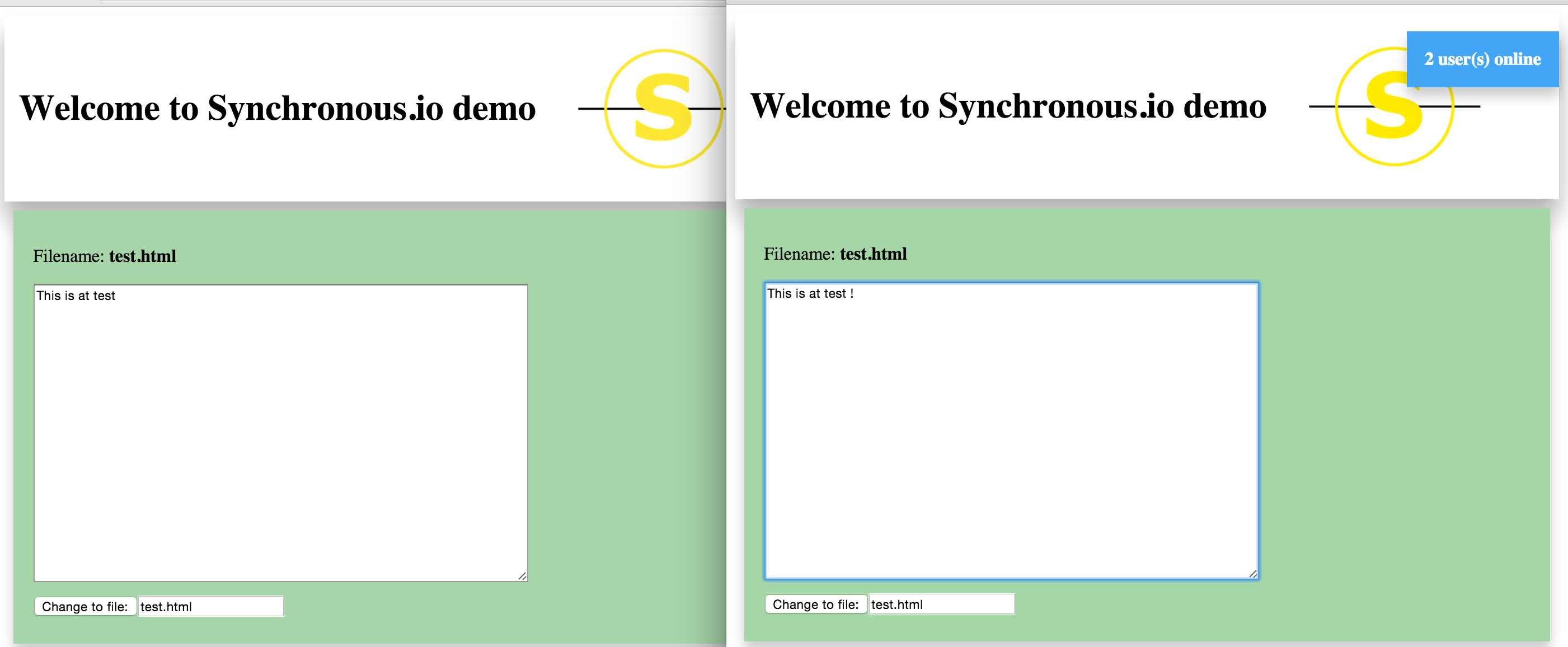
But wait there is more ...
Build with Socket.io and ES7
Sychronous.io is build with io.js and the awesome work of Socket.io. At it's core it uses the new ES7 Object.observe() mechanism to recognize and transfer changes to the shared objects.
---------------------------------------------------------------------
|  Client JS       -      Shared space         -   Server JS        |
---------------------------------------------------------------------
|                        Synchronous.io                             |
---------------------------------------------------------------------
|                         Socket.io                                 |
---------------------------------------------------------------------
| Browser JS engine |                           | Node.js           |
---------------------                           ---------------------
| Client            |                           | Server            |
---------------------                           ---------------------
Features
Globalspace
Via the globalspace() function on server and client side a shared global space for Javascript objects can be accessed.
Namespace
Via the namespace(name) function on server and client side a shared namespaces can be accessed. Namespace changes are only published to clients subscribed to this namespace. Furhtermore a client is updated when he accesses a namespace. Via reference counting it is determined when a namespace is deleted.
Clientspaces
Via the clientspace(clientId) function on server side a shared space between the server and a client which is exclusive to the client can be accessed. The counterpart on the client is the personalspace() function.
Hooks
Via the setHook(name, function) and unsetHook(name) functions a hook can be set on property of a shared object. This hook is then called as soon as the value of the property changes.
synObj.connectToNamespace(newRoomName).then(function (n) {
...

  n.space.setHook('content', function (newContent) {
    document.querySelector('#roomcontent').value = newContent;
  });

...
});
Readonly
Via the setNamespaceReadonly(name, readonly, silent) and setGlobalspaceReadonly(readonly, silent) functions the server can make namespaces and the globalspace readonly. Then changes by the clients are not accepted. If silent is true then the clients are not notifed about the readonly change.
Requirements
Outlook/Todos
- Bugfixing
- Support other node webservers than express.js
- ACLs for namespaces and per user basis
- Allow patch changes
- Sent only delta changes
- Improve performance
tl;dr
Server:
var sync = new Sync(app, http);
sync.globalspace().testValue = 'Hello';
Client:
(new Synchronous(io)).whenInit().then(function (syn) {
  syn.globalspace().testValue += ' World';
}
Server:
  console.log(syn.globalspace().testValue);
>>>'Hello World'
Client:
  console.log(syn.globalspace().testValue);
>>>'Hello World'
(And of course for every furhter client ...)
Server:
console.log(syn.globalspace().testValue);
'Hello World World World ...'
>Client:
>```javascript
  console.log(syn.globalspace().testValue);
>>>>'Hello World World World ...'
Contribution
Pull requests are always welcome :)