
sysketch
v0.5.0
Published
Polished system design diagrams from a few lines of YAML. Your AI writes a tiny spec; a deterministic renderer draws the SVG/PNG.

Maintainers
 tony-salty101
Readme
sysketch
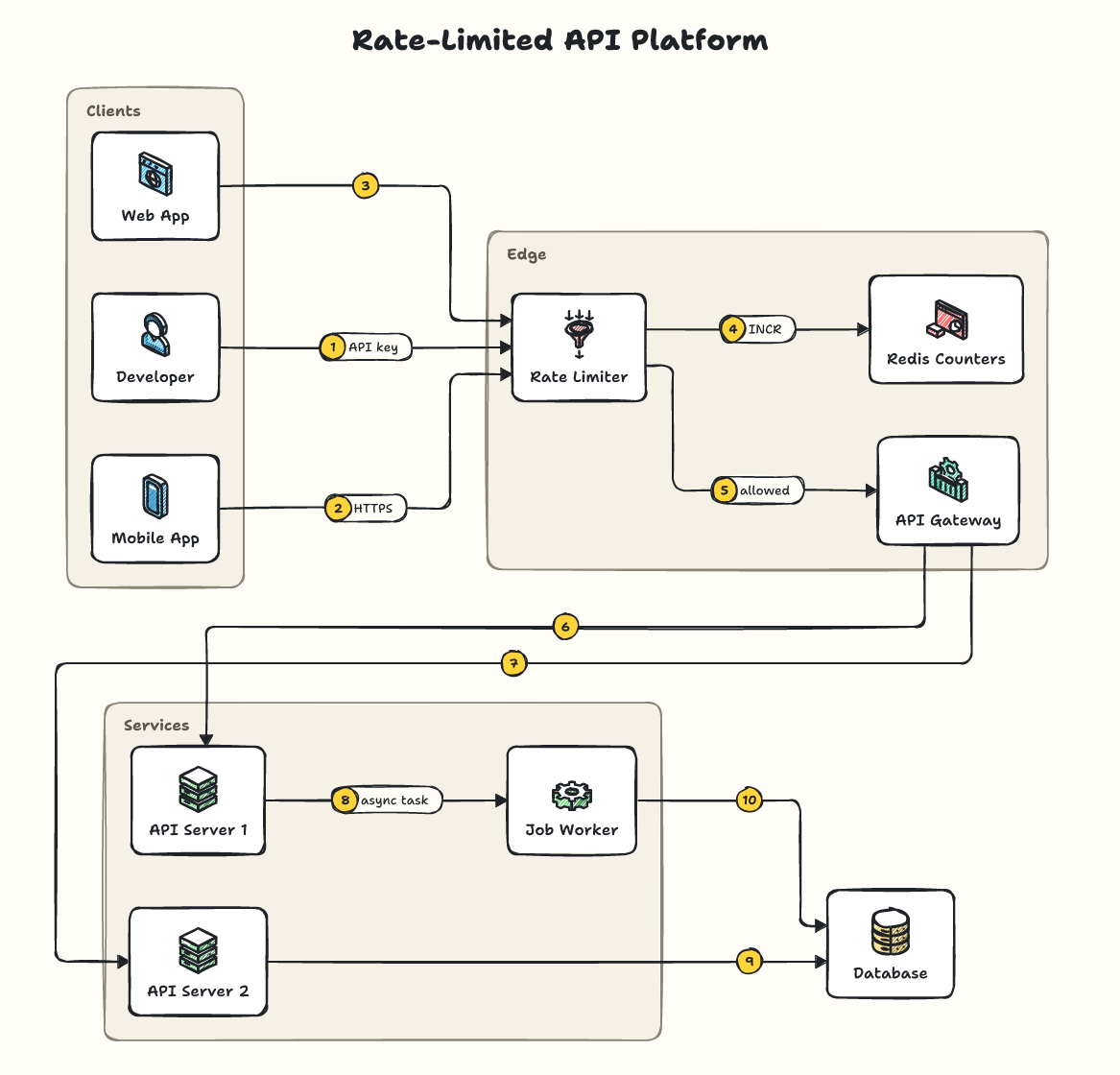
Describe your system in a few lines. Get a clean, hand-sketched architecture diagram as SVG or PNG. Use it from the command line, from your own code, through your coding assistant with sysketch-mcp, or in ChatGPT, Claude and other AI chats with the hosted connector.
Requires Node.js 20 or newer.
Command line
Describe your system in diagram.yaml:
title: URL Shortener
groups:
  Backend: [api, cache, db]
edges:
  - client > lb | POST /shorten
  - lb > api
  - api > cache
  - api > db
Draw it, no install needed:
npx sysketch render diagram.yamlAdd --png for an image file or --theme graphite for another look. npx sysketch icons lists every icon and recognized name.
In your code
npm install sysketchimport { render, renderToFile } from 'sysketch';
const svg = await render('edges: ["client > lb > api > db"]');
await renderToFile(specText, 'diagram.png', { theme: 'blueprint' });The same spec always produces the same file.
Features
- Five themes: hand-drawn
sketch(default),graphite,blueprint,midnightandclassic. - 61 original icons with 160+ everyday names (
redis,kafka,s3,lambda...) and about 230 recognized products. - Readable layouts: flows read left to right and long ones fold into rows; groups, labels, dashed and colored arrows, and a numbered step legend.
- Official logos (optional): import the AWS, Azure or Google Cloud icon pack, or install product logos, and they're drawn unmodified.
- Helpful errors:
unknown node "databse". Did you mean: database?
Learn more
- Spec guide: everything you can write in a diagram
- Logos guide
- Examples and themes
- Benchmark: 18x fewer AI tokens than having an AI write the SVG
MIT License. Fonts are SIL Open Font License (see assets/).