
tabby-terminal-buddy
v0.1.4
Published
A context-aware companion panel for Tabby Terminal — shows VI/Nano cheat sheets and your custom dashboard.

Maintainers
 pmitchell.dev
Readme
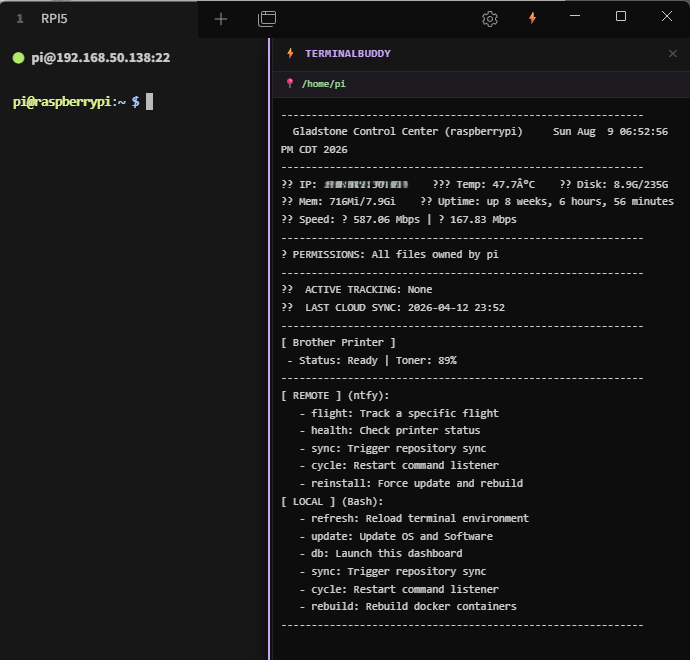
⚡ TerminalBuddy
A Tabby Terminal plugin that adds a live, context-aware companion panel to your local terminal sessions (PowerShell, CMD) and remote SSH sessions (Linux).
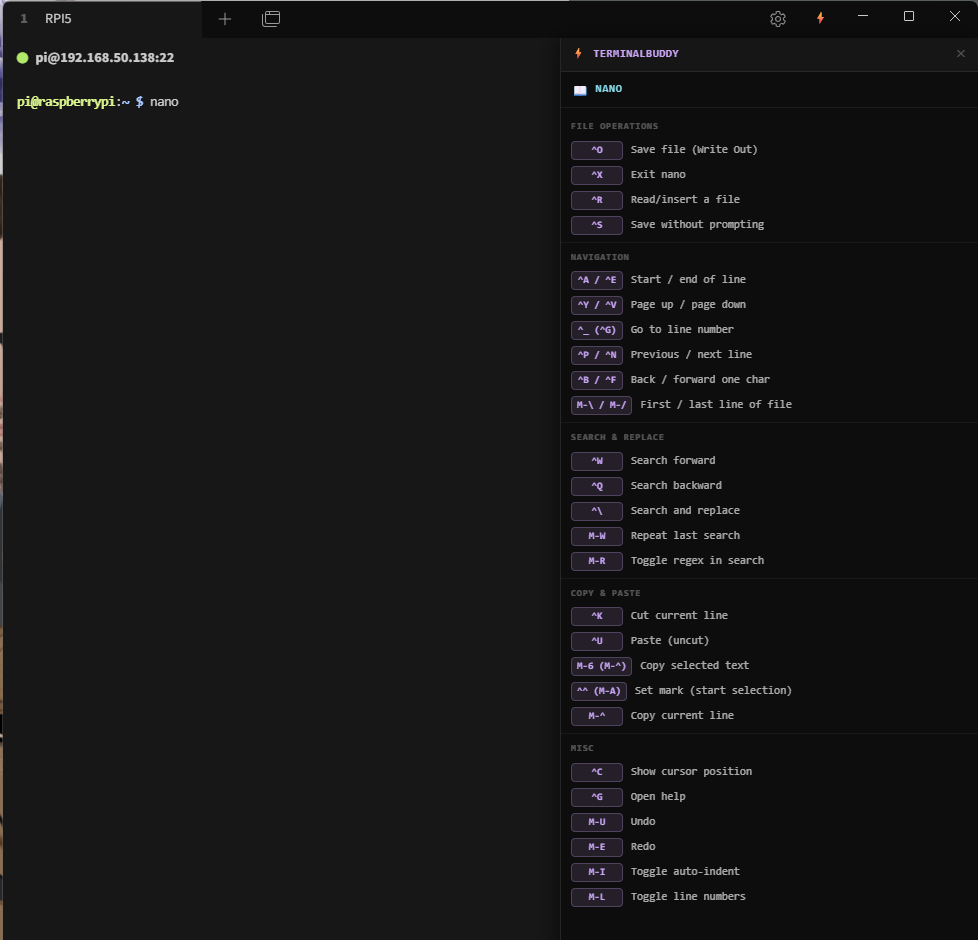
The panel automatically switches between:
- 📋 Built-in & Custom cheat sheets — when you enter commands like
vi,nano,tar,find,grep, etc. - 🖥️ Your custom dashboard — when you're at the shell prompt (reads
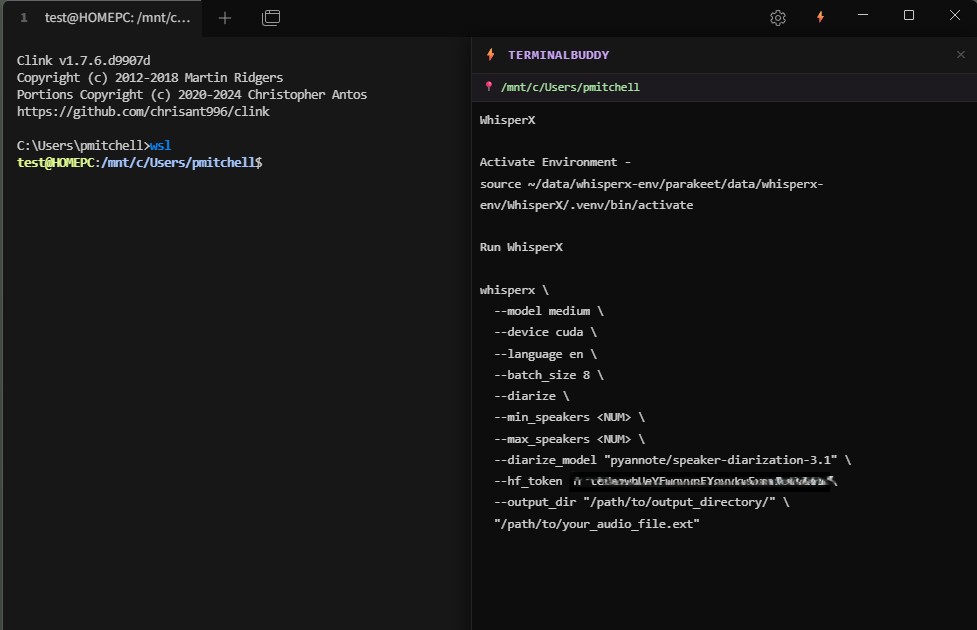
~/dashboard/dashboard.txton Linux orC:\ProgramData\TerminalBuddy\dashboard.txton Windows) - ➕ Custom cheat sheets & notes — add your own for any program or workflow via Settings
Screenshots
| 🖥️ Companion Dashboard | 📋 Context-Aware Cheat Sheet | 📝 Freeform Notes |
|:---:|:---:|:---:|
|  |
|  |
|  |
|
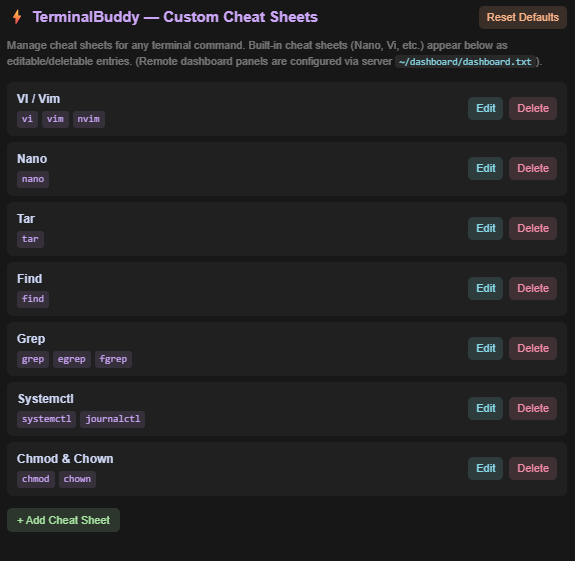
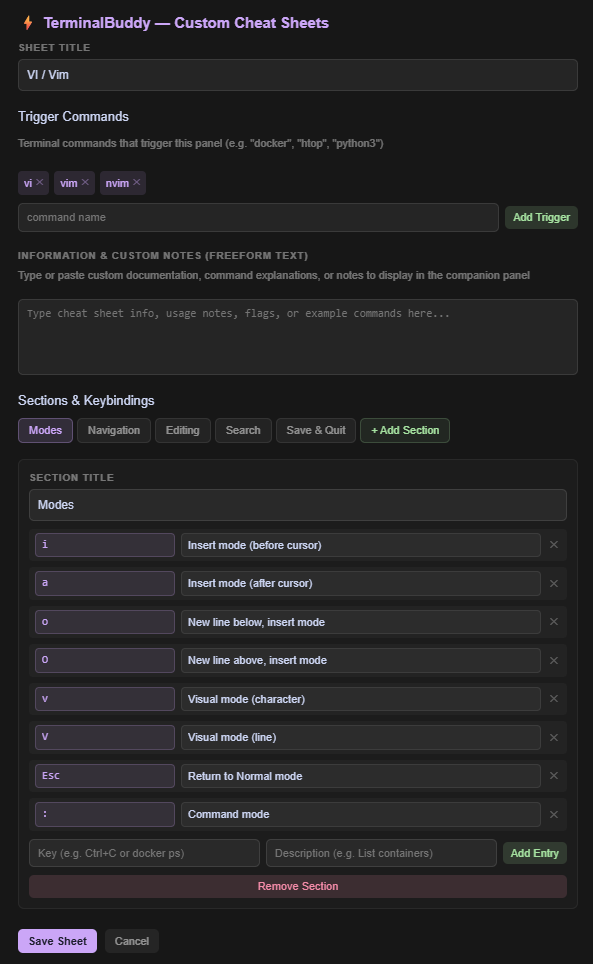
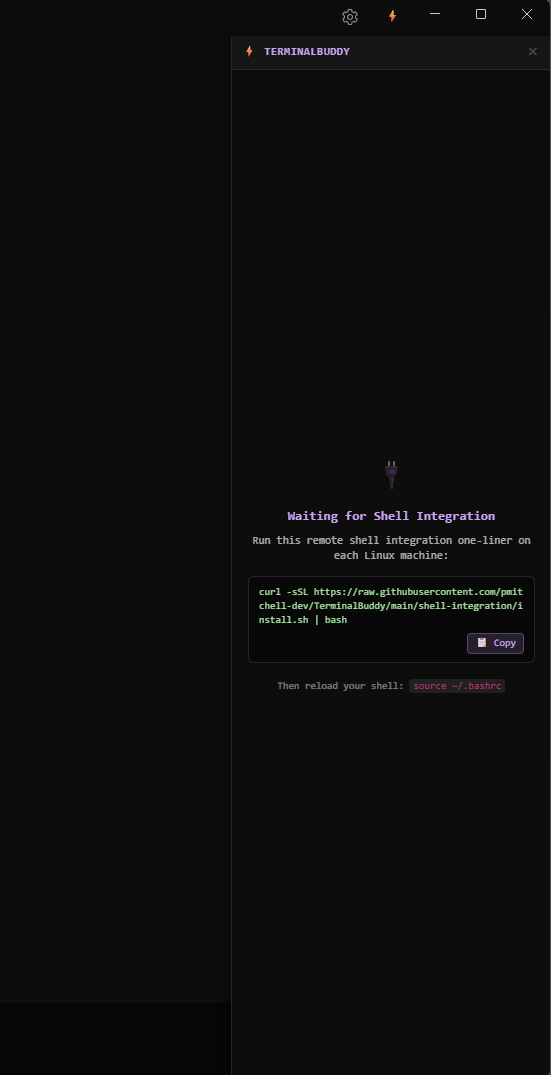
| ⚙️ Settings UI | 🧩 Cheat Sheet Editor | 🔌 Shell Integration Prompt |
|:---:|:---:|:---:|
|  |
|  |
|  |
|
Installation
Part 1 — Install the Tabby Plugin (Windows)
From GitHub (manual install):
- Download the latest
tabby-terminal-buddy-x.x.x.tgzfrom Releases - Open Tabby → Settings → Plugins
- Click Install from file and select the
.tgz - Restart Tabby
From source (developers):
git clone https://github.com/pmitchell-dev/TerminalBuddy.git
cd TerminalBuddy
npm install
npm run build
npm pack
# Then install the resulting .tgz in Tabby as above
Part 2 — Install Shell Integration (Linux & Windows)
For Remote Linux Machines (over SSH):
Run this one-liner on each remote Linux machine:
curl -sSL https://raw.githubusercontent.com/pmitchell-dev/TerminalBuddy/main/shell-integration/install.sh | bashThen reload your shell (source ~/.bashrc).
For Local Windows Machines (PowerShell):
Run this one-liner in PowerShell:
iex (irm https://raw.githubusercontent.com/pmitchell-dev/TerminalBuddy/main/shell-integration/install.ps1)Then reload your PowerShell session (. $PROFILE).
Part 3 — Set Up Your Dashboard (Optional)
TerminalBuddy displays your custom dashboard.txt file in the companion panel whenever you're at the shell prompt:
- Linux:
~/dashboard/dashboard.txt - Windows (Shared for all users):
C:\ProgramData\TerminalBuddy\dashboard.txt
You can use any text — system stats, server info, task status, custom commands, etc.
Note: ANSI color codes in
dashboard.txtare automatically stripped for clean display.
Custom Cheat Sheets
Add cheat sheets for any terminal program via Tabby Settings → TerminalBuddy.
- Set the trigger command (e.g.
htop,python3,docker) - Add sections with keybind → description rows
- Custom sheets override built-ins if the trigger matches
How It Works
TerminalBuddy uses a lightweight shell integration script (Bash/Zsh for Linux, PowerShell & Clink Lua for Windows CMD) that emits custom OSC escape sequences into the terminal output stream — the same technique used by iTerm2 Shell Integration and Warp Terminal.
When you run a command, the hook sends: \e]7701;cmd=vi\a
When you return to the prompt, it sends: \e]7701;prompt;cwd=/home/user;dashboard=<base64>\a
The Tabby plugin listens for these sequences and updates the panel instantly — no polling, no extra network connections, no ports.
Supported Programs (Built-in Cheat Sheets)
| Program | Triggers |
|---|---|
| VI / Vim | vi, vim, nvim |
| Nano | nano |
| Tar | tar |
| Find | find |
| Grep | grep, egrep, fgrep |
| Systemctl | systemctl, journalctl |
| Chmod & Chown | chmod, chown |
Development
npm install          # Install dependencies
npm run build:dev    # Development build (with source maps)
npm run watch        # Watch mode — auto-rebuilds on file changes
npm run build        # Production build
npm pack             # Package as .tgz for distribution
Tabby plugin directory (for dev symlink testing):%APPDATA%\tabby\plugins\
Project Structure
terminalbuddy-tabby-plugin/
├── src/
│   ├── index.ts                    # Plugin entry point
│   ├── module.ts                   # Angular module
│   ├── components/                 # UI components
│   │   ├── buddy-panel.*           # Main panel (routes between states)
│   │   ├── cheatsheet.*            # Cheat sheet renderer
│   │   ├── dashboard.*             # Dashboard component
│   │   └── settings.*              # Custom cheat sheet settings UI
│   ├── services/
│   │   ├── context.service.ts      # OSC sequence parser + state
│   │   └── cheatsheet.service.ts   # Cheat sheet resolver
│   ├── providers/                  # Tabby extension point registrations
│   └── data/                       # Default cheat sheet definitions
│       ├── vi.cheatsheet.ts
│       ├── nano.cheatsheet.ts
│       ├── tar.cheatsheet.ts
│       ├── find.cheatsheet.ts
│       ├── grep.cheatsheet.ts
│       ├── systemctl.cheatsheet.ts
│       └── chmod.cheatsheet.ts
└── shell-integration/
    ├── terminalbuddy.sh            # Linux Bash/Zsh hook script
    ├── install.sh                  # Linux one-liner installer
    ├── terminalbuddy.ps1           # Windows PowerShell hook script
    ├── terminalbuddy.lua           # Windows CMD (Clink) hook script
    └── install.ps1                 # Windows one-liner installer
License
MIT — see LICENSE