npm package discovery and stats viewer.

Discover Tips

  • General search

    [free text search, go nuts!]

  • Package details

    pkg:[package-name]

  • User packages

    @[username]

Sponsor

Optimize Toolset

I’ve always been into building performant and accessible sites, but lately I’ve been taking it extremely seriously. So much so that I’ve been building a tool to help me optimize and monitor the sites that I build to make sure that I’m making an attempt to offer the best experience to those who visit them. If you’re into performant, accessible and SEO friendly sites, you might like it too! You can check it out at Optimize Toolset.

About

Hi, 👋, I’m Ryan Hefner  and I built this site for me, and you! The goal of this site was to provide an easy way for me to check the stats on my npm packages, both for prioritizing issues and updates, and to give me a little kick in the pants to keep up on stuff.

As I was building it, I realized that I was actually using the tool to build the tool, and figured I might as well put this out there and hopefully others will find it to be a fast and useful way to search and browse npm packages as I have.

If you’re interested in other things I’m working on, follow me on Twitter or check out the open source projects I’ve been publishing on GitHub.

I am also working on a Twitter bot for this site to tweet the most popular, newest, random packages from npm. Please follow that account now and it will start sending out packages soon–ish.

Open Software & Tools

This site wouldn’t be possible without the immense generosity and tireless efforts from the people who make contributions to the world and share their work via open source initiatives. Thank you 🙏

© 2026 – Pkg Stats / Ryan Hefner

tailwind-grid-layout

v1.0.1

Published

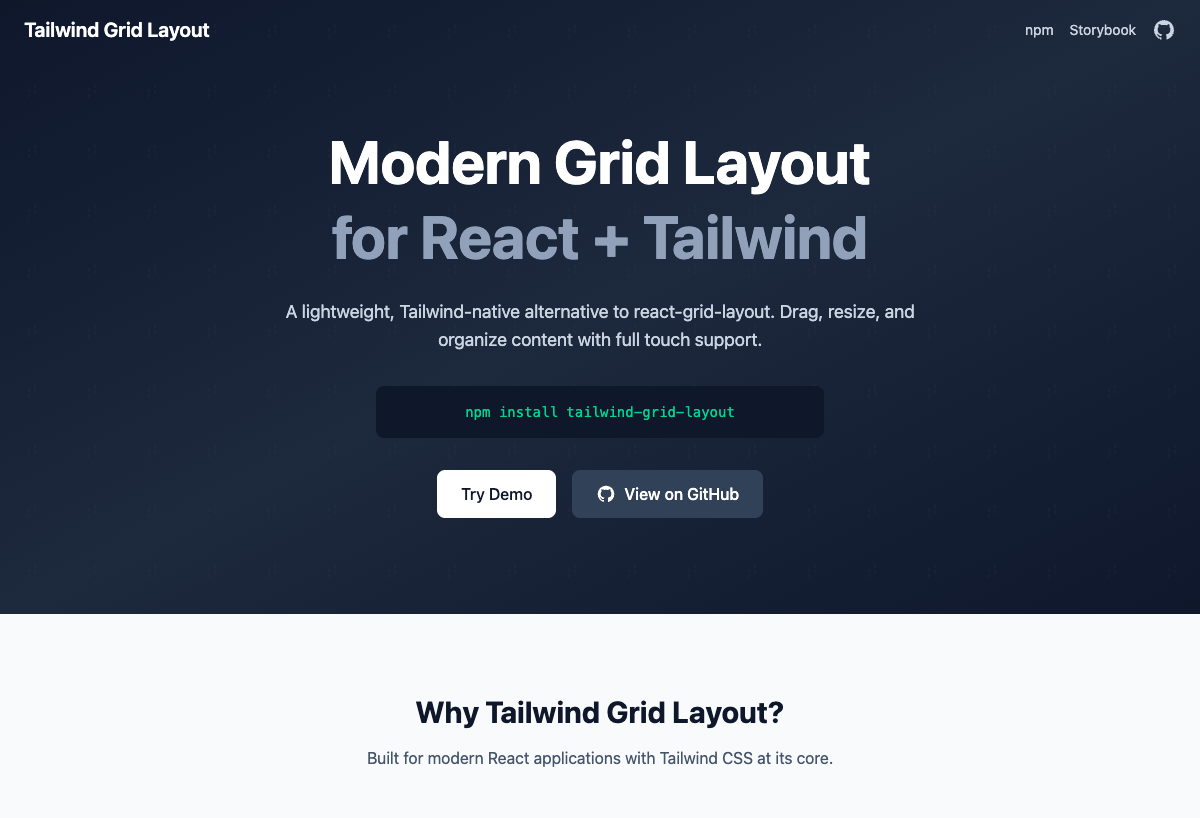
A modern, Tailwind CSS-based grid layout system for React. A lightweight alternative to react-grid-layout with full feature parity.

Readme

Tailwind Grid Layout

A modern, lightweight grid layout system for React built with Tailwind CSS. A powerful alternative to react-grid-layout with full feature parity and a smaller bundle size.

npm version license bundle size

Version 0.1.0 - First stable release

English | 한국어

Features

  • 🎯 Full Feature Parity with react-grid-layout
  • 🪶 Lightweight - Smaller bundle size using Tailwind CSS
  • 🎨 Tailwind Native - Built with Tailwind CSS utilities
  • 📱 Responsive - Works on all screen sizes
  • 📱 Mobile Touch - Full touch device optimization with enhanced gesture support
    • Improved touch point accuracy
    • Long press gesture support
    • Prevent scroll-drag conflicts
    • Multi-touch prevention for stability
  • 🔧 TypeScript - Full TypeScript support
  • Performance - Optimized rendering and animations
  • 🧪 Well Tested - 100% test coverage

Installation

npm install tailwind-grid-layout
# or
yarn add tailwind-grid-layout
# or
pnpm add tailwind-grid-layout

Prerequisites

  • React 19.1.0
  • Tailwind CSS 4.1.8+ (v4 only - CSS-first configuration)
  • Node.js 20.0.0+
  • pnpm 10.11.0+

Tailwind CSS v4 Setup

This library requires Tailwind CSS v4 with its new CSS-first configuration approach. No JavaScript configuration file is needed.

/* In your main CSS file */
@import "tailwindcss";

/* Optional: Add custom theme configuration */
@theme {
  --color-grid-placeholder: oklch(0.7 0.15 210);
  --color-grid-handle: oklch(0.3 0.05 210);
}

Quick Start

import { GridContainer } from 'tailwind-grid-layout'

const items = [
  { id: '1', x: 0, y: 0, w: 2, h: 2 },
  { id: '2', x: 2, y: 0, w: 2, h: 2 },
  { id: '3', x: 0, y: 2, w: 4, h: 2 }
]

function App() {
  return (
    <GridContainer
      items={items}
      cols={12}
      rowHeight={60}
      onLayoutChange={(newLayout) => console.log(newLayout)}
    >
      {(item) => (
        <div className="bg-blue-500 text-white p-4 rounded">
          Item {item.id}
        </div>
      )}
    </GridContainer>
  )
}

Testing

# Run tests
pnpm test

# Watch mode
pnpm test:watch

# Coverage report
pnpm test:coverage

Test Coverage

This library maintains 100% test coverage:

  • ✅ Lines: 100%
  • ✅ Statements: 100%
  • ✅ Functions: 100%
  • ✅ Branches: 100%

Props Reference

GridContainer Props

| Prop | Type | Default | Description | |------|------|---------|-------------| | items | GridItem[] | required | Array of grid items with position and size | | children | (item: GridItem) => ReactNode | required | Render function for grid items | | cols | number | 12 | Number of columns in the grid | | rowHeight | number | 60 | Height of each row in pixels | | gap | number | 16 | Gap between grid items in pixels | | margin | [number, number] | [gap, gap] | Margin between items [horizontal, vertical] | | containerPadding | [number, number] | [16, 16] | Padding inside the grid container [horizontal, vertical] | | maxRows | number | - | Maximum number of rows | | isDraggable | boolean | true | Enable/disable dragging | | isResizable | boolean | true | Enable/disable resizing | | preventCollision | boolean | false | Prevent items from colliding | | allowOverlap | boolean | false | Allow items to overlap | | isBounded | boolean | true | Keep items within container bounds | | compactType | 'vertical' \| 'horizontal' \| null | 'vertical' | Compaction type | | resizeHandles | Array<'s' \| 'w' \| 'e' \| 'n' \| 'sw' \| 'nw' \| 'se' \| 'ne'> | ['se'] | Resize handle positions | | draggableCancel | string | - | CSS selector for elements that should not trigger drag | | draggableHandle | string | - | CSS selector for drag handle | | autoSize | boolean | true | Container height adjusts to fit all items | | verticalCompact | boolean | true | DEPRECATED: Use compactType | | transformScale | number | 1 | Scale factor for drag/resize when zoomed | | droppingItem | Partial<GridItem> | - | Preview item while dragging from outside | | className | string | - | Additional CSS classes for the container | | style | React.CSSProperties | - | Inline styles for the container | | onLayoutChange | (layout: GridItem[]) => void | - | Callback when layout changes | | onDragStart | (layout, oldItem, newItem, placeholder, e, element) => void | - | Drag start callback | | onDrag | (layout, oldItem, newItem, placeholder, e, element) => void | - | Drag callback | | onDragStop | (layout, oldItem, newItem, placeholder, e, element) => void | - | Drag stop callback | | onResizeStart | (layout, oldItem, newItem, placeholder, e, element) => void | - | Resize start callback | | onResize | (layout, oldItem, newItem, placeholder, e, element) => void | - | Resize callback | | onResizeStop | (layout, oldItem, newItem, placeholder, e, element) => void | - | Resize stop callback |

GridItem Properties

| Property | Type | Required | Description | |----------|------|----------|-------------| | id | string | ✓ | Unique identifier for the item | | x | number | ✓ | X position in grid units | | y | number | ✓ | Y position in grid units | | w | number | ✓ | Width in grid units | | h | number | ✓ | Height in grid units | | minW | number | - | Minimum width | | minH | number | - | Minimum height | | maxW | number | - | Maximum width | | maxH | number | - | Maximum height | | isDraggable | boolean | - | Override container's isDraggable | | isResizable | boolean | - | Override container's isResizable | | static | boolean | - | Make item static (unmovable/unresizable) | | className | string | - | Additional CSS classes for the item |

ResponsiveGridContainer Props

| Prop | Type | Default | Description | |------|------|---------|-------------| | layouts | BreakpointLayouts | required | Object with layouts for each breakpoint | | breakpoints | { [breakpoint: string]: number } | { lg: 1200, md: 996, sm: 768, xs: 480, xxs: 0 } | Minimum widths for each breakpoint | | cols | { [breakpoint: string]: number } | { lg: 12, md: 10, sm: 6, xs: 4, xxs: 2 } | Number of columns for each breakpoint | | onLayoutChange | (layout: GridItem[], layouts: BreakpointLayouts) => void | - | Called when layout changes with current layout and all layouts | | onBreakpointChange | (newBreakpoint: string, cols: number) => void | - | Called when breakpoint changes | | width | number | - | Container width (provided by WidthProvider) | | ...GridContainerProps | - | - | All other GridContainer props except items, cols, onLayoutChange |

Comparison with react-grid-layout

| Feature | react-grid-layout | tailwind-grid-layout | Notes | |---------|-------------------|---------------------|--------| | Core Features | | Drag & Drop | ✅ | ✅ | Full support | | Resize | ✅ | ✅ | 8-direction resize | | Collision Detection | ✅ | ✅ | 50% overlap rule | | Auto-compaction | ✅ | ✅ | Vertical, horizontal, or none | | Static Items | ✅ | ✅ | Full support | | Bounded Movement | ✅ | ✅ | Keep items in bounds | | Layout Options | | Responsive Breakpoints | ✅ | ✅ | Real-time responsive layouts with ResizeObserver | | Persist Layout | ✅ | ✅ | Via onLayoutChange | | Min/Max Dimensions | ✅ | ✅ | Full support | | Prevent Collision | ✅ | ✅ | Full support | | Allow Overlap | ✅ | ✅ | Full support | | Events | | Layout Change | ✅ | ✅ | Full support | | Drag Events | ✅ | ✅ | Start, move, stop | | Resize Events | ✅ | ✅ | Start, resize, stop | | Drop from Outside | ✅ | ✅ | Full support with DroppableGridContainer | | Styling | | CSS-in-JS | ✅ | ❌ | Uses Tailwind | | Custom Classes | ✅ | ✅ | Full support | | Animations | ✅ | ✅ | Tailwind transitions | | Performance | | Bundle Size | ~30KB | ~22KB (gzip) | Smaller bundle | | Dependencies | React only | React + Tailwind | | | Tree-shaking | ✅ | ✅ | Full support |

Advanced Examples

With Custom Drag Handle

<GridContainer items={items}>
  {(item) => (
    <div className="bg-white rounded-lg shadow p-4">
      <div className="cursor-move p-2 bg-gray-100 rounded" data-drag-handle>
        <GripIcon className="w-4 h-4" />
      </div>
      <div className="p-4">
        Content for {item.id}
      </div>
    </div>
  )}
</GridContainer>

Static Items

const items = [
  { id: '1', x: 0, y: 0, w: 4, h: 2, static: true }, // This item cannot be moved
  { id: '2', x: 4, y: 0, w: 4, h: 2 },
]

Responsive Breakpoints

import { ResponsiveGridContainer, WidthProvider } from 'tailwind-grid-layout'

// Define layouts for each breakpoint
const layouts = {
  lg: [
    { id: '1', x: 0, y: 0, w: 6, h: 2 },
    { id: '2', x: 6, y: 0, w: 6, h: 2 },
    { id: '3', x: 0, y: 2, w: 4, h: 2 },
    { id: '4', x: 4, y: 2, w: 8, h: 2 }
  ],
  md: [
    { id: '1', x: 0, y: 0, w: 10, h: 2 },
    { id: '2', x: 0, y: 2, w: 10, h: 2 },
    { id: '3', x: 0, y: 4, w: 5, h: 2 },
    { id: '4', x: 5, y: 4, w: 5, h: 2 }
  ],
  sm: [
    { id: '1', x: 0, y: 0, w: 6, h: 2 },
    { id: '2', x: 0, y: 2, w: 6, h: 2 },
    { id: '3', x: 0, y: 4, w: 6, h: 2 },
    { id: '4', x: 0, y: 6, w: 6, h: 2 }
  ],
  xs: [
    { id: '1', x: 0, y: 0, w: 4, h: 2 },
    { id: '2', x: 0, y: 2, w: 4, h: 2 },
    { id: '3', x: 0, y: 4, w: 4, h: 2 },
    { id: '4', x: 0, y: 6, w: 4, h: 2 }
  ],
  xxs: [
    { id: '1', x: 0, y: 0, w: 2, h: 2 },
    { id: '2', x: 0, y: 2, w: 2, h: 2 },
    { id: '3', x: 0, y: 4, w: 2, h: 2 },
    { id: '4', x: 0, y: 6, w: 2, h: 2 }
  ]
}

// Option 1: Manual width tracking
function ResponsiveExample() {
  const [currentBreakpoint, setCurrentBreakpoint] = useState('lg')
  
  return (
    <ResponsiveGridContainer
      layouts={layouts}
      onBreakpointChange={(breakpoint) => {
        setCurrentBreakpoint(breakpoint)
        console.log(`Switched to ${breakpoint} breakpoint`)
      }}
      onLayoutChange={(layout, allLayouts) => {
        // Save layouts to state or backend
        console.log('Layout changed:', allLayouts)
      }}
    >
      {(item) => (
        <div className="bg-blue-500 text-white p-4 rounded">
          Item {item.id}
        </div>
      )}
    </ResponsiveGridContainer>
  )
}

// Option 2: Using WidthProvider for automatic width detection
const ResponsiveGridWithWidth = WidthProvider(ResponsiveGridContainer)

function App() {
  return (
    <ResponsiveGridWithWidth
      layouts={layouts}
      // Custom breakpoints (optional)
      breakpoints={{ lg: 1200, md: 996, sm: 768, xs: 480, xxs: 0 }}
      // Custom column configuration (optional)
      cols={{ lg: 12, md: 10, sm: 6, xs: 4, xxs: 2 }}
    >
      {(item) => <div>Item {item.id}</div>}
    </ResponsiveGridWithWidth>
  )
}

Drag and Drop from Outside

import { DroppableGridContainer } from 'tailwind-grid-layout'

<DroppableGridContainer
  items={items}
  onDrop={(newItem) => setItems([...items, newItem])}
  droppingItem={{ w: 2, h: 2 }} // Default size for dropped items
>
  {(item) => <div>Dropped Item {item.id}</div>}
</DroppableGridContainer>

Custom Resize Handles

<GridContainer
  items={items}
  resizeHandles={['se', 'sw', 'ne', 'nw']} // Enable corner handles only
>
  {(item) => <div>Item {item.id}</div>}
</GridContainer>

Prevent Collision

<GridContainer
  items={items}
  preventCollision={true} // Items cannot overlap
  allowOverlap={false}
>
  {(item) => <div>Item {item.id}</div>}
</GridContainer>

Bounded Grid with Max Rows

<GridContainer
  items={items}
  isBounded={true}
  maxRows={10}
>
  {(item) => <div>Item {item.id}</div>}
</GridContainer>

AutoSize Container

<GridContainer
  items={items}
  autoSize={true} // Container height adjusts automatically
>
  {(item) => <div>Item {item.id}</div>}
</GridContainer>

// With fixed height
<div style={{ height: 400, overflow: 'auto' }}>
  <GridContainer
    items={items}
    autoSize={false}
    style={{ height: '100%' }}
  >
    {(item) => <div>Item {item.id}</div>}
  </GridContainer>
</div>

Real-time Responsive Updates

The responsive grid automatically updates layouts when the window is resized, with debounced handling for optimal performance:

import { ResponsiveGridContainer } from 'tailwind-grid-layout'

function DashboardExample() {
  const [layouts, setLayouts] = useState({
    lg: dashboardLayoutLg,
    md: dashboardLayoutMd,
    sm: dashboardLayoutSm,
    xs: dashboardLayoutXs,
    xxs: dashboardLayoutXxs
  })
  const [currentBreakpoint, setCurrentBreakpoint] = useState('')
  const [currentCols, setCurrentCols] = useState(12)

  return (
    <>
      {/* Visual breakpoint indicator */}
      <div className="mb-4 p-2 bg-green-100 rounded">
        Current: {currentBreakpoint} ({currentCols} columns)
      </div>
      
      <ResponsiveGridContainer
        layouts={layouts}
        onLayoutChange={(layout, allLayouts) => {
          setLayouts(allLayouts)
        }}
        onBreakpointChange={(breakpoint, cols) => {
          setCurrentBreakpoint(breakpoint)
          setCurrentCols(cols)
        }}
        rowHeight={100}
        gap={16}
        containerPadding={[16, 16]}
      >
        {(item) => (
          <Card key={item.id}>
            <CardHeader>
              <CardTitle>{item.title}</CardTitle>
            </CardHeader>
            <CardContent>
              {item.content}
            </CardContent>
          </Card>
        )}
      </ResponsiveGridContainer>
    </>
  )
}

Dropping Item Preview

<DroppableGridContainer
  items={items}
  droppingItem={{ w: 4, h: 2 }} // Shows preview while dragging
  onDrop={(newItem) => setItems([...items, newItem])}
>
  {(item) => <div>Item {item.id}</div>}
</DroppableGridContainer>

Layout Utilities

generateLayouts

Generate identical layouts for all breakpoints from a single layout definition.

import { generateLayouts } from 'tailwind-grid-layout'

const items = [
  { id: '1', x: 0, y: 0, w: 4, h: 2 },
  { id: '2', x: 4, y: 0, w: 4, h: 2 }
]

// Creates layouts for lg, md, sm, xs, xxs with identical positioning
const layouts = generateLayouts(items)

generateResponsiveLayouts

Automatically adjust layouts to fit different column counts per breakpoint.

import { generateResponsiveLayouts } from 'tailwind-grid-layout'

const items = [
  { id: '1', x: 0, y: 0, w: 12, h: 2 },
  { id: '2', x: 0, y: 2, w: 6, h: 2 }
]

// Adjusts item widths and positions to fit column constraints
const layouts = generateResponsiveLayouts(items, {
  lg: 12,
  md: 10, 
  sm: 6,
  xs: 4,
  xxs: 2
})

WidthProvider HOC

Automatically provides container width to ResponsiveGridContainer using ResizeObserver for optimal performance.

import { ResponsiveGridContainer, WidthProvider } from 'tailwind-grid-layout'

const ResponsiveGridWithWidth = WidthProvider(ResponsiveGridContainer)

// Basic usage
<ResponsiveGridWithWidth
  layouts={layouts}
  rowHeight={100}
>
  {(item) => <div>Item {item.id}</div>}
</ResponsiveGridWithWidth>

// With measureBeforeMount to prevent layout shift on initial render
<ResponsiveGridWithWidth
  layouts={layouts}
  measureBeforeMount={true}
  rowHeight={100}
>
  {(item) => <div>Item {item.id}</div>}
</ResponsiveGridWithWidth>

// WidthProvider features:
// - Uses ResizeObserver for efficient width detection
// - Falls back to window resize events if ResizeObserver is unavailable
// - Handles SSR correctly with measureBeforeMount option
// - Debounced resize handling (150ms) for better performance

Styling Guide

Using with Tailwind CSS

The library is built to work seamlessly with Tailwind CSS:

<GridContainer items={items} className="bg-gray-50 rounded-lg">
  {(item) => (
    <div className="bg-white rounded-lg shadow-md hover:shadow-lg transition-shadow">
      <div className="p-4">
        <h3 className="text-lg font-semibold">Item {item.id}</h3>
      </div>
    </div>
  )}
</GridContainer>

Custom Placeholders

The drag and resize placeholders can be styled via CSS:

/* Drag placeholder */
.tailwind-grid-layout .drag-placeholder {
  background: rgba(59, 130, 246, 0.15);
  border: 2px dashed rgb(59, 130, 246);
}

/* Resize placeholder */
.tailwind-grid-layout .resize-placeholder {
  background: rgba(59, 130, 246, 0.1);
  border: 2px dashed rgb(59, 130, 246);
}

Performance Optimizations

  • Hardware Acceleration: Uses CSS transforms with will-change
  • Gesture Debouncing: Optimized touch event handling
    • Touch events are debounced at 16ms (60fps)
    • Minimizes unnecessary re-renders
  • Memory Management: Proper cleanup of event listeners
  • Bundle Splitting: Tree-shakable exports
  • ResizeObserver: Efficient container width detection
  • Animation Control: Transitions disabled during interactions

Touch Event Handling

Optimized touch event handling for best performance on mobile devices:

  • Passive Listeners: Uses passive touch events for improved scroll performance
  • Gesture Recognition: Accurately distinguishes between tap, long press, and drag gestures
  • Momentum Scrolling: Natural momentum effects after touch release
  • Pointer Events API: Unified handling for touch, mouse, and pen input

Browser Support

  • Chrome (latest)
  • Firefox (latest)
  • Safari (latest)
  • Edge (latest)
  • Mobile Safari (iOS 12+)
  • Chrome Mobile (Android 7+)
  • ResizeObserver support required for optimal performance

Contributing

We welcome contributions! Please see our Contributing Guide for details.

License

MIT © Seungwoo, Lee

Acknowledgments

This library is inspired by react-grid-layout and aims to provide a modern, Tailwind-first alternative.