
taper
v0.5.0
Published
Taper (a fork of tapr) is a tap test runner that shows an appropriate level of detail with colorized output.


Readme
taper 

Taper (a fork of tapr) is a Node.js tap
test runner which allows stdout and stderr mixed in with the tap output. Also
taper adds color to the output. Core based on Isaac Z Schlueter original tap
runner.
For a nice description of Node.js Tap tests, see Isaac's readme on the
node-tap github page.
Isaac designed his Tap implementation to be modular for easy consumation and extension. Taper customizes the runner component and uses the rest of node-tap as is.
Because Tap is modular, it is designed to be consumed in many ways (like automated build tools, customized runners) and other testing frameworks can provide producers to provide tap input.
Goals
- More concise formatting of tap output (easier to find what you care about)
- Improve ability to write to stdout and stderr from tests or code
- Add optional colorized output
Installing
npm install taper  # install locally
# OR
npm install -g taper  # install globally
OR
Add to your project package.json:
"devDependencies" : {
  "taper" : "~0.2.0"
}
Also you will want to add a tap reporter as a devDependency to use in your
tests. Try tap or
tape.
Then npm install your package with dev dependencies from the project
directory:
npm installUsage
  node_modules/.bin/taper.js fileOrDir   # if installed locally
  #OR
  taper fileOrDir  # if installed globally
  #
  taper                                     # display usage
  taper --help                         # display usage
  taper --version                    # display version
  taper --no-color fileOrDir   # run without color output
Screenshots
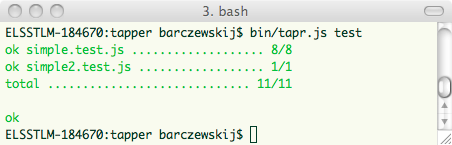
Successful example where all tests are passing
Stderr and stdout is muted except for files which have a failing test
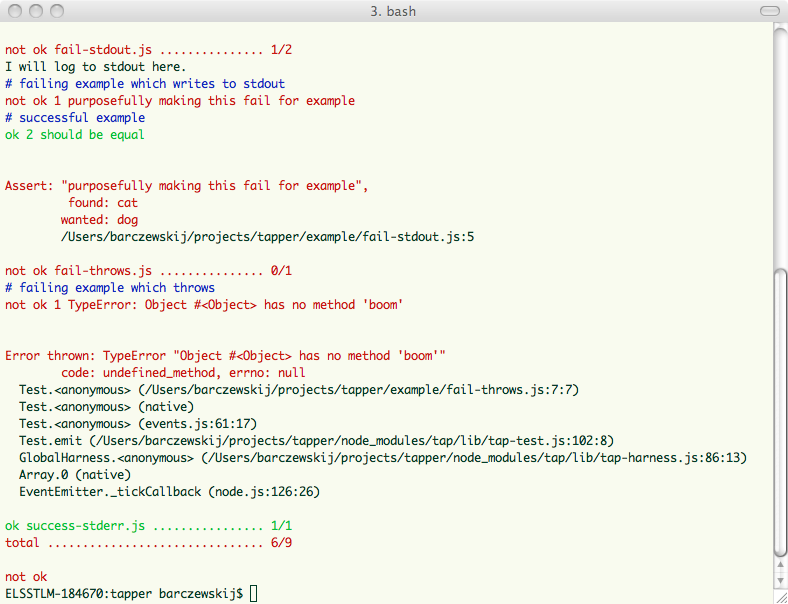
Failure example with some failures and stdout
- Green - successful tests and files
- Red - failed tests and files
- Blue - test names
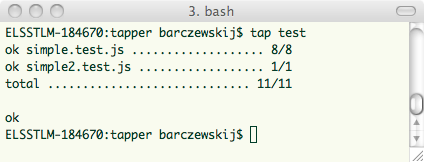
Original tap runner success
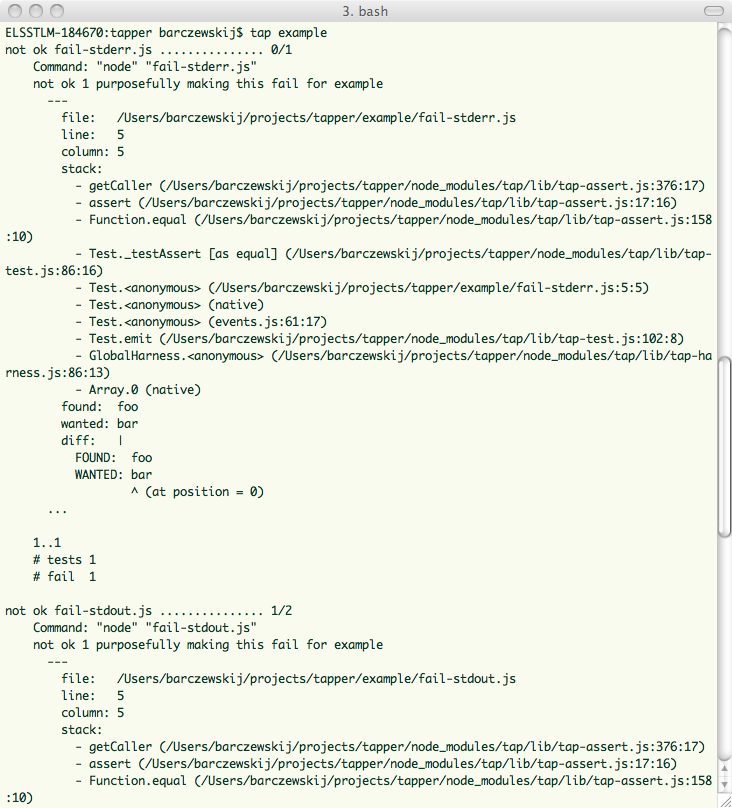
Original tap runner failure
Limitations
- stdout logging that looks like tap output (ok, not ok, #) will not be displayed unless errors in file, however all stderr logging will be displayed regardless so it is recommended.
- stdout/stderr appears before the test names and asserts due to how tap currently outputs data
- Asserts are summarized at the bottom
License
Contributors
- Original code Isaac Z. Schlueter [email protected] http://blog.izs.me
taprby author: Jeff Barczewski (@jeffbski)- James Nylen (@nylen)
Contributing
- Source code repository: https://github.com/nylen/taper
- Ideas and pull requests are encouraged - https://github.com/nylen/taper/issues