
taro-calendar-heatmap
v0.3.2
Published
A calendar heatmap component build by taro.


Readme
Taro Calendar Heatmap
基于 Taro 的日历热力图,生成类似于 GitHub Contribution 统计图。
Todo
- [ ] 展示 Tooltip
- [ ] 点击回调以及样式
- [ ] 适配 Dark Mode
安装与引入
安装
npm i taro-calendar-heatmap --save引入
import CalendarHeatmap from 'taro-calendar-heatmap';
// 引入样式
import 'taro-calendar-heatmap/dist/index.css';
组件使用
const data = [
  { date: '2021-3-24', count: 6 },
  { date: '2021-3-25', count: 1 },
  { date: '2021-3-26', count: 4 },
  { date: '2021-3-27', count: 5 },
  { date: '2021-3-28', count: 7 },
];
<CalendarHeatMap data={data} showMonthLabel showWeekLabel theme="github" />;
API
| 参数 | 说明 | 类型 | 默认值 |
| -------------- | ---------------------------------------- | ------------------------------------------------- | ------------ |
| spacing | 方块的间隙 | number | 1 |
| squareWidth | 方块的宽度 | number | 14 |
| radius | 方块的弧度 | number | 3 |
| colorRange | 颜色范围,第一个颜色值为方块未填充的颜色 | string[] | [] |
| theme | 日历主题 | github | purple | volcano | blue | orange | github |
| startDate | 开始时间,可以传时间字符串、Date、时间戳 | string | Date | number | One year ago |
| endDate | 结束时间,可以传时间字符串、Date、时间戳 | string | Date | number | Today |
| showWeekLabel | 是否显示周标签 | boolean | false |
| showMonthLabel | 是否显示月份标签 | boolean | false |
| firstDay | 每周的第一天 | Mon | Sun | Mon |
| data | 日历数据 | DataProp[] | [] |
| onClick | 点击回调,可以在回调可以获取点击的日期时间 | Function | (date: Date ) => {} |
| showTooltip | 点击是否显示提示 | boolean | false |
| tooltipContent | 提示框内容,可以穿字符串或者组件。 | string | Element | 日期 |
DataProp
| 参数 | 说明 | 类型 | 默认值 |
| ----- | ------------------------------ | ------------------------ | ------ |
| count | 次数,次数越多,颜色越深 | number | 0 |
| date | 可以传时间字符串、Date、时间戳 | string | Date | number | null |
Theme
组件内置了 GitHub、酱紫、火山、极客蓝、日暮五种主题,效果如下。
| theme | 主题名称 | 截图 |
| --- | --- | --- |
| github | GitHub | 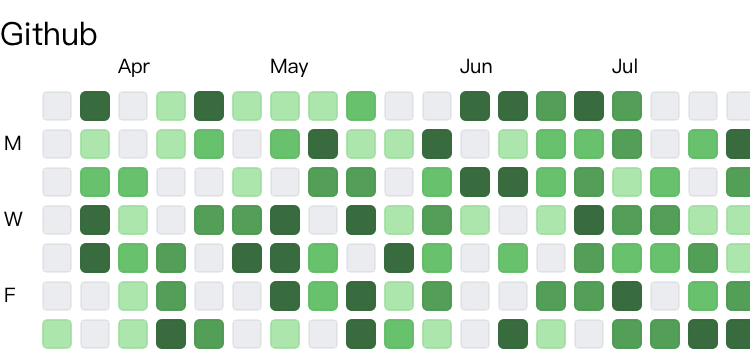 |
|
|
| purple | 酱紫 | 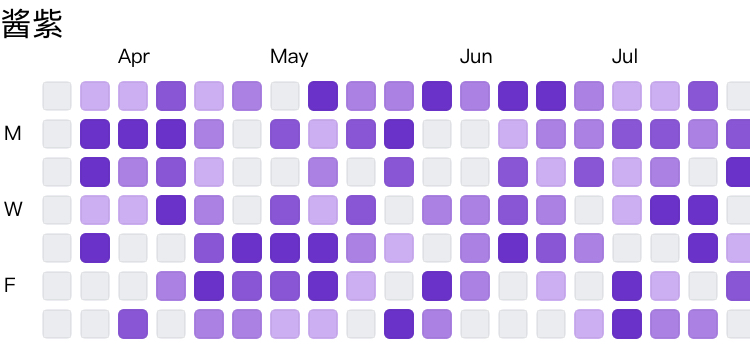 |
|
|
| volcano | 火山 | 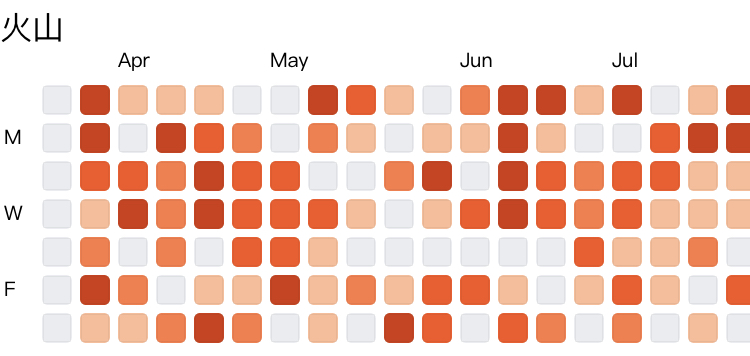 |
|
|
| blue | 极客蓝 | 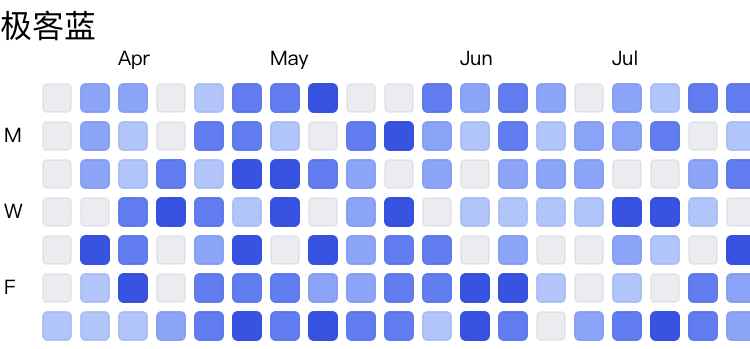 |
|
|
| orange | 日暮 | 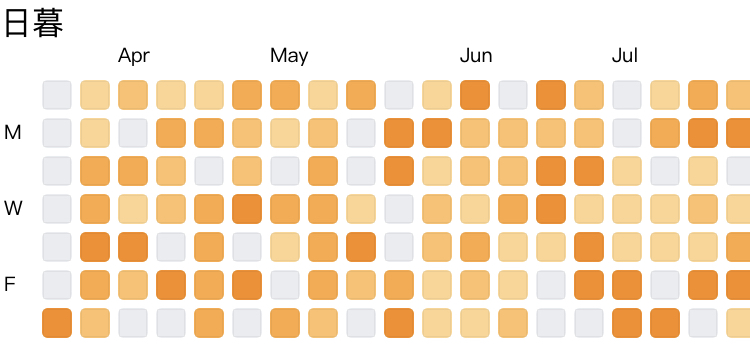 |
|