
taro3-vue3-iconfont
v1.2.6
Published
taro3-vue3-iconfont

Maintainers
 dongj0316
Readme
taro3-vue3-iconfont
在taro3 + vue3 + volar项目中使用iconfont,支持weapp和h5。
Step1
安装:
# yarn
yarn add taro3-vue3-iconfont -D

# npm
npm i taro3-vue3-iconfont -D
Step2
方式一:去iconfont官网点击下载至本地,将其中的iconfont.js拷贝到项目中
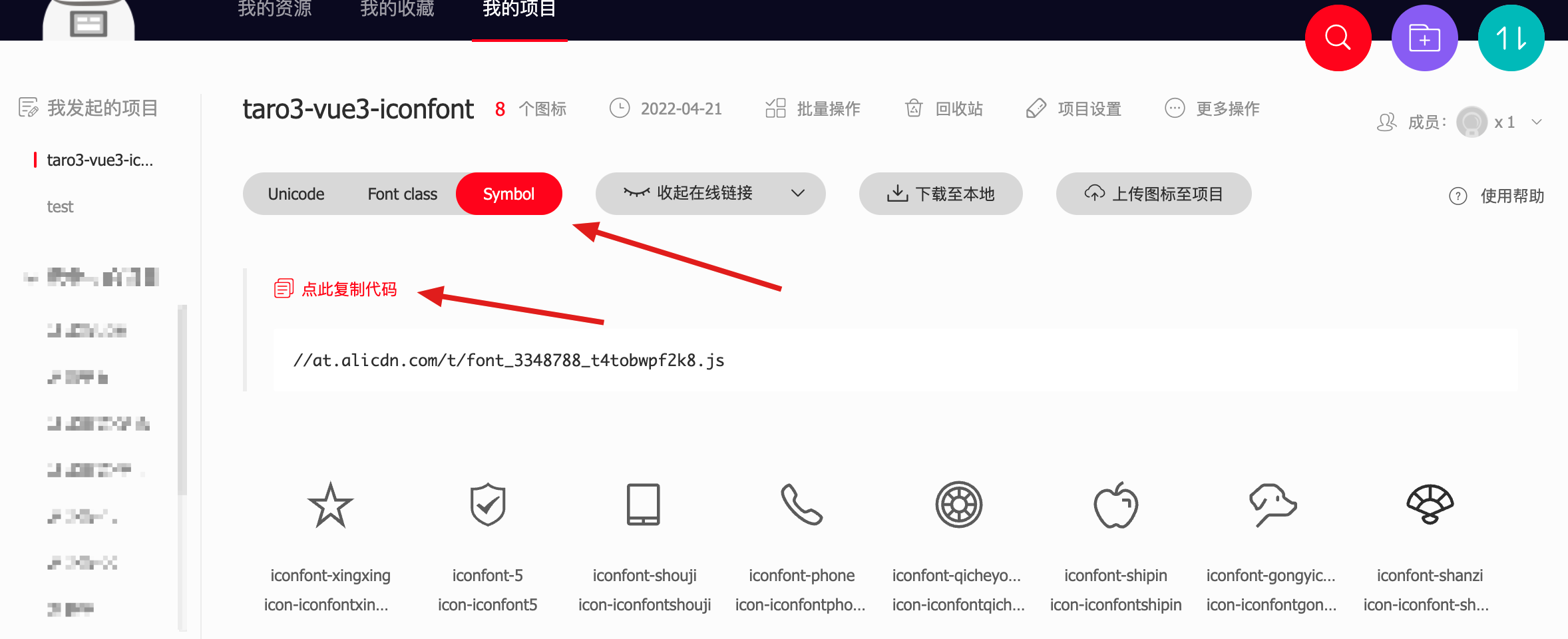
方式二:去iconfont官网获取symbol链接,请直接复制iconfont官网提供的项目链接。请务必看清是.js后缀而不是.css后缀。如果你现在还没有创建iconfont的仓库,那么可以填入这个链接去测试://at.alicdn.com/t/font_3348788_knd7fx1tclm.js
Step3
配置package.json
- 增加
taro3-vue3-iconfont选项,接收一个数组支持引入多个iconfont项目,url值为iconfont.js文件相对路径或iconfont symbol链接,output为组件输出目录,componentName设置组件名称 - 在
build命令前增加taro3-vue3-iconfont
插件会读取配置的url在output目录下生成相应的图标组件,并在每次启动或者构建前,会根据url的变化自动更新
{
  "scripts": {
    "dev:weapp": "npm run build:weapp -- --watch",
    "dev:h5": "npm run build:h5 -- --watch",
    "build:weapp": "taro3-vue3-iconfont && taro build --type weapp",
    "build:h5": "taro3-vue3-iconfont && taro build --type h5",
  },
  "taro3-vue3-iconfont": [
    {
      "url": "//at.alicdn.com/t/font_3348788_knd7fx1tclm.js",
      "output": "./src/icon",
      "componentName": "Iconfont"
    },
    {
      "url": "./other-iconfont/iconfont.js",
      "output": "./src/other-iconfont",
      "componentName": "OtherIconfont"
    }
  ]
}taro3-vue3-iconfont选项
| 属性名 | 描述 | 类型 | 默认值 |
| --- | --- | --- | --- |
| url | 必须,去iconfont官网获取symbol链接 | string | - |
| output | 必须,组件的输出路径 | string | - |
| componentName | 可选,注册的组件名称,插件会进行大驼峰转换 | string | 默认为设置的iconfont库的Symbol前缀,可以在iconfont的项目设置中查看,例如Symbol前缀为iconfont-,那么组件名称就是iconfont的大驼峰表示Iconfont |
Step4
在入口app.js中全局注册图标组件
const App = createApp({
  onShow(options) {},
  // 入口组件不需要实现 render 方法,即使实现了也会被 taro 所覆盖
});

// 注册Iconfont组件
import Iconfont from './icon';
App.use(Iconfont);
Step5
使用组件
| 属性名 | 描述 | 类型 | 默认值 |
| --- | --- | --- | --- |
| name | icon名称 | string | - |
| size | icon尺寸,不要单位,基于Taro.config.designWidth计算,默认为750设计稿的32px | string/number | 32 |
| fill | 颜色值 | string | currentColor |
<template>
  <Iconfont name="iconfont-iconfont5" size="24" fill="red" />
</template>配合volar,组件的类型提示

