
tatemd
v0.1.1
Published
Vertical-writing (tategaki) Markdown previewer & faithful PDF exporter (emaki / book)

Maintainers
 torifo
Readme
TATEmd
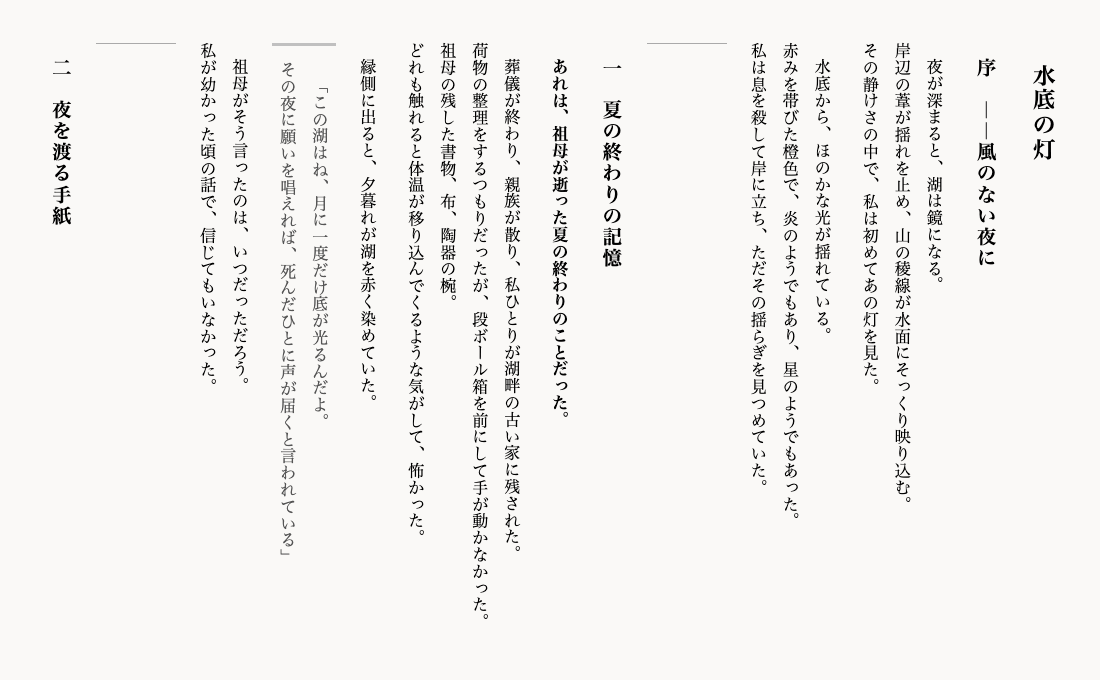
Markdown を書くと和文組版の縦書きで即プレビュー、そのまま印刷/PDF に出せる静的 Web ツール。




VS Code Marketplace と npm(
npm i tatemd)は公開済み。Open VSX のバッジは公開後に有効になります(公開手順はメンテナ向けのRELEASE_TODO.local.md参照)。
特徴
- 縦書きプレビュー —
writing-mode: vertical-rlによる本物の縦書き組版。禁則処理・英数字整列はブラウザネイティブ CSS に委譲し、確実に動く。 - 禁則・約物は CSS に任せる — JS で組版補正を自前実装せず、ブラウザの枯れた処理を活かす設計。
- 印刷/PDF 出力 — A5・B6 の本らしいページ分割 PDF(Vivliostyle 同梱)と、絵巻物スタイルの長尺一枚 PDF の 2 モード。
- 画像の埋め込み — ローカル画像をドラッグ&ドロップ/ペースト/
画像ボタンで挿入。自動縮小(長辺 1600px・WebP)して data URL で埋め込むので、アップロード不要・オフライン・外部送信なし。本文は参照スタイルで短く保ち、画像データは文書末尾にまとまる。 - 自動保存 — 書いた内容は LocalStorage に自動保存。リロードしても失われない。
- 開いた瞬間にサンプル表示 — 初回ロード時にオリジナルの縦書きサンプル原稿が即表示される。説明を読まなくても価値が伝わる。
- サーバー不要・インストール不要・外部送信なし — 完全クライアントサイド。原稿がどこかのサーバーに送られることはない。
提供ティア
| ティア | 使い方 | 特徴 | PDF |
|--------|--------|------|-----|
| Web(静的) | ブラウザで URL を開くだけ | 一番軽い・即時・無インストール | 絵巻=横長1枚PDF / A5・B6=Vivliostyle で忠実な複数ページ(いずれも新タブ) |
| VSCode 拡張 | VS Code 内でプレビュー(公開済み) | エディタで書きながら縦書き確認・カーソル位置に追従 | 絵巻=横長1枚PDF |
| CLI(Puppeteer) | node tools/emaki-pdf.mjs(将来) | 精度完全担保・実テキスト・確実に1枚 | 絵巻も用紙別も忠実 |
3 ティアはすべて同じ core(変換ロジック)と縦書き CSS を共有する。見た目が揃い、二重実装が発生しない。
使い方
Web(即時)
https://torifonium.github.io/tatemd/URL を開くだけで縦書きプレビューが始まる。左ペインに Markdown を書くと右ペインに縦書きでリアルタイム反映される。
画像を入れたいときは、左ペインに画像をドラッグ&ドロップするか、ペースト(⌘V / Ctrl+V)するか、ヘッダの 画像 ボタンでファイルを選ぶ。画像は自動で縮小されカーソル位置に埋め込まれる(アップロードなし・オフライン)。
ヘッダの A5 / B6 ボタンで用紙サイズを選び、印刷 ボタンを押すと新しいタブで Vivliostyle(CLI と同一の縦書き忠実な組版エンジン)が起動し、選んだ判型で複数ページに正しく分割した縦書き PDFを出力できる(文字は画像化せず選択可能)。長尺 ボタンは絵巻物スタイルの本文を新しいタブに開き、「PDFで保存」(または ⌘P / Ctrl+P)で横長一枚の PDF を出力する(原稿が長いほど横に長い一枚)。
ブラウザのネイティブ印刷(
window.print())は縦書きを複数ページに分割できないため、印刷は Vivliostyle を印刷タブにだけ同梱して使う(外部送信なし・本体バンドルは軽いまま)。ローカルで CLI として確実に得たい場合は下記の CLI でも出力できる。
VSCode 拡張
VS Code(および VSCodium / Cursor / Windsurf 等)で、書きながら縦書きプレビューと絵巻 PDF 書き出しができる。
- VS Code Marketplace: 拡張ビューで「TATEmd」を検索 → インストール(
torifonium.tatemd-vscode) - Open VSX(VSCodium 系): 同様に「TATEmd」で検索
- 手動: リリースの
.vsixを「VSIX からインストール」
コマンド: TATEmd: 縦書きプレビューを開く / TATEmd: 絵巻 PDF を書き出す(横長1枚)。後者は本文を既定ブラウザで開き、そこから「PDFで保存」で横長一枚を得る(Web と同じ仕組み)。
忠実 PDF CLI
ブラウザの印刷では縦書きを正しく複数ページに分割できないため、忠実な出力は CLI で行う。Web/拡張と同じ core を再利用し、Markdown を直接入力にできる。文字は画像化しない(実テキストのまま)。
# npm 経由(PDF エンジンはオンデマンド導入=本体を軽く保つため)
npm i -D puppeteer            # 絵巻に必要
npx tatemd input.md emaki.pdf                 # 絵巻(横長1枚・Puppeteer)
npm i -D @vivliostyle/cli     # 本に必要
npx tatemd input.md book.pdf --mode book --paper A5   # 本(A5/B6・Vivliostyle)

# リポジトリから直接使う場合
npm run build:cli            # core を CLI 向けに用意(初回のみ)
npm i -D puppeteer           # 絵巻に必要
node tools/emaki-pdf.mjs input.md emaki.pdf --mode emaki
npm i -D @vivliostyle/cli    # 本に必要
node tools/book-pdf.mjs input.md book.pdf --paper A5
.htmlを直接渡すこともできる。puppeteer/@vivliostyle/cliは宣言依存に入れずオンデマンド導入(Web 本体を軽く保つため)。CLI は未導入時に必要なインストール先を案内する。
ライブラリとして使う(他アプリへ埋め込み)
縦書きレンダリングと書籍化用 HTML を、任意の Web アプリから再実装せず利用できる(フレームワーク非依存・DOM 非依存の純関数)。
npm i tatemdimport { renderVerticalHtml, verticalCss } from 'tatemd';
// Markdown → 縦書き本文 HTML(.tategaki の中身だけを返す)
const html = renderVerticalHtml('# 見出し\n\n本文');
// ホスト側の要素を .tategaki にして差し込む
const el = document.querySelector('#preview');
el.className = 'tategaki';
el.innerHTML = html;
// 縦書き組版 CSS を注入(tatemd 本家と視覚的に一致させる)
const style = document.createElement('style');
style.textContent = verticalCss;
document.head.appendChild(style);公開 API(すべて純関数・型定義同梱):
renderVerticalHtml(markdown)— 縦書き本文 HTML を返すverticalCss— 縦書き組版 CSS の文字列(注入用)buildEmakiDocument(opts)/buildPagedDocument(opts)— 絵巻(横長1枚)/ 書籍(A5・B6)用の完全 HTMLparseRuby(text)— ルビ記法パーサ(インターフェース)
CDN(インストール不要・ブラウザ ESM)
<script type="module">
  import { renderVerticalHtml, verticalCss } from 'https://esm.sh/tatemd';
  // …上と同じ
</script>
CSS だけ取り込みたい場合:
<link rel="stylesheet" href="https://cdn.jsdelivr.net/npm/tatemd/src/styles/vertical.css" />React
import { useEffect } from 'react';
import { renderVerticalHtml, verticalCss } from 'tatemd';

export function VerticalPreview({ markdown }) {
  useEffect(() => {
    const style = document.createElement('style');
    style.textContent = verticalCss;
    document.head.appendChild(style);
    return () => style.remove();
  }, []);
  return (
    <div className="tategaki" dangerouslySetInnerHTML={{ __html: renderVerticalHtml(markdown) }} />
  );
}
Svelte
<script>
  import { renderVerticalHtml, verticalCss } from 'tatemd';
  export let markdown = '';
</script>

<svelte:head>{@html `<style>${verticalCss}</style>`}</svelte:head>
<div class="tategaki">{@html renderVerticalHtml(markdown)}</div>
Web Component(自作・ドロップイン)
パッケージは Web Component を同梱しない(コアを軽く保つため)。数行で自作できる:
import { renderVerticalHtml, verticalCss } from 'tatemd';
customElements.define(
'tate-md',
class extends HTMLElement {
connectedCallback() {
const root = this.attachShadow({ mode: 'open' });
root.innerHTML =
`<style>${verticalCss}</style>` +
`<div class="tategaki">${renderVerticalHtml(this.getAttribute('markdown') ?? '')}</div>`;
}
},
);
// 使い方: <tate-md markdown="# 見出し 本文"></tate-md>書籍 PDF(A5/B6・複数ページ)出力は重い Vivliostyle を伴うため、
tatemd/printサブ export として opt-in で提供予定(#2)。コアだけ使う場合は Vivliostyle はバンドルされない。
開発
セットアップ
git clone https://github.com/torifonium/tatemd.git
cd tatemd
npm install
主要コマンド
npm run dev     # 開発サーバー起動(Vite)
npm test        # ユニットテスト(Vitest)
npm run lint    # ESLint チェック
npm run build   # プロダクションビルド(dist/ へ出力)
アーキテクチャ概要
src/
├── core/        # DOM 非依存の純粋関数(Markdown → 組版 HTML)
│   ├── markdown.ts         # renderToTypesettingHtml(md): string
│   ├── sampleManuscript.ts # 同梱サンプル原稿
│   └── ruby.ts             # ルビ記法パーサの IF(将来用)
├── adapter/     # UI 層(DOM・LocalStorage・印刷)
│   ├── app.ts              # 全体の結線
│   ├── editor.ts
│   ├── storage.ts
│   ├── paperSize.ts
│   ├── splitter.ts
│   └── debounce.ts
└── styles/      # 縦書き・レイアウト・印刷 CSS
    ├── app.css
    ├── vertical.css
    └── print.css

tools/
└── emaki-pdf.mjs  # 忠実 PDF CLI(Puppeteer)
core/ は Node でもブラウザでも動く純粋 TypeScript。adapter/ は Web UI 固有の処理を担当する。この分離により将来 npm パッケージ・VSCode 拡張・CLI への再利用が容易になる。
貢献を歓迎します → CONTRIBUTING.md
ライセンス
MIT — Copyright (c) 2026 torifonium
GitHub Topics
japanese vertical-writing tategaki markdown typography