
telegram-badge
v1.6.0
Published
Generate Telegram group member count badges for GitHub README

Maintainers
 chatman-media
Readme
Telegram 徽章生成器
🇺🇸 English | 🇷🇺 Русский | 🇩🇪 Deutsch | 🇫🇷 Français | 🇪🇸 Español | 🇵🇹 Português | 🇸🇦 العربية | 🇯🇵 日本語 | 🇰🇷 한국어 | 🇹🇭 ไทย







本项目生成显示 Telegram 群组和频道当前成员数量的 SVG 徽章。非常适合在 GitHub README 文件或网站上展示社区活跃度。
快速开始
只需使用 URL 参数即可为任何 Telegram 群组或频道生成徽章:
https://telegram-badge.vercel.app/api/telegram-badge?channelId=@your_channel_or_group技术栈
- Node.js / TypeScript
- Telegram Bot API
- Vercel(无服务器 API)
- Jest 测试框架
使用方法
主要方法:URL 参数(无需任何设置!)
只需将您的 Telegram 群组或频道 ID 添加到 URL:
支持的实体:
- 公开频道(例如:
@your_channel) - 公开群组(例如:
@your_group) - 私有群组/频道(使用数字 ID:
-1001234567890)
就这样!无需部署,公开频道和群组无需机器人令牌。
替代方法:自托管部署
对于想要托管自己实例的高级用户:
1. 先决条件
- Telegram 机器人令牌(通过 @BotFather 创建)
- Vercel 账户(或任何 Node.js 托管)
2. 部署到 Vercel
设置环境变量:
BOT_TOKEN:您的 Telegram 机器人令牌CHAT_ID:默认聊天 ID(如果使用 URL 参数则可选)
3. 本地开发
git clone https://github.com/chatman-media/telegram-badge.git
cd telegram-badge
npm install

# 创建 .env 文件
echo "BOT_TOKEN=your_bot_token" > .env
echo "CHAT_ID=@your_channel" >> .env

npm run dev
样式参数
您可以使用以下参数自定义徽章外观:
| 参数 | 描述 | 默认值 |
|------|------|--------|
| channelId | Telegram 聊天 ID 或用户名(例如 @timelinestudiochat) | 从环境变量 |
| style | 徽章样式 | flat |
| label | 标签文本 | Telegram |
| color | 主徽章颜色 | 2AABEE(Telegram 颜色) |
| labelColor | 标签颜色 | 555555 |
| logo | 显示 Telegram 标志 | true |
可用样式:
flat- 扁平样式(默认)plastic- 带渐变的立体样式flat-square- 无圆角的扁平样式for-the-badge- 带大写字母的宽样式social- GitHub 社交样式
示例:
标准徽章(扁平样式):
https://telegram-badge.vercel.app/api/telegram-badge?channelId=@your_channel立体样式徽章:
https://telegram-badge.vercel.app/api/telegram-badge?channelId=@your_channel&style=plastic方形扁平样式徽章:
https://telegram-badge.vercel.app/api/telegram-badge?channelId=@your_channel&style=flat-squarefor-the-badge 样式徽章:
https://telegram-badge.vercel.app/api/telegram-badge?channelId=@your_channel&style=for-the-badge社交样式徽章:
https://telegram-badge.vercel.app/api/telegram-badge?channelId=@your_channel&style=social自定义标签和颜色的徽章:
https://telegram-badge.vercel.app/api/telegram-badge?channelId=@your_channel&label=加入聊天&color=00FF00完全自定义徽章:
https://telegram-badge.vercel.app/api/telegram-badge?channelId=@your_channel&style=for-the-badge&label=社区&color=FF5733&labelColor=1A1A1A无标志徽章:
https://telegram-badge.vercel.app/api/telegram-badge?channelId=@your_channel&logo=false特定频道的徽章:
https://telegram-badge.vercel.app/api/telegram-badge?channelId=@your_channel带自定义样式的徽章:
https://telegram-badge.vercel.app/api/telegram-badge?channelId=@your_channel&style=for-the-badge&color=FF5733功能特性
- 👥 实时显示成员数量
- 🔗 直接 URL 参数 - 无需任何设置!
- 🎨 完全自定义徽章外观
- 🔒 可选的自托管与安全令牌存储
- ⚡ 优化缓存以实现快速加载
- 🛡️ 错误处理和信息提示
- 🆓 免费使用
- 📡 可扩展显示活动/消息计数
- 🧪 使用 TypeScript 的完整测试套件
API 使用
作为 npm 包:
npm install telegram-badgeimport badgeHandler from 'telegram-badge';
// 在您的无服务器函数中使用
export default badgeHandler;直接 API 调用:
GET /api/telegram-badge?style=flat&label=成员&color=2AABEE&labelColor=555555测试
运行测试套件:
npm test运行类型检查:
npm run type-check构建项目:
npm run build星标历史
贡献
- Fork 本仓库
- 创建您的功能分支(
git checkout -b feature/amazing-feature) - 提交您的更改(
git commit -m 'Add some amazing feature') - 推送到分支(
git push origin feature/amazing-feature) - 打开一个 Pull Request
订阅


支持 💝🚀
- BTC: 14s9Y9Rb2CUWHSAatiQMhfkpx1MWXofUzw
- TON: UQD1M80nPyzph5ZW1vfp_r19XI5MaerNhDq4dWXbXCo96WFj
- NOT: UQD1M80nPyzph5ZW1vfp_r19XI5MaerNhDq4dWXbXCo96WFj
- ETH: 0x286D65151b622dCC16624cEd8463FDa45585fd60
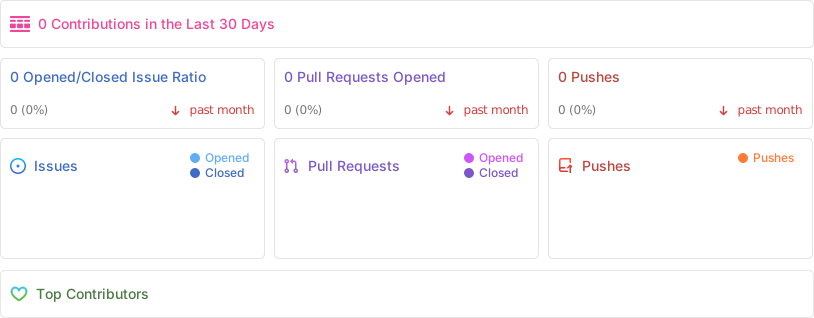
仓库活动
许可证
本项目根据 MIT 许可证获得许可 - 有关详细信息,请参阅 LICENSE 文件。
由 Chatman Media 用 ❤️ 制作