
tengrids-cells
v6.0.4-alpha27
Published
Extra cells for glide-data-grid

Maintainers
 moeghashim
Readme
Part of tengrids, a fork of Glide Data Grid by Glide (MIT). Install with
npm i tengrids-cells; requirestengridsat the same version.





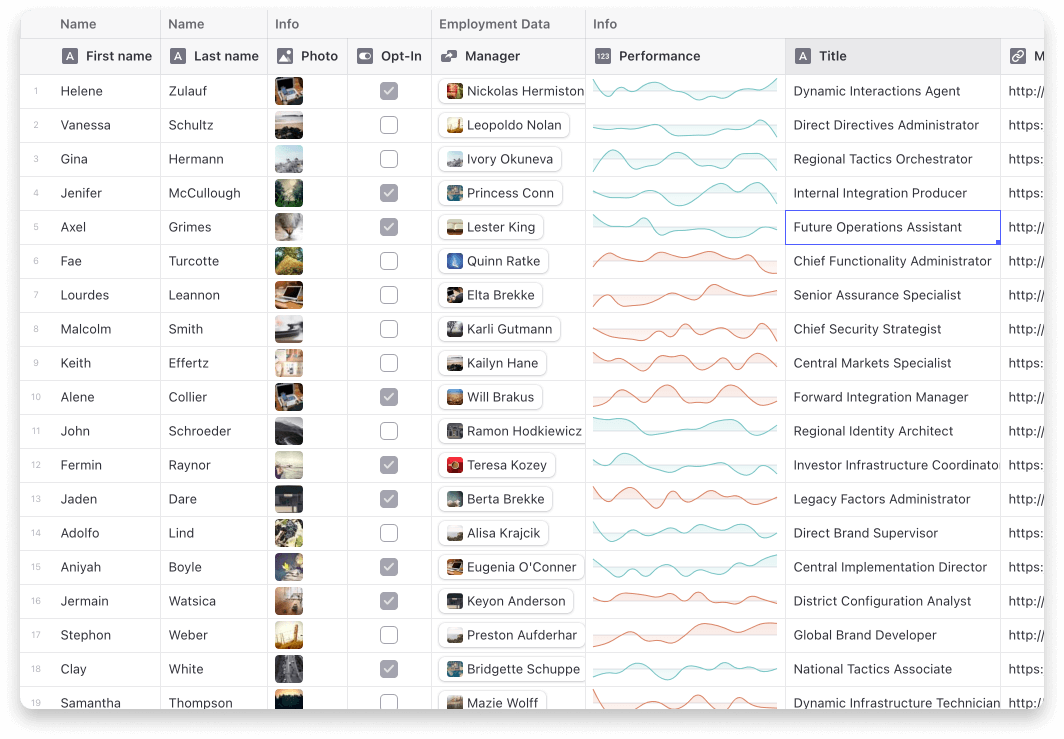
Current cells
- Star (Rating) Cell
- Sparklines
- Article
- Dropdown
- Range
- User profile
- Tags
Usage
Step 1: Import the cell renderers you want to use and pass them to the grid.
import { allCells } from "tengrids-cells";

const Grid = () => {
    return <DataEditor customRenderers={allCells} {...rest} />;
};
Step 2: Use the cells in your getCellContent callback
import type { StarCell } from "tengrids-cells";

const getCellContent = React.useCallback(() => {
    const starCell: StarCell = {
        kind: GridCellKind.Custom,
        allowOverlay: true,
        copyData: "4 out of 5",
        data: {
            kind: "star-cell",
            label: "Test",
            rating: 4,
        },
    };

    return starCell;
}, []);
Note on ArticleCell
The ArticleCell uses @toast-ui/editor to provide its editor. To make sure it works correctly your project will need to import the css file it depends on.
import "@toast-ui/editor/dist/toastui-editor.css";Security note
@toast-ui/editor 3.2.2 (its last release, February 2023) bundles its own copy of DOMPurify 2.3.3 inside its dist files instead of importing the dompurify package it lists as a dependency. That inlined sanitizer is what runs when an ArticleCell renders markdown, and it predates several published DOMPurify advisories. Treat article content as trusted, or sanitize it yourself before it reaches the cell. Overriding the dompurify package version in your project (this repository does so with an npm overrides entry) only updates the unused on-disk copy: it silences npm audit, it does not change what runs.