
test-class-runner
v1.0.1
Published
Salesforce Apex Test Class Runner — a beautiful CLI + web UI to run and monitor Apex tests

Maintainers
 mohanchinnappan
Readme
test-class-runner
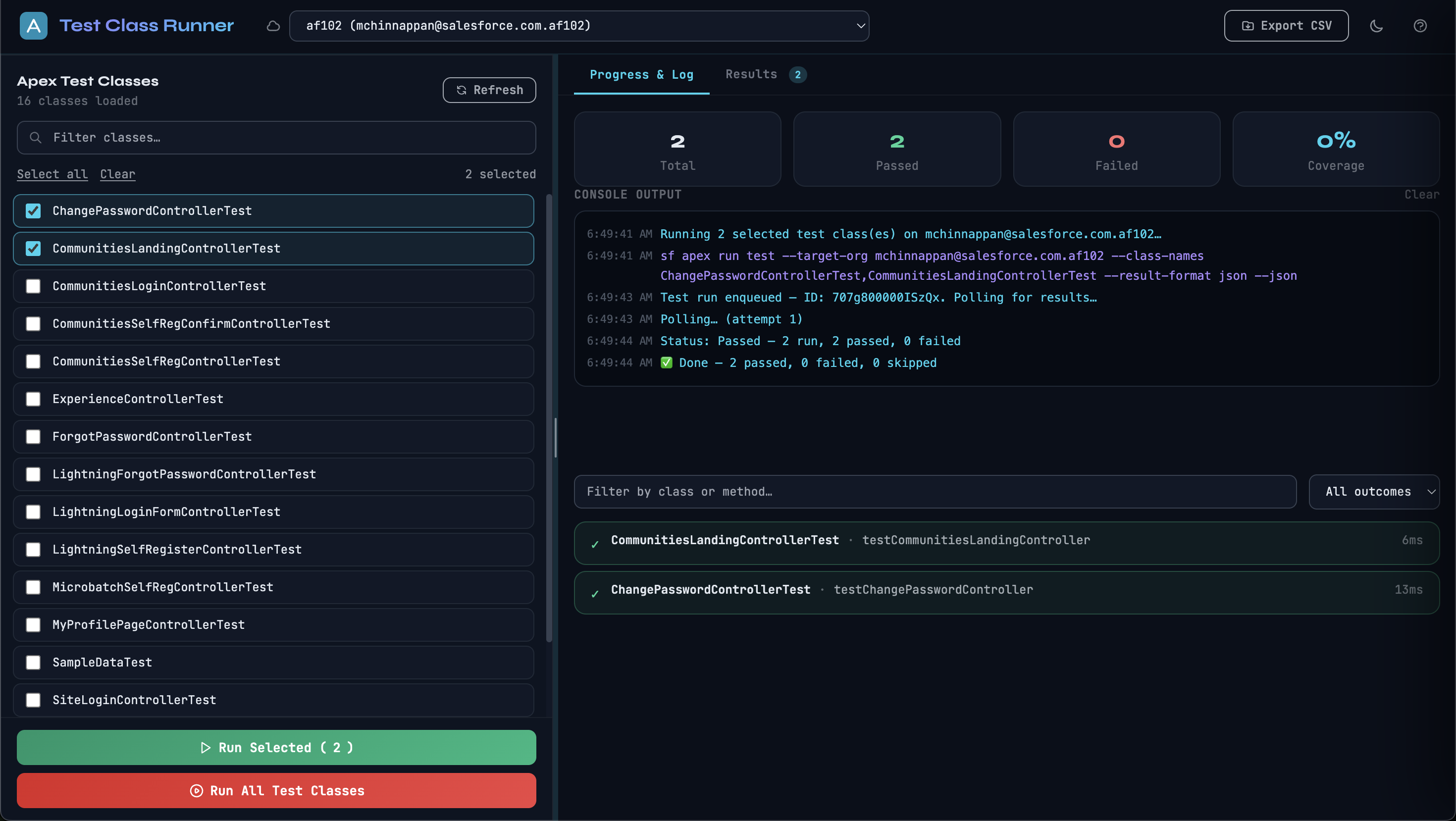
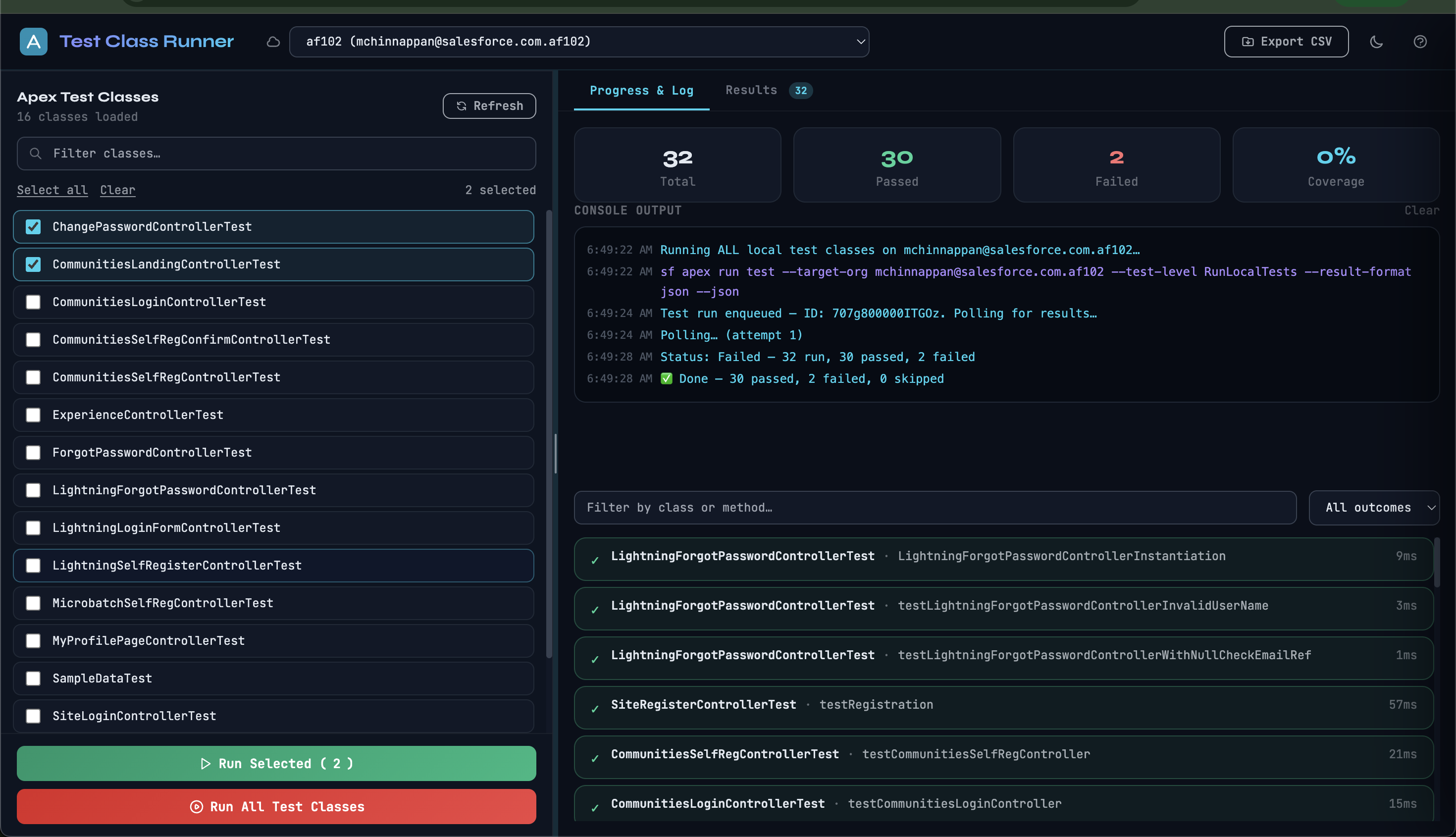
A CLI + browser UI for running and monitoring Salesforce Apex test classes. Connects to any authenticated org via the Salesforce CLI (sf), lists your Apex test classes, runs them, and streams live results — all from a single npx command.


Screenshots
Prerequisites
- Node.js 18 or newer
- Salesforce CLI (
sf) installed and on yourPATHnpm install -g @salesforce/cli - At least one org authenticated:
sf org login web --alias my-org
Install
npm install -g test-class-runnerUsage
test-class-runner [options]

Options:
  -o, --username <username>   Salesforce org username or alias to pre-select
  -p, --port <port>           Port for the UI server (default: 3838)
  --no-open                   Do not auto-open the browser
  -V, --version               Print version
  -h, --help                  Show help
Examples
test-class-runner -p 6767 -o my-dev-org

tcr -p 6767 -o my-dev-org
Features
- Org picker — lists all authenticated orgs (scratch, sandbox, production, dev hub)
- Class list — auto-filters to Apex classes that contain
@isTest,testMethod, orTestin their name - Run All — executes
RunLocalTestsasynchronously with a confirmation prompt (can be slow for large orgs) - Run Selected — check any subset of classes and run only those
- Single class: uses
--synchronousfor immediate results - Multiple classes: dispatched async, polled every 5 s until complete
- Single class: uses
- Live log — streams SF CLI output and poll status in real time
- Results tab — filterable table of every test method with Pass / Fail / Skip outcome, run time, and error message
- Export CSV — download all results as a spreadsheet
- Error handling — surfaces SF CLI errors (
ALREADY_IN_PROCESS, auth failures, etc.) directly in the log - 20-minute timeout — automatically aborts a hung run and reports an error
- Dark / light theme — toggle in the top bar, persisted in
localStorage - Resizable split pane — drag the divider between the class list and results
- Help panel — press
?or click the?button for inline reference
How It Works
test-class-runnerstarts an Express server onlocalhost:<port>and opens your browser.- The browser fetches org and class lists via
/api/orgsand/api/classes(backed bysf org listandsf data query). - When you start a run, the server spawns
sf apex run testand either:- Returns results immediately (single-class synchronous run), or
- Receives a
testRunIdand begins pollingsf apex get test --test-run-id <id>every 5 seconds.
- Progress and results are pushed to the browser over Server-Sent Events (
/api/stream) in real time.
Keyboard Shortcuts
| Key | Action |
|-----|--------|
| ? | Open / close the Help panel |
| Esc | Close modals and the Help panel |
Troubleshooting
No classes appear after Refresh
- Confirm the org is authenticated:
sf org list - The query only returns classes with no namespace prefix and
Status = 'Active'
ALREADY_IN_PROCESS error
- Another test run is already queued for this org. Wait for it to finish or cancel it via Setup → Apex Test Execution in your org.
Polling never finishes
- The UI polls for up to 20 minutes. For very large orgs, consider selecting a subset of classes instead of Run All.
sf command not found
- Install the Salesforce CLI:
npm install -g @salesforce/cli
License
MIT (c) Mohan Chinnappan