
test-stack-reporter
v1.1.3
Published
Reporter is part of test stack and allows send report snippets to log management solutions.

Maintainers
 rdpanek
Readme
Reporter
Logging results of tests and load server with Selenium environment based on Docker.
Infrastructure of log management
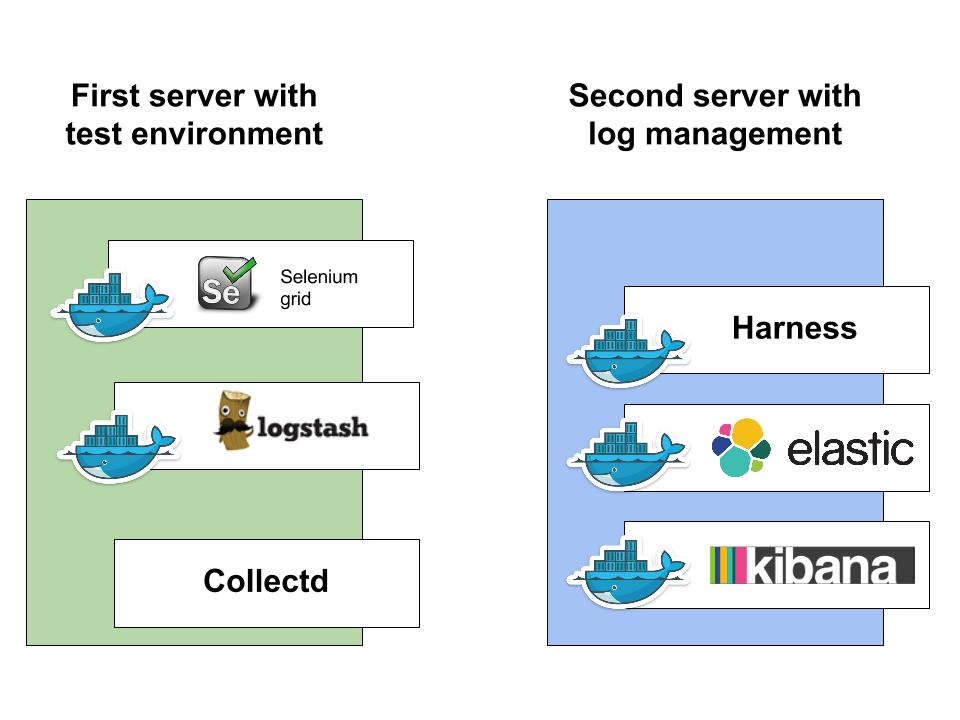
Configuration Harness
You must add to ./config.cson ELASTICSEARCH: "IP_OF_ELASTICSEARCH:PORT"
And run your Harness with -R elastic option
Collectd
Collectd - The system statistics collection daemon
Collectd installation
sudo apt-get update
sudo apt-get install collectd collectd-utils
Collectd configuration
Edit your /etc/collectd/collectd.conf
Apply changes sudo service collectd restart
Logstash
Logstash configuration
Create ~/logstashConf/collectd.conf
Run Logstash
docker run -d -v /logstashConf/:/conf --name logstash -p 25826:25826/udp itzg/logstash:latest
Running docker containers
$ docker ps

CONTAINER ID        IMAGE                         COMMAND                CREATED             STATUS              PORTS                                 NAMES
d638f1381344        selenium/node-chrome:2.46.0   /opt/bin/entry_point   29 hours ago        Up 29 hours                                               pensive_franklin
bf04464fa6b7        selenium/hub:2.46.0           /opt/bin/entry_point   29 hours ago        Up 29 hours         0.0.0.0:4444->4444/tcp                pensive_franklin/hub,selenium-hub
69549b3c871a        itzg/logstash:latest          bin/logstash agent -   12 days ago         Up 29 hours         25826/tcp, 0.0.0.0:25826->25826/udp   logstash
Verify that Collectd running
$ service collectd status
 * collectd is running
Kibana settings
Open Kibana http://yourServerAddress:5601/
Import Dashboards
Kibana > Settings > Objects > Import this json
Server load dashboard
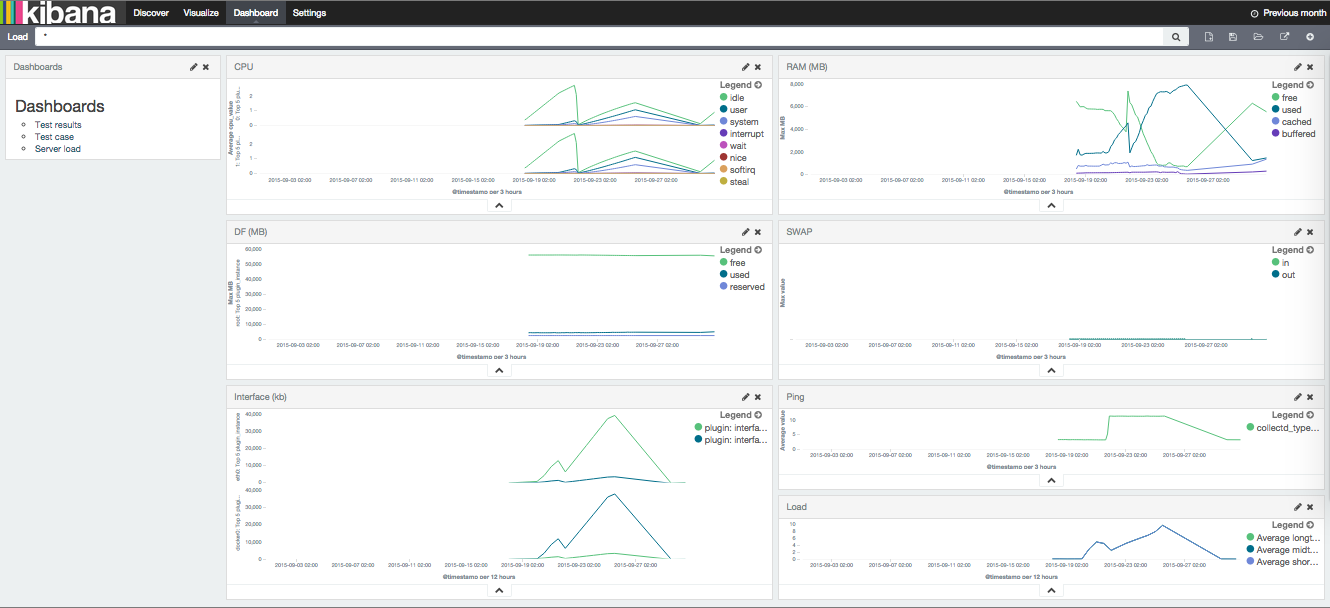
Test results dashboard
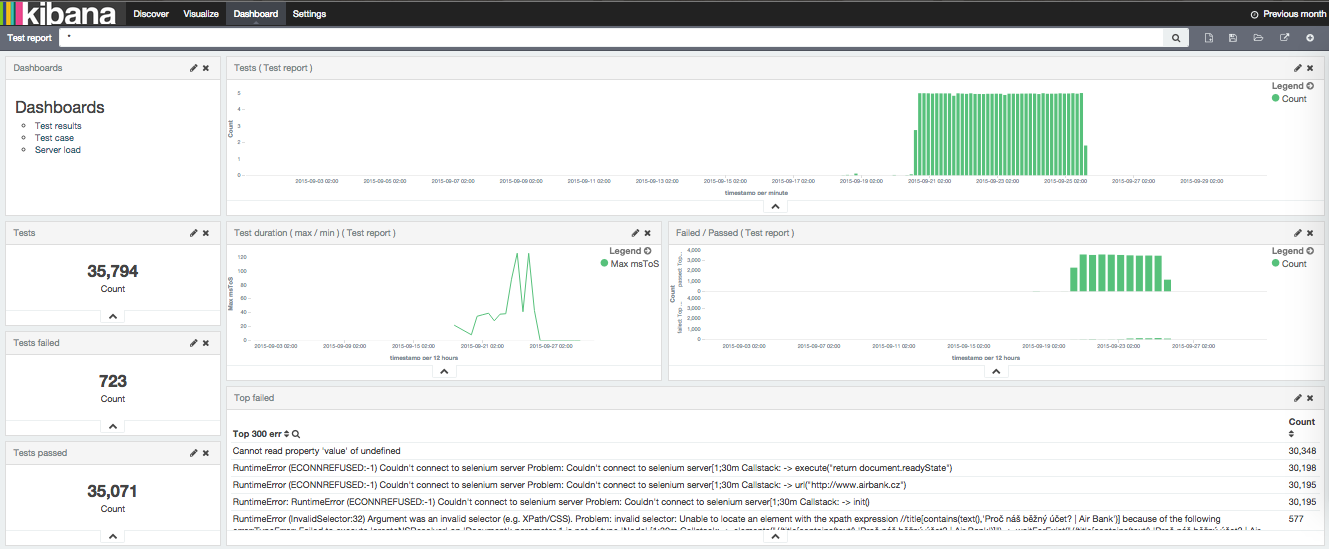
Import Visualization
Kibana > Settings > Objects > Import this json
Add Script fields
For testreport index
Kibana > Settings > testreport > Script fields
name: msToS
script: doc['testCaseDuration'].value / 1000
For collectd index
Kibana > Settings > collectd > Script fields
name: MB
script: doc['value'].value / 1000000

name: cpu_value
script: doc['value'].value / 10000000

name: ms
script: doc['value'].value / 1000

name: txToKbe
script: doc['tx'].value / 1024 / 1024

name: rxToKb
script: doc['rx'].value / 1024 / 1024