
three-dxf-loader
v5.5.0
Published
Cross platform DXF loader for three.js. Out of the box usable with react-three-fiber.

Maintainers
 sonisourabh
Readme
three-dxf-loader
three-dxf-loader is a cross platform DXF file loader for THREE.js. It takes URL of a DXF file as input and returns THREE.js mesh entities. It internally uses dxf-parser for parsing DXF file. This library works out of the box with cross platform react-native and react-three-fiber.
Requires three >= 0.129.0 (peer dependency).
Install
pnpm add three-dxf-loader threeor
npm i three-dxf-loader threeUsage
import * as THREE from 'three';
import { FontLoader } from "three/examples/jsm/loaders/FontLoader.js";
import { DXFLoader } from 'three-dxf-loader';

const fontLoader = new FontLoader();
fontLoader.load("/fonts/helvetiker_regular.typeface.json", (font) => {
  const loader = new DXFLoader();
  loader.setFont(font); // set fonts
  loader.setEnableLayer(true); // set EnableLayer
  loader.setDefaultColor(0x000000); // set DefaultColor : Default color will be applied when no color found for the entity
  loader.setConsumeUnits(true); // consume units coming from DXF and scale the model to 'meter'
  const scene = new THREE.Scene();
  onLoad = (data) => {
      if (data?.entity) {
        scene.add(data.entity)
      }
  }
  const onError = (error) => {
    console.log(error);
  }
  const onProgress = (xhr) => {
    console.log( ( xhr.loaded / xhr.total * 100 ) + '% loaded' );
  }
  loader.load(url, onLoad, onProgress, onError);
});
Usage in React Three Fiber
DXFLoader implements the standard THREE.Loader interface, so it plugs directly into
R3F's useLoader -- same pattern as useLoader(GLTFLoader, url). Load the font the same
way, then pass it into the DXFLoader config callback:
import { useLoader } from '@react-three/fiber'
import { FontLoader } from 'three/examples/jsm/loaders/FontLoader.js'
import { DXFLoader } from 'three-dxf-loader'

function Scene({ url, fontUrl }) {
  const font = useLoader(FontLoader, fontUrl)
  const data = useLoader(DXFLoader, url, (loader) => {
    loader.setFont(font)
    loader.setEnableLayer(true) // set EnableLayer
    loader.setConsumeUnits(true) // consume units coming from DXF and scale the model to 'meter'
    loader.setDefaultColor(0x000000) // set DefaultColor : Default color will be applied when no color found for the entity
  })
  return <primitive object={data?.entity} />
}
See examples/r3f for a complete, runnable demo (orthographic camera, auto-fit, pan/zoom-only controls).
Run the Examples
# First, compile three-dxf-loader
> pnpm install
> pnpm build

# Vanilla (plain JS, drag-and-drop DXF) example
> pnpm start-web

# React Three Fiber example
> pnpm start-r3f
start-web serves the repo root on port 3000 -- open http://localhost:3000/examples/web/index.html. start-r3f starts the CRA dev server (also port 3000, opens automatically).
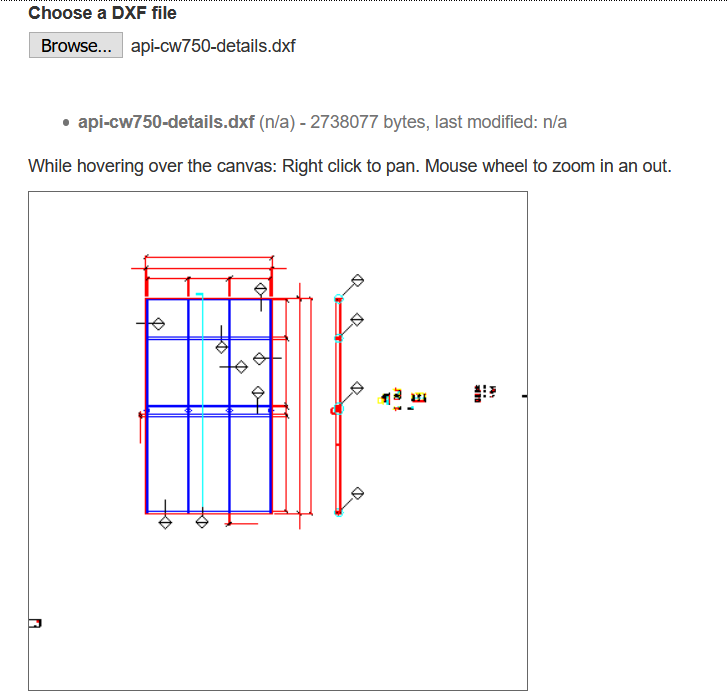
Supported DXF Features
Supports:
- Header
- Most LW entities (lines, polylines, circles, polyfaces etc)
- Layers
- Some support for line types
- Text, MText, and Attribute Definitions (ATTDEF)
- Viewport
- Splines (Quadratic and Cubic)
- Ellipses
- 3DFace
- Some Dimensions (aligned/linear)
Does not yet support:
- Attribute instances (ATTRIB) / block attribute substitution on INSERT
- 3DSolids
- MultiLeaders and other Leader types
- other less common objects and entities.
BREAKING CHANGES
- Upgrade from 3.* to 4.*
Replace following code
loader.load(url, (data) => {
  const { entities } = data
  // do something with entities
 }, onProgress, onError);
to
loader.load(url, (data) => {
  const { entity } = data
  // do something with entity or entity.children

 }, onProgress, onError);