
thy-clock
v1.0.1
Published
This is a stylish analogoue alarm-clock ⏰ web component, that can easily be integrated in your web application. It can easily be cstomized to your needs.
Downloads
80

Maintainers
 thooyork
Readme
ThyClock
This is a stylish analogoue alarm-clock ⏰ web component, that can easily be integrated in your web application. It can easily be cstomized to your needs.
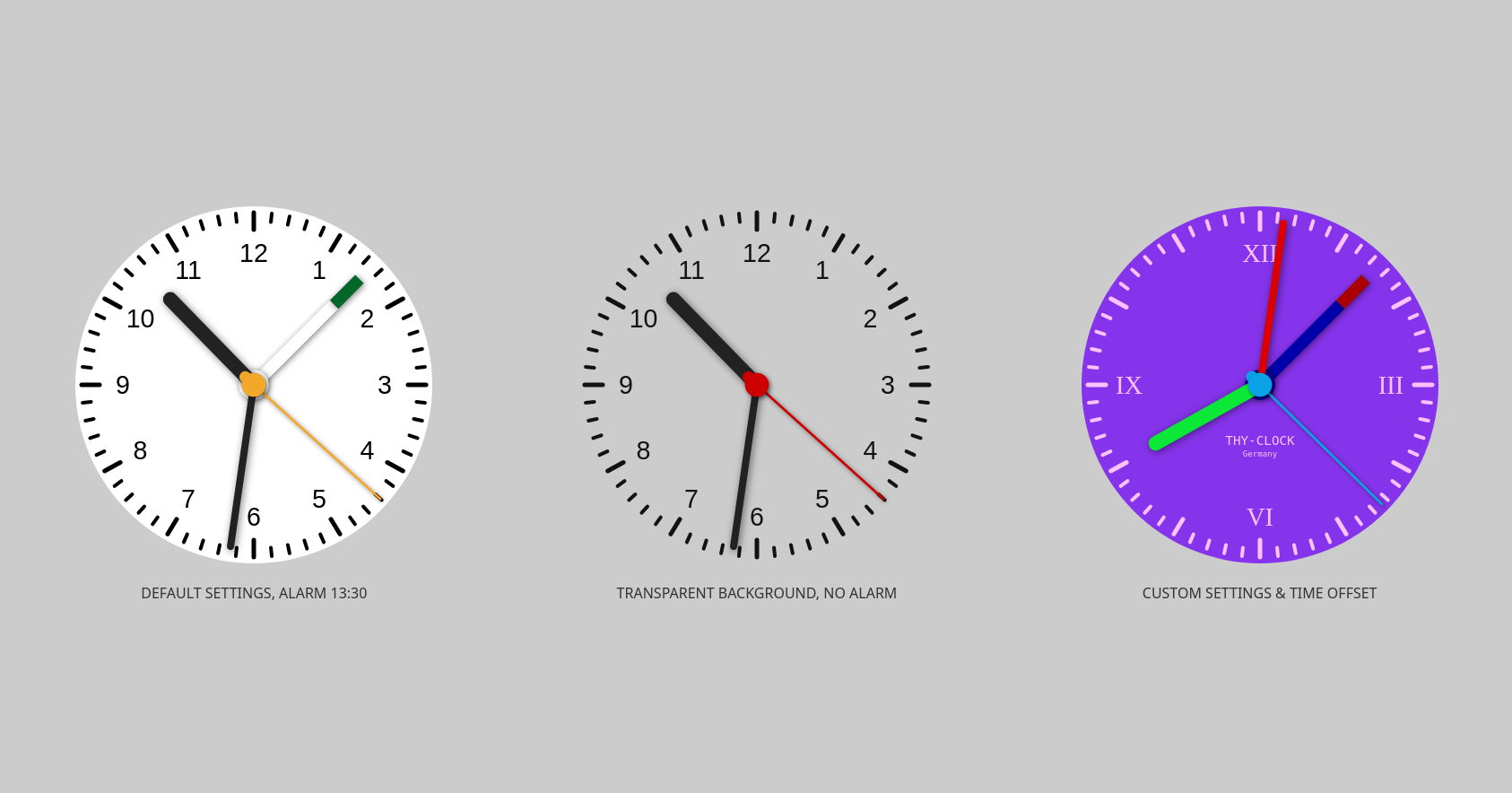
Features
- small
- lightweight
- framework agnostic (like any other true web component)
- integrates for example with vanilla, vue, react, angular, svelte, solid.js and many more
Implementation Examples
    // default
    <thy-clock></thy-clock>

    // few colors and size changed
    <thy-clock
      size="400"
      dial-color="#121212"
      dial-background-color="transparent"
      second-hand-color="#cc0000"
    ></thy-clock>

    // fully customized
    <thy-clock
      size="400"
      second-hand-animation="sweep"
      dial-color="#fac2ff"
      dial-background-color="#8634eb"
      second-hand-color="#0ca2e8"
      minute-hand-color="#dd0000"
      hour-hand-color="#0ce838"
      alarm-time="13:30"
      alarm-hand-color="#0000aa"
      alarm-hand-tip-color="#aa0000"
      numeral-font="Times"
      brand-font="monospace"
      brand-text="THY-CLOCK"
      brand-text2="Germany"
      numerals='[{"3":"III"},{"6":"VI"},{"9":"IX"},{"12":"XII"}]'
      time-offset-operator="-"
      time-offset-hours="2"
      time-offset-minutes="30"
    ></thy-clock>
Events
Listen to events:
<script>
    const alarmClock = document.getElementById("alarmclock");

    alarmClock.addEventListener('alarm', (e) => {
        console.log('Alarm is ringing', e.detail.date);
    });

    alarmClock.addEventListener('every-second', (e) => {
      console.log('Every second', e.detail.seconds, e.detail.date);
    });
</script>
Installation
npm install thy-clockUsage
<!doctype html>
<html lang="en">
  <head>
    <meta charset="UTF-8" />
    <meta name="viewport" content="width=device-width, initial-scale=1.0" />
    <title>My fancy app</title>
    <script type="module">import 'thy-clock';</script>
  </head>
  <body>
    <thy-clock></thy-clock> // see Implementation Examples above
  </body>
</html>
Attributes
The following attributes are available:
| attribute name | type | default value | info |
| --- | --- | --- | --- |
| size | number | 250| size in px |
| dial-color | string | #000000| color of dial numerals, ticks and brand-text |
| dial-background-color | string | #FFFFFF| dial background, can be set to transparent |
| second-hand-color | string | #F3A829| color of second-hand and center disc |
| minute-hand-color | string | #222222| color of minute-hand |
| hour-hand-color | string | #222222| color of hour-hand |
| alarm-hand-color | string | #FFFFFF| color of alarm-hand (only visible if alarm-time is set) |
| alarm-hand-tip-color | string | #026729| color of tip (only visible if alarm-time is set) |
| hide-numerals | boolean | false| hides the numerals if present |
| numeral-font | string | arial| font type for the numerals |
| brand-font | string | arial| font type for the brand-text & brand-text2 |
| brand-text | string or null | null| text on dial |
| brand-text2 | string or null | null| text line 2 (small) on dial |
| ticking-minutes | boolean | false| sets the minute hand only at the full minute (default is sweeping) |
| second-hand-animation | HandAnimation | "tick" or "smooth-tick" or "sweep"| sets the second hand animation (default is smooth-tick) |
| numerals | Object<Numeral>* | { 1: 1, 2: 2, 3: 3, 4: 4, 5: 5, 6: 6, 7: 7, 8: 8, 9: 9, 10: 10, 11: 11, 12: 12 }| gives you the possibility to set only specific numerals, or change their values(e.g. roman figures) |
| alarm-time | string or null | null| String of hours and minutes with colon-separator like "12:45" |
| time-offset-operator | string | +| "+" or "-" to add or subtract the offset |
| time-offset-hours | number | 0| offset in hours |
| time-offset-minutes | number | 0| offset in minutes |
* Interface Numeral:
interface Numeral {
  [key: number]: number | string;
}
Demo (or it didn't happen)
✨ Have fun! ✨
Remember: time flies ! 🕛 🕐 🕑 🕒 🕓 🕔 🕕