
tiltshift-in-html
v0.1.1
Published
Depth-aware tilt-shift optics for Three.js — a tilted (Scheimpflug) focus plane, physical depth of field, and an artistic screen band, in one drop-in pass.

Maintainers
 ybouane
Readme
Built by @ybouane · see also liquidglass
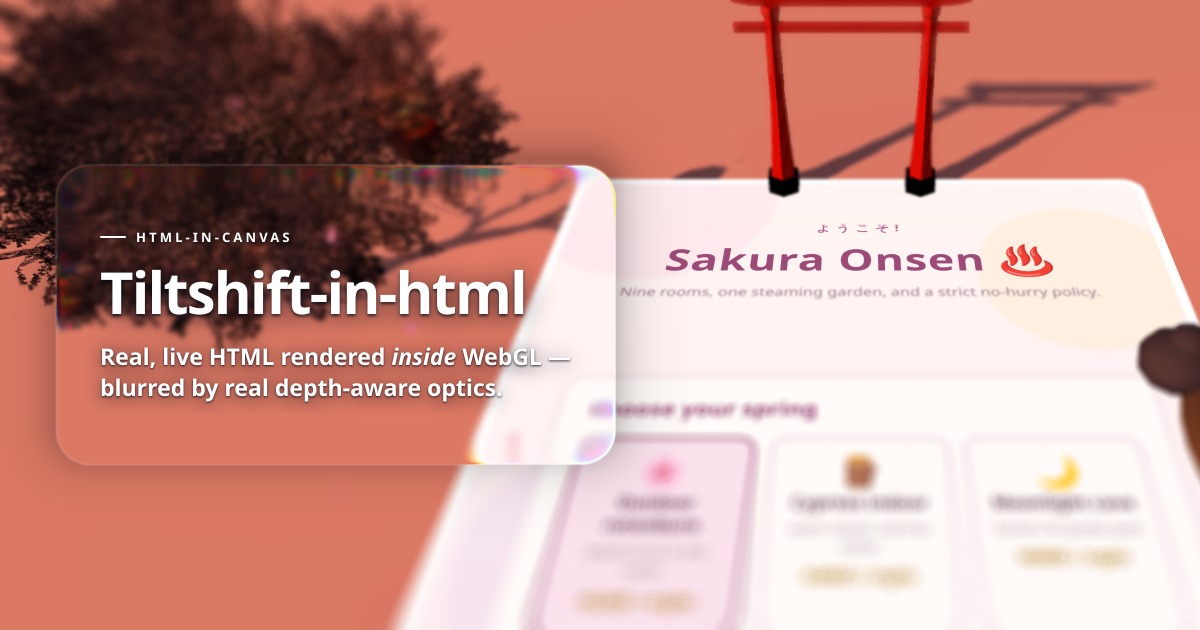
Depth-aware tilt-shift optics for Three.js. A tilted (Scheimpflug) focus plane, a physical depth of field, and an artistic screen band — in one drop-in pass. See it running at tiltshift-in-html.ybouane.com.
Not a blur filter. The pass reads the depth buffer, works out a signed circle of confusion per pixel, and scatters the near field forward so foreground bokeh spills over what is behind it — which is the part that makes a render look photographed rather than post-processed.
Demo
tiltshift-in-html.ybouane.com — eighteen miniature dioramas, each one driving this library. (That demo also renders live HTML inside the WebGL scene, which is a separate experiment and not part of this package — see AGENTS.md if you are curious.)
There is a self-contained example in examples/basic.html:
npm run build, then serve the folder.
Installation
npm install tiltshift-in-html threeOr straight from a CDN, no build step:
<script type="importmap">
  { "imports": {
      "three": "https://unpkg.com/[email protected]/build/three.module.js",
      "tiltshift-in-html": "https://unpkg.com/tiltshift-in-html/dist/index.js"
  } }
</script>
Quick start
Wherever you called renderer.render(scene, camera), call this instead:
import { TiltShift } from 'tiltshift-in-html';

const tilt = new TiltShift(renderer, {
  model: 'plane',      // the tilted focus plane
  planePitch: 24,      // degrees
  aperture: 64,
  focusDistance: 13,
});

renderer.setAnimationLoop(() => {
  tilt.render(scene, camera);          // was: renderer.render(scene, camera)
});

addEventListener('resize', () => {
  renderer.setSize(innerWidth, innerHeight);
  tilt.syncSize();
});
That is the whole integration. Everything else is options.
How it works
- Scene pass. The scene is rendered into an offscreen colour target with a depth texture attached. The pass needs its own depth, which is why it takes the scene rather than an already-rendered image.
- Circle of confusion. Depth is linearised into view space and turned into a signed CoC in full-resolution pixels — negative in the near field. All three focus models produce this same number, so everything downstream is model-agnostic.
- Near-field dilation. The maximum near CoC is reduced to 1/8 resolution tiles and dilated 3×3. Without this, out-of-focus foreground objects have sharp silhouettes — the giveaway of a gather-only blur.
- Gather. A Poisson-disc scatter-as-gather at half resolution, weighted so a neighbour only contributes where its own CoC says it should reach.
- Composite. Sharp and blurred are blended by coverage at full resolution, so edges stay crisp where they should be.
Focus models
| model | What it does | Use it for |
| --- | --- | --- |
| physical | Blur grows with distance from a focus plane perpendicular to the view axis | Ordinary depth of field |
| plane | A tilted focus plane — the Scheimpflug principle a real tilt-shift lens implements | The miniature look. The sharp band cuts across depth |
| band | A screen-space band, no depth involved | Cheap, and often what "tilt-shift" means on a photo |
API
new TiltShift(renderer, options?)
| Option | Type | Default | Description |
| --- | --- | --- | --- |
| model | 'physical' \| 'plane' \| 'band' | 'physical' | Which model decides the blur |
| focusDistance | number | 6 | World units from the camera to the sharp plane |
| aperture | number | 42 | Direct multiplier on the CoC. Not f-stops — bigger is blurrier |
| focusRange | number | 0.35 | World units either side of focus that stay perfectly sharp (physical) |
| maxCoc | number | 26 | Blur ceiling in full-res pixels. The cost knob |
| nearBoost | number | 1.15 | Extra blur for the near field, as a real lens has |
| planePitch | number | 0 | Tilt of the focus plane, degrees (plane) |
| planeYaw | number | 0 | Swing of the focus plane, degrees (plane) |
| planeThickness | number | 0.9 | Thickness of the sharp slab, world units (plane) |
| nearTransition | number | 1.6 | World units to reach full blur on the near side (plane) |
| farTransition | number | 2.6 | The same on the far side (plane) |
| bandCenter | number | 0.5 | Centre of the sharp band, 0..1 from the top (band) |
| bandHalfWidth | number | 0.12 | Half-height of the sharp part, 0..1 (band) |
| bandAngle | number | 0 | Rotation of the band, degrees (band) |
| bandFeather | number | 0.25 | How far past the band blur reaches maximum, 0..1 (band) |
| quality | 'low' \| 'medium' \| 'high' \| 'auto' | 'auto' | auto watches frame time and moves between presets |
| debug | 'none' \| 'depth' \| 'coc' \| 'near' \| 'far' | 'none' | Show an intermediate buffer instead of the image |
Methods
| Method | Description |
| --- | --- |
| render(scene, camera, target?) | Render with tilt-shift. target defaults to the canvas; pass a render target to keep going with your own passes |
| set(patch) | Change any subset of the options. Cheap enough to call every frame |
| setSize(width, height) | Resize the internal targets. Drawing-buffer pixels, not CSS pixels |
| syncSize() | Follow the renderer's current size — call it from your resize handler |
| getFocusPlane(camera, out?) | The focus plane in world space, for a helper or for debugging |
| activeQuality | Which preset is in force, useful when auto is driving |
| sceneTarget | The colour target the scene was rendered into, with its depth texture |
| dispose() | Free the targets and materials |
Focus helpers
None of these are required — setting focusDistance by hand is a perfectly
good way to use the library — but these are the ways of arriving at that number
that come up often enough to ship.
import {
  viewDepthTo, viewDepthToObject, focusDistanceAtPointer,
  computeFocusPlane, FocusSpring,
} from 'tiltshift-in-html';

// focus on whatever is under the pointer, and rack to it rather than cut
const hit = focusDistanceAtPointer(camera, scene, pointer);  // null if nothing
if (hit !== null) tilt.options.focusDistance = spring.update(hit, dt);
viewDepthTo(camera, point) measures along the camera's view axis, not the
straight line to the point. This matters: the pass compares against linear
view-space depth, so using .distanceTo() puts things at the edge of frame
slightly out of focus — which reads as a soft lens rather than as a bug, and is
therefore very hard to find later.
Gotchas
- Drawing-buffer pixels.
setSize()wantsrenderer.getDrawingBufferSize(), notinnerWidth/innerHeight. Passing CSS pixels on a retina display renders the whole pass at half resolution and looks like a mysterious loss of sharpness.syncSize()does it correctly for you. - Perspective cameras only. The CoC comes from a perspective depth linearisation; an orthographic camera has no focus plane to speak of.
- The pass renders the scene. It owns the depth texture, so it takes
(scene, camera)rather than an image. If you have other passes, render into a target:tilt.render(scene, camera, myTarget). maxCocis the cost knob, notaperture. Raising the ceiling widens the gather; raising the aperture only reaches that ceiling sooner.- Tone mapping and colour space are the renderer's business and happen in the scene pass, as they would without this library.
Browser support
WebGL2, which Three.js has required since r163. No extensions, no float render
target requirements beyond half-float, no dependencies other than three
itself as a peer.
License
MIT — ybouane